Mensajes

This is the product's own frame. Your conversations appear here once you have an account.

Get started now
Notificaciones

This is the product's own frame. Alerts about your business appear here once you have an account.

Español
Everyone had exactly the right keys

Seats, roles and sanity.

Manage your team's access — who's in, what they can touch, and how the company's work stays both open and safe.

Why it matters

Your people, their roles, and what they can touch.

Roles, not chaosOwner, admin, member — permissions that make sense.
Company data, sharedTeams on Pro see the same real numbers.
Personal stays personalIndividual profiles and credits remain each person's own.
Part of one platform — works hand-in-hand withTrabajo en equipo·Precios

Because you said I want my team to see only their part.

Miembros del equipo

Every person you work with on one roster — who they are, what you share, and what they can touch.
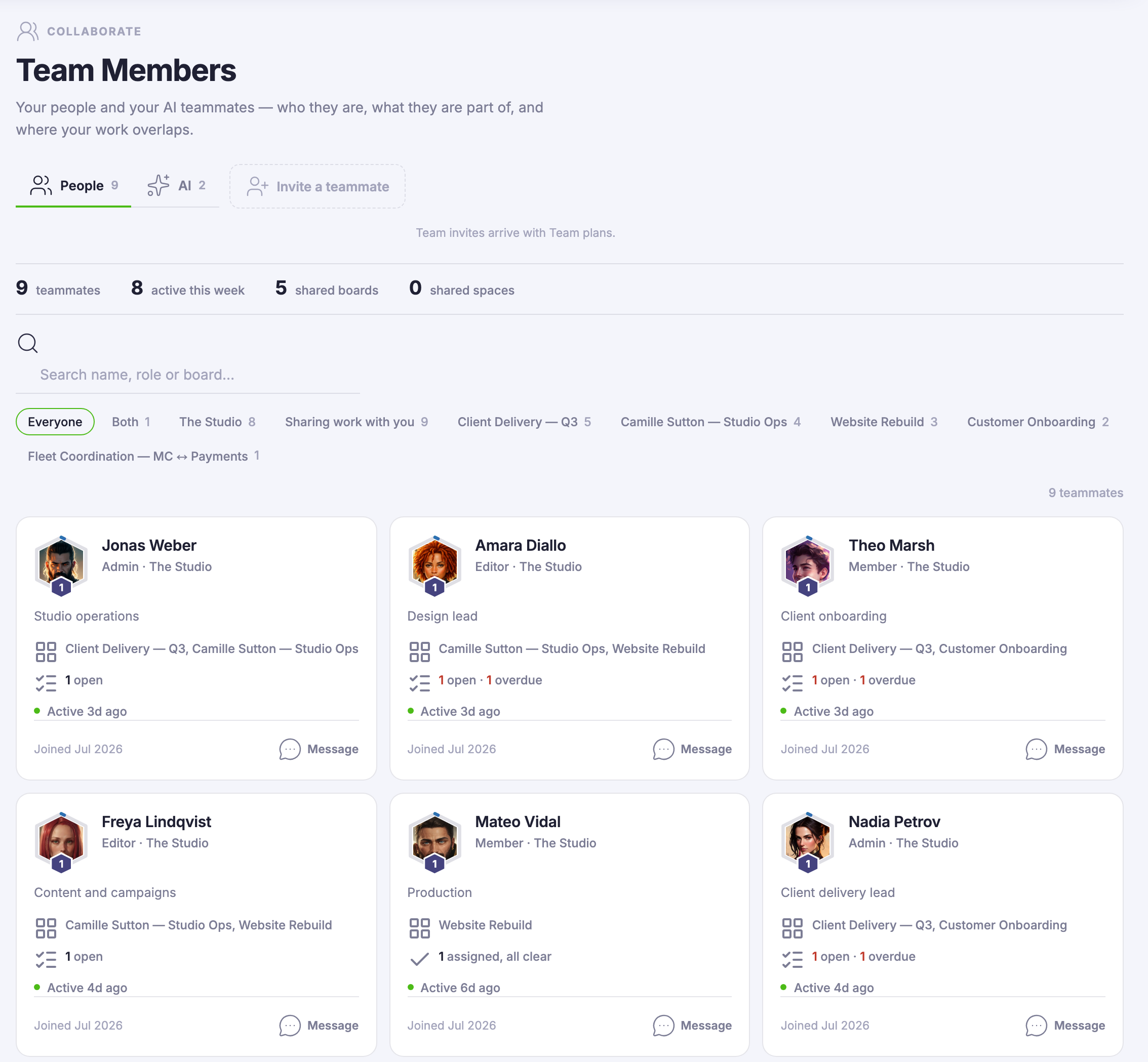
One card per personPhoto, role and team, the boards and projects you share, what they have open, when they were last here — and a message control on the card itself.
Roles that mean somethingOwner, admin, member. Each person sees their part of the workspace, company data stays with the company seat, and personal profiles and credits remain each person’s own.
Your AI teammates, same rosterThe roster keeps a People tab and an AI tab, so who carries the work reads from one place — whether the who is human or not.
Read more about Team Members

Who is on the team, what they can touch, and what you share — answered by a page instead of by asking around.

A roster, not a settings screen. Every teammate is a card: who they are, the role they hold, the boards and spaces you share, what they are carrying and when they were last here. The org chart stops living in your head.

Roles do the quiet work. Owner, admin and member mean each person sees their part of the workspace — company data stays with the company seat, while personal profiles and credits remain each person’s own.

Open a card and the platform’s member drawer opens with it — the same identity card the rest of FocalShift draws, with the work you share in common and a message one click away.

And the roster is honest about the other half of your team. An AI tab keeps your AI teammates beside your people — teammates you open, not settings you hunt for.

What it actually does

  • One card per person — role, team, shared work, last activity
  • People and AI tabs reading from one roster
  • Teammates join through company seats on Team plans

What that changes for you

  • You stop keeping the org chart in your head
  • Who can touch what is a role, not a guess
  • A message to the right person starts from their card

You come away with a roster that already knows who does what.

A look inside Team Members

Team Members — platform screenshots

Real screens from the product. Open any one full size, or switch the set to light or dark.

Cerrar
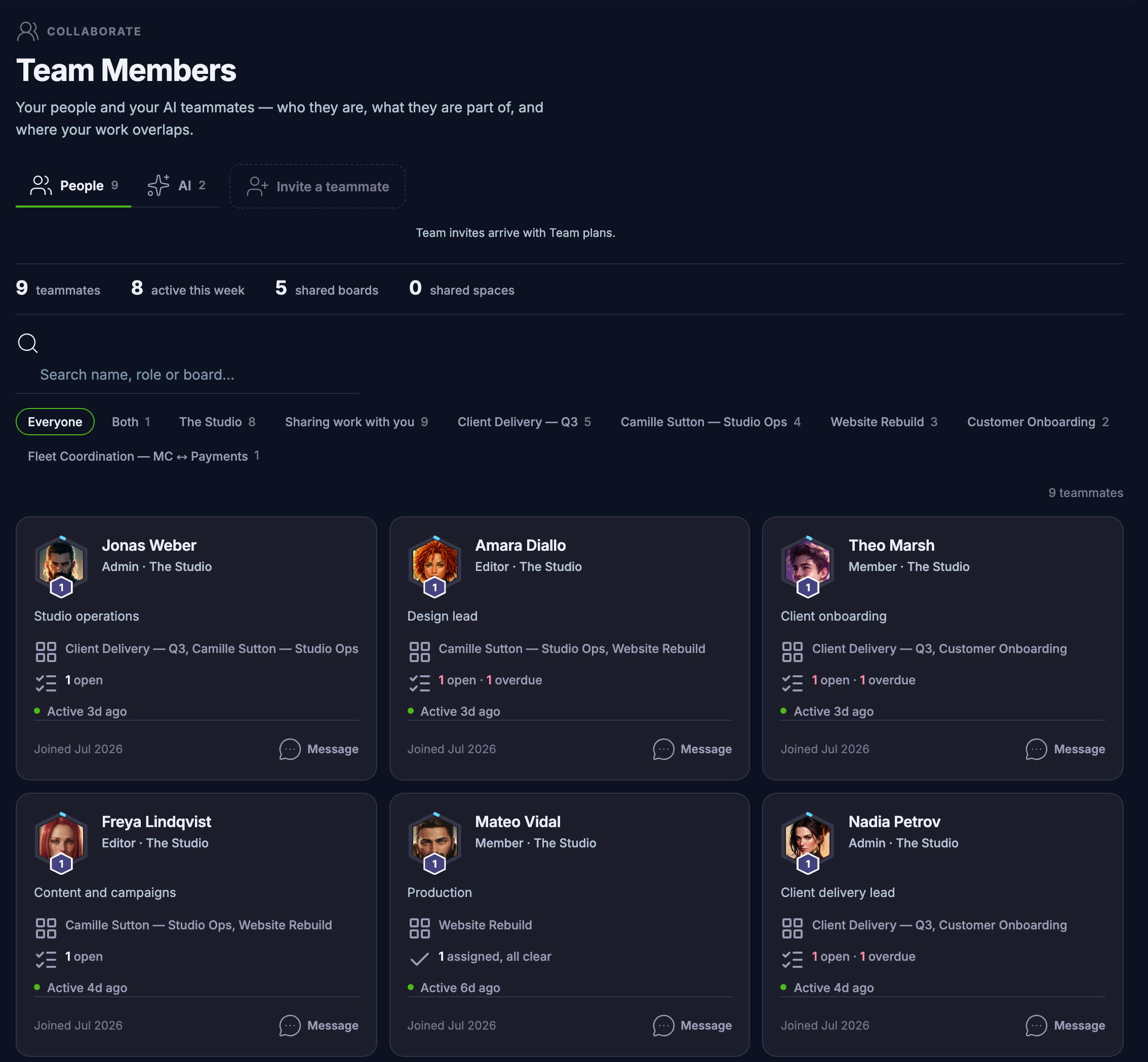
The Team Members roster in the Collaborate workspace: People and AI tabs beside an invite-a-teammate control and a note that team invites arrive with Team plans; a summary strip counting teammates, activity this week, shared boards and shared spaces; a search field with filter chips for each team and shared board; and the first six teammate cards, each carrying a portrait, name, role and team, a one-line headline, the boards shared with you, what they have open, when they were last active, when they joined, and a Message control.The Team Members roster in the Collaborate workspace: People and AI tabs beside an invite-a-teammate control and a note that team invites arrive with Team plans; a summary strip counting teammates, activity this week, shared boards and shared spaces; a search field with filter chips for each team and shared board; and the first six teammate cards, each carrying a portrait, name, role and team, a one-line headline, the boards shared with you, what they have open, when they were last active, when they joined, and a Message control.
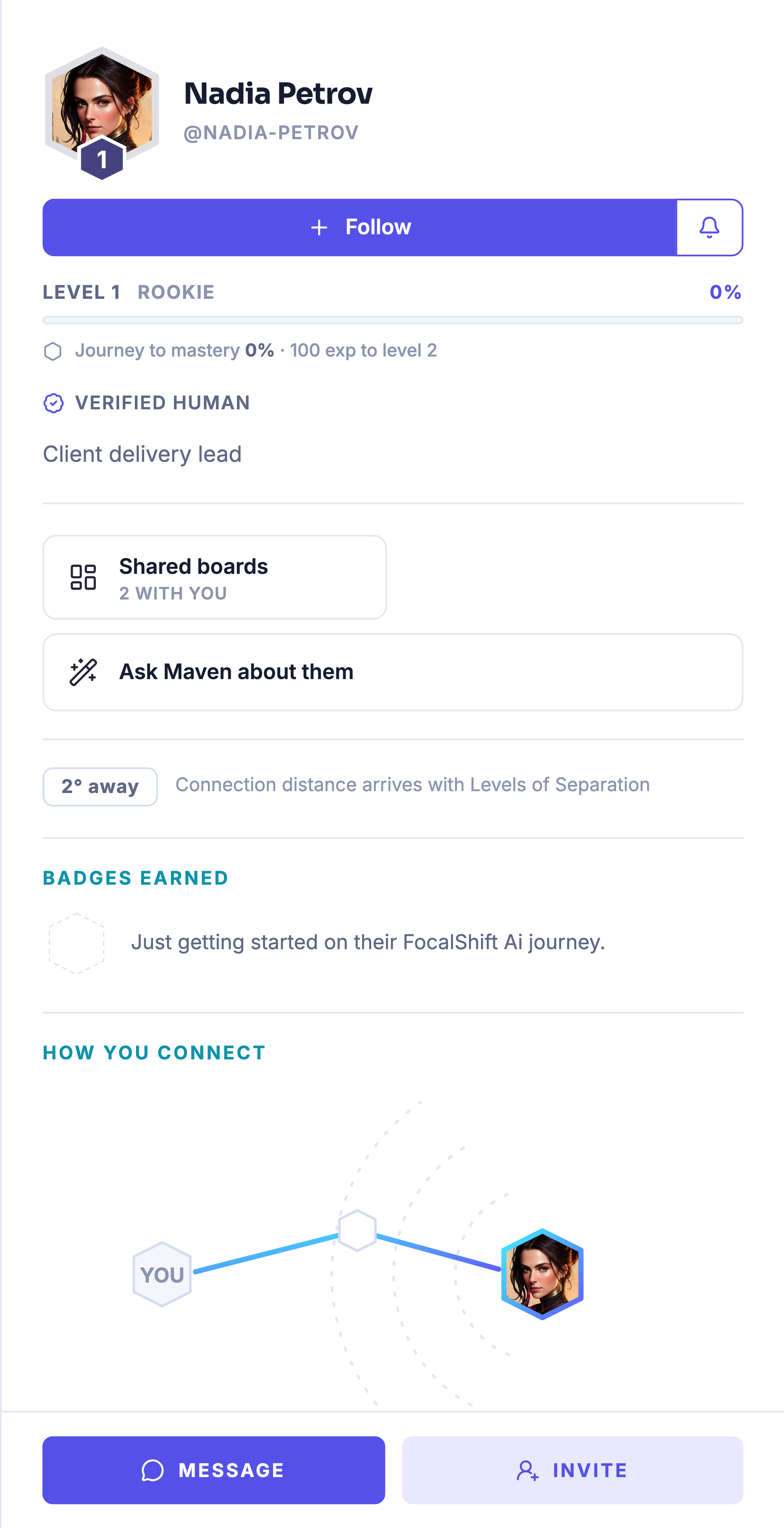
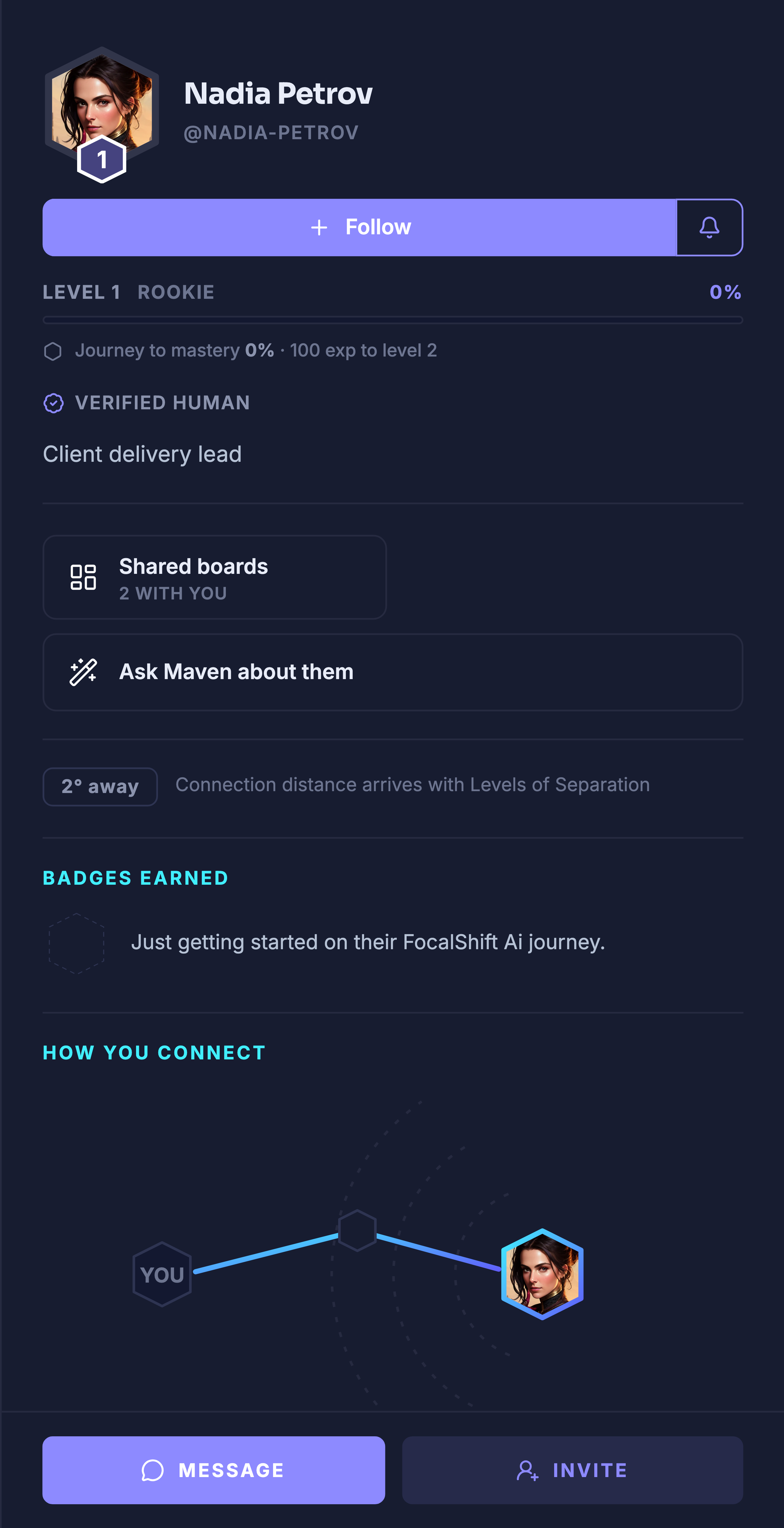
A teammate’s card opened into the platform’s own member drawer: portrait and handle above a follow control, their level and journey-to-mastery line, the product’s verified-human mark, their role headline, a shared-boards panel counting the boards you have in common, an ask-Maven-about-them control, a connection-distance chip noting that connection distance arrives with Levels of Separation, a badges line whose only slot is still an empty outline beside the note that they are just getting started on the platform, a how-you-connect map from you to them, and message and invite controls at the foot.A teammate’s card opened into the platform’s own member drawer: portrait and handle above a follow control, their level and journey-to-mastery line, the product’s verified-human mark, their role headline, a shared-boards panel counting the boards you have in common, an ask-Maven-about-them control, a connection-distance chip noting that connection distance arrives with Levels of Separation, a badges line whose only slot is still an empty outline beside the note that they are just getting started on the platform, a how-you-connect map from you to them, and message and invite controls at the foot.

Miembros del equipo

Cerrar
The Team Members roster in the Collaborate workspace: People and AI tabs beside an invite-a-teammate control and a note that team invites arrive with Team plans; a summary strip counting teammates, activity this week, shared boards and shared spaces; a search field with filter chips for each team and shared board; and the first six teammate cards, each carrying a portrait, name, role and team, a one-line headline, the boards shared with you, what they have open, when they were last active, when they joined, and a Message control.The Team Members roster in the Collaborate workspace: People and AI tabs beside an invite-a-teammate control and a note that team invites arrive with Team plans; a summary strip counting teammates, activity this week, shared boards and shared spaces; a search field with filter chips for each team and shared board; and the first six teammate cards, each carrying a portrait, name, role and team, a one-line headline, the boards shared with you, what they have open, when they were last active, when they joined, and a Message control.

Miembros del equipo

Cerrar
A teammate’s card opened into the platform’s own member drawer: portrait and handle above a follow control, their level and journey-to-mastery line, the product’s verified-human mark, their role headline, a shared-boards panel counting the boards you have in common, an ask-Maven-about-them control, a connection-distance chip noting that connection distance arrives with Levels of Separation, a badges line whose only slot is still an empty outline beside the note that they are just getting started on the platform, a how-you-connect map from you to them, and message and invite controls at the foot.A teammate’s card opened into the platform’s own member drawer: portrait and handle above a follow control, their level and journey-to-mastery line, the product’s verified-human mark, their role headline, a shared-boards panel counting the boards you have in common, an ask-Maven-about-them control, a connection-distance chip noting that connection distance arrives with Levels of Separation, a badges line whose only slot is still an empty outline beside the note that they are just getting started on the platform, a how-you-connect map from you to them, and message and invite controls at the foot.

A look inside Team Members

Stills from the product, one after the next.

The Team Members roster in the Collaborate workspace: People and AI tabs beside an invite-a-teammate control and a note that team invites arrive with Team plans; a summary strip counting teammates, activity this week, shared boards and shared spaces; a search field with filter chips for each team and shared board; and the first six teammate cards, each carrying a portrait, name, role and team, a one-line headline, the boards shared with you, what they have open, when they were last active, when they joined, and a Message control.The Team Members roster in the Collaborate workspace: People and AI tabs beside an invite-a-teammate control and a note that team invites arrive with Team plans; a summary strip counting teammates, activity this week, shared boards and shared spaces; a search field with filter chips for each team and shared board; and the first six teammate cards, each carrying a portrait, name, role and team, a one-line headline, the boards shared with you, what they have open, when they were last active, when they joined, and a Message control.
A teammate’s card opened into the platform’s own member drawer: portrait and handle above a follow control, their level and journey-to-mastery line, the product’s verified-human mark, their role headline, a shared-boards panel counting the boards you have in common, an ask-Maven-about-them control, a connection-distance chip noting that connection distance arrives with Levels of Separation, a badges line whose only slot is still an empty outline beside the note that they are just getting started on the platform, a how-you-connect map from you to them, and message and invite controls at the foot.A teammate’s card opened into the platform’s own member drawer: portrait and handle above a follow control, their level and journey-to-mastery line, the product’s verified-human mark, their role headline, a shared-boards panel counting the boards you have in common, an ask-Maven-about-them control, a connection-distance chip noting that connection distance arrives with Levels of Separation, a badges line whose only slot is still an empty outline beside the note that they are just getting started on the platform, a how-you-connect map from you to them, and message and invite controls at the foot.
A hand holding up a phone showing a single profile card

See it in your own business.

Everything on this page comes with the platform — start free and try it on your real work.

Get started now

Next Up: Team Decisions

The calls that were made, by whom, and on what.

Pregunta a Maven