Messages

This is the product's own frame. Your conversations appear here once you have an account.

Get started now
Notifications

This is the product's own frame. Alerts about your business appear here once you have an account.

English

All tools

Every workspace, group and tool inside Mission Control — 286 of them, in the order the platform itself puts them in. This is the real inventory, not a summary of it.

What you are looking at

Every door in the building, on one page.

This is not a summary of the product and it is not a feature list written by marketing. It is the platform’s own inventory of workspaces, groups and tools, in the order the platform itself puts them in — which is why it is long.

Many separate doors, gathered into a handful of corridors

Drawn: a great many separate doors, gathered into the handful of corridors the product actually groups them into.

Grouped the way the product is

The families below are the site’s own rail words. Each one gathers the workspaces that sit under it, so a long inventory has a short way in.

Nothing left out to make it tidy

No workspace is sampled, ranked or truncated. If a tool is in the platform it is on this page, whether or not it is the one we would have chosen to show you.

Section links, not tool links

Every tool lives behind a sign–in, so the links here go to the public page for the area rather than to a door that would close in your face.

The five families, and every section under them

The rail, and what sits under each of its words.

The site’s own navigation words, each gathering the workspaces below that belong to it. Every section on this page is placed under one of them, and every name here jumps to that section.

Create

The things you can start from nothing, grouped by what you are trying to do.

Make something to publish
New page
New landing page
Pick a ready-made website
Send a design to my website
Create with AI
Live broadcast
Podcast episode
Reach people
New email
Email campaign
Social media post
Network post
Marketing funnel
Lead form
Bring in money & customers
Client
Contact or lead
Booking
Invoice
Brand Deals
Product
New event
Event tickets
Organise the work
Project
Focus Board
Task
Calendar event
Bring in people
Invite a teammate
Post a job

Where the whole business is in one view โ€” the money, the goals, the calendar and the work in front of you.

Business Overview
Money Flow
Goals
My Calendar
Teamwork
FocusBoards
Marketing My Business
Leads & Funnels
Workflows

Everyone who has ever bought, asked or nearly bought, and the next step written on each of them.

People
Contacts
All Leads
Work them
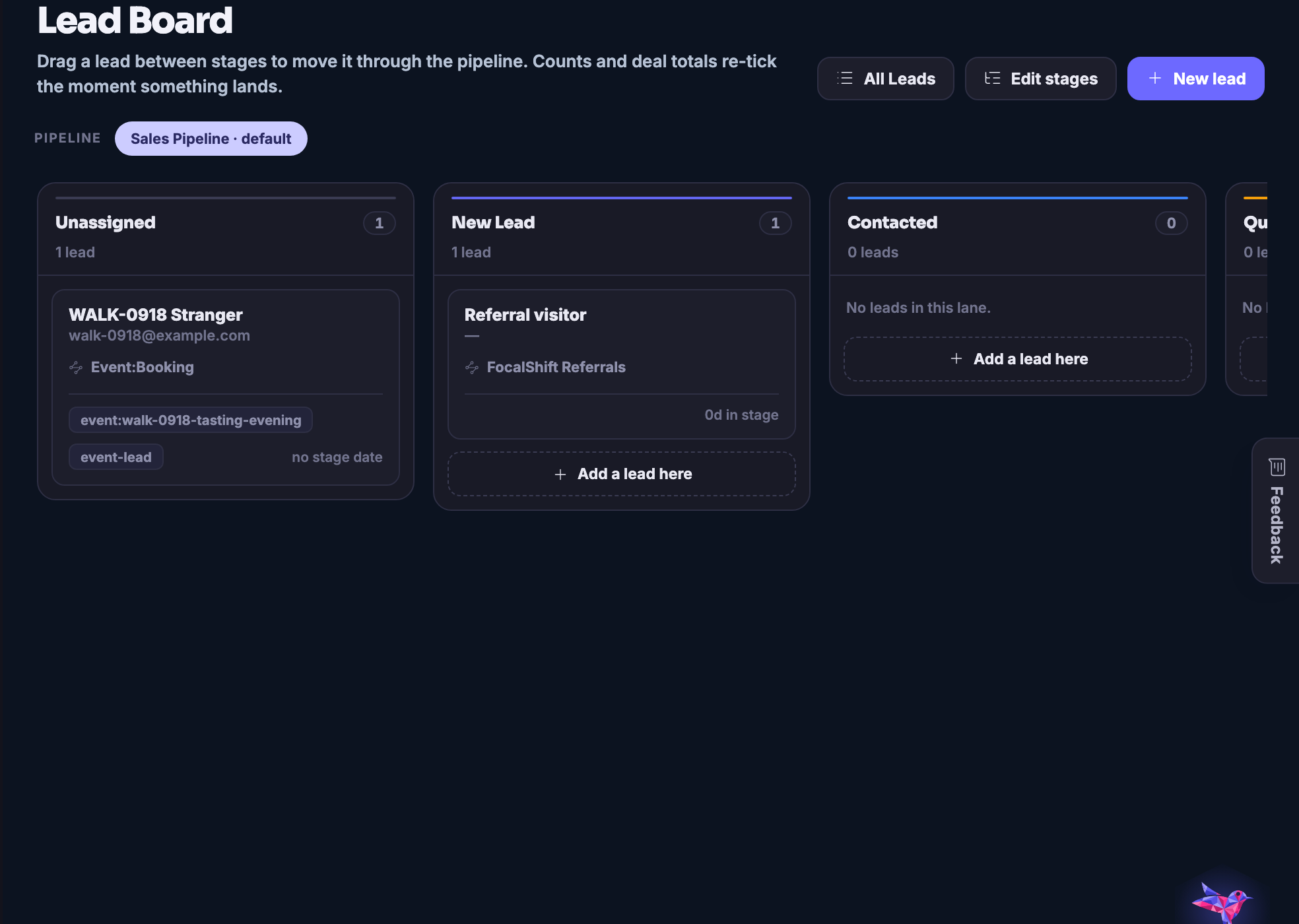
Lead Board
Pipelines
Sequences
AI SDR
Bring them in
Sources
Finder
Import CSV
Numbers
Insights
Contacts
Customers
Businesses
Capture
Conversion Overview
Forms & Emails
Lead Pipeline
Surveys
Grow
Growth Overview
Review Booster
Loyalty
Referrals
Coupons
Google Business

Every way money arrives โ€” sales, clients, memberships, deals and bookings โ€” counted in one place.

Revenue
Money Flow
Client Work
Brand Deals
Product Sales
Campaign Revenue
Memberships
Memberships
Premium Content Studio
Paying Subscribers
Run the day
Today
Calendar
What you sell
Services
Providers
Clients
Get booked
My Page
Booking Form
Numbers & options
Insights
Options
Marketplace
Sell Your Designs

Every channel a customer can reach you on, landing in the same timeline.

Channels
Team
Reports
Help Center
Connect Channels
Options

Making the thing, planning it, shipping it and then finding out whether it worked.

Automation
Automation Center
Workflows
Social Dashboard
Create
Compose
AI Repurpose
Bulk Posts
Blog Studio
Plan
Calendar
Content Planner
AI Planner
Best Time to Post
Campaigns
Ship
Scheduled Posts
Activity
AI Publishing
Grow
Channels & Connections
Media Library
Watermarks
Image Editor
Prompt history
Analytics
Email
Ai Mail
Email Campaigns
Email Workflows
Shortcuts
Brand Deals

Shared work, client work and the spaces people do it in.

At a Glance
FocusBoards
StoryBoards
Team Decisions
Team Work
Calendar
Kanban Board
Team Members
Files
Client Work
Home
Engagements
Clients
Portals
Asset Reviews
Client Reports
Budget
Spaces
Directory
My Spaces
Constellation
Live rooms
Start a Space
Event Management See how bookings work →

Tickets, attendees, schedules and the door on the day.

Your events
Event Tickets
Overview
Events
Event Bookings
Attendees
Invitations
Door check-in
Set up
People
Schedules
Templates
Settings
Hardware Stack

The sites, servers, domains and backups underneath everything else.

The machine
Overview
Websites
WordPress
Themes & Plug-ins
Domains & SSL
Safety
Backups
Security & Firewall
Alerts
Management
New server
Set up a server
Design & connect
Maven Connect

A full mail platform โ€” the inbox, the list, the campaigns and what happened to them.

FocalShift Mail
Email Inbox
Insights
Campaigns
Automations
Email Workflows
Landing Pages
Transactional
Subscribers
Lists
Templates
Surveys
Credits
Reports
Reputation
Options

A real shop: stock, tills, staff, suppliers and the reports that follow.

Products
Products
Run the store
Dashboard
Point of Sale
Inventory
Sales and Returns
People
Customers
Staff and Roles
Supply
Suppliers and Purchasing
Connect Hardware
Admin
Stores and Locations
Reports
Options

The public side โ€” the people already building, what they are making, and how to reach them.

Open the Network
Threads
Members
Spaces
Stories
FocusBoards
Campaigns
Podcasts
Events
Hire
Projects

Courses to take, courses to teach, and what your agents are being taught.

Learning Home
My Courses
Meetings
Quizzes
Certificates
Notes
Tutorials & How-To
Teach
Instructor Studio
Earnings
Agents
Agent Training
Skills
On The Map

Your business, your opportunities and your area, seen geographically.

On The Map
World Map
Business Map
Opportunity Map
Local
Local Pulse

Making images, video, characters and copy โ€” and keeping what you made.

Studio
Make
Create Image
Create Video
Characters
Ecommerce Catalogue
Copywriter
Keep
Prompt Library
Creations
Brand Kits
Brand editor
Track
Campaigns
Usage & Credits
AI workforce
Hermes Agent

Broadcasts and podcasts out of one setup, recorded and published.

Go Live
Launch a Broadcast
Backstage
Destinations
Studio setup
Replays
Podcast
Podcast Studio
Shows
Episodes
Guests
Recording Room

The builder: pages, shops, templates and pushing a design to your own site.

Start Designing
The Builder
Landing Pages
My Shop
Templates Marketplace
My Library
Send to My Website
Options

Maven itself โ€” the chat, the agents, and how you train them on your business.

Chat
Maven Connect
My Agents
New Agent
Boardroom
Maven interview
Train your Maven
Help Center
Options
Quick Start

The five things worth doing first, in order.

Quick Start
Business Profile
Lead Capture
Social Publishing
Plan with Maven
Review & Activate

The agent platform underneath: playbooks, connections, memory and models.

Overview
Inbox
Tasks
Goals
Approvals
Team & foundation
Agents
Playbooks
Plugins
Connections
Memory
Model & Keys
Health
Updates
Security

Who can get in, what is connected, and which keys are in use.

System & Security
Security Center
Connections
Setup & readiness
Provider Keys
Usage & Credits
Affiliate Program

Referring other people to FocalShift, and being paid for it.

Affiliate Program
Overview
Referral Links
My Referrals
Commissions
Payouts
Marketing Assets
Analytics
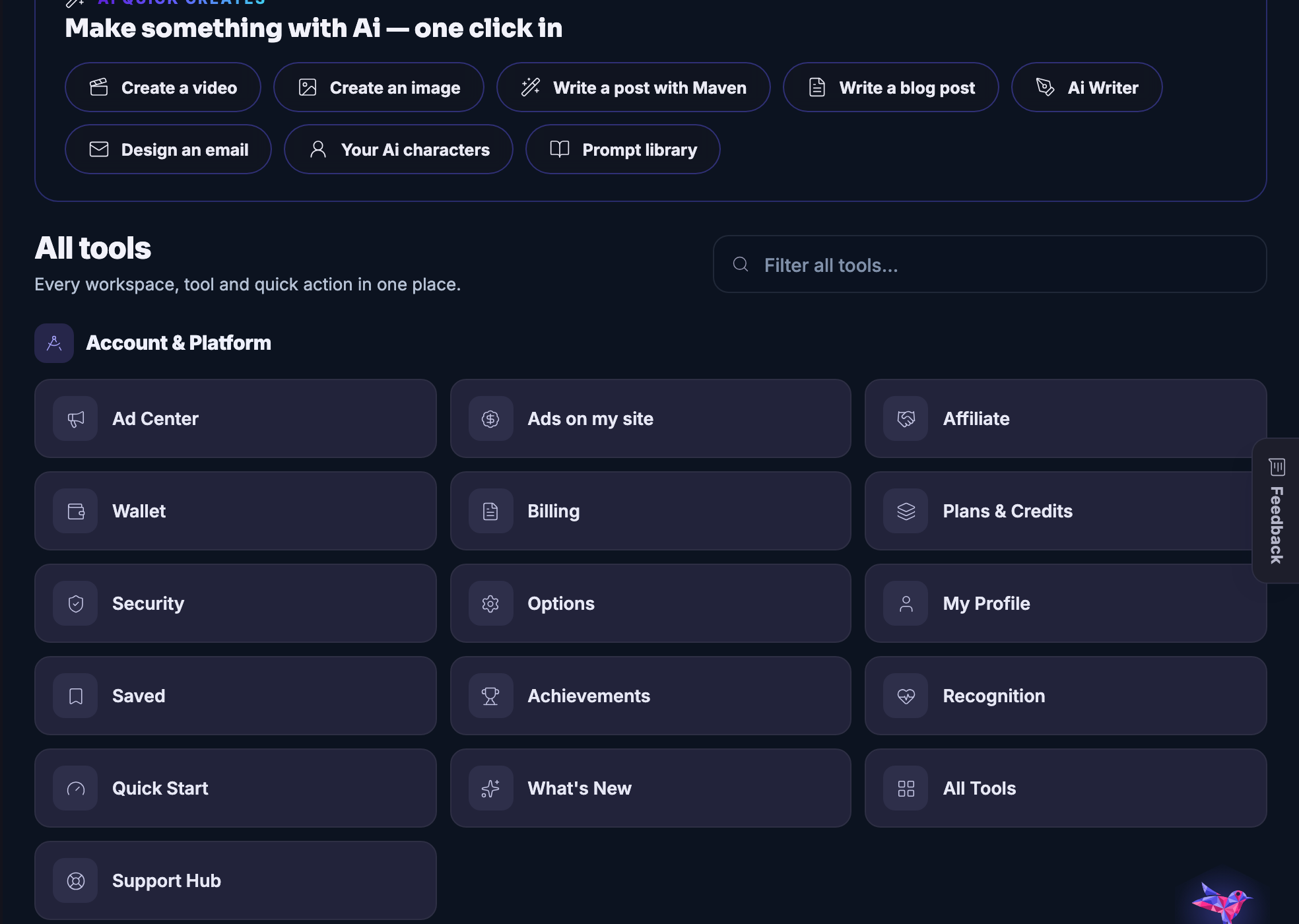
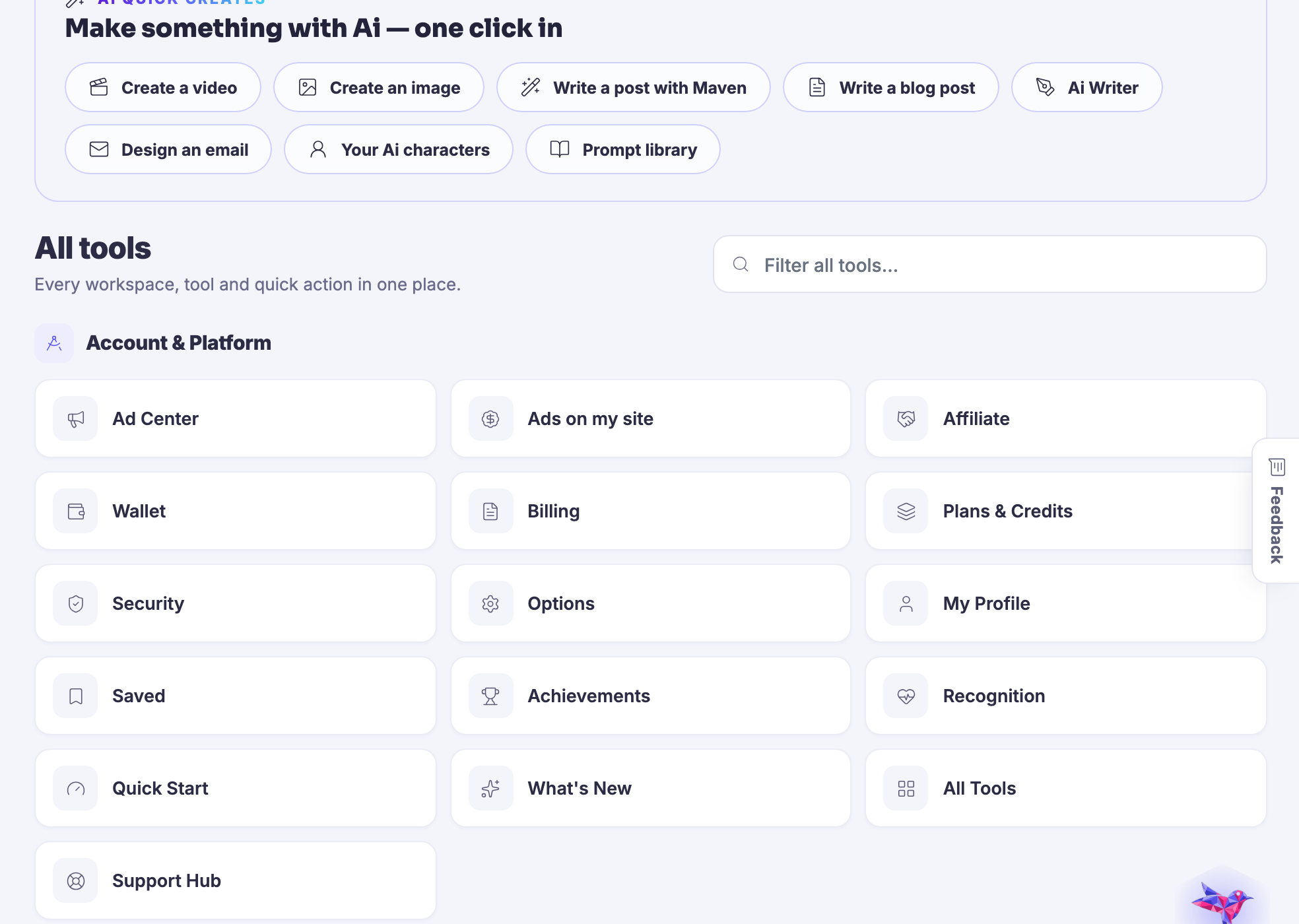
Account & Platform

The account itself โ€” your plan, your wallet, your profile and where to get help.

Ad Center
Affiliate
Wallet
Billing
Plans & Credits
Security
Options
My Profile
Saved
Achievements
Recognition
Quick Start
What's New
Support Hub
No tools match your filter.

286 tools across 66 groups and 23 workspaces. Tell Maven what you are trying to do and it will build you a page out of the ones that apply.

Meet Maven

Every workspace, on the screen a member works on

One real screen per workspace.

Each capture below is the workspace above it, as it renders for a signed–in account. They are photographs of the product, not drawings of it, and they are clipped to the work area because the rail and the top bar are the shell rather than the tool.
Create โ€” The create menu itself: the verbs at the top of the product, before you have decided which room you are in.
Create

The create menu itself: the verbs at the top of the product, before you have decided which room you are in.

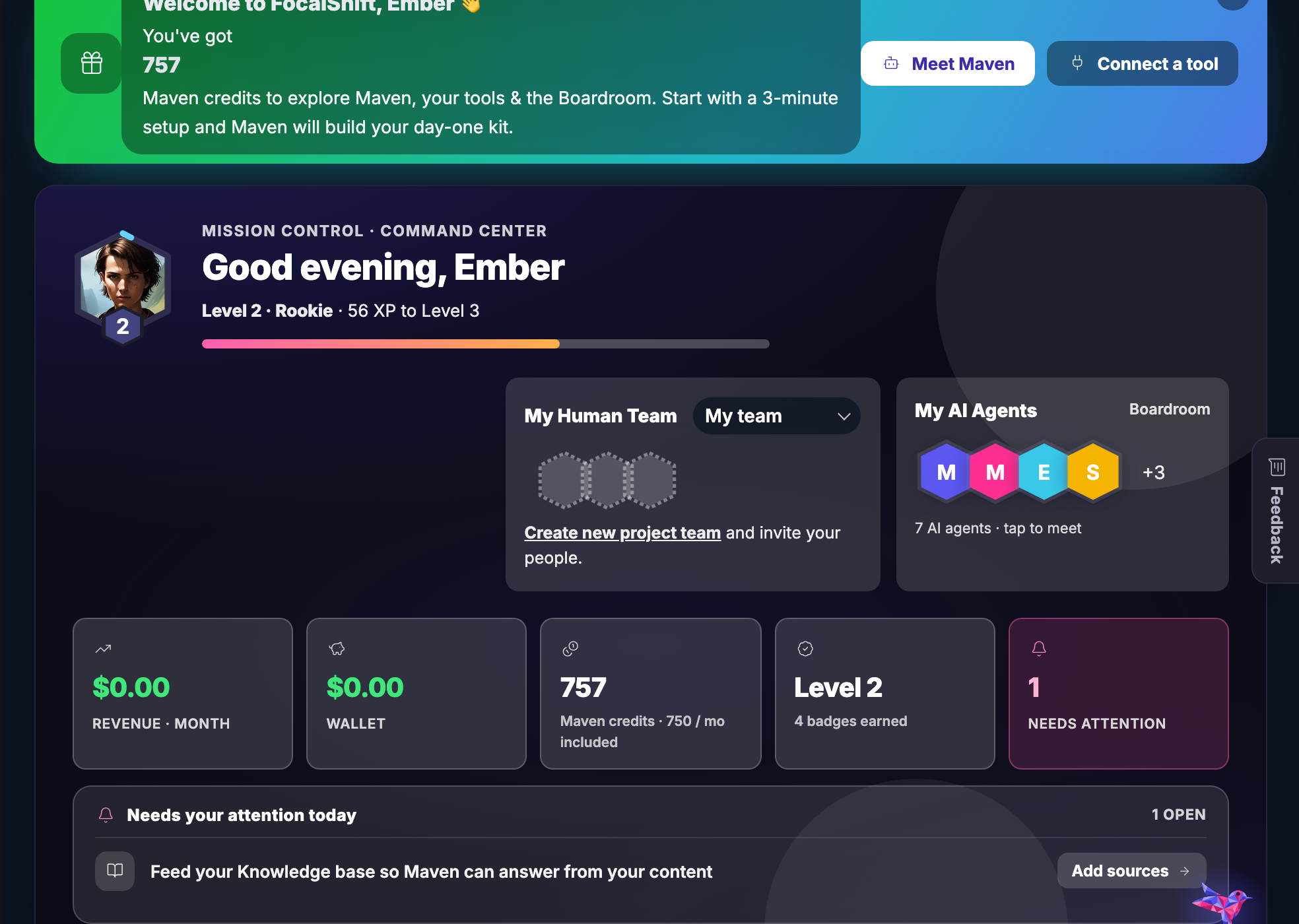
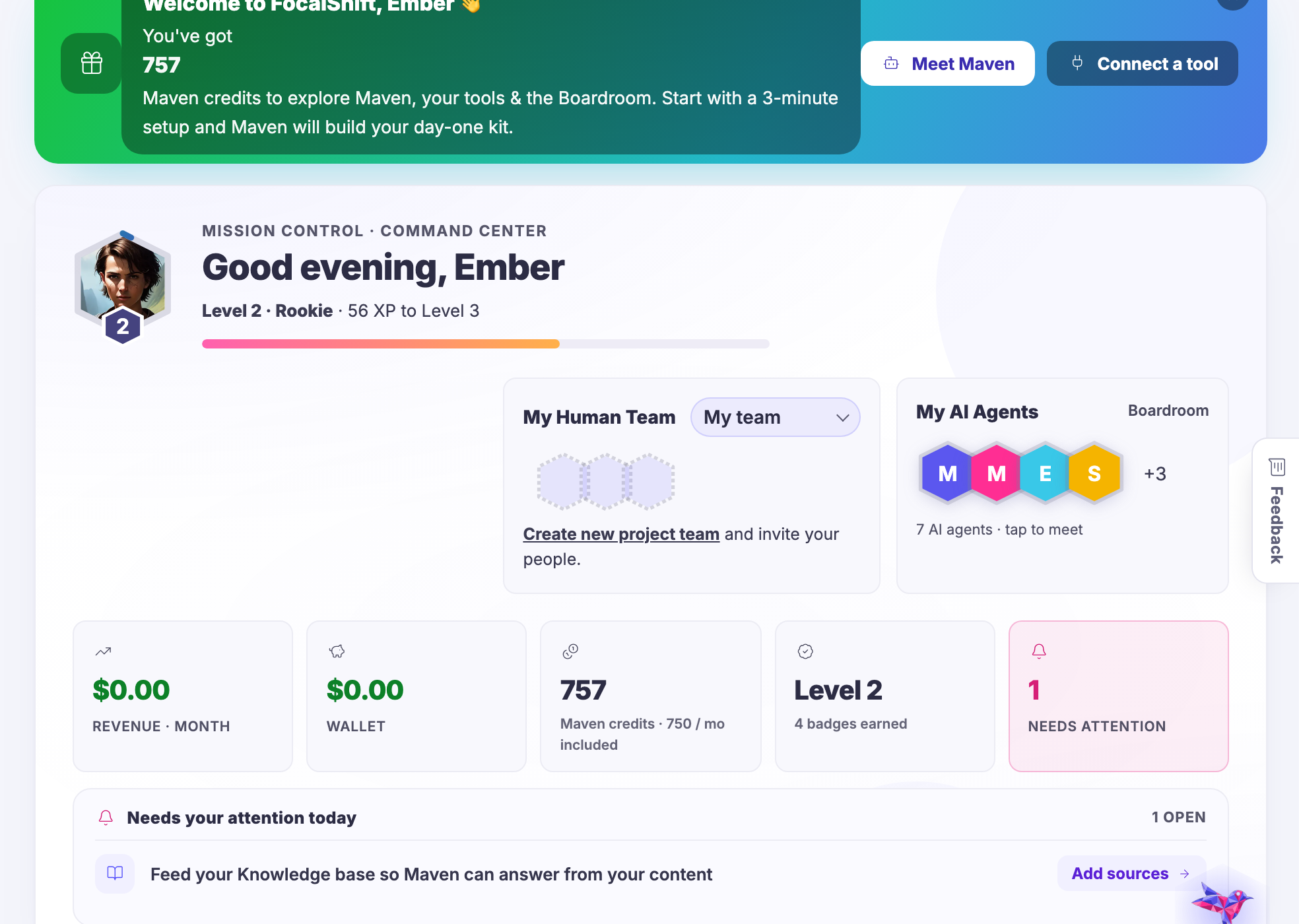
My Business โ€” The screen the platform opens on - where the month stands and what wants you today.
My Business

The screen the platform opens on — where the month stands and what wants you today.

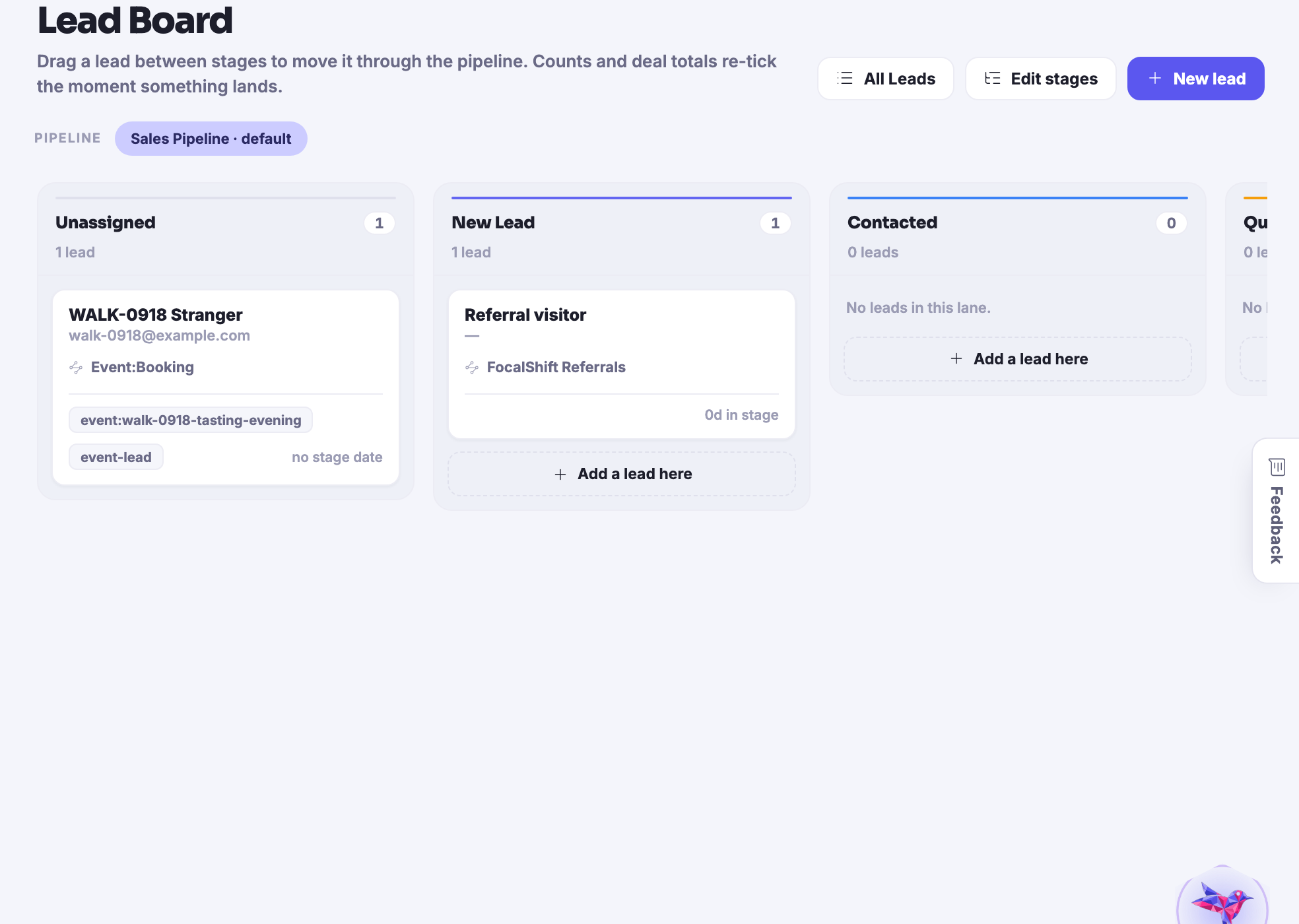
Customers โ€” Everyone who has bought, asked or nearly bought, in lanes with a next step on each.
Customers

Everyone who has bought, asked or nearly bought, in lanes with a next step on each.

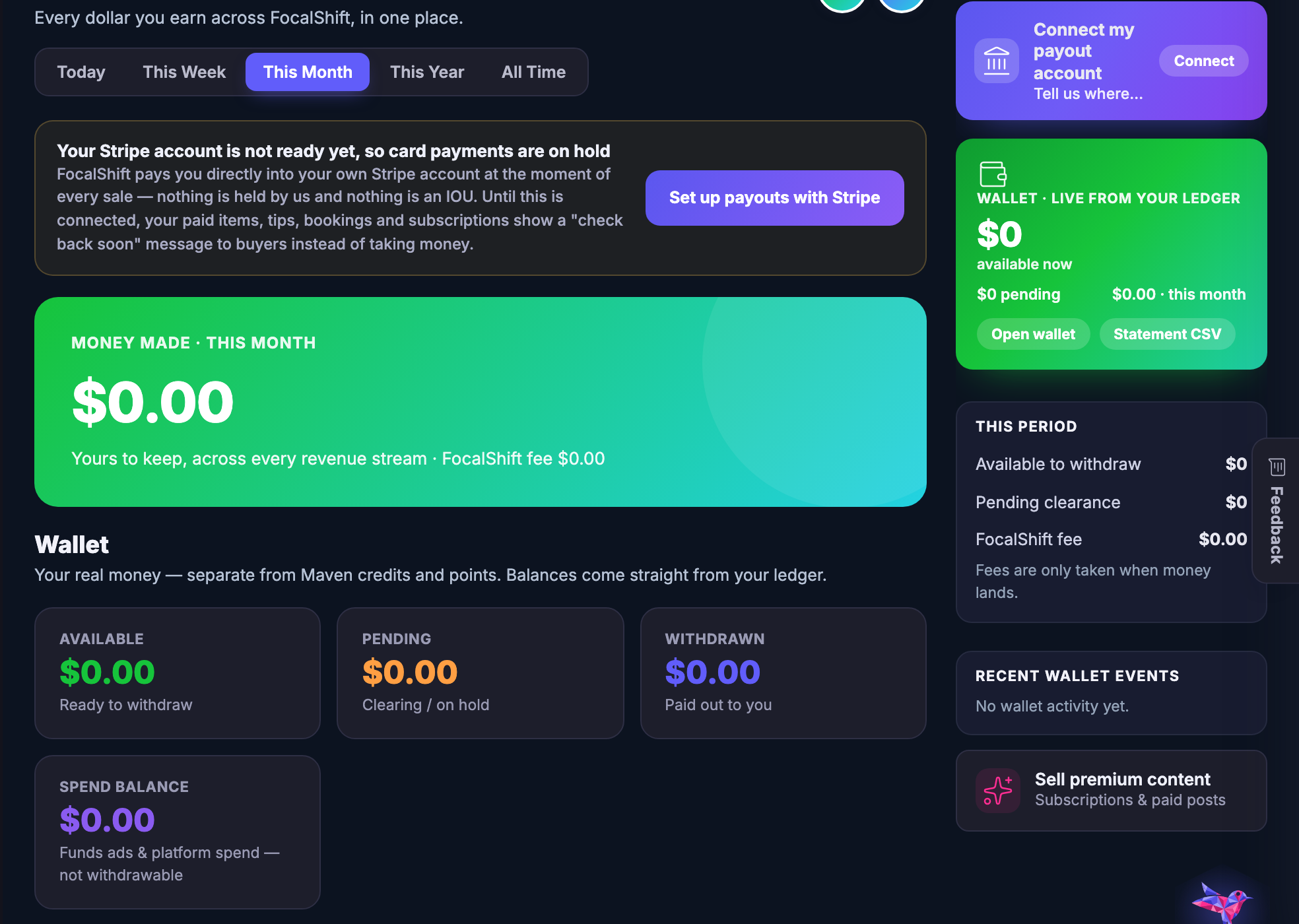
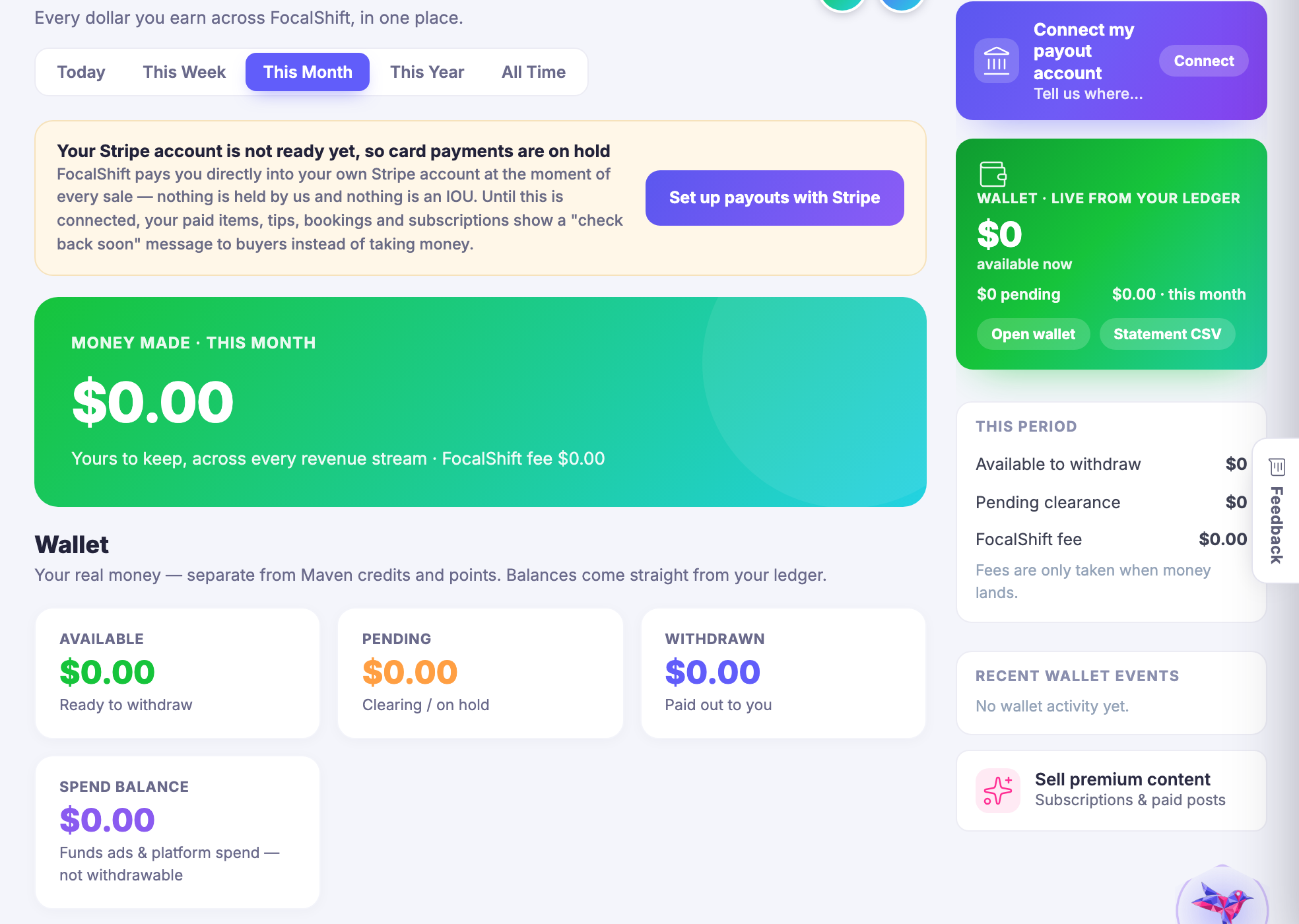
Revenue โ€” Every way money arrives, counted in one place rather than in one report per source.
Revenue

Every way money arrives, counted in one place rather than in one report per source.

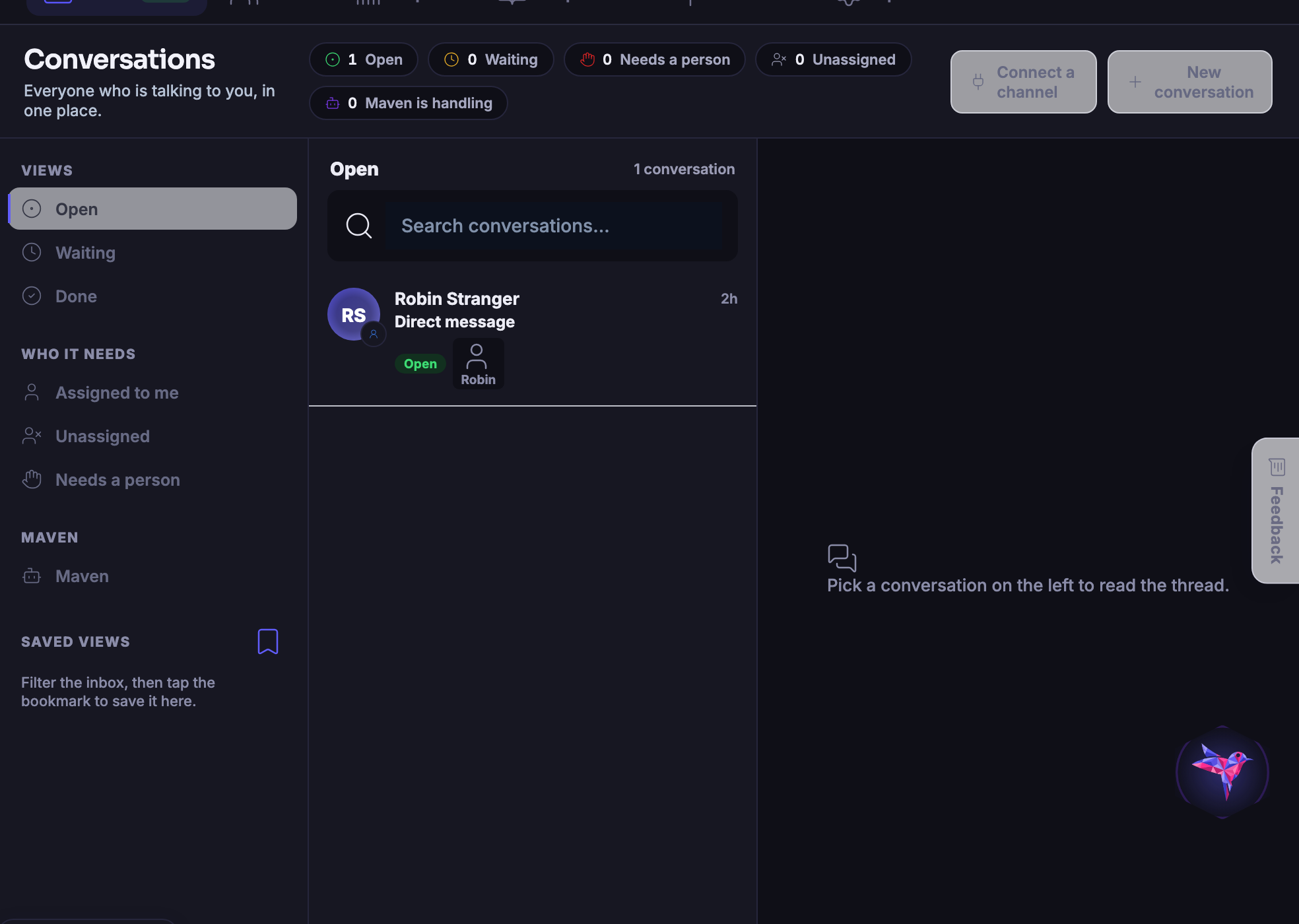
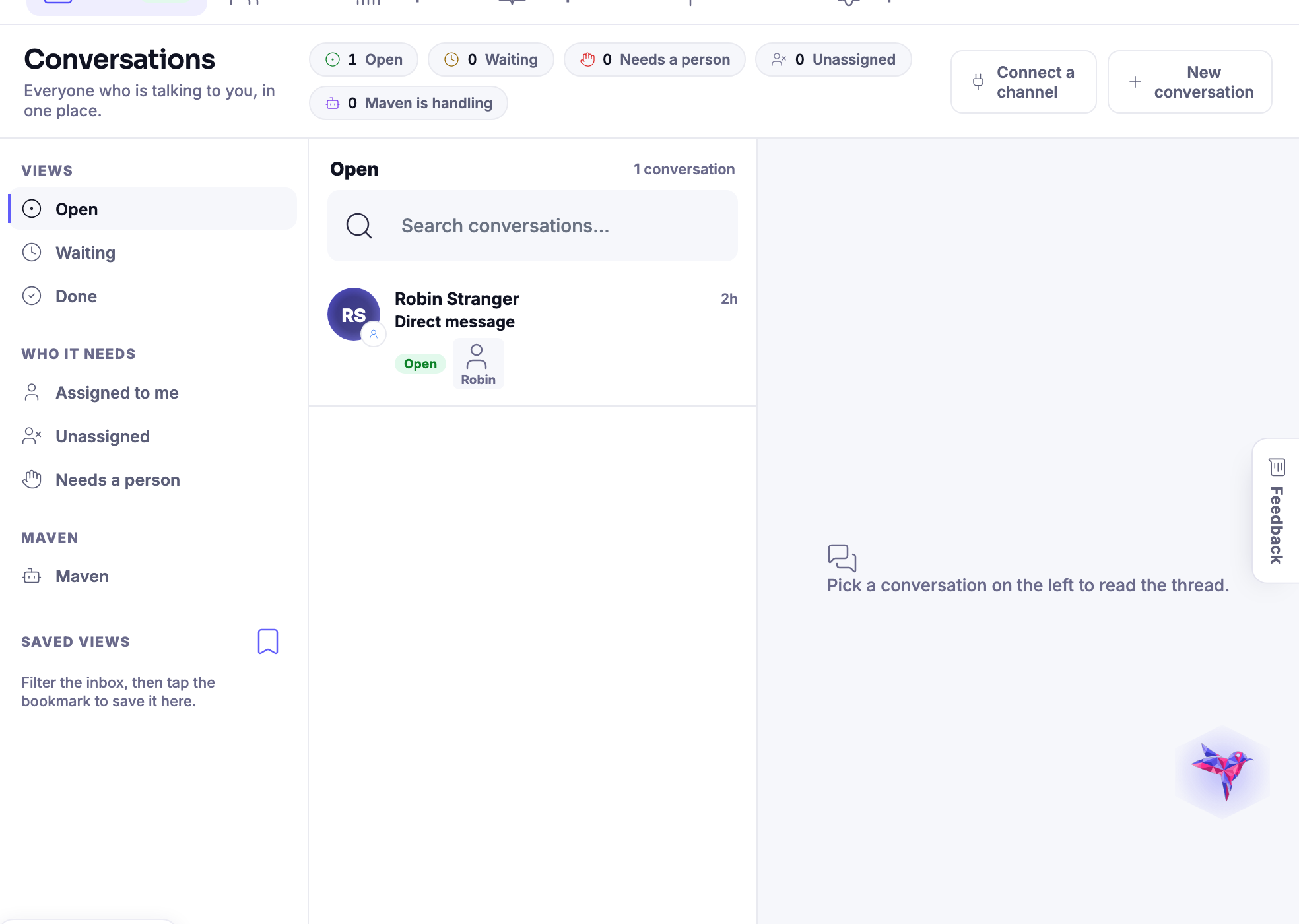
Conversations โ€” Every channel a customer can reach you on, landing in the same timeline.
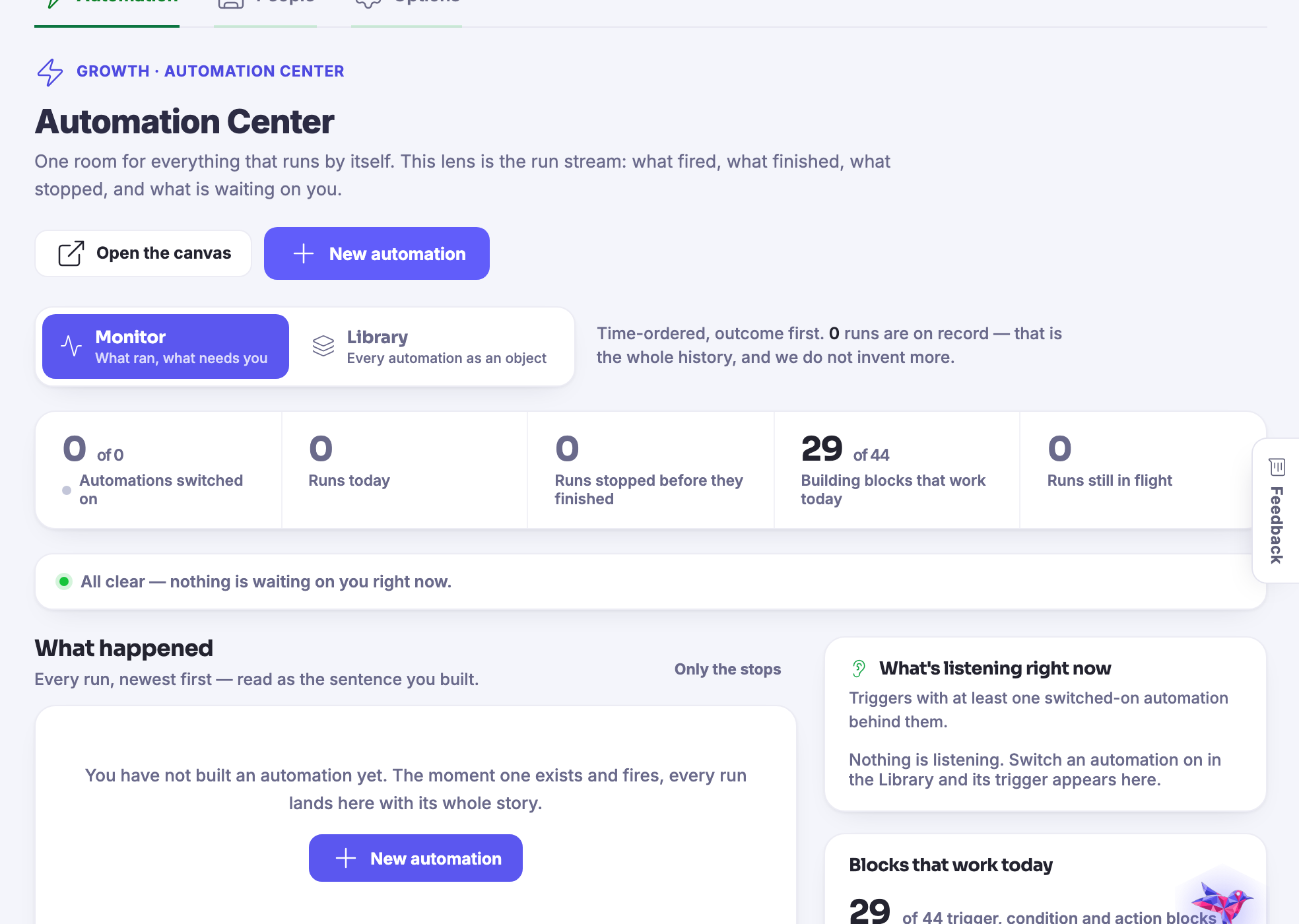
Conversations

Every channel a customer can reach you on, landing in the same timeline.

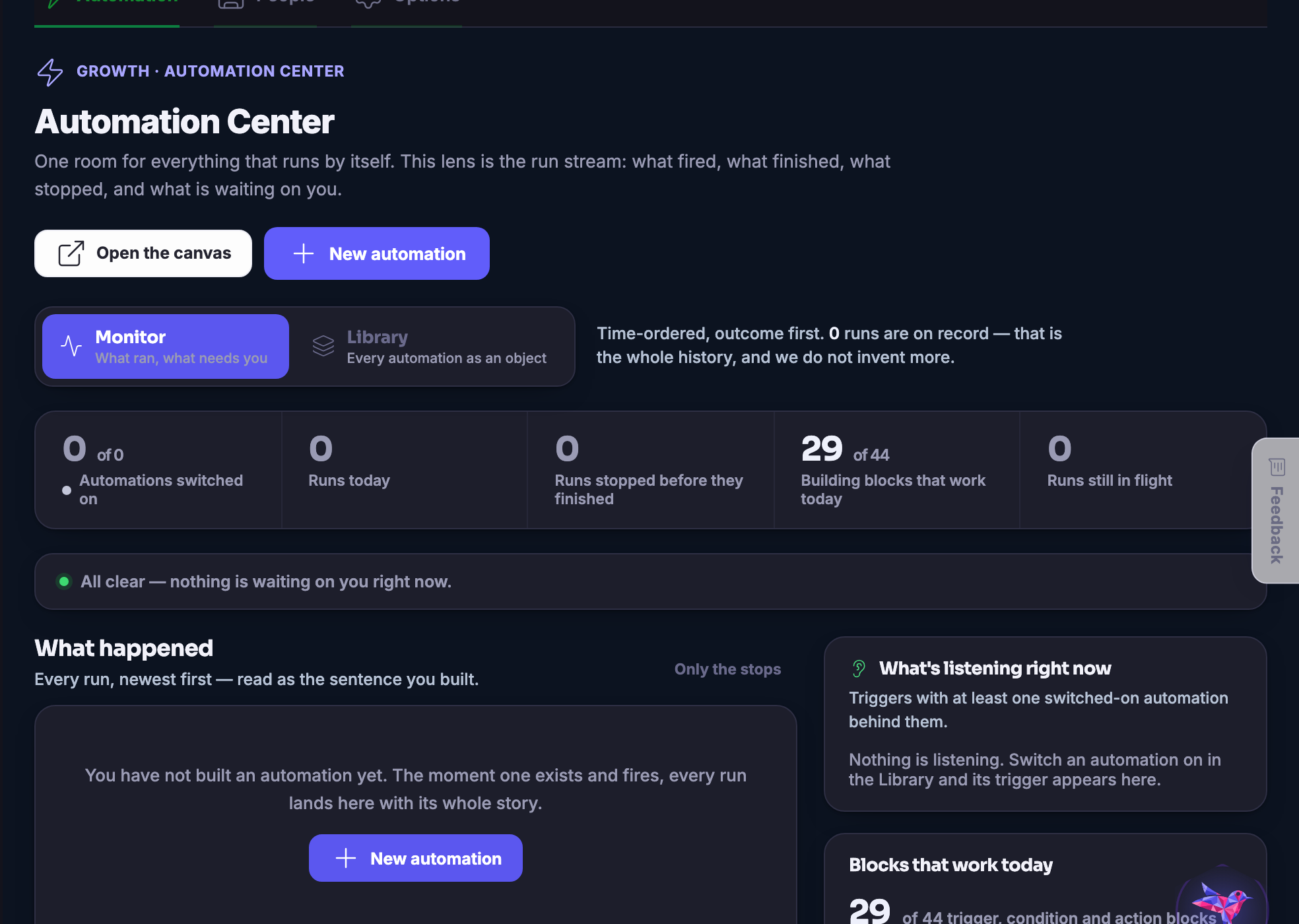
Marketing โ€” Making it, planning it, shipping it, and then finding out whether it worked.
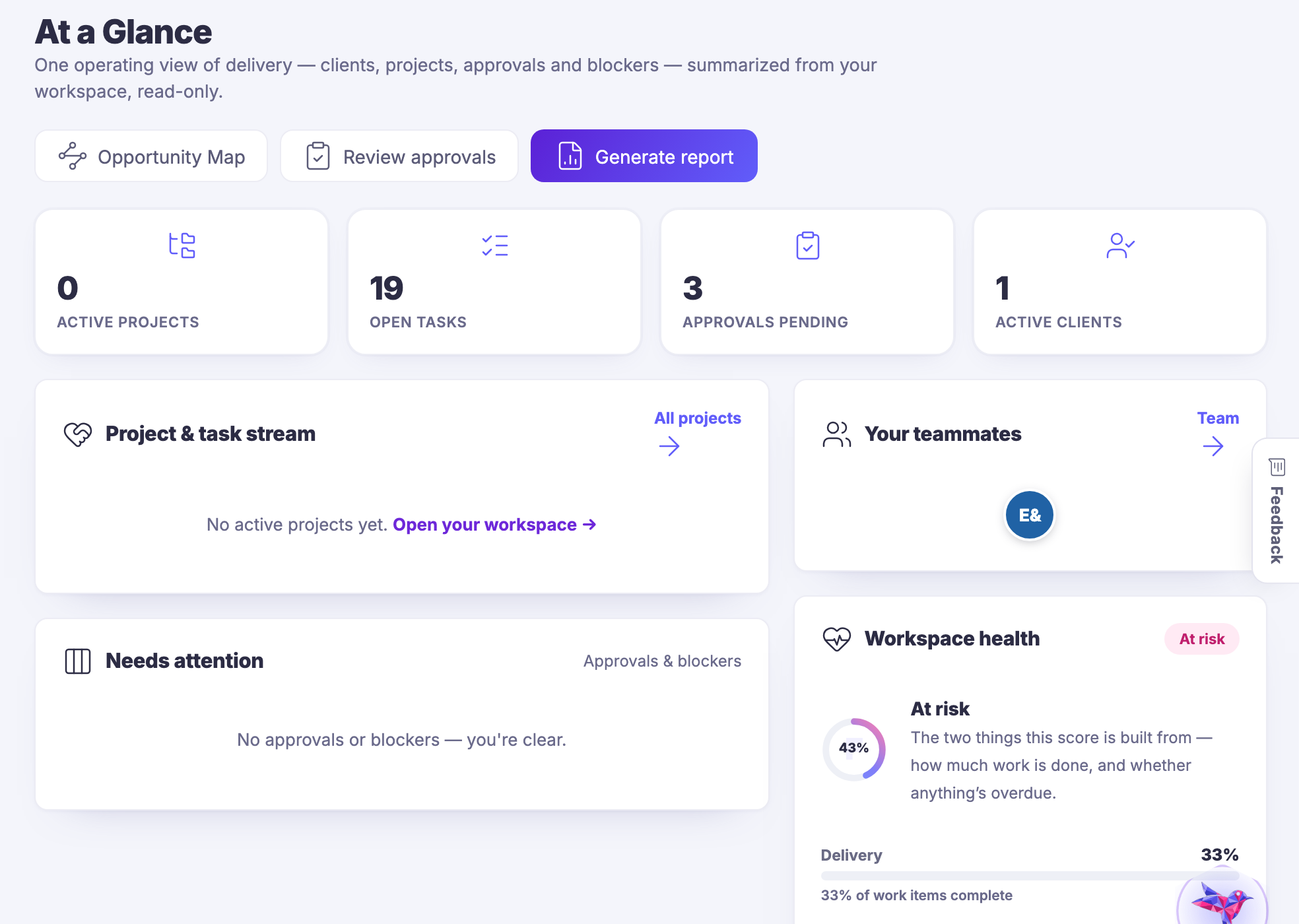
Marketing

Making it, planning it, shipping it, and then finding out whether it worked.

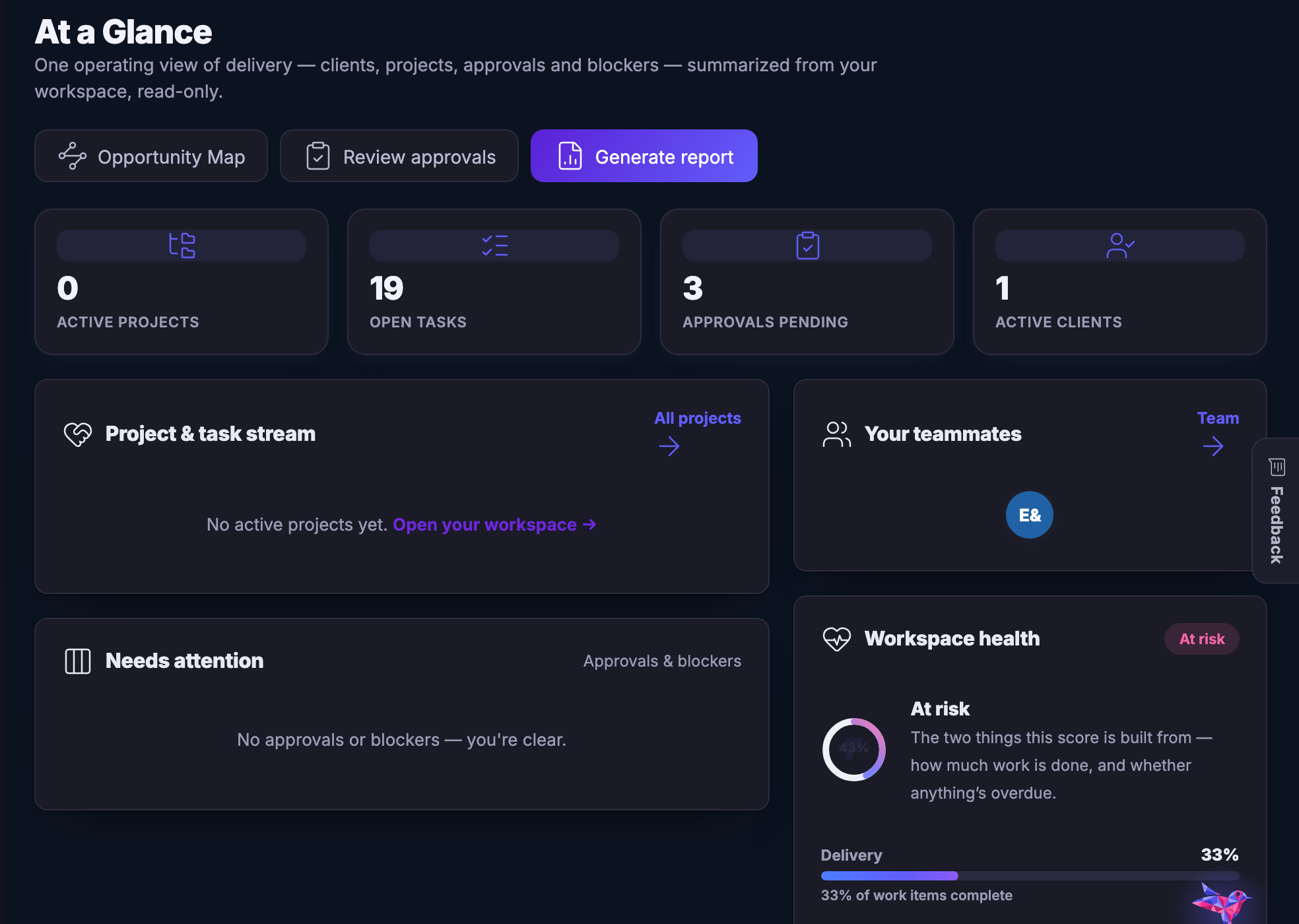
Collaborate โ€” Shared work and client work, with the conversation attached to the card.
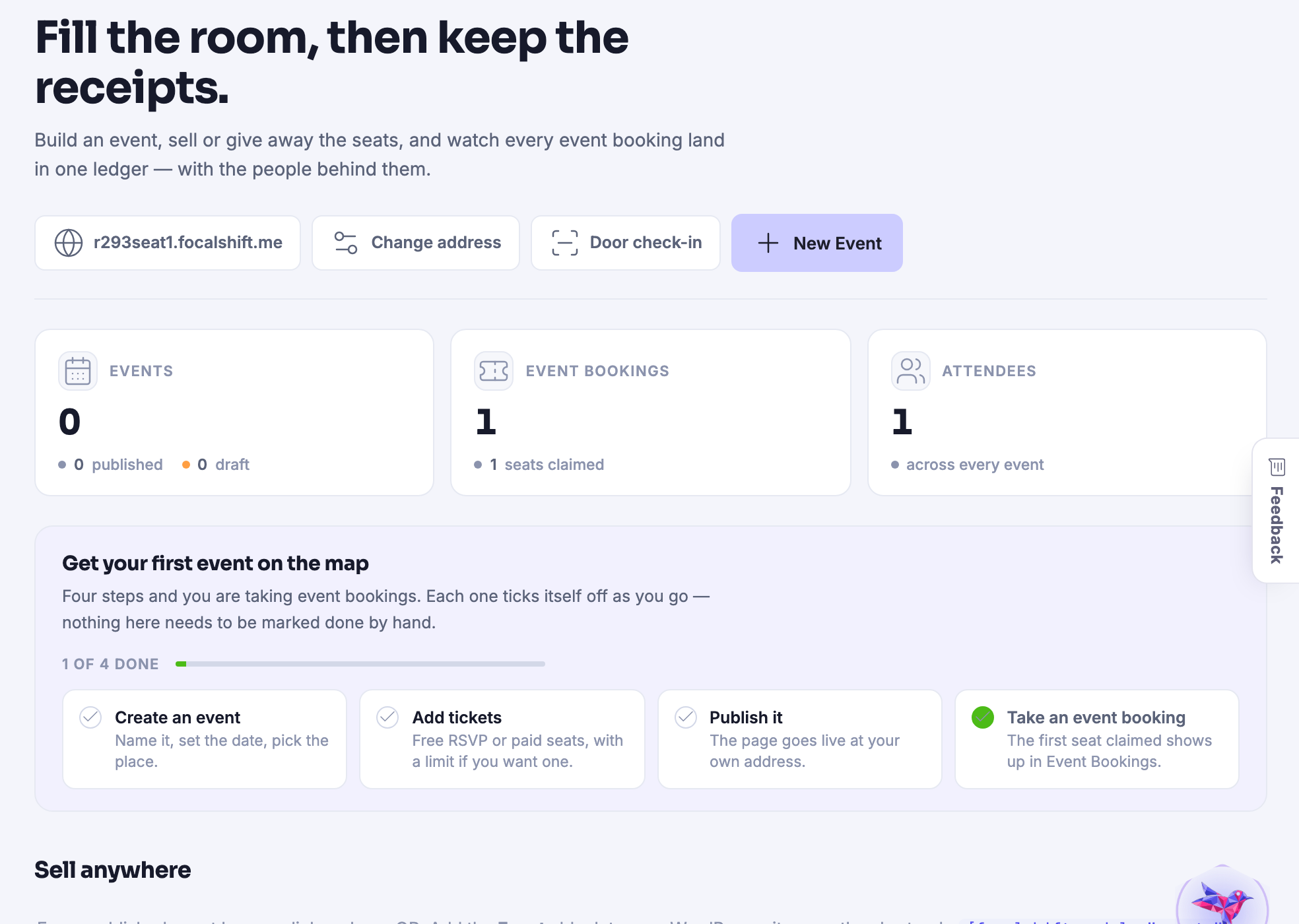
Collaborate

Shared work and client work, with the conversation attached to the card.

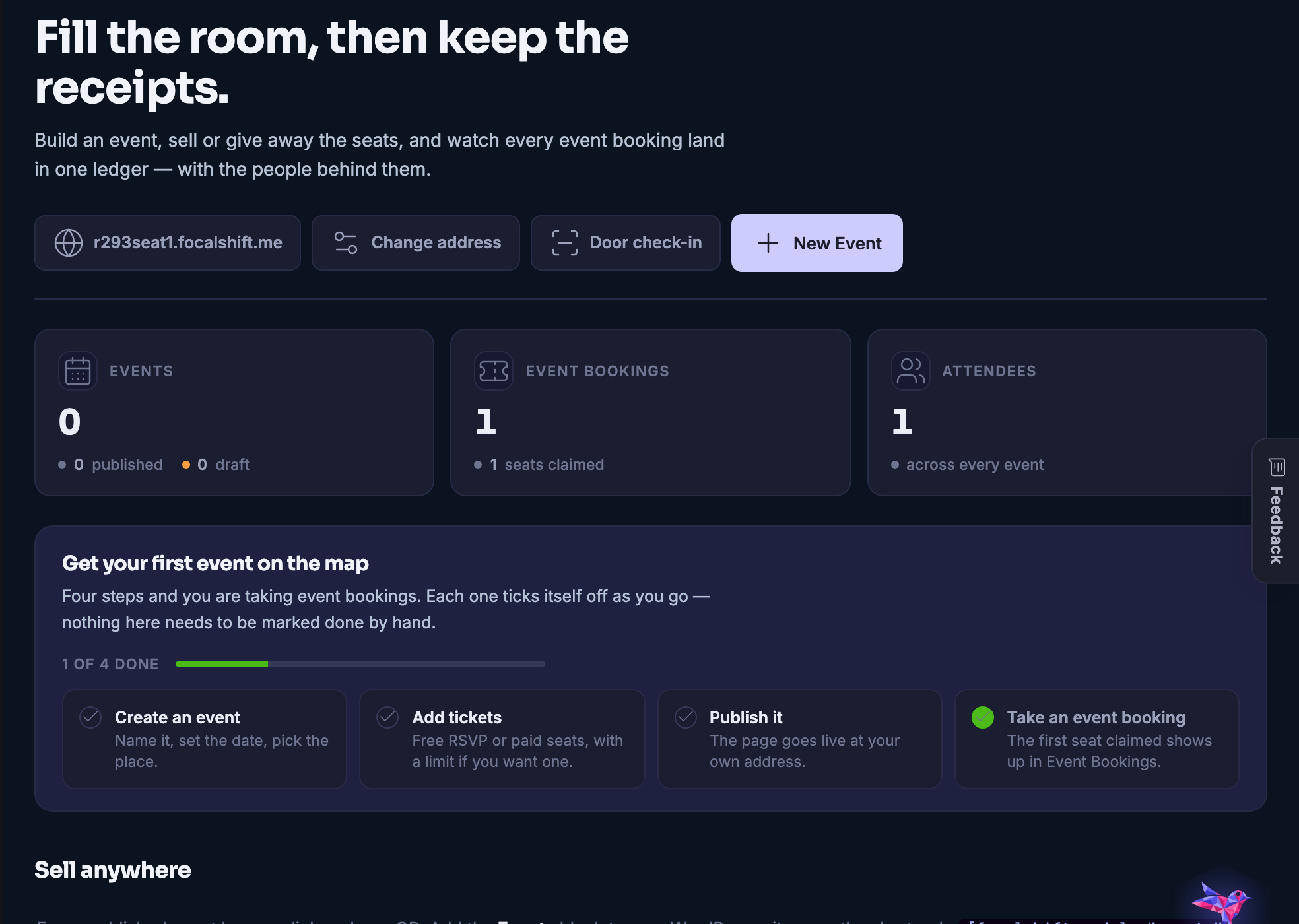
Event Management โ€” Tickets, attendees, schedules and the door on the day itself.
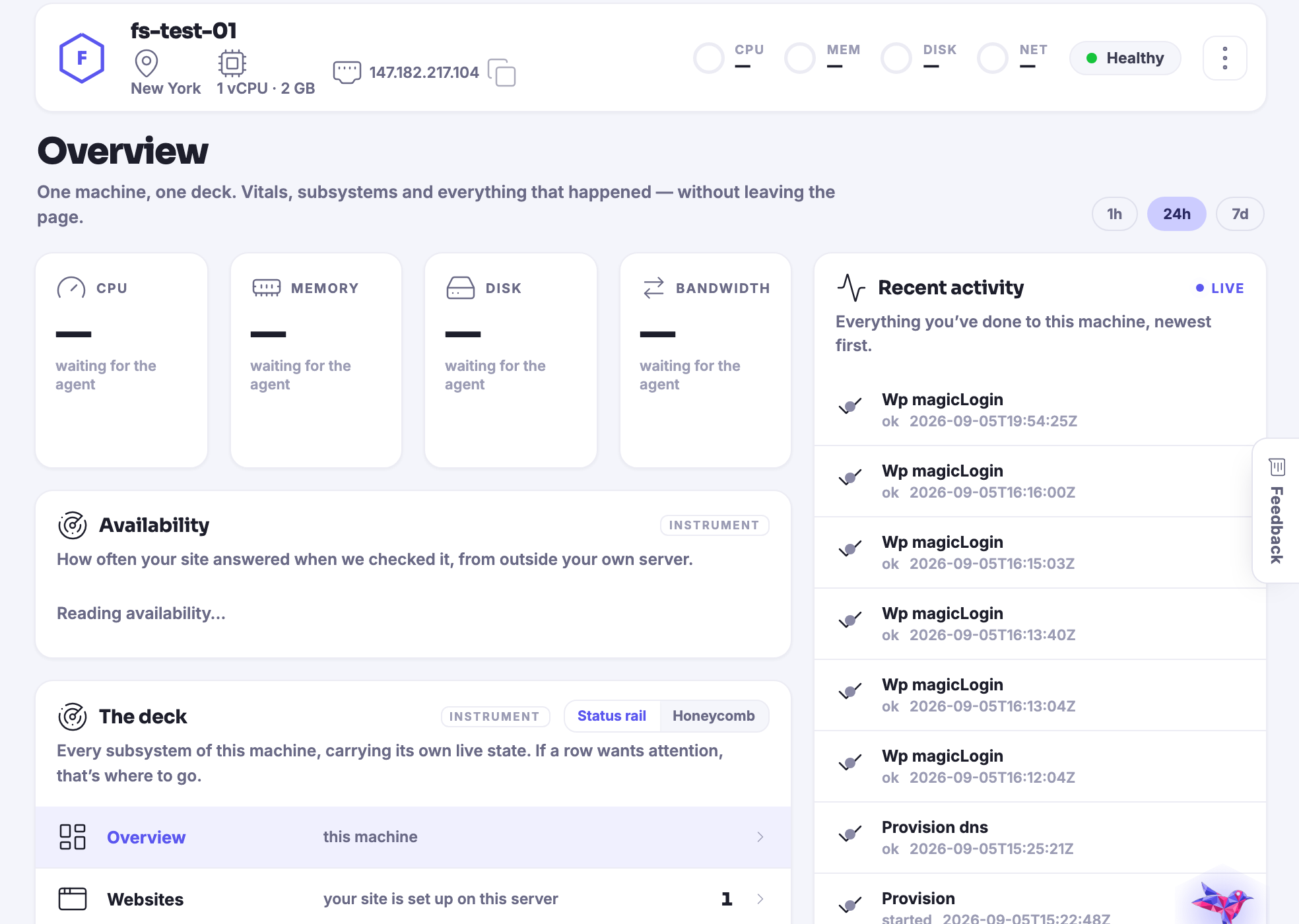
Event Management

Tickets, attendees, schedules and the door on the day itself.

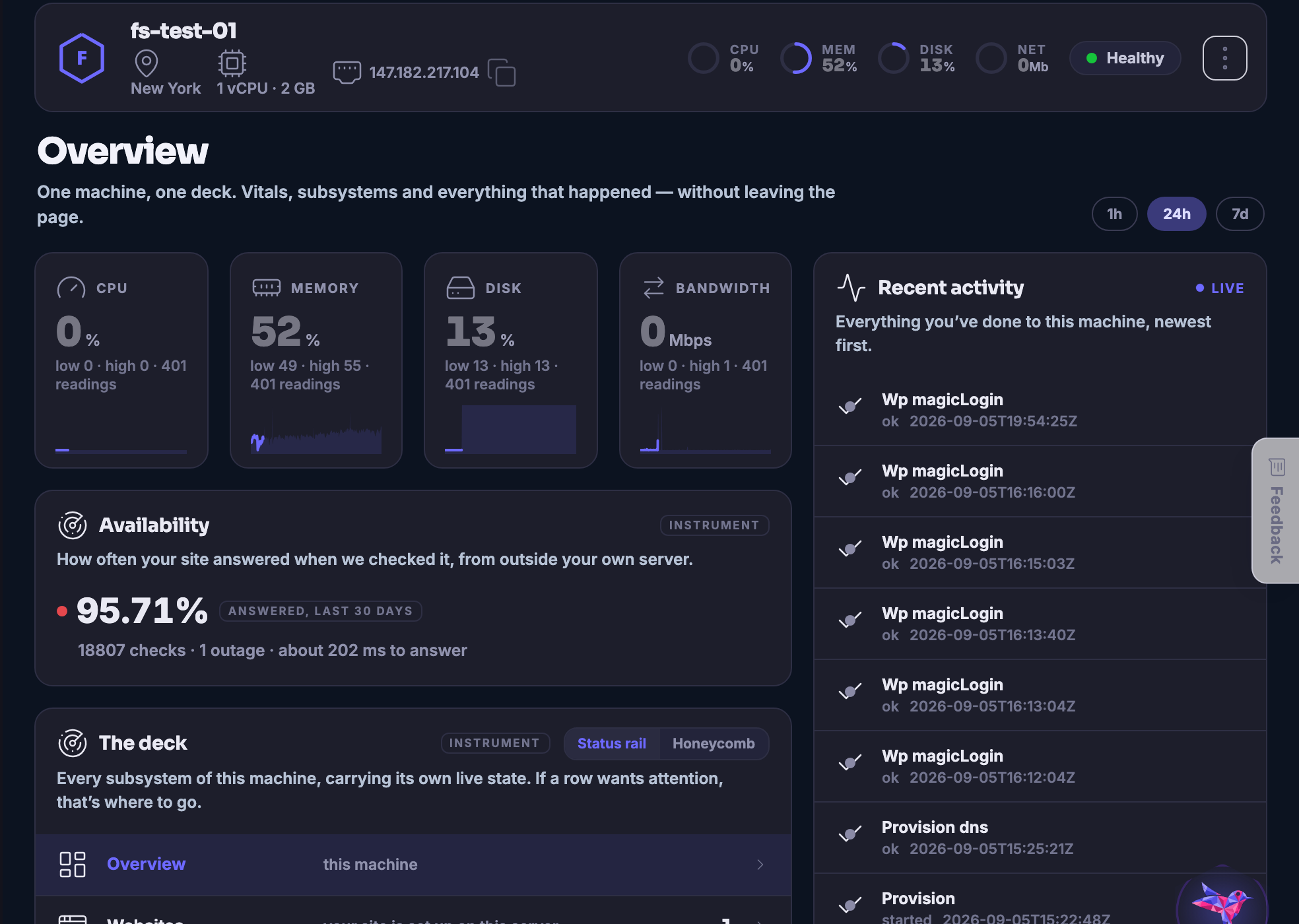
Hardware Stack โ€” The sites, servers, domains and backups underneath everything else.
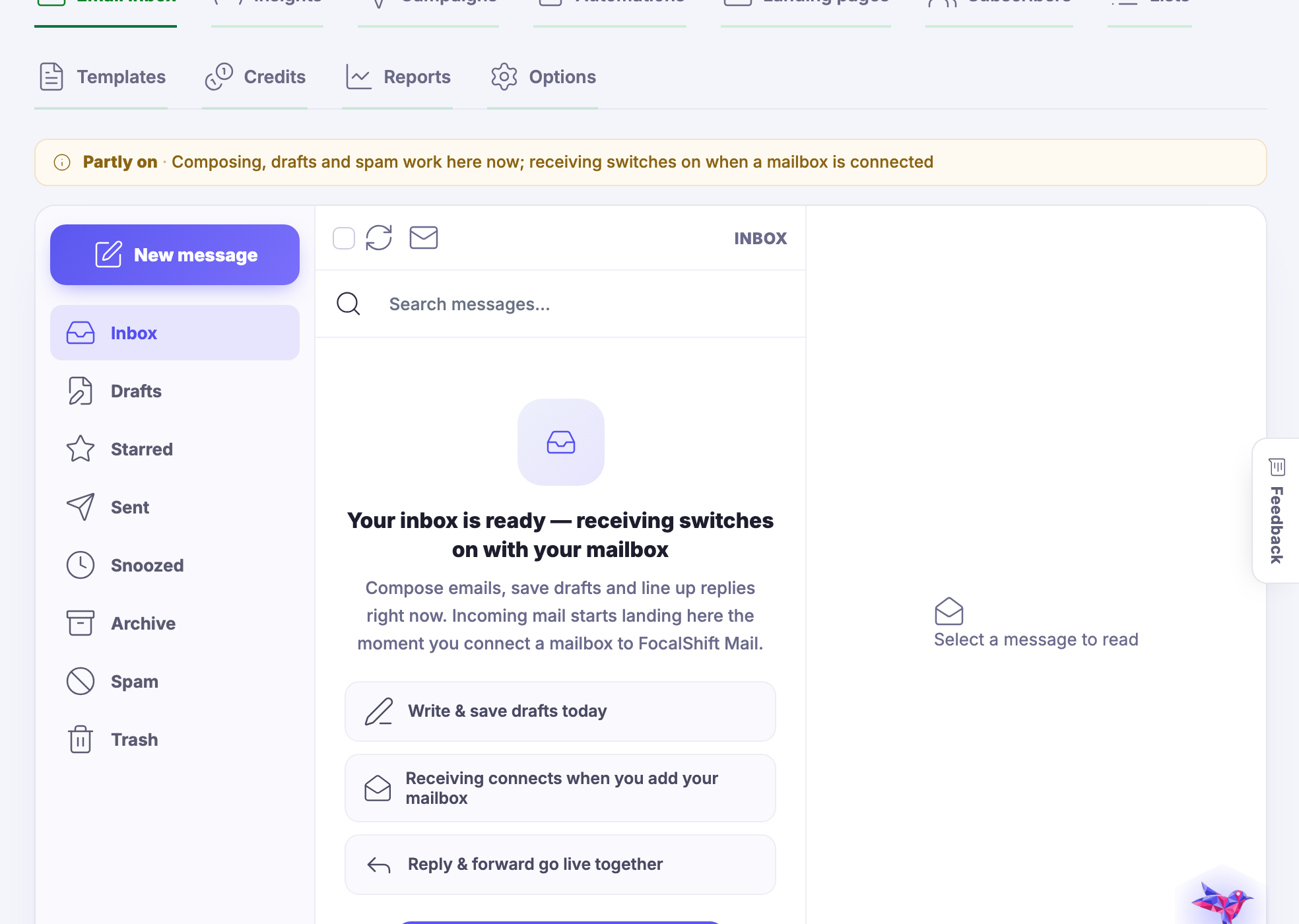
Hardware Stack

The sites, servers, domains and backups underneath everything else.

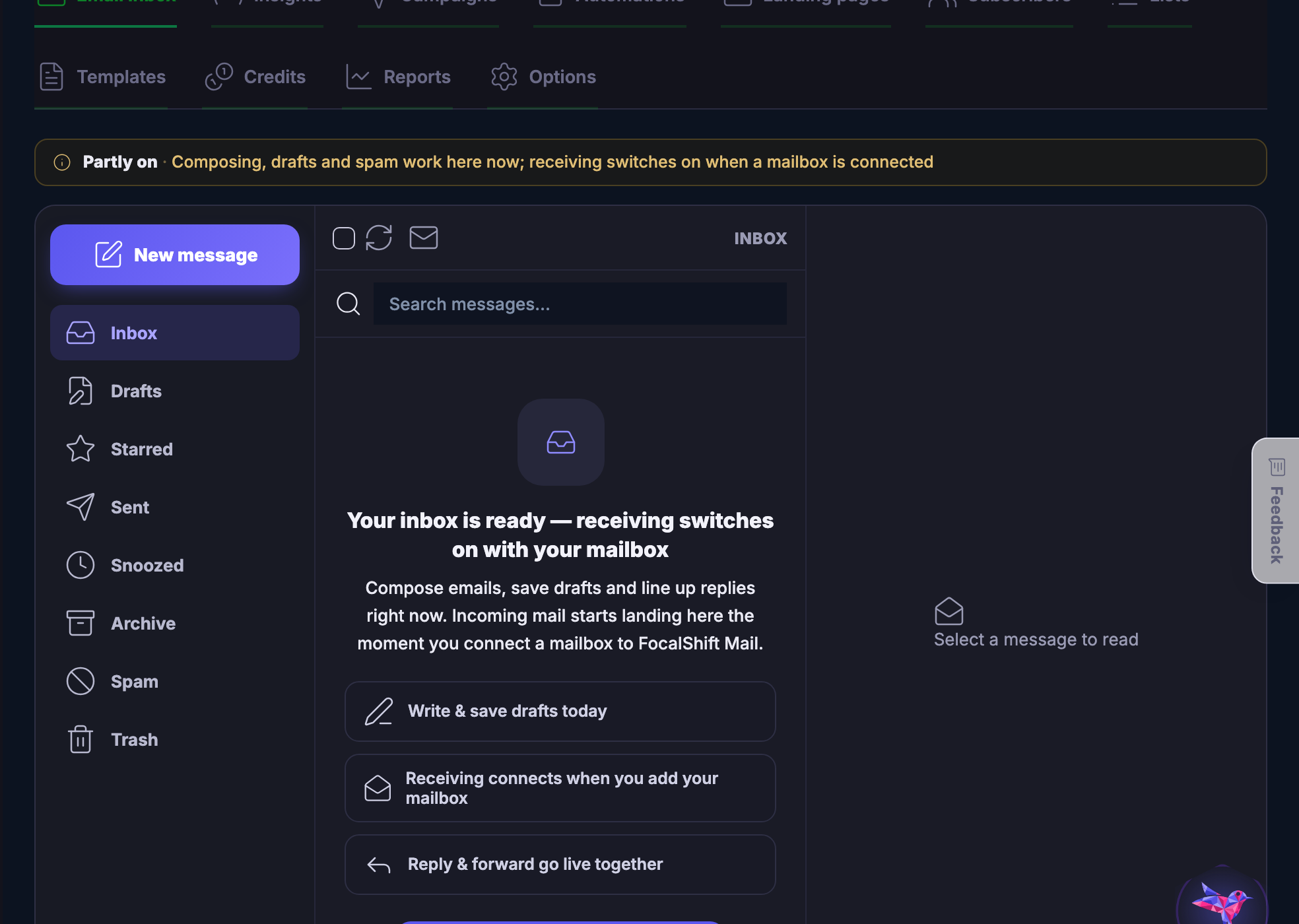
Email โ€” A whole mail platform: the inbox, the list, the campaigns and what happened to them.
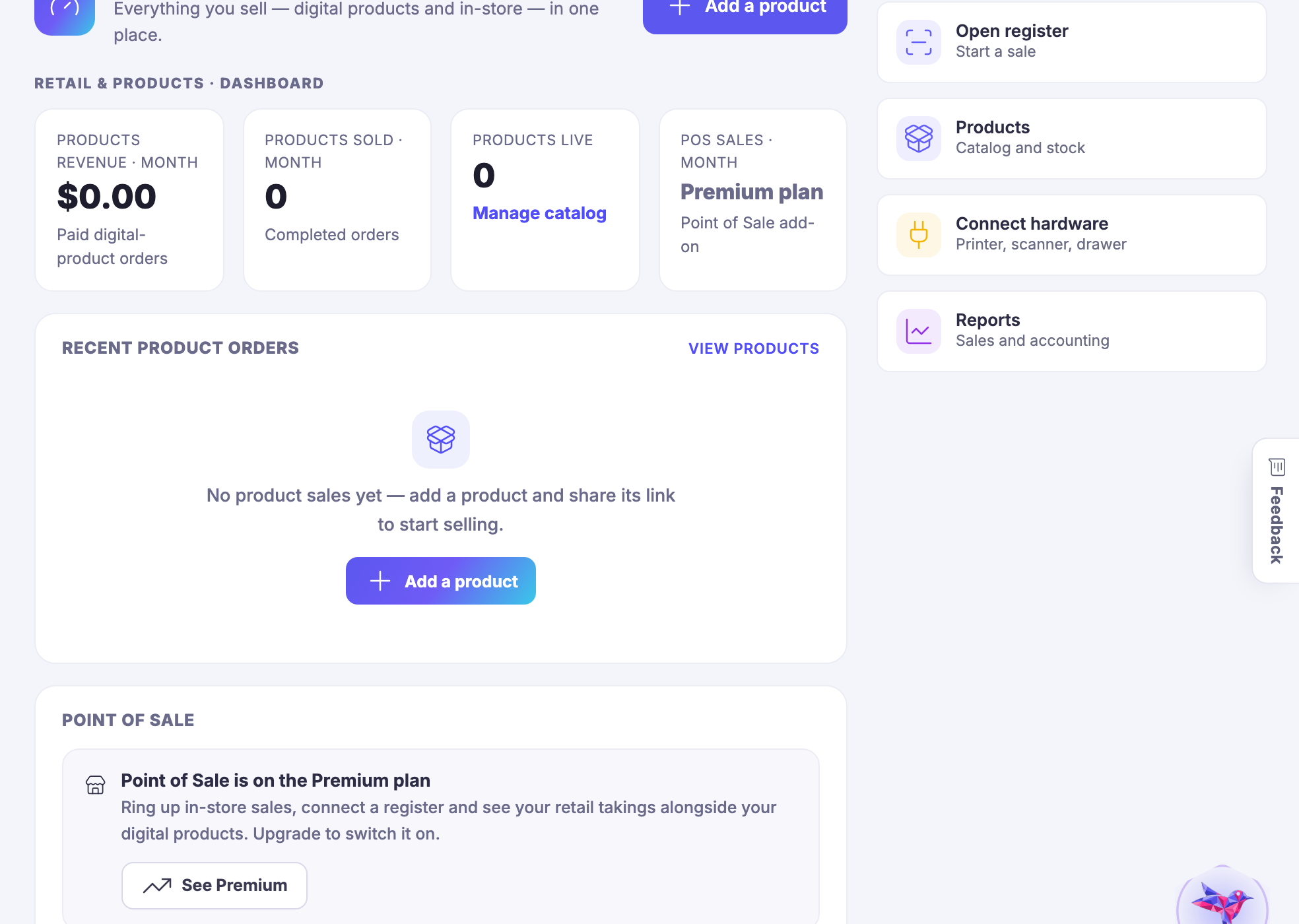
Email

A whole mail platform: the inbox, the list, the campaigns and what happened to them.

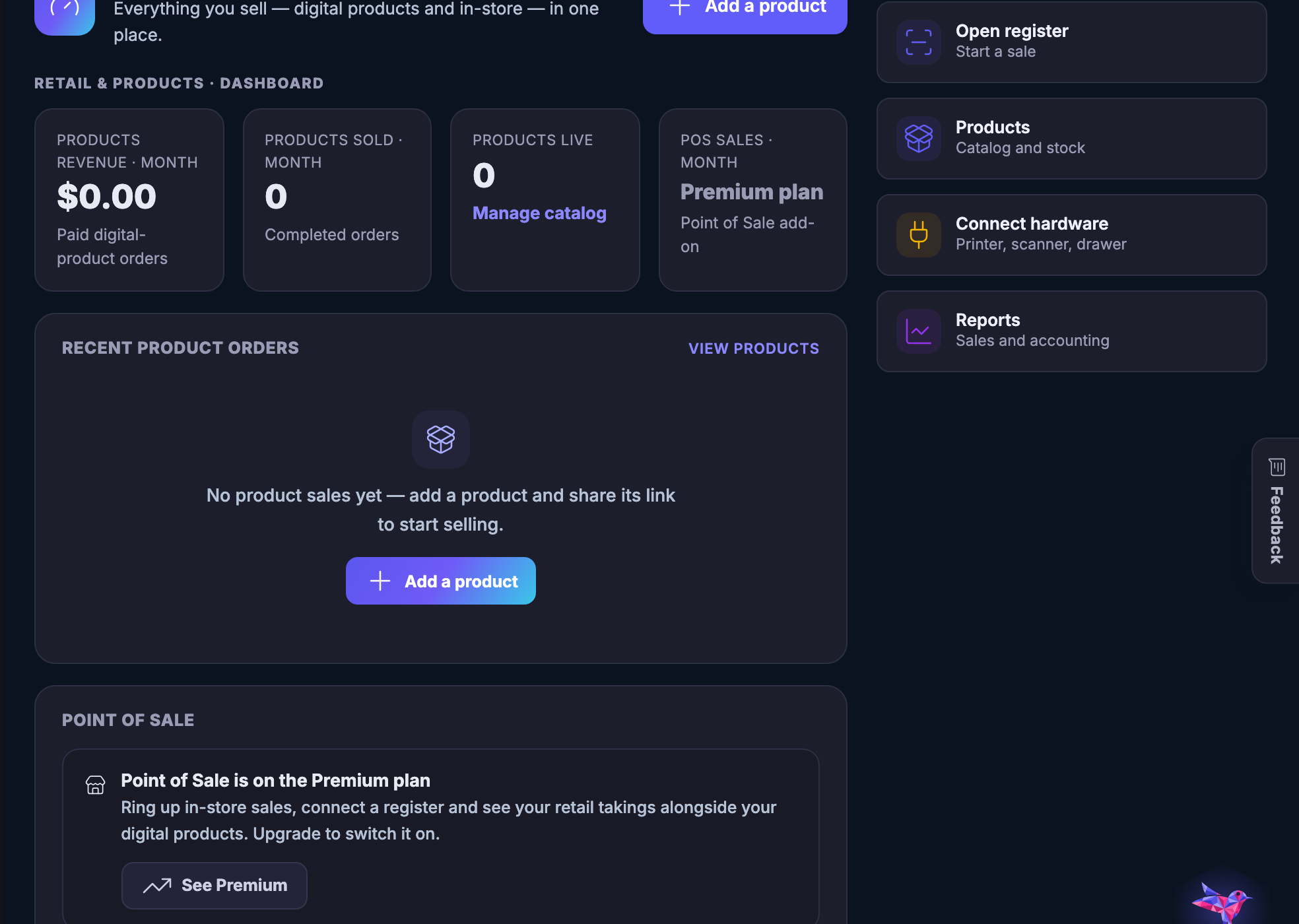
Retail and Products โ€” A real shop - stock, tills, staff, suppliers and the reports that follow.
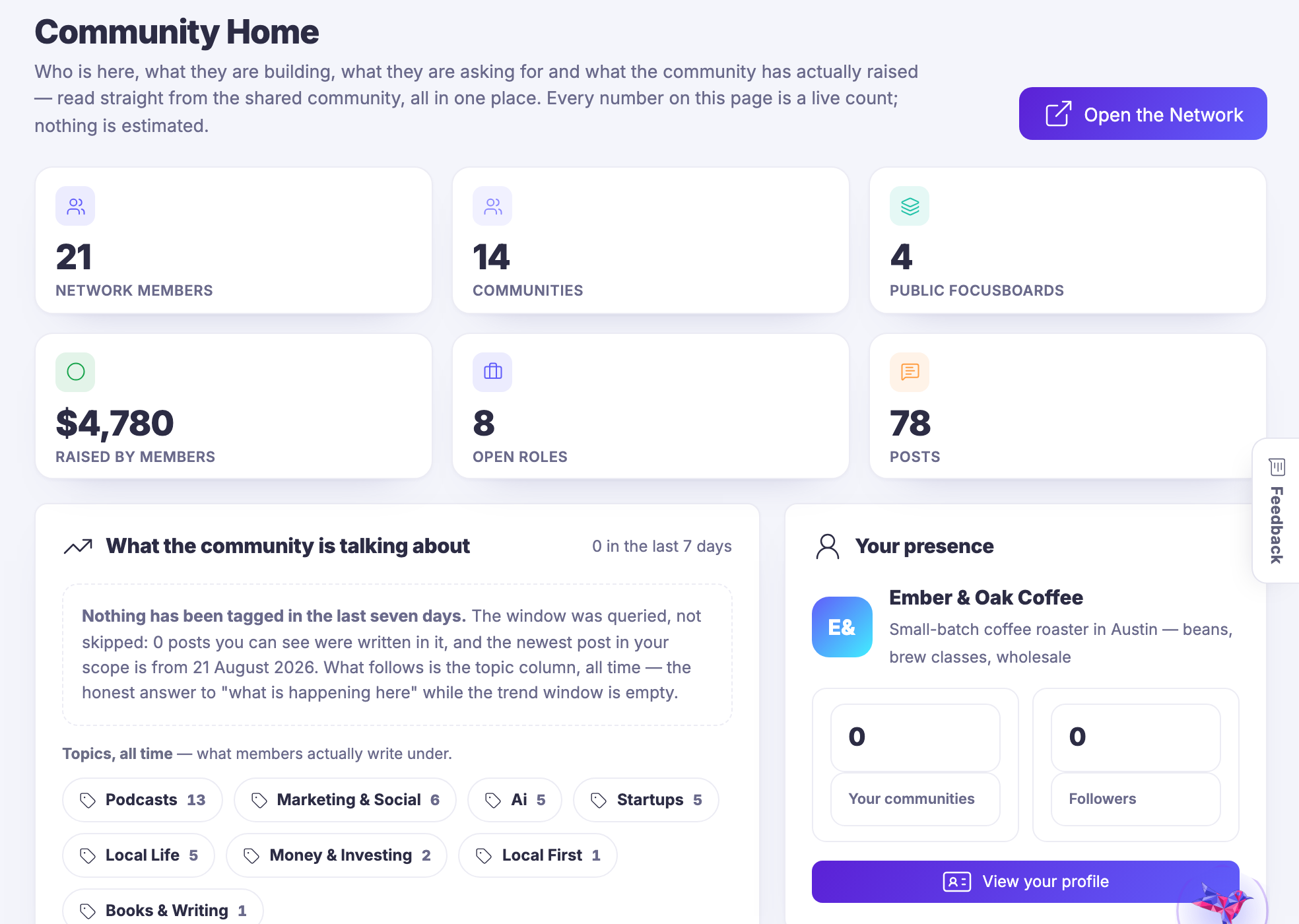
Retail & Products

A real shop — stock, tills, staff, suppliers and the reports that follow.

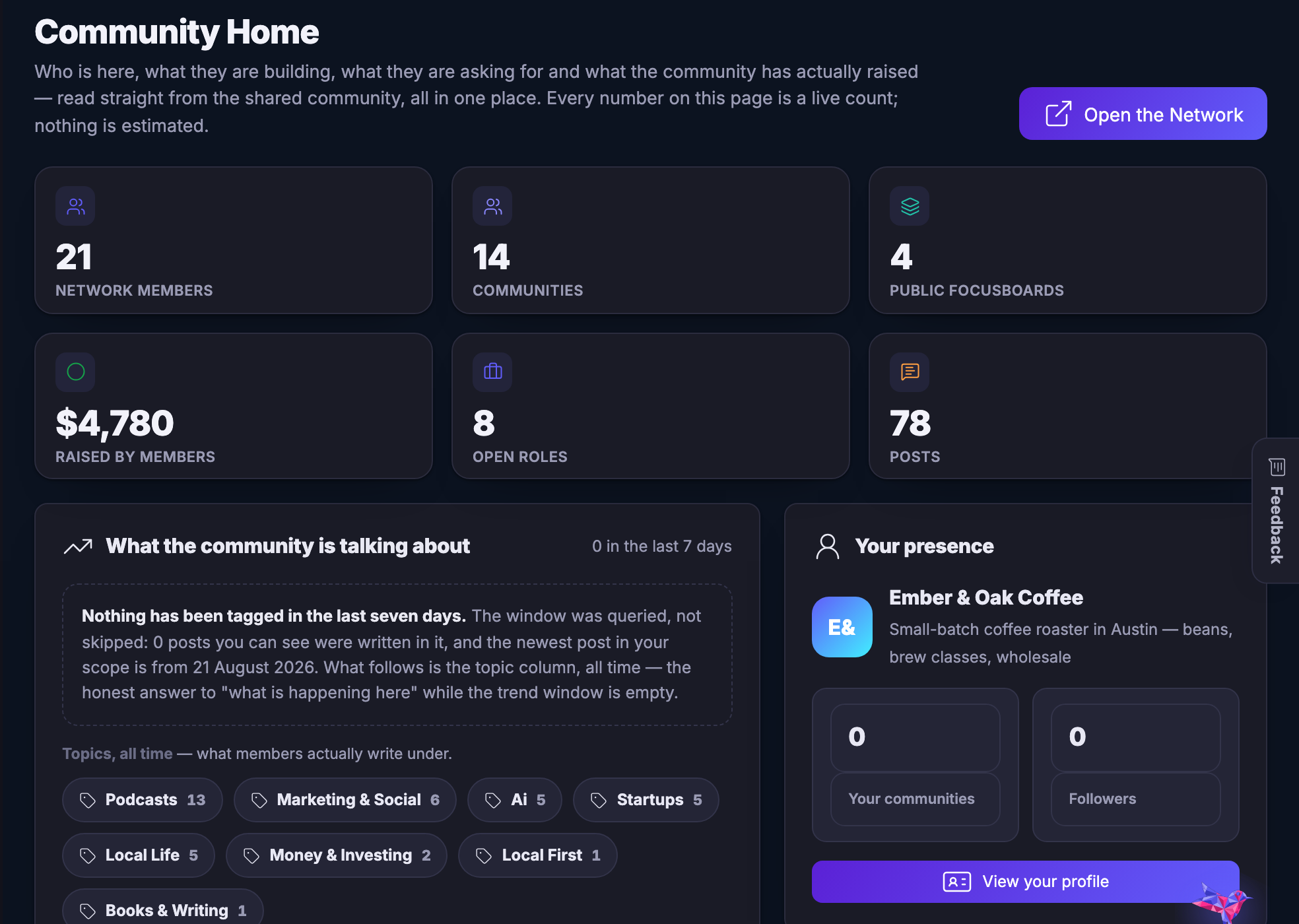
Network โ€” The public side, from inside the business: the hand-off, not a second login.
Network

The public side, from inside the business: the hand–off, not a second login.
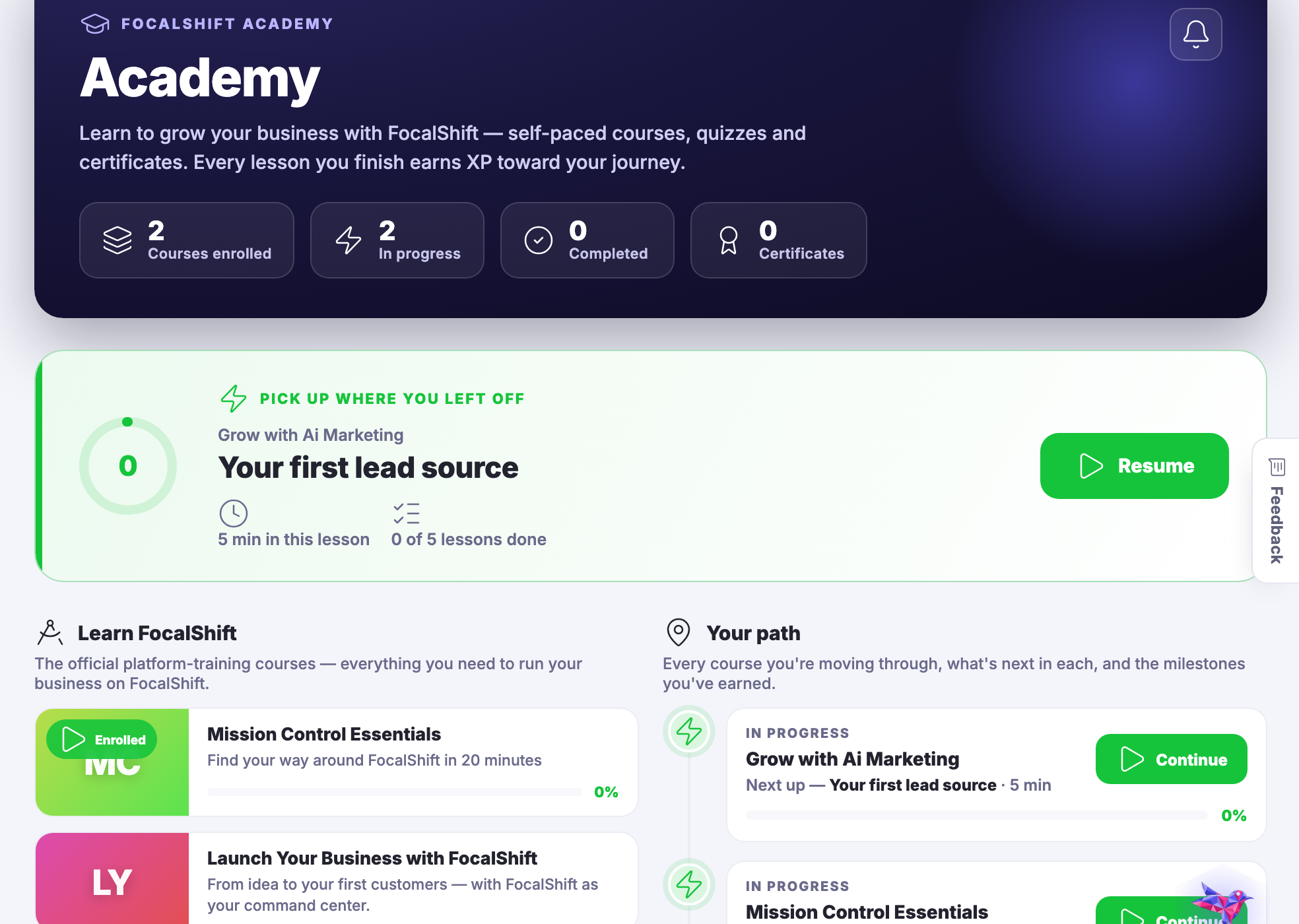
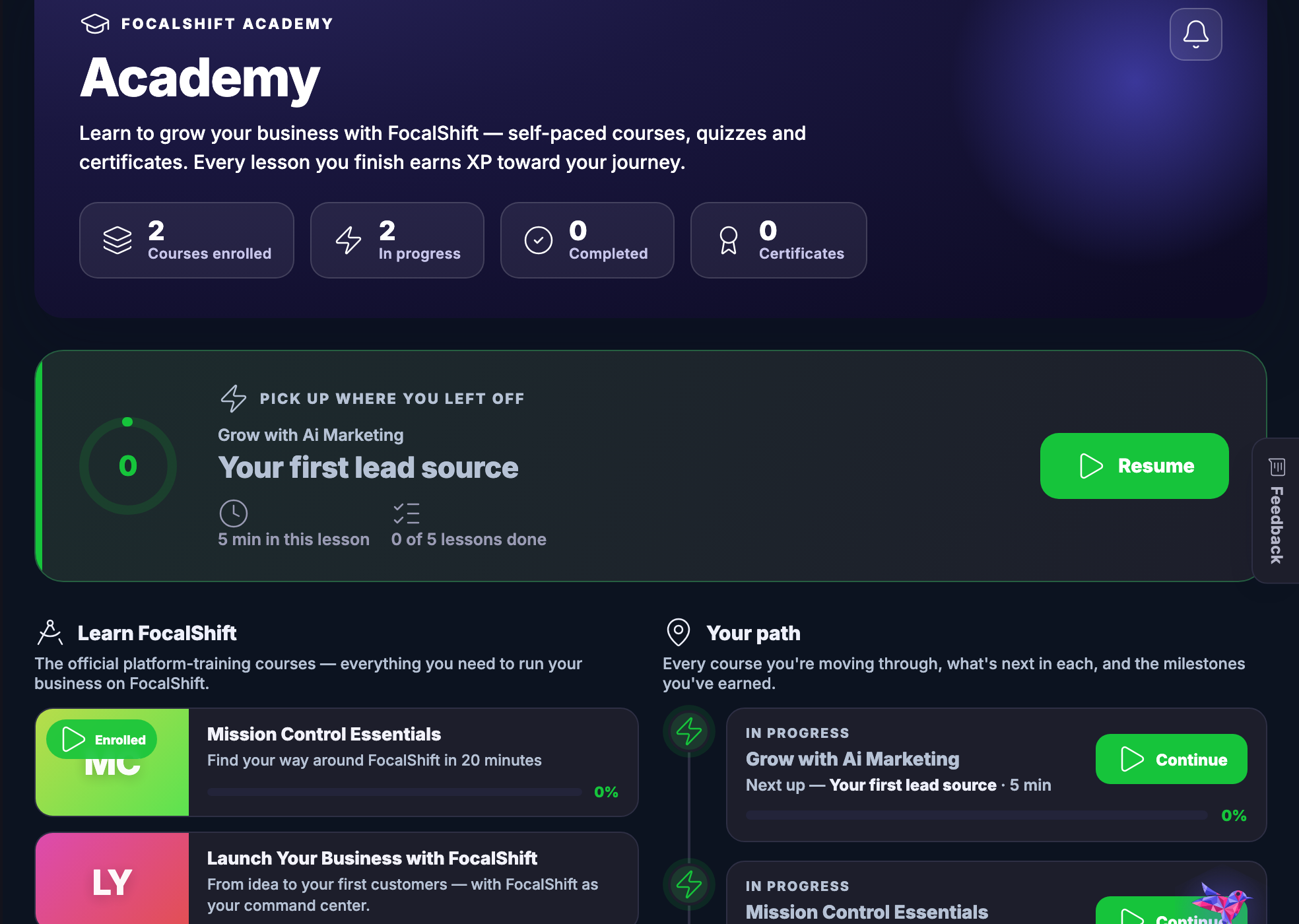
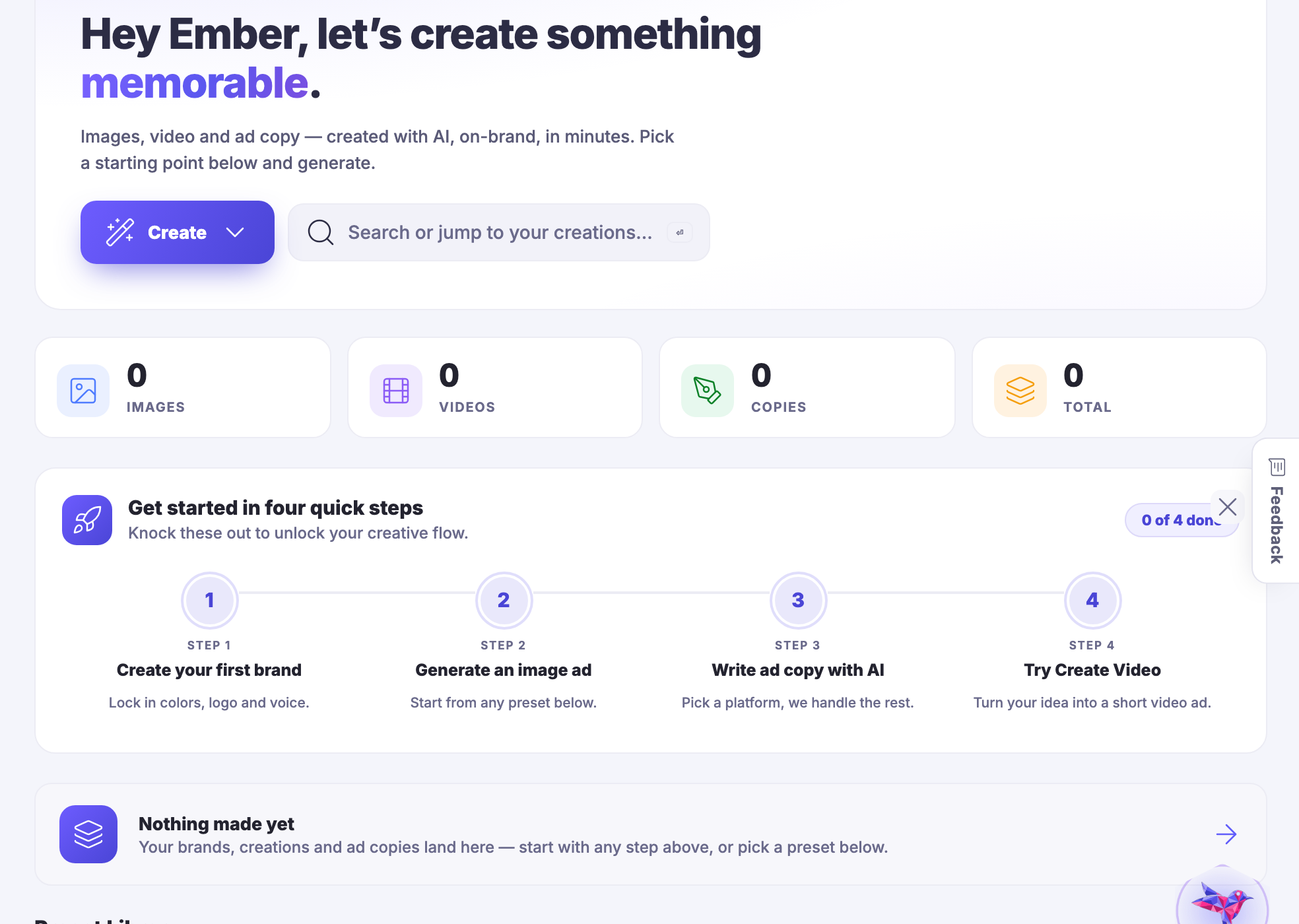
Academy โ€” Courses to take, courses to teach, and what your agents are being taught.
Academy

Courses to take, courses to teach, and what your agents are being taught.

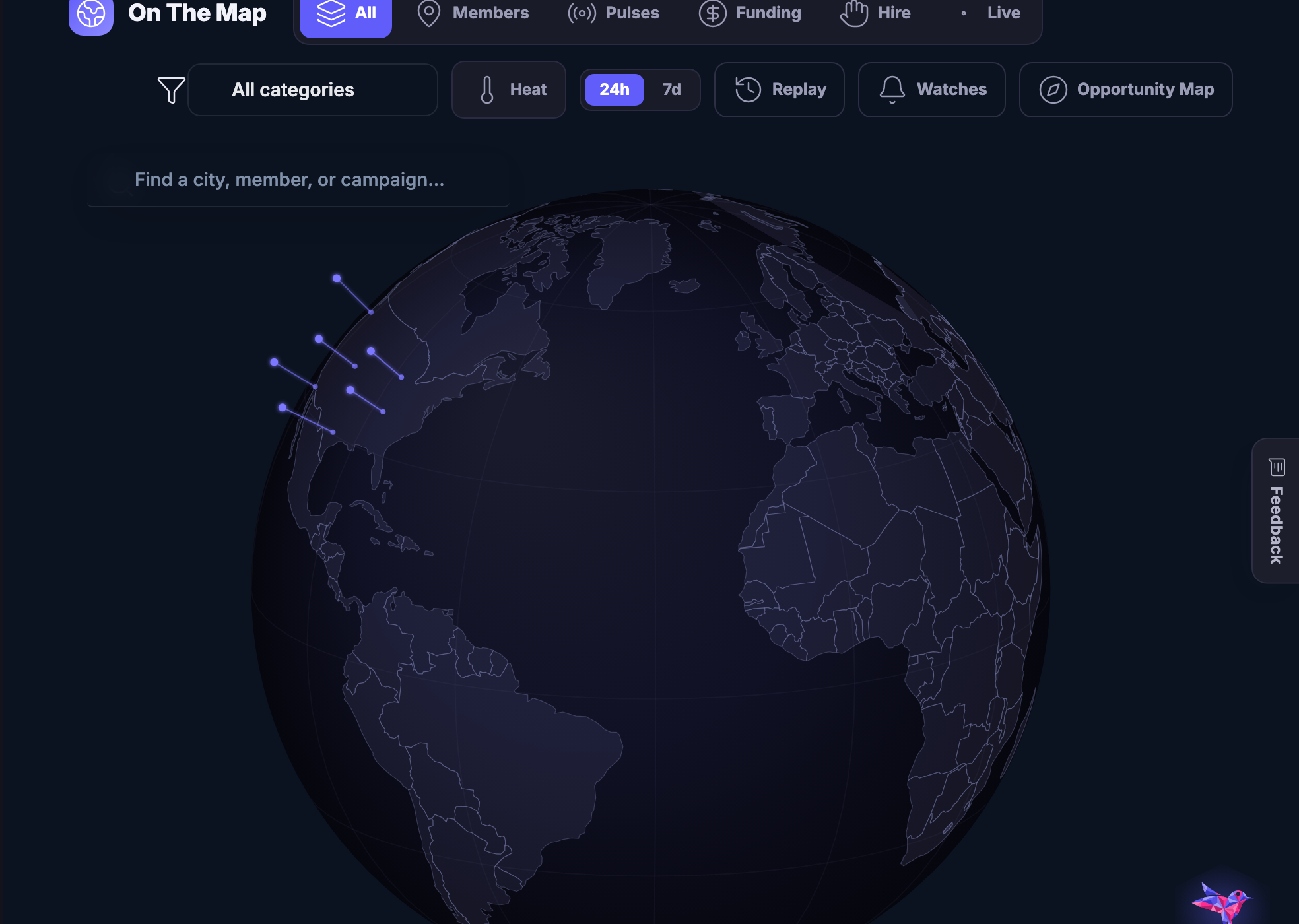
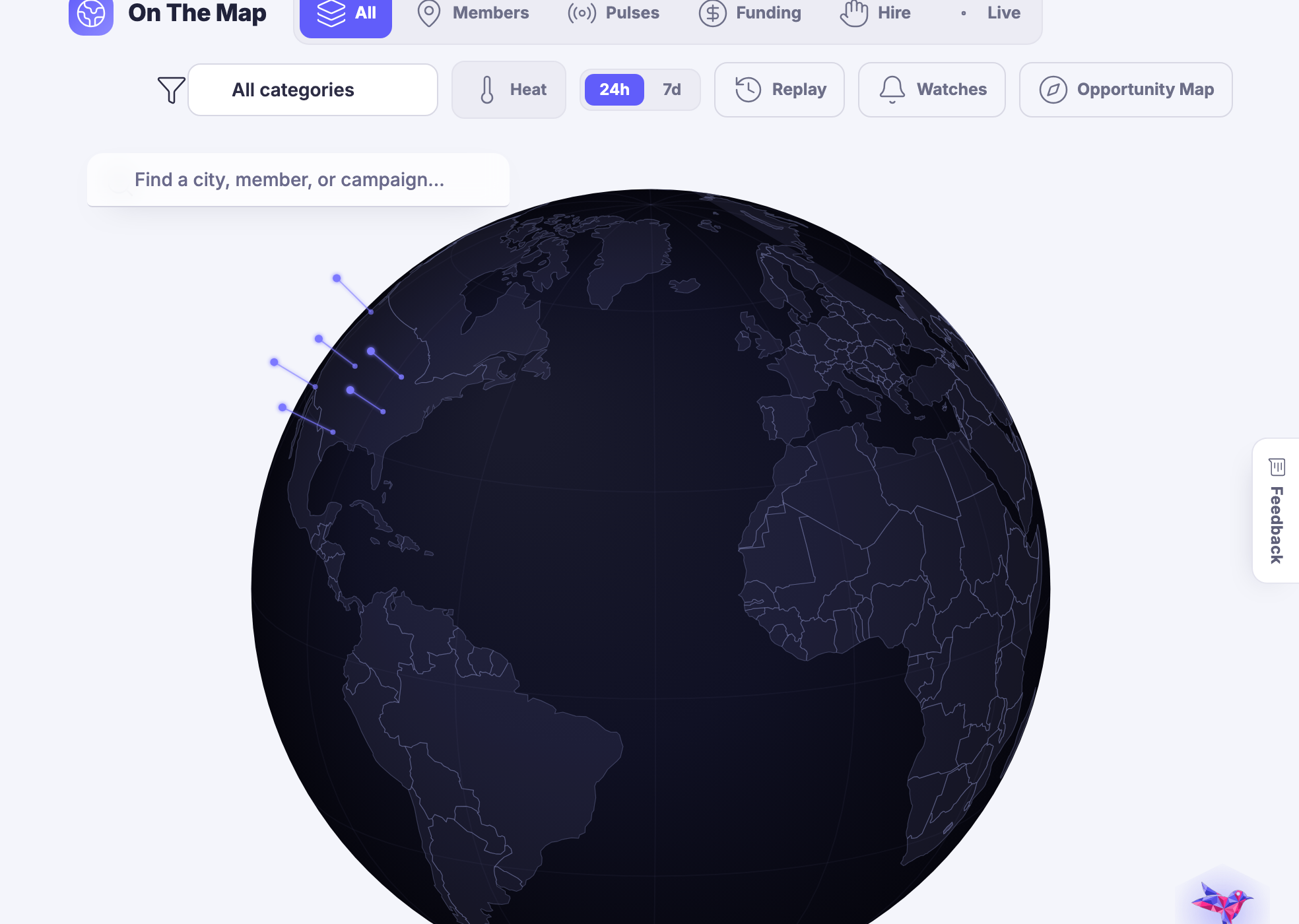
On The Map โ€” Your business, your area and your opportunities, seen geographically.
On The Map

Your business, your area and your opportunities, seen geographically.

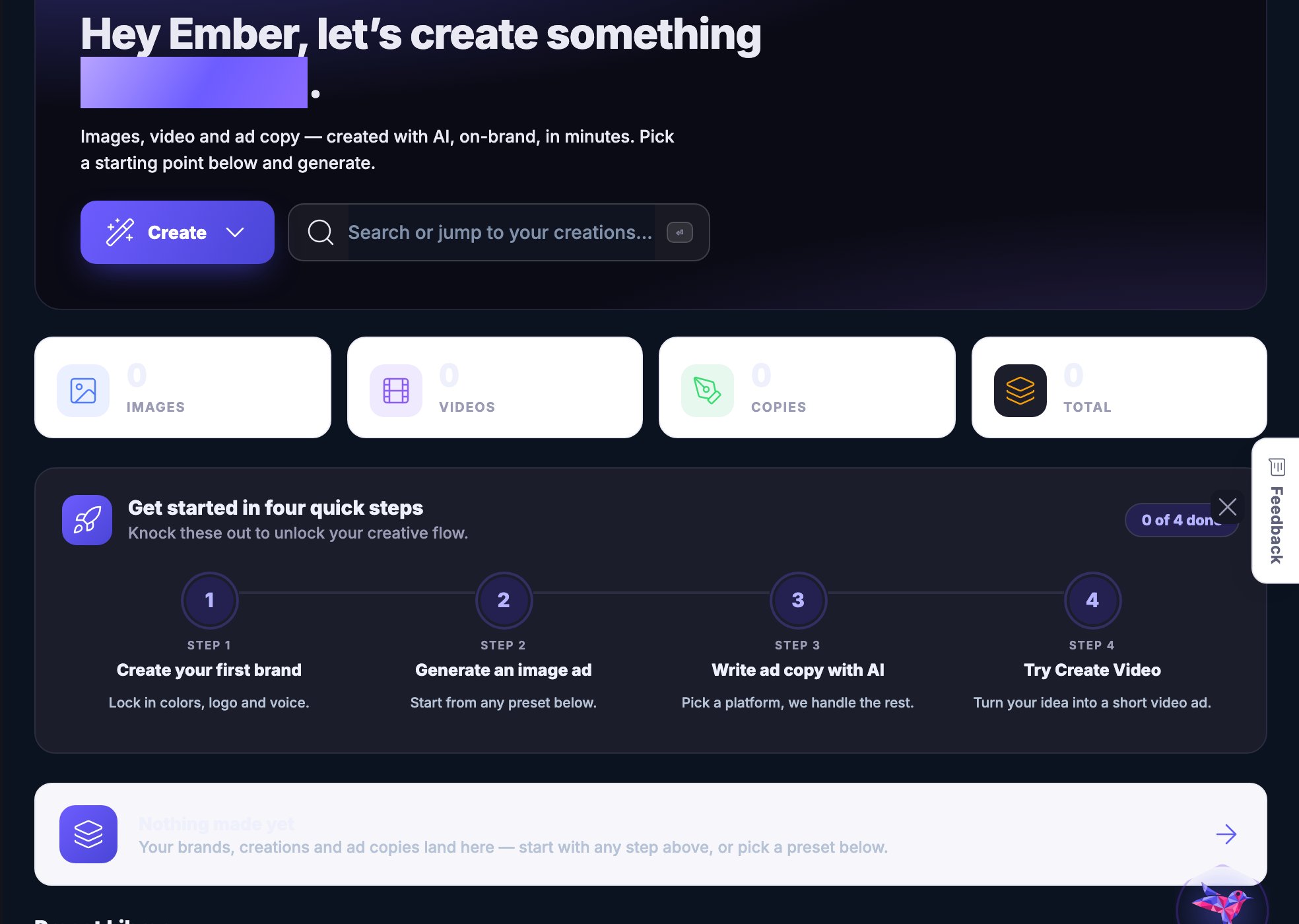
Ai Studio โ€” Images, video, characters and copy - and keeping what you made.
Ai Studio

Images, video, characters and copy — and keeping what you made.
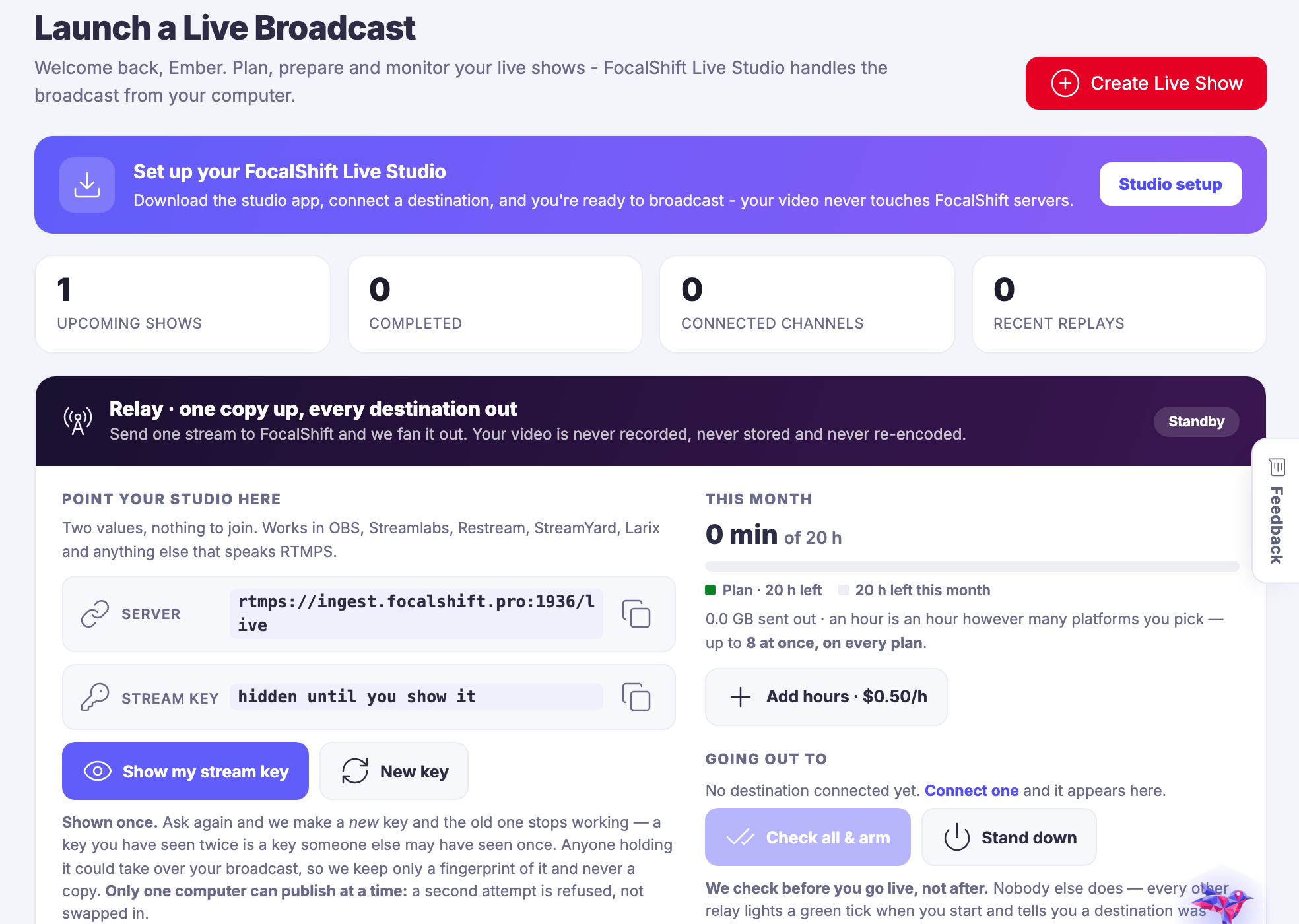
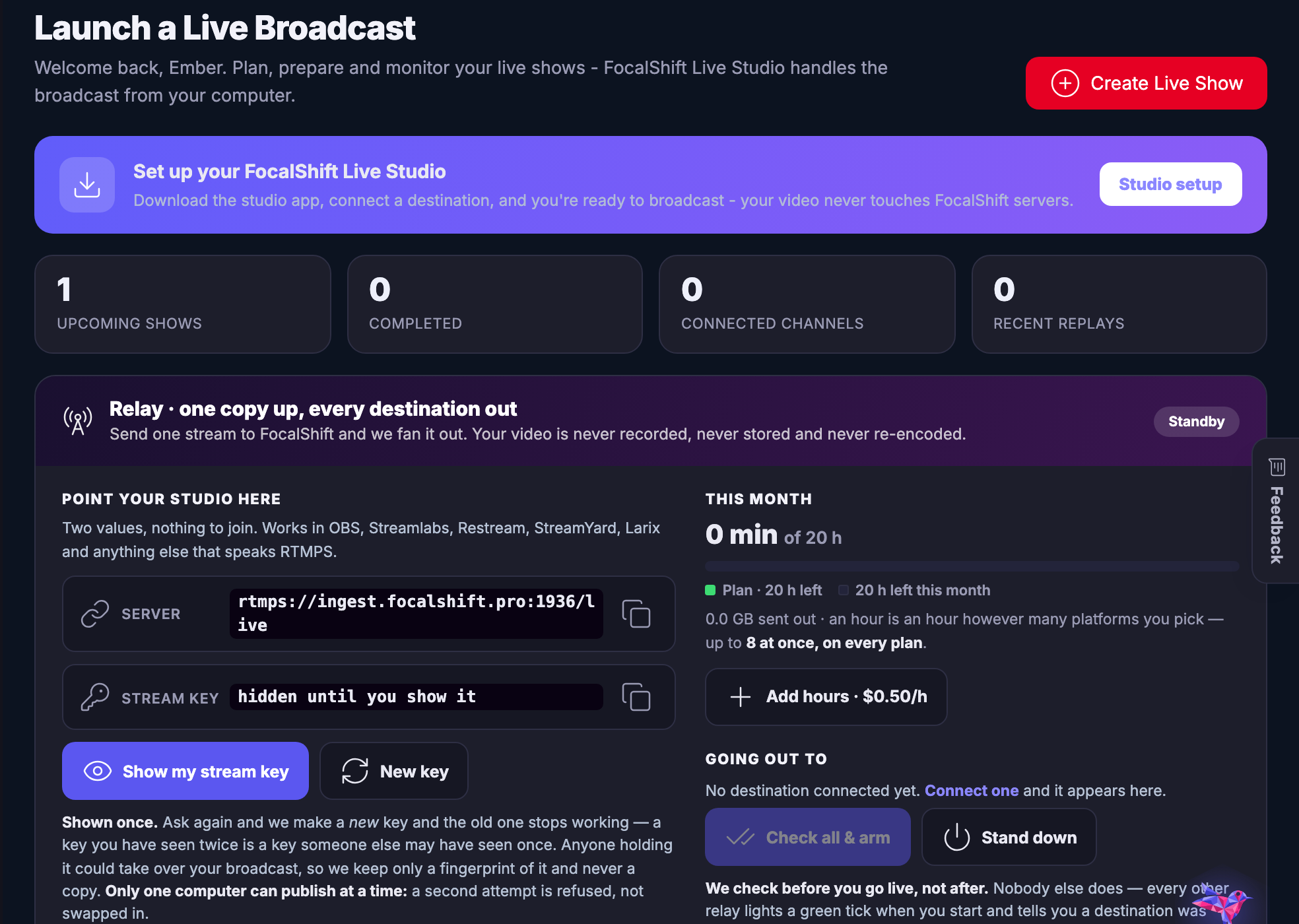
Live Studio โ€” Broadcasts and podcasts out of one setup, recorded and published.
Live Studio

Broadcasts and podcasts out of one setup, recorded and published.

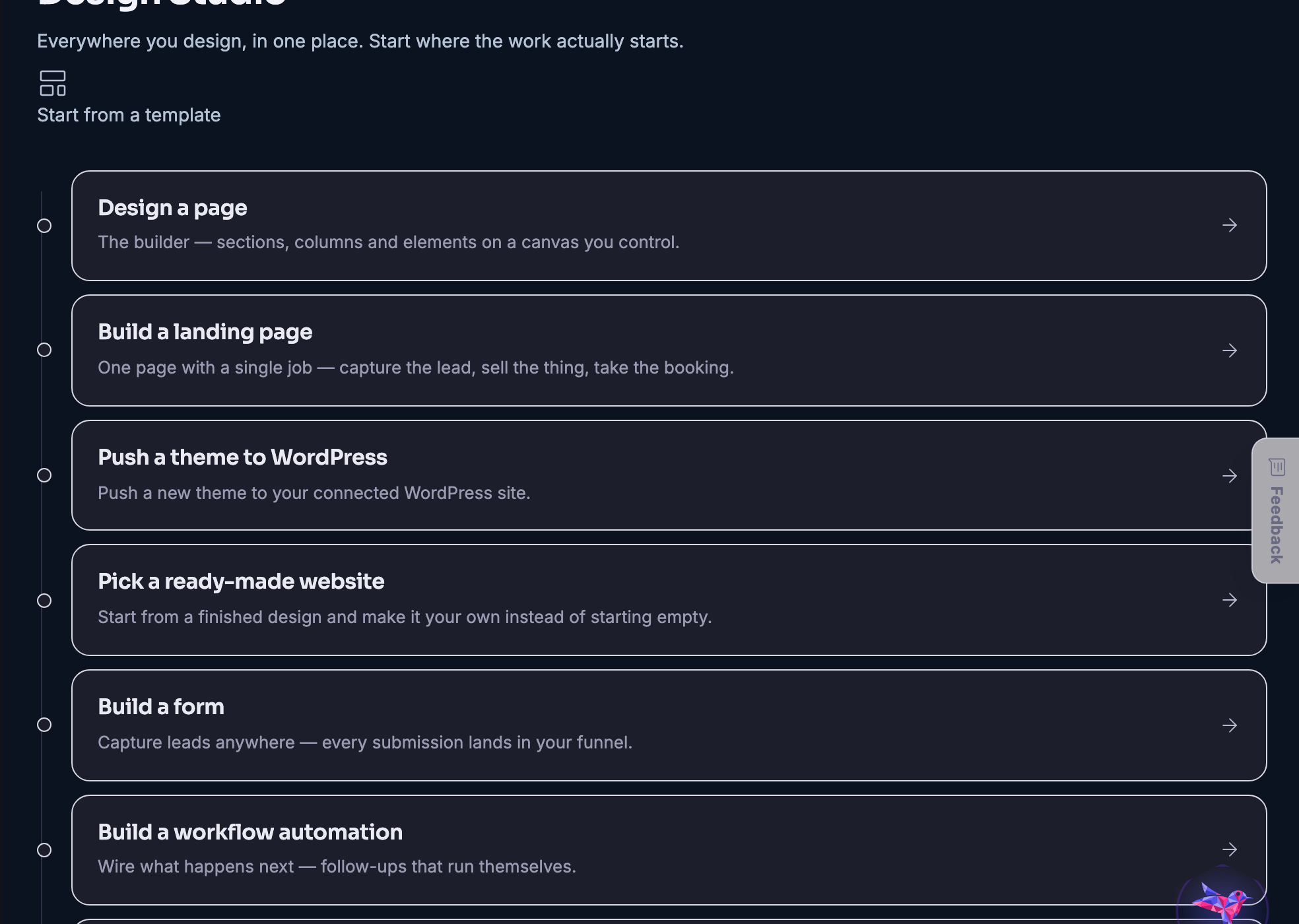
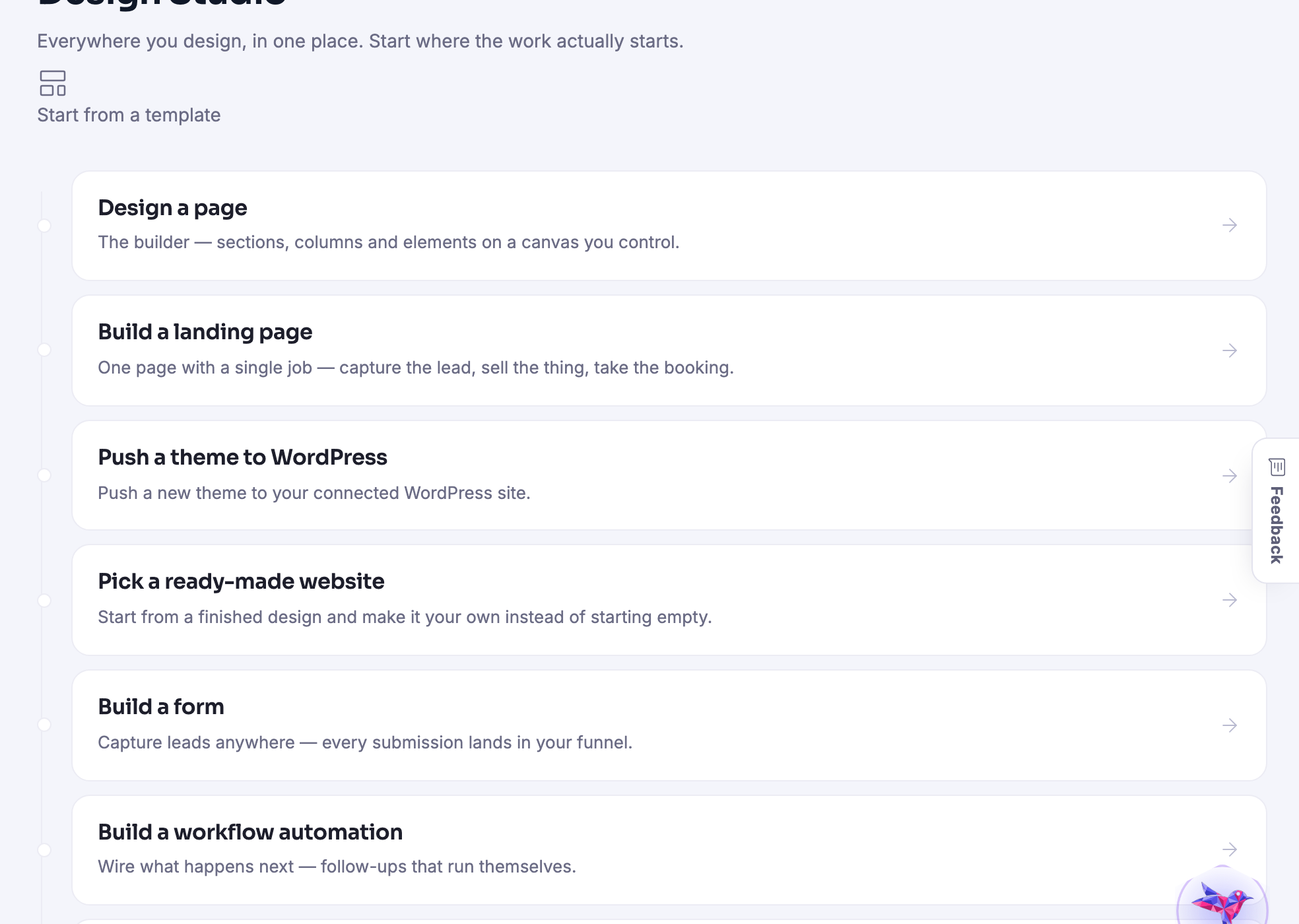
Design Studio โ€” The builder: pages, shops, templates, and pushing a design to your own site.
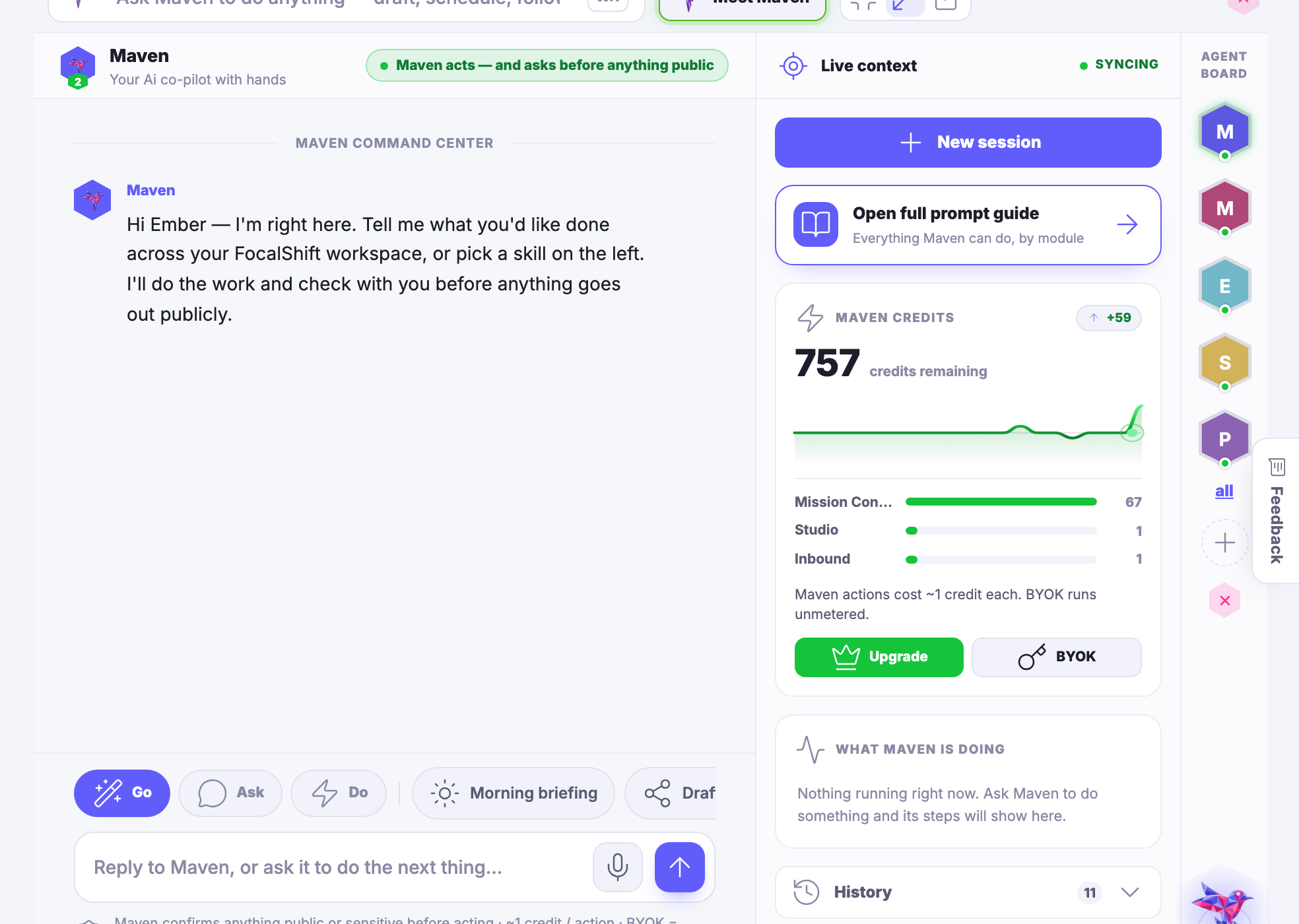
Design Studio

The builder: pages, shops, templates, and pushing a design to your own site.

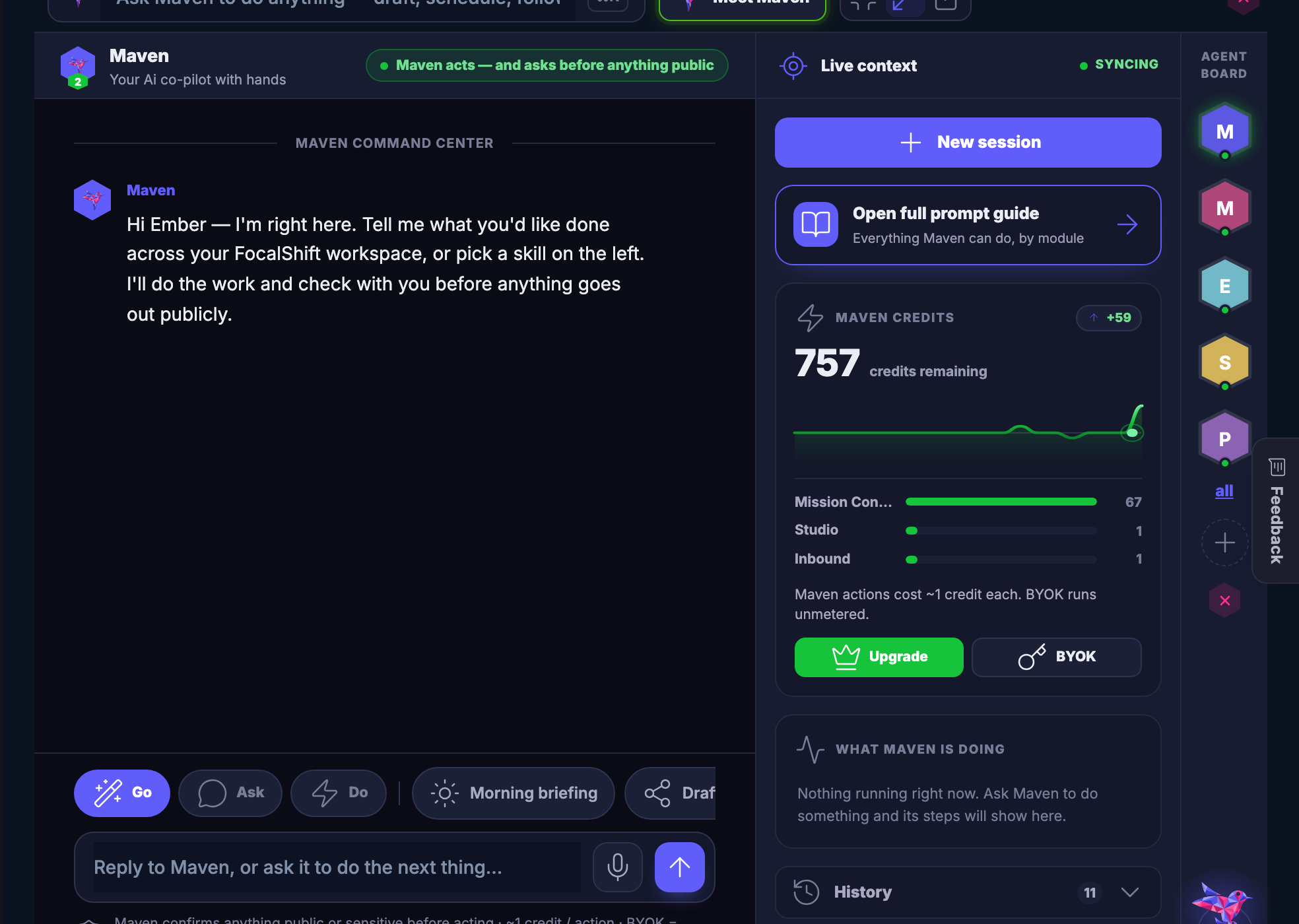
Meet Maven โ€” Maven itself, and the agents you train on your own business.
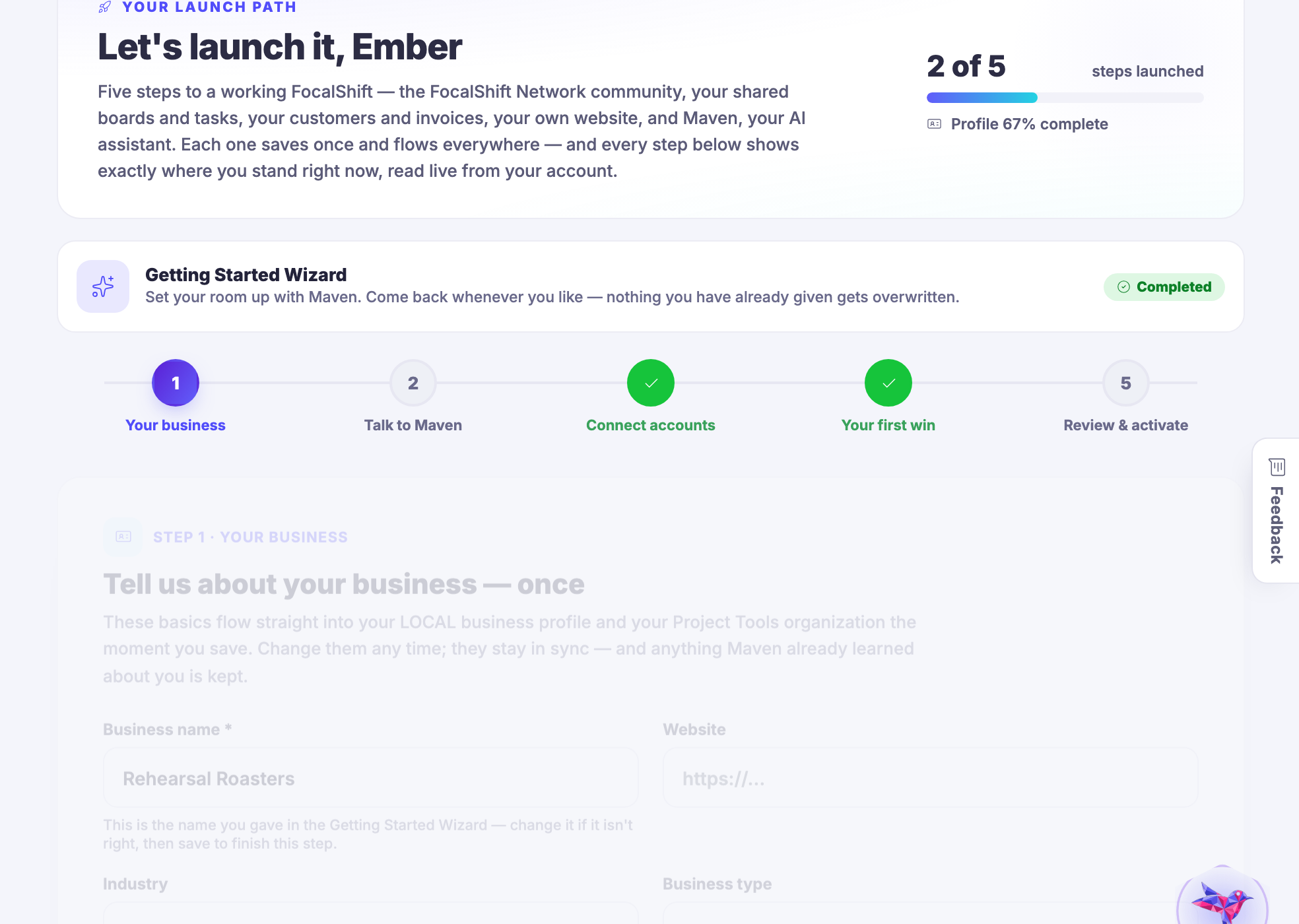
Meet Maven

Maven itself, and the agents you train on your own business.

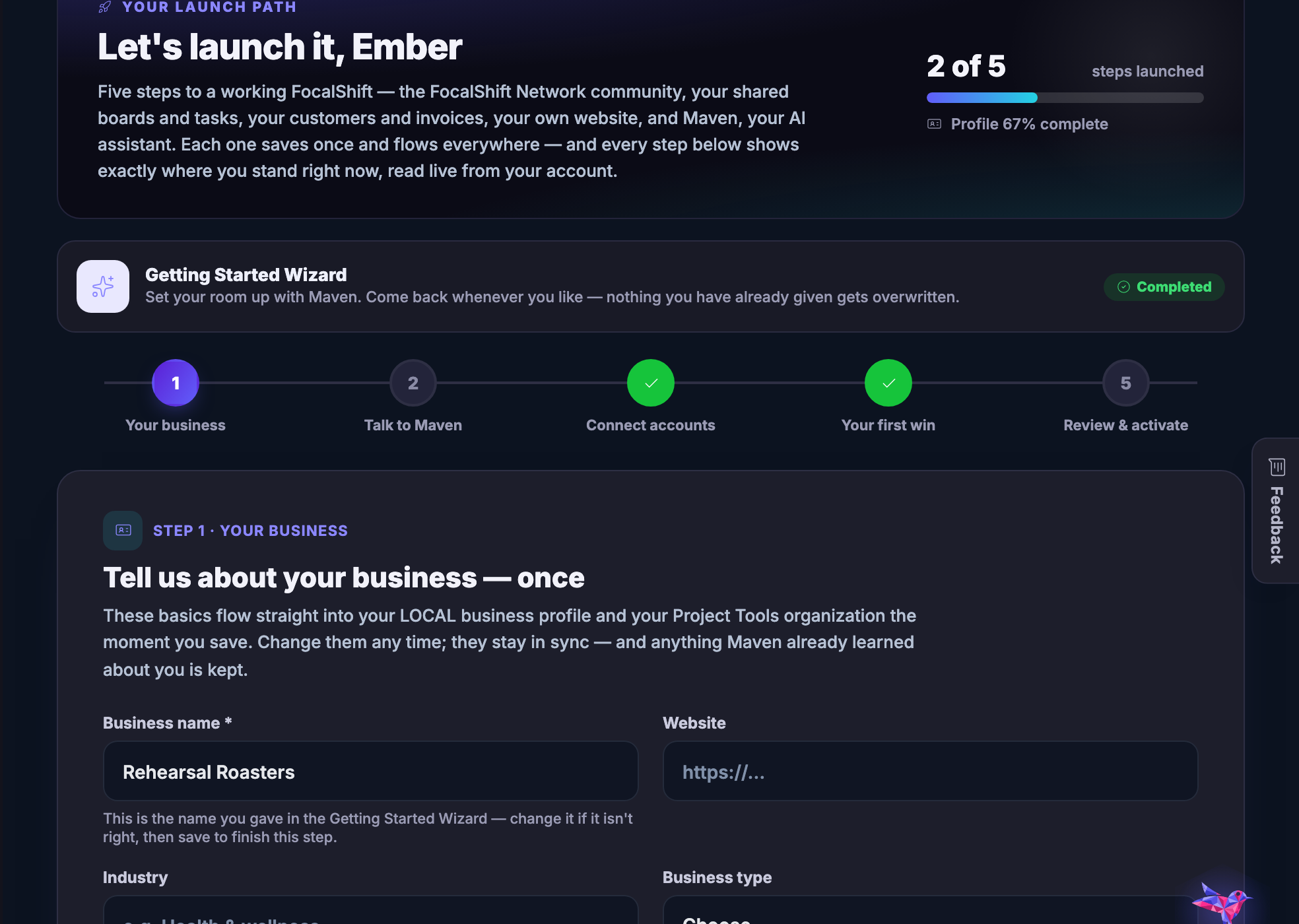
Quick Start โ€” The few things worth doing first, in order, with the rest kept out of the way.
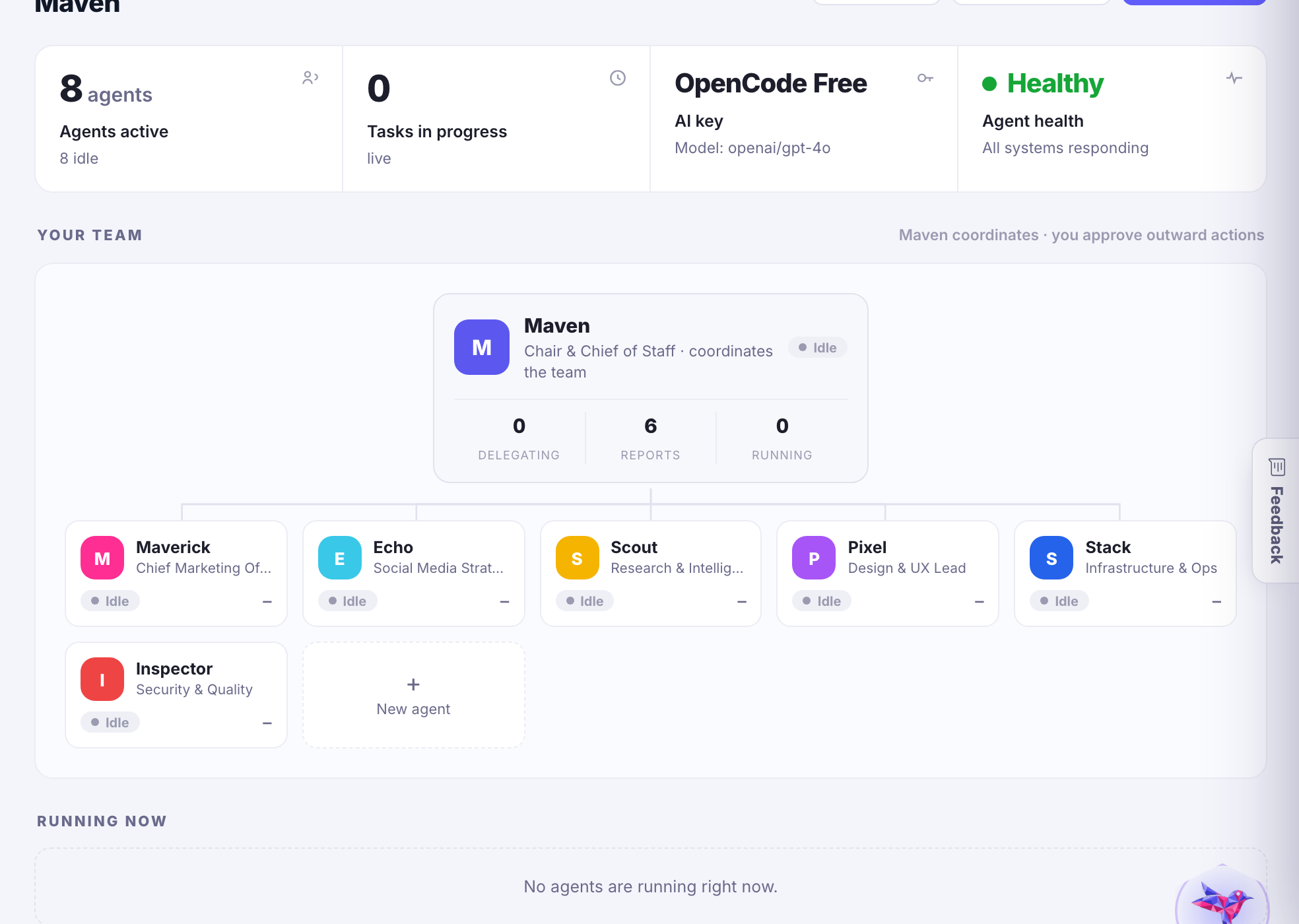
Quick Start

The few things worth doing first, in order, with the rest kept out of the way.

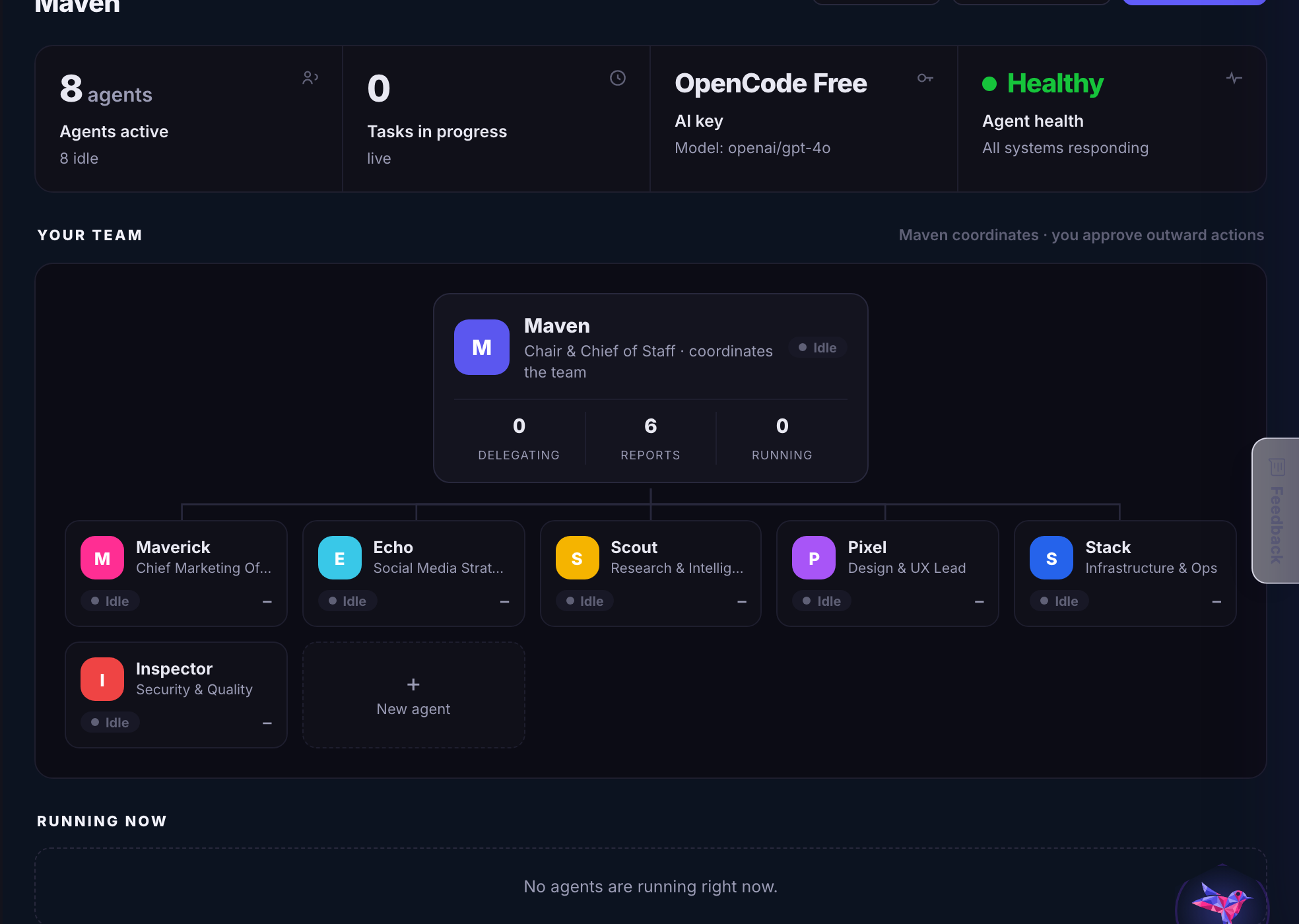
Hermes โ€” The agent platform underneath: playbooks, connections, memory and approvals.
Hermes

The agent platform underneath: playbooks, connections, memory and approvals.

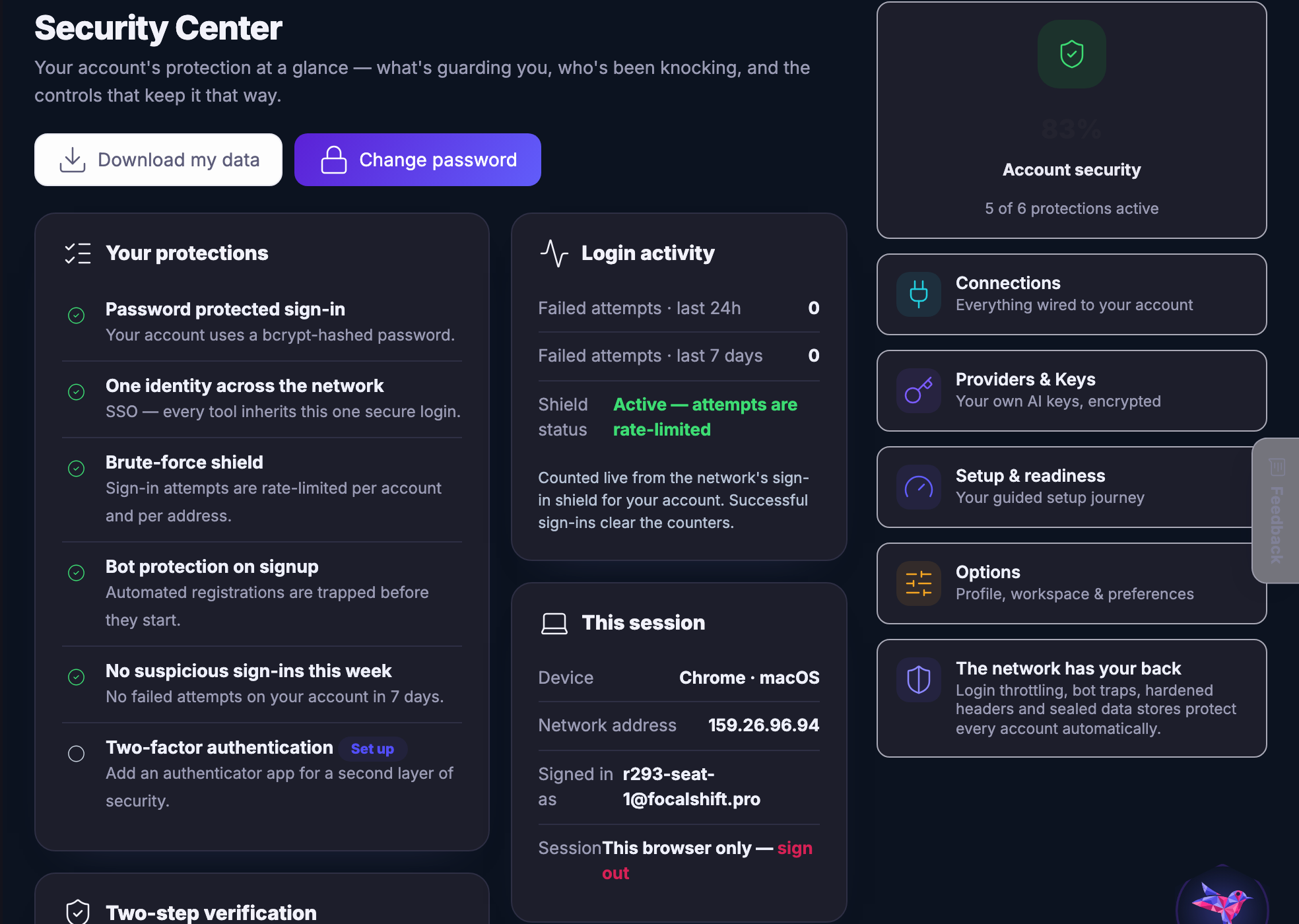
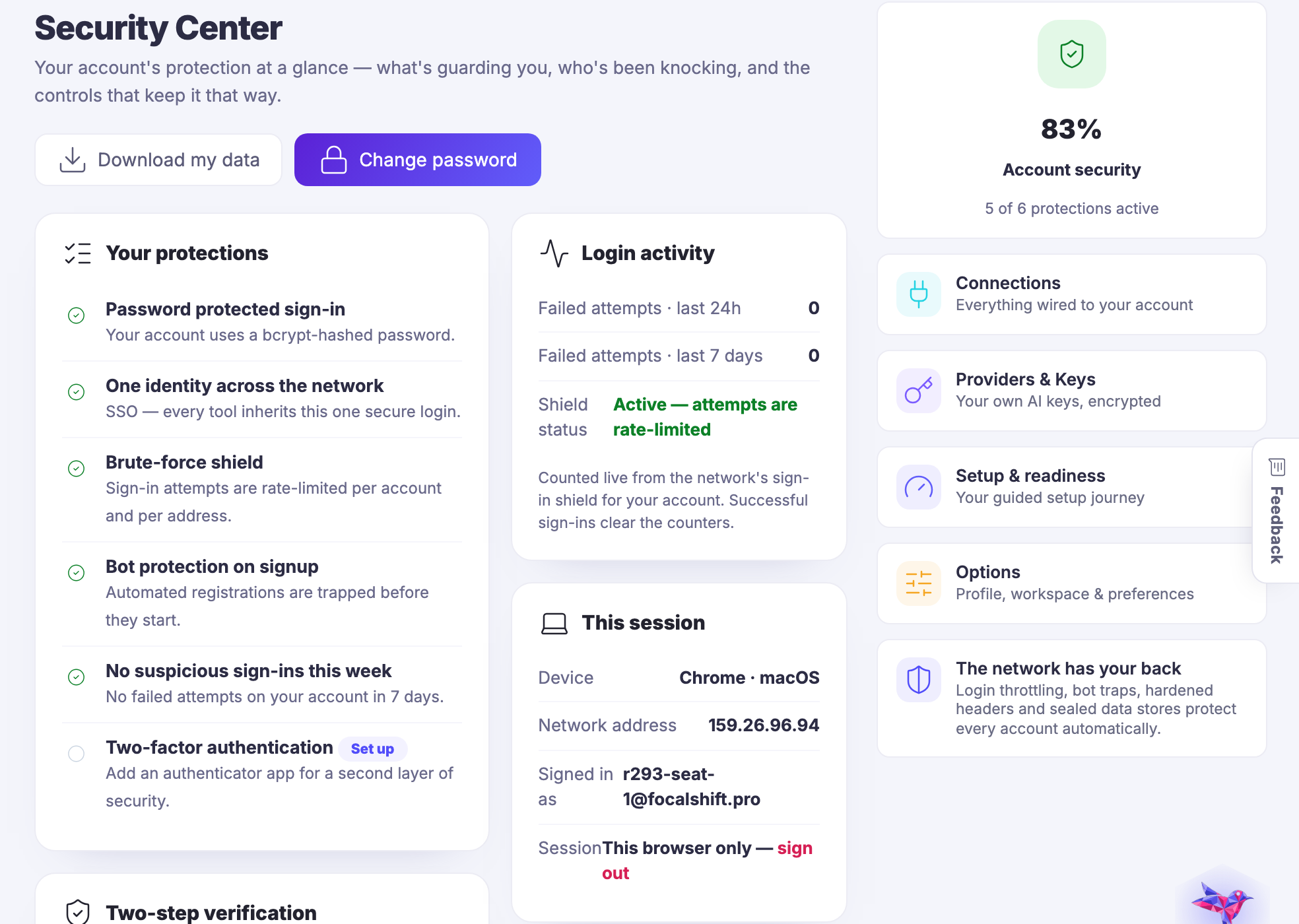
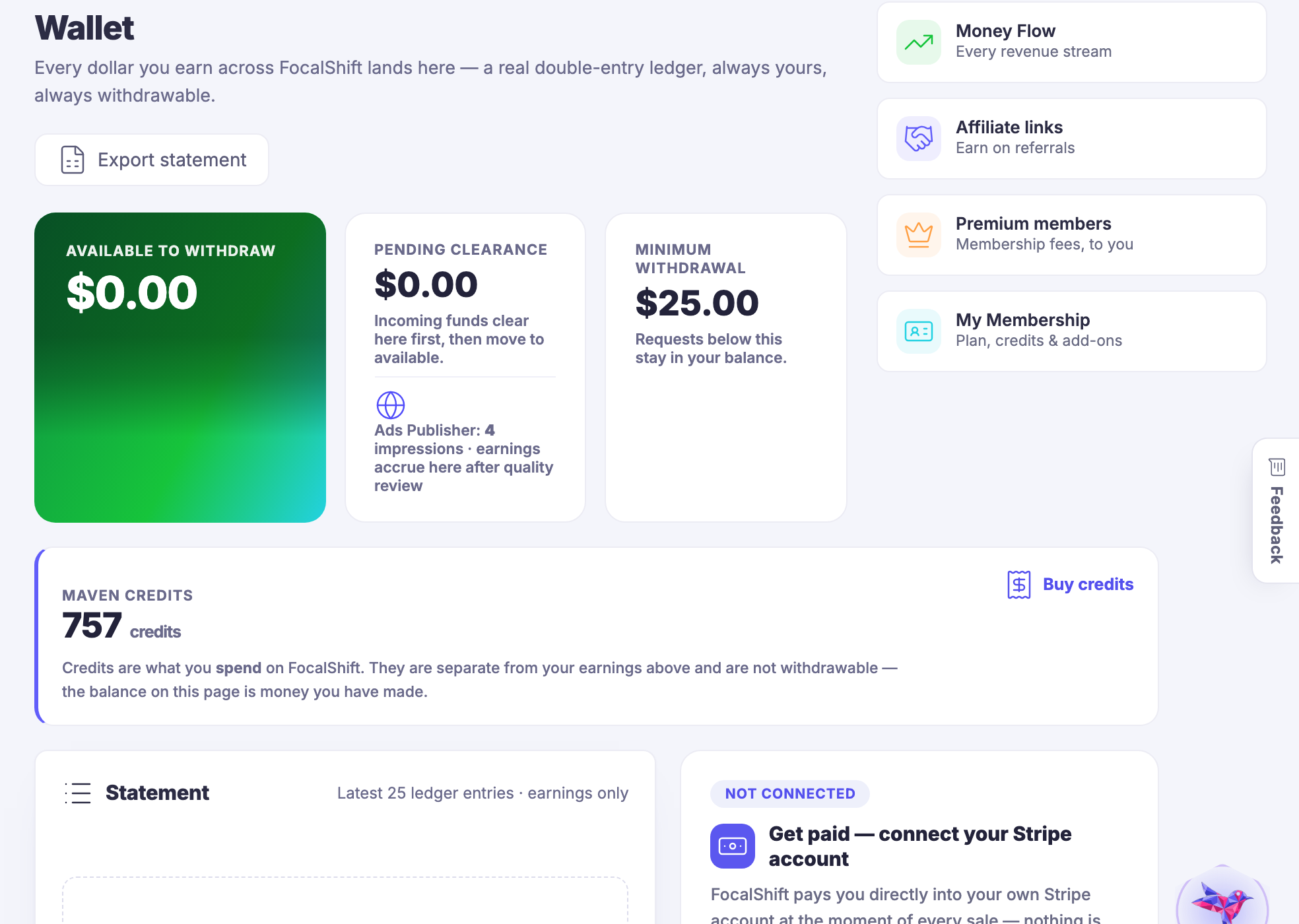
Security โ€” Who can get in, what is connected, and which keys are in use.
Security

Who can get in, what is connected, and which keys are in use.

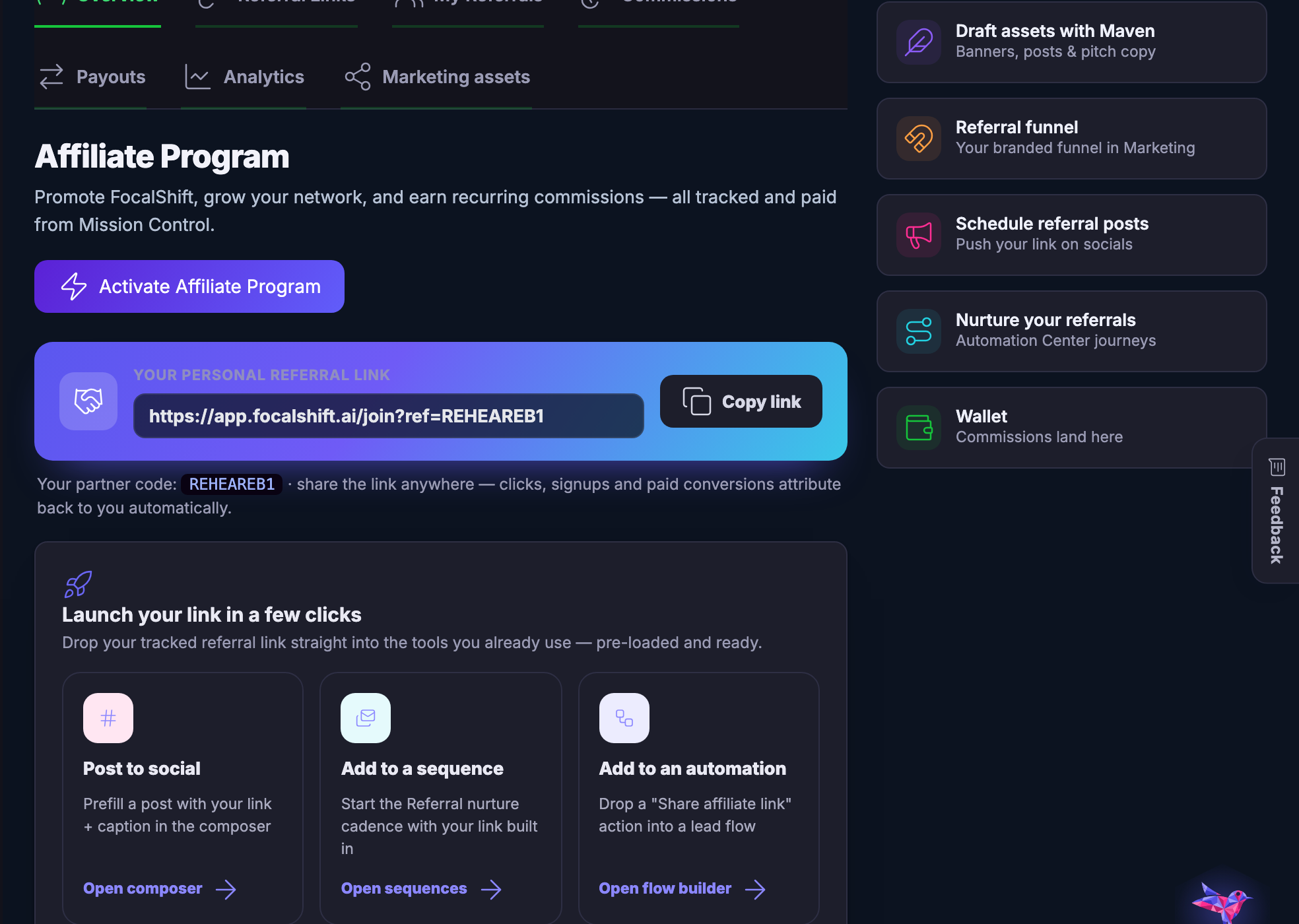
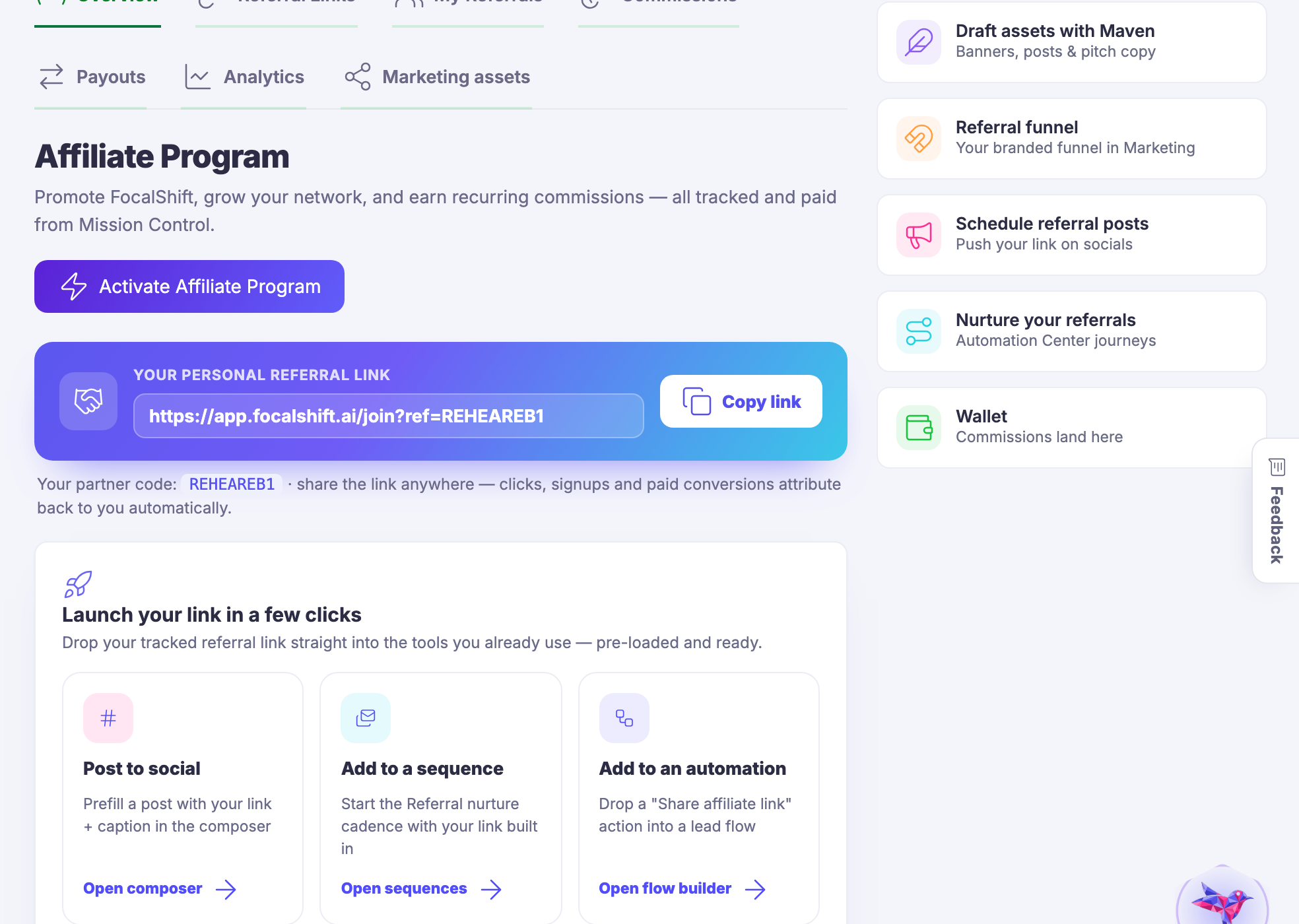
Affiliate Program โ€” Referring other people to the platform, and being paid for it.
Affiliate Program

Referring other people to the platform, and being paid for it.

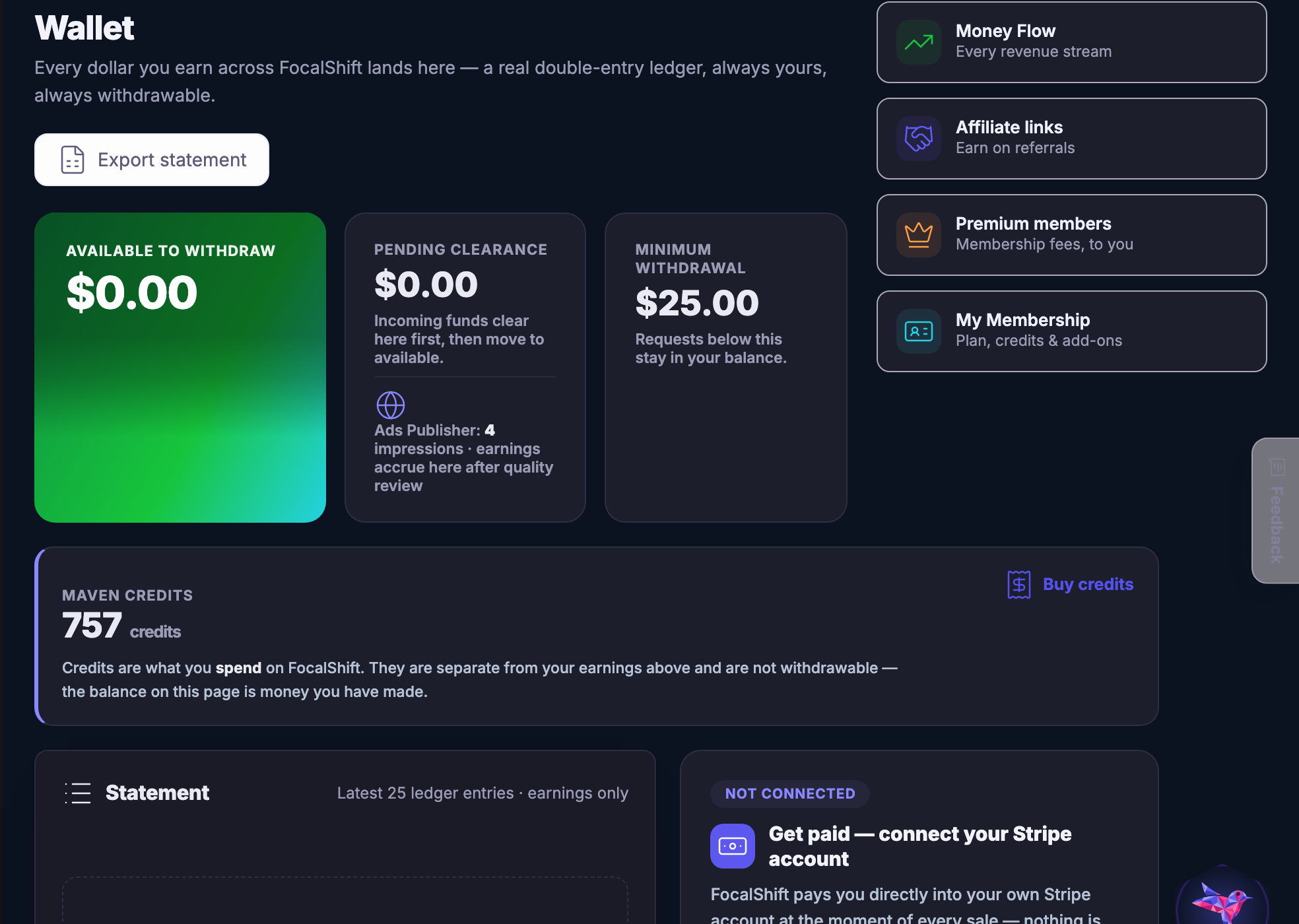
Account and Platform โ€” The account itself - your plan, your wallet, your profile, and where to get help.
Account & Platform

The account itself — your plan, your wallet, your profile, and where to get help.

Captured from a demo business on a live account, in a browser kept apart from anyone’s own. The account is set up and not yet filled, so several of these screens are quiet — which is what a new account really looks like, and the honest thing to show. Nothing here is blurred because nothing here belongs to a real member.

Every tool, and only one thing to sign into.

Join the beta program
Ask Maven