Messages

This is the product's own frame. Your conversations appear here once you have an account.

Get started now
Notifications

This is the product's own frame. Alerts about your business appear here once you have an account.

Français

You told Maven, in your own words:

“Most of my sales start as email conversations — I run a small online shop and I need more leads coming in.”

Maven — the hummingbird you spoke to — read that back and dealt six tools onto the table, in the order you will meet them.

Each marked word, and what it summoned

  • email conversations

    AI MailYour best seller is a letter, so the letter opens the deck.

  • my online shop

    Votre vitrineThe letter needs a door to point people to.

  • more leads

    Lead HubThe people who almost bought deserve a card with their name on it.

Three more follow that you did not ask for. The first three make the work; the last three keep it running, landing and shared. You will meet each at its turn.

Because you said email conversations.

AI Mail

A letter in your voice, and the follow-up that keeps arriving without you.

The letter itselfWritten in your voice. Maven drafts, you decide, it sends.
Designs already wearing your brandPick one from the shelf and it dresses itself in your colours.
The follow-up that never forgetsA reply, a pause, a nudge — in the order you set, without you.
Read more about AI Mail

Yes, everybody has email, but is yours connected to your complete marketing infrastructure?

Your inbox, your subscriber book and your campaigns live in the same room, so the person who replies to a letter is the same person whose card warms in your Lead Hub. Nothing is exported, nothing is pasted between tools.

A newsletter to everyone, and a different letter to people who have actually bought something. Both come from the same list, so a person only ever gets one of them, and the sequence keeps running after you have stopped thinking about it.

Surveys and sign-up pages belong to the same shelf: the question you ask in a letter can land on a page that files the answer where the next letter will find it.

When a letter goes out, what came back is written underneath it in plain words — who it reached, who opened the door, who wrote back. You read your mail the way you read anything else: top to bottom, no decoding.

What it actually does

  • One list, split by what people have actually done
  • Journeys that keep going after the first send
  • Letters composed in your own brand, not a template

What that changes for you

  • Nobody gets the wrong letter for who they are
  • The list keeps working the week you are ill
  • You stop rewriting the same welcome every quarter

You come away with a reader who opens things, and a reason to write again.

A look inside AI Mail

A letter needs a door to point people to. Next — the shop.

Because you said my online shop.

Votre vitrine

The register, the shelf and the door — one place, and the place is yours.

A register that lives in your storeRing up a sale, hold an order, close the day — live where you stand.
A digital shelf beside the tillDownloads, files and templates, sold from the same counter.
Your own address on the doorThe shop sits on your corner of the web, not on someone else's.
Read more about Your storefront

Everything you sell, in one catalogue, on a page that belongs to you.

Things you ship, things you send and hours you sell all sit in the same catalogue, so a price change happens once. The checkout is yours, and what it takes in lands in Money Flow without you moving it.

Stock, suppliers and staff live behind the same door: the thing you sell, the person who sold it and the shelf it came from are one record, not three.

Customers who buy from the shop walk straight into your book — the same book your letters read from and your leads warm in. A sale is never a stranger.

If you already sell somewhere else, the storefront meets you there and keeps your catalogue in step, so opening this door never means closing another.

What it actually does

  • One catalogue for physical, digital and time
  • Your own checkout, on your own address
  • Stock counts that follow a sale everywhere

What that changes for you

  • A price only ever has to be changed once
  • Nobody is renting you your own shopfront
  • You stop finding out you sold what you ran out of

You come away with a first-time buyer, and an address to reach them at.

A look inside Your storefront

A door is only as busy as the people who find it. Next — the ones who almost did.

Because you said more leads.

Lead Hub

Every almost-customer gets a card, and every card knows what should happen next.

Every channel feeds one bookSite chat, forms, mail — each lead files itself where you will look.
A conversation becomes a lead the moment it warmsYou never retype a name that already spoke to you.
Pipelines that read like sentencesMove a card and the story updates; nothing shown is stuck.
Read more about Lead Hub

One card per person, and the next thing you owe them written on it.

Everything anyone has ever done with you sits on one card — what they bought, what they asked, what you said. The pipeline is not a spreadsheet of hope; it is the list of what is genuinely waiting on you.

Sources is the honest half of lead generation: not just how many came, but where each one actually arrived from and which pipeline caught it. Rename a pipeline after a channel and its leads file themselves.

The finder works the other way round — when you know who you want, it goes looking. And the import door stands open for the book you already keep somewhere else.

Every card carries its own trail: the form they filled, the page they came from, the letter they answered. When you call, you already know why they wrote.

What it actually does

  • One card per person, not one row per event
  • A pipeline with real stages you set
  • Everything they have ever done, on the same screen

What that changes for you

  • You never open a conversation cold again
  • Nothing sits in “I will get to it” unseen
  • Handing a customer to someone else takes a minute

You come away with a customer with a history, and a next step already written.

A look inside Lead Hub

Leads multiply when the letter and the door keep working after you stop. Next — the part that runs itself.

Maven adds this one: letters, doors and leads make busywork.

Centre d'automatisation

Everything that runs by itself, written as sentences you can read.

Rules you can say out loudWhen a new lead arrives, tag it, ring your bell. That is the rule.
Every run on the recordWhat fired, what finished, what stopped — newest first, plain words.
The odd one out waits for youWhen a conversation needs a human, Maven holds it rather than guessing.
Read more about Automation Center

The follow-up you never have to remember, written down once.

When this happens, do that — set in plain words and then left alone. It is the difference between a business that runs and a business that runs because you are stood over it.

The canvas is where rules are laid; the monitor is where they answer for themselves. A rule that quietly does nothing cannot hide here, because the stream only prints what actually ran.

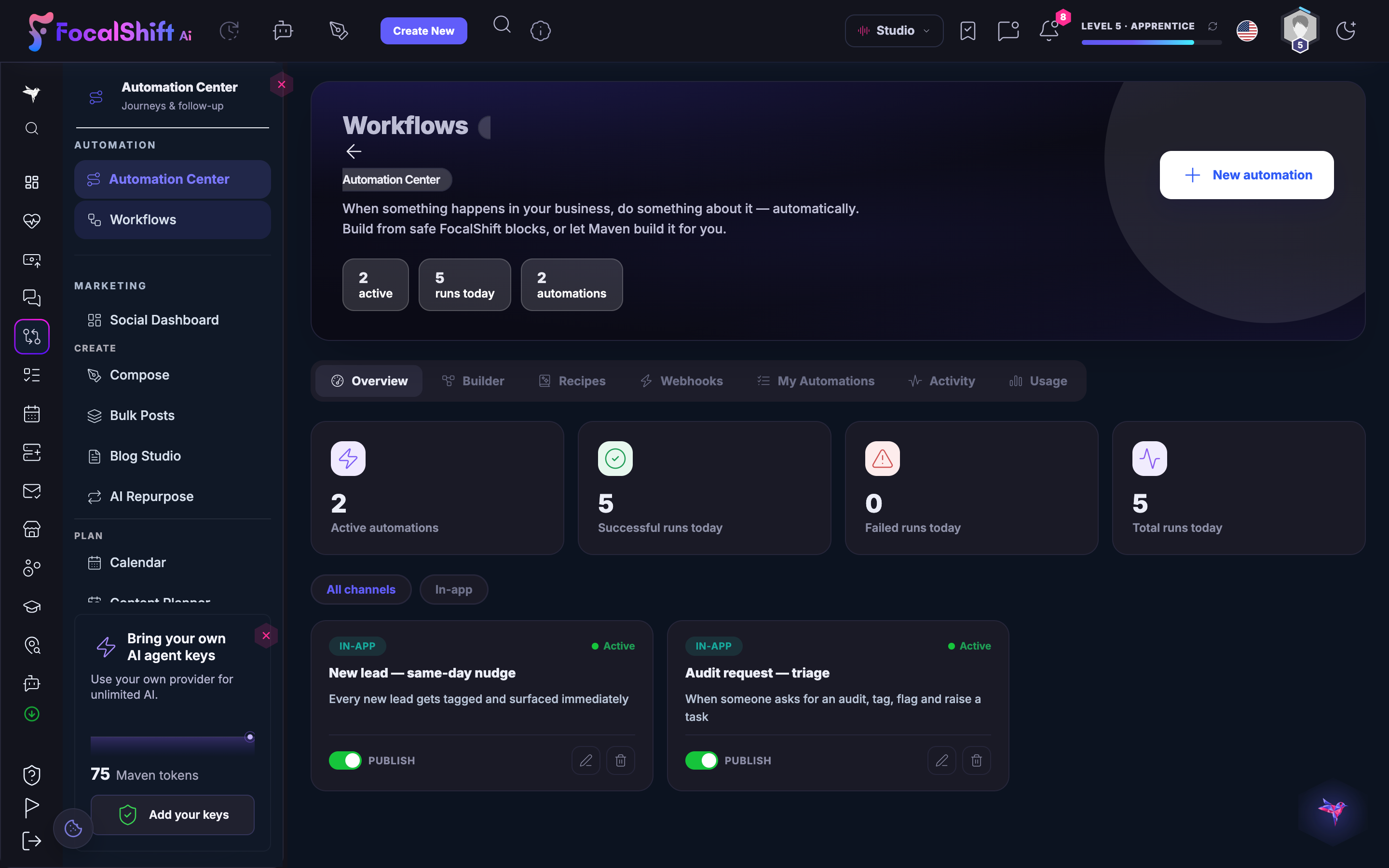
Automations reach across the deck: a form on your landing page can tag a lead, a sale in your shop can start a letter, a stalled card can raise its hand on a Focus Board.

You are never the machine's assistant. Anything ambiguous stops and waits in a queue marked for you — the machine does the lifting, you keep the judgement.

What it actually does

  • Rules written in plain words, not in a diagram
  • Everything on the platform can start one
  • A record of what fired, and what it did

What that changes for you

  • The work still happens on the day you are away
  • You stop being the integration between your own tools
  • Nothing quietly stops without telling you

You come away with a job that now happens without anyone doing it.

A look inside Automation Center

What runs by itself still needs a page to point people at. Next — the page that asks for one thing.

Because every letter deserves a landing.

Pages d'atterrissage

A page with one job — and your letters already know its address.

A focused page for one askA download, an event, an offer, a booking — one page each.
Published to your own addressThe link in your letter is yours, end to end.
The same canvas as everything elseBuilt where your shop and your designs are built — one skill, reused.
Read more about Landing pages

A page that asks for one thing gets answered. A page that asks for nine does not.

Your brand is held once — your colours, your type, your logo — so anything you publish starts already wearing them, and a page built in an afternoon still looks like the shop it belongs to.

Each page carries exactly one ask, and its form files straight into the book: the person who signs up on the page is already a card in your Lead Hub before you have looked up.

Prompts and templates sit one door away, so the page for next month's offer starts from the page that worked last month rather than from a blank.

What a page brought in is written on the page's own row — you learn which promise pulls without leaving the room.

What it actually does

  • Brand held once, applied to everything
  • Landing pages that publish to your own domain
  • A form on the page that files straight into your book

What that changes for you

  • Your work stops looking like five different companies
  • A page goes live the same afternoon you thought of it
  • You are not the bottleneck on your own marketing

You come away with a page with an address, and somewhere for a visitor to land.

A look inside Landing pages

Letters, doors, leads, pages — and none of it stays a one-person job for long. Next — the room you share.

Maven adds this one: you did not say it — but the work above stops being yours alone.

Collaborer

The work, the people and the decisions — on one board, with everyone who touches it.

A Focus Board per piece of workTasks, files and the conversation around them in one place, not four.
Your Team, and what each is carryingInvite the people who help, hand work over without a meeting to explain it.
Client work has its own doorWhat you deliver, where they read it, and where they sign off.
Read more about Collaborate

The work, the people doing it and the client waiting on it, together.

Projects hold the brief, the files, the approvals and the conversation, and the client sees only their own. Nobody has to ask where the latest version is.

A Focus Board is where a piece of work actually lives: the tasks, the files, the decisions and the people, on one surface instead of scattered across four. Open a board and you are looking at the whole of it rather than a summary of it.

Your Team joins the same room. Invite the people who help you, see what each of them is carrying, and hand something over without a meeting to explain it first. When a job needs paying for rather than asking for, Paid tasks carry it, and a decision worth the team's read goes on the record before anyone commits.

Client work keeps its own door: an engagement for the piece of work, a portal for the client's way in, and reviews for the part where somebody signs off. The Academy sits one door away for the teammate who needs to learn the room before they work in it.

What it actually does

  • One project holding brief, files and approvals
  • A client view that shows only their work
  • Handover that does not depend on one person

What that changes for you

  • Approvals stop living in somebody's inbox
  • A new person can pick the work up on day one
  • Clients stop asking for a status update

You come away with work that somebody else can carry.

A look inside Collaborate

That is the deck — six tools, one order, dealt from one sentence. Below: how to open it.

Instant access to all the tools you need to grow your

Commencer Start free. AI credits included.

AI Mail — platform screenshots

Real screens from the product. Open any one full size, or switch the set to light or dark.

Fermer
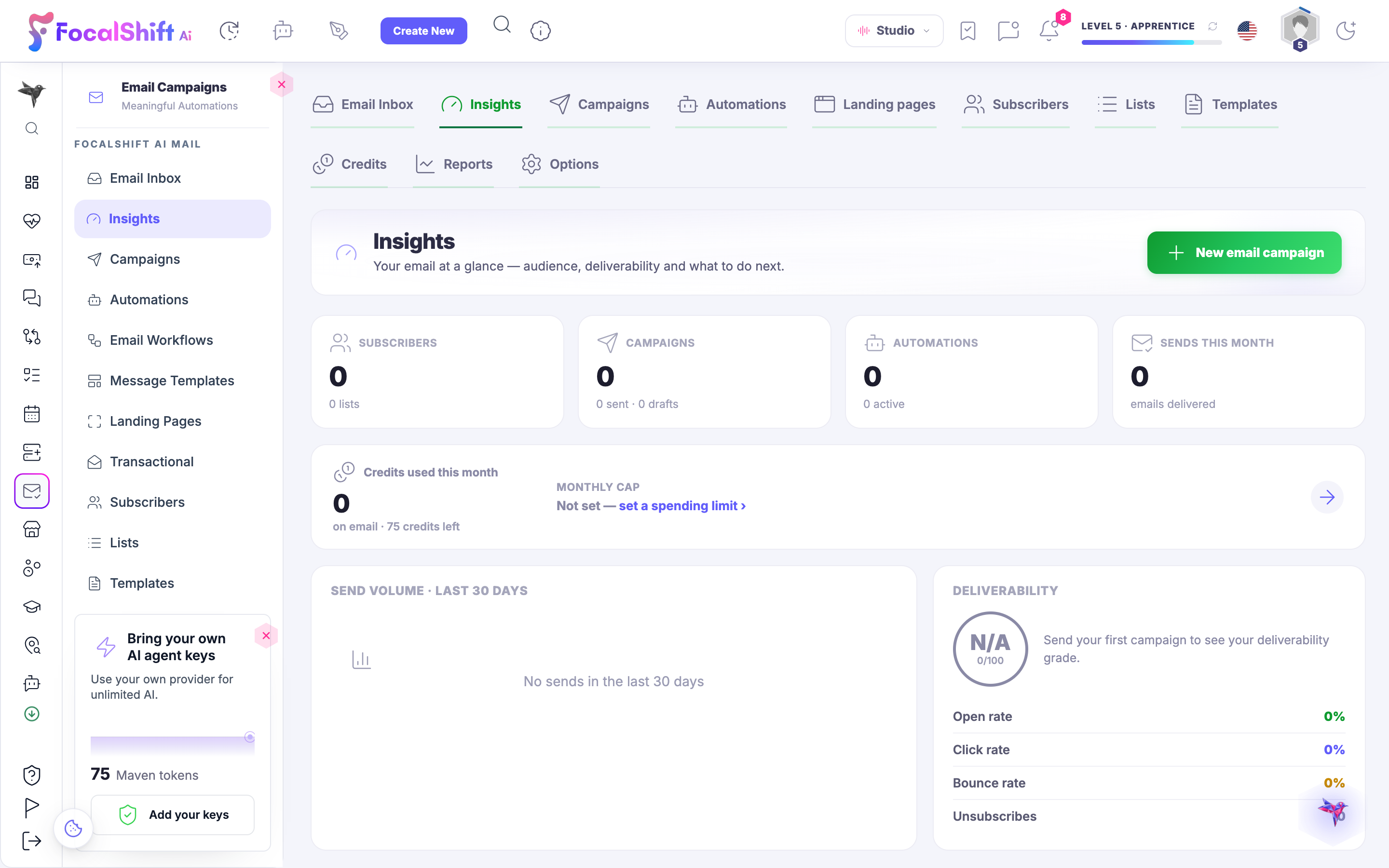
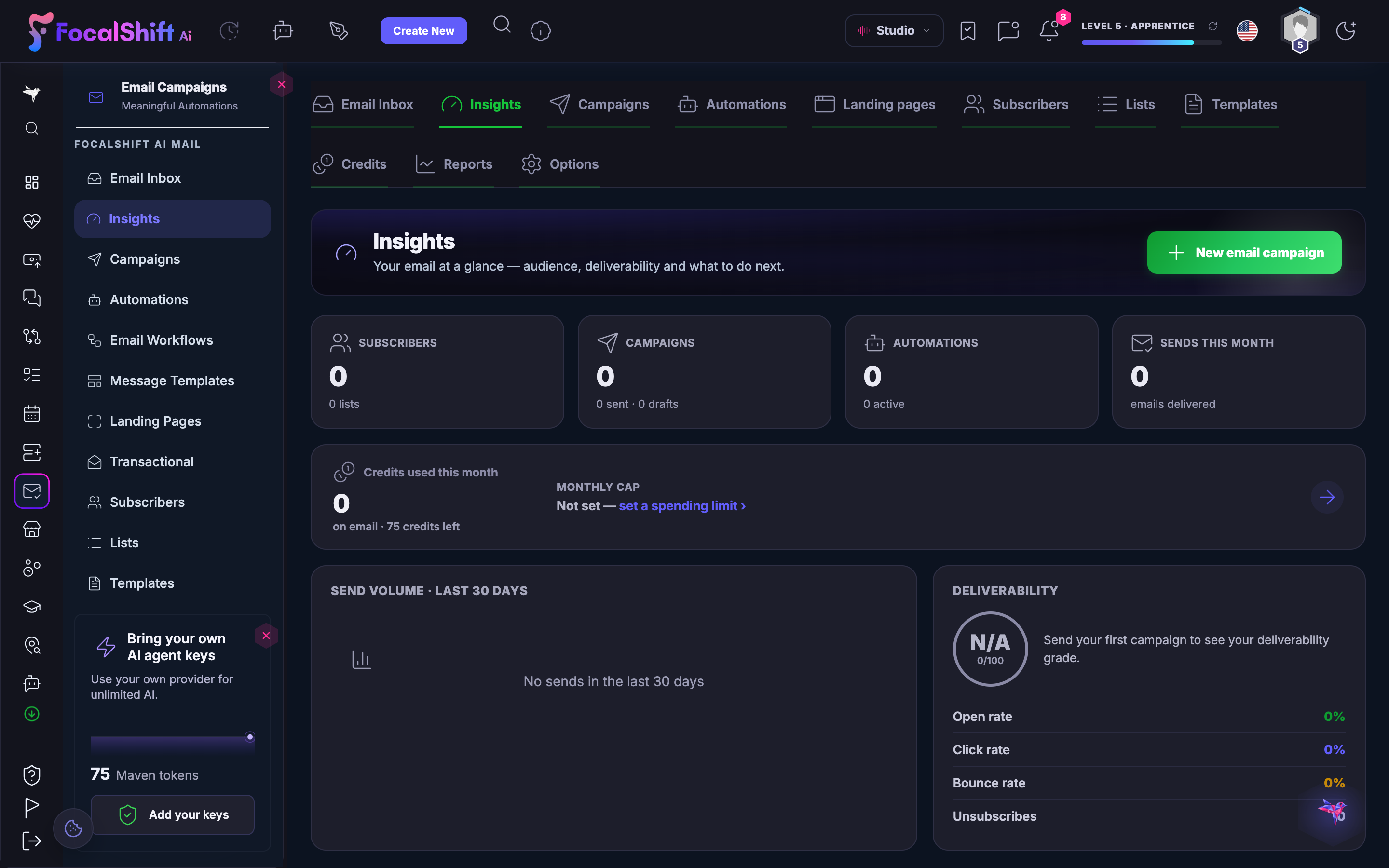
The AI Mail overview: your email at a glance — subscribers, campaigns, automations and sends this month, with a send-volume view for the last thirty days and a deliverability panel showing open, click and bounce rates.The AI Mail overview: your email at a glance — subscribers, campaigns, automations and sends this month, with a send-volume view for the last thirty days and a deliverability panel showing open, click and bounce rates.
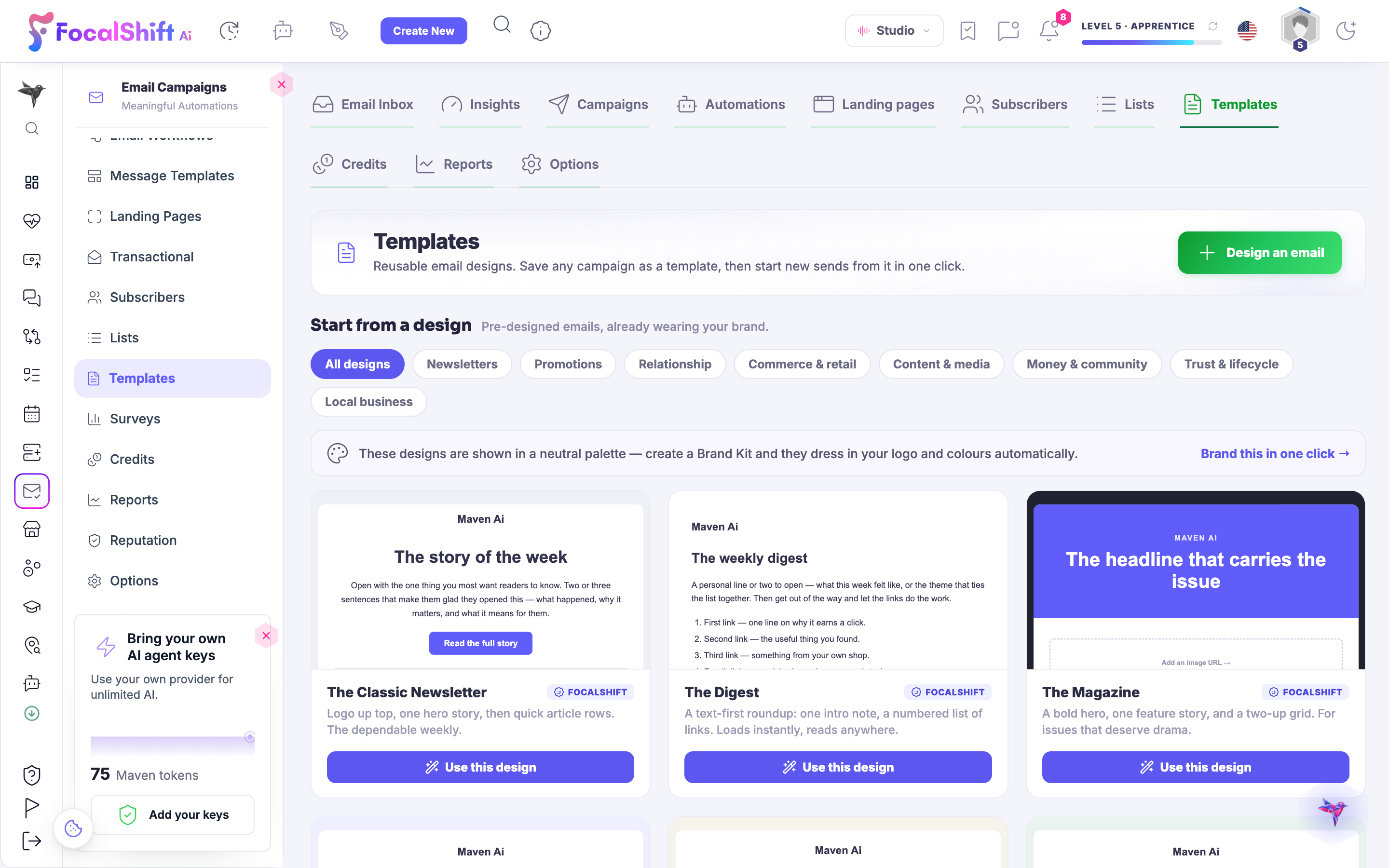
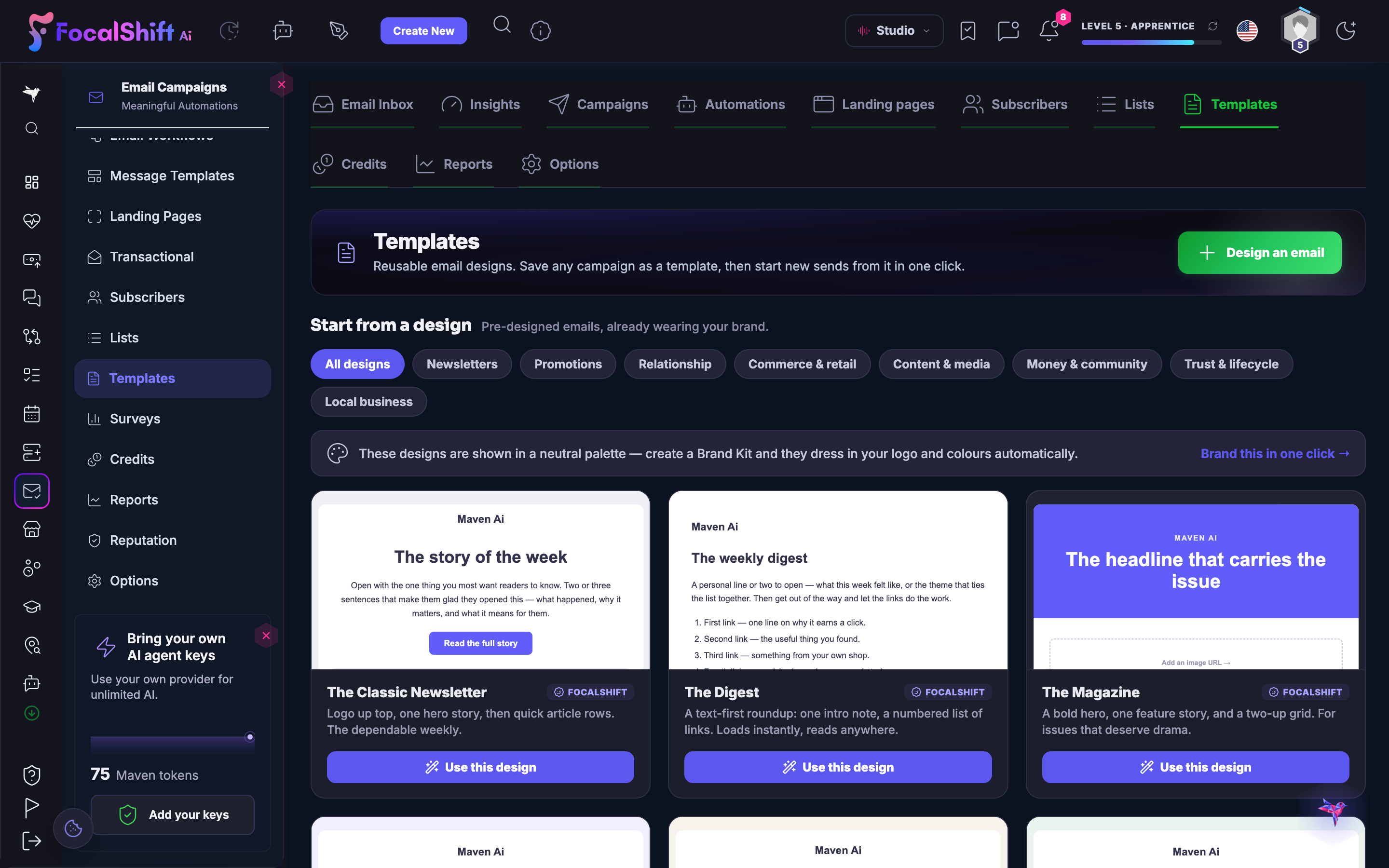
The AI Mail template shelf: ready-made email designs — a classic newsletter, a weekly digest, a magazine issue and more — shown in a neutral palette, each with its own Use this design control and branded to your colours in one click.The AI Mail template shelf: ready-made email designs — a classic newsletter, a weekly digest, a magazine issue and more — shown in a neutral palette, each with its own Use this design control and branded to your colours in one click.
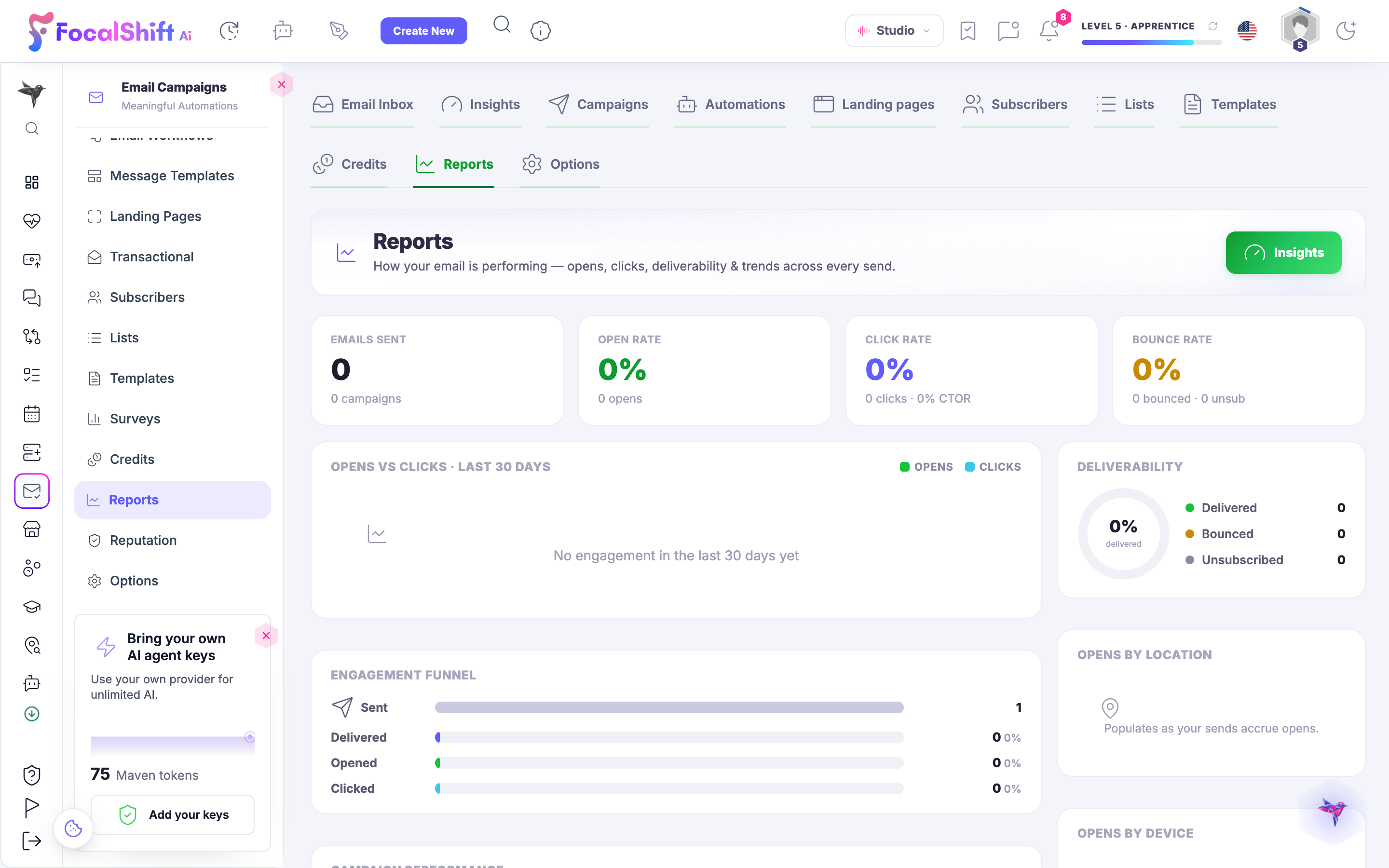
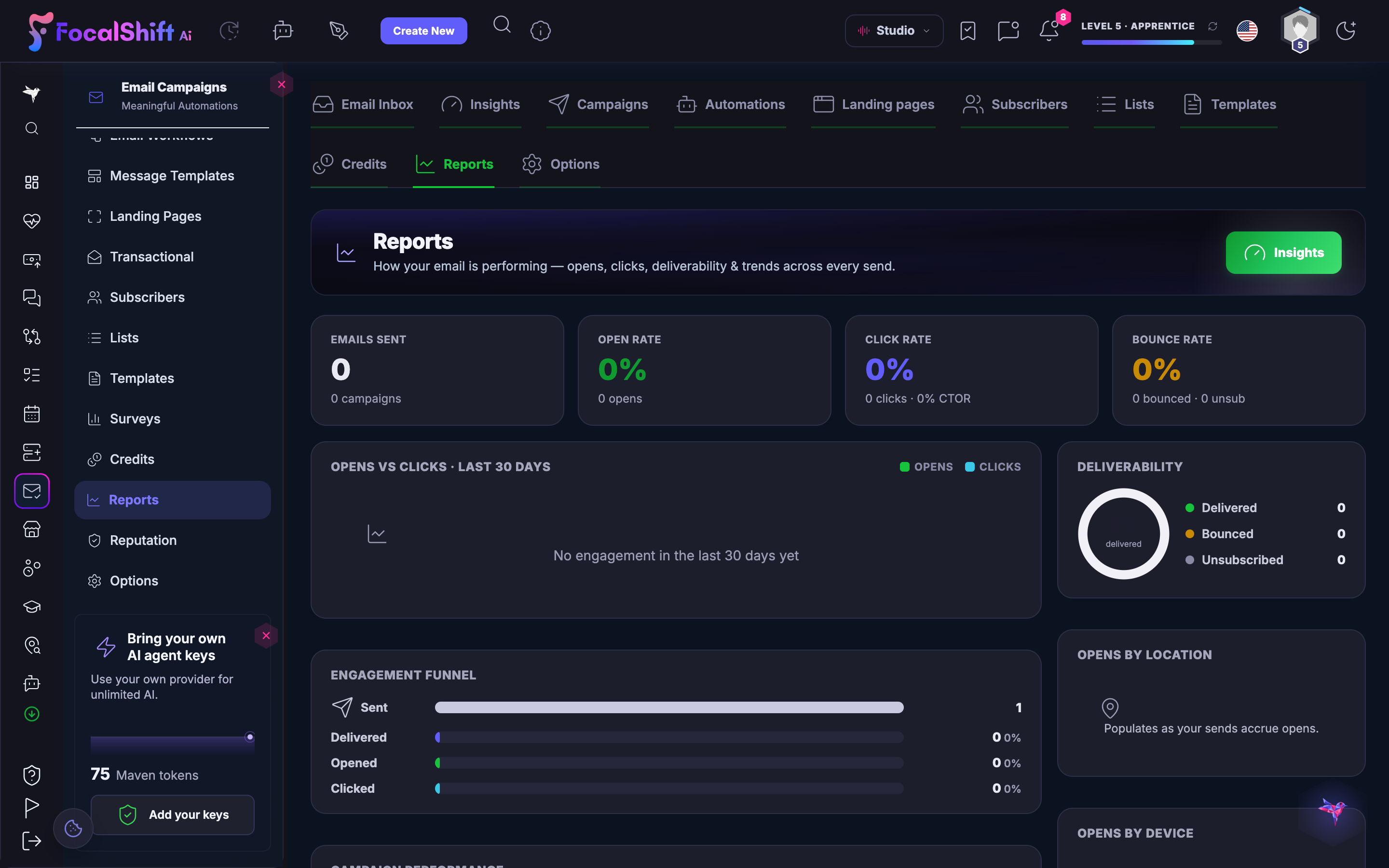
Email reports: how your sending performs — emails sent, open, click and bounce rates, an opens-versus-clicks trend for the last thirty days, a deliverability breakdown and an engagement funnel.Email reports: how your sending performs — emails sent, open, click and bounce rates, an opens-versus-clicks trend for the last thirty days, a deliverability breakdown and an engagement funnel.
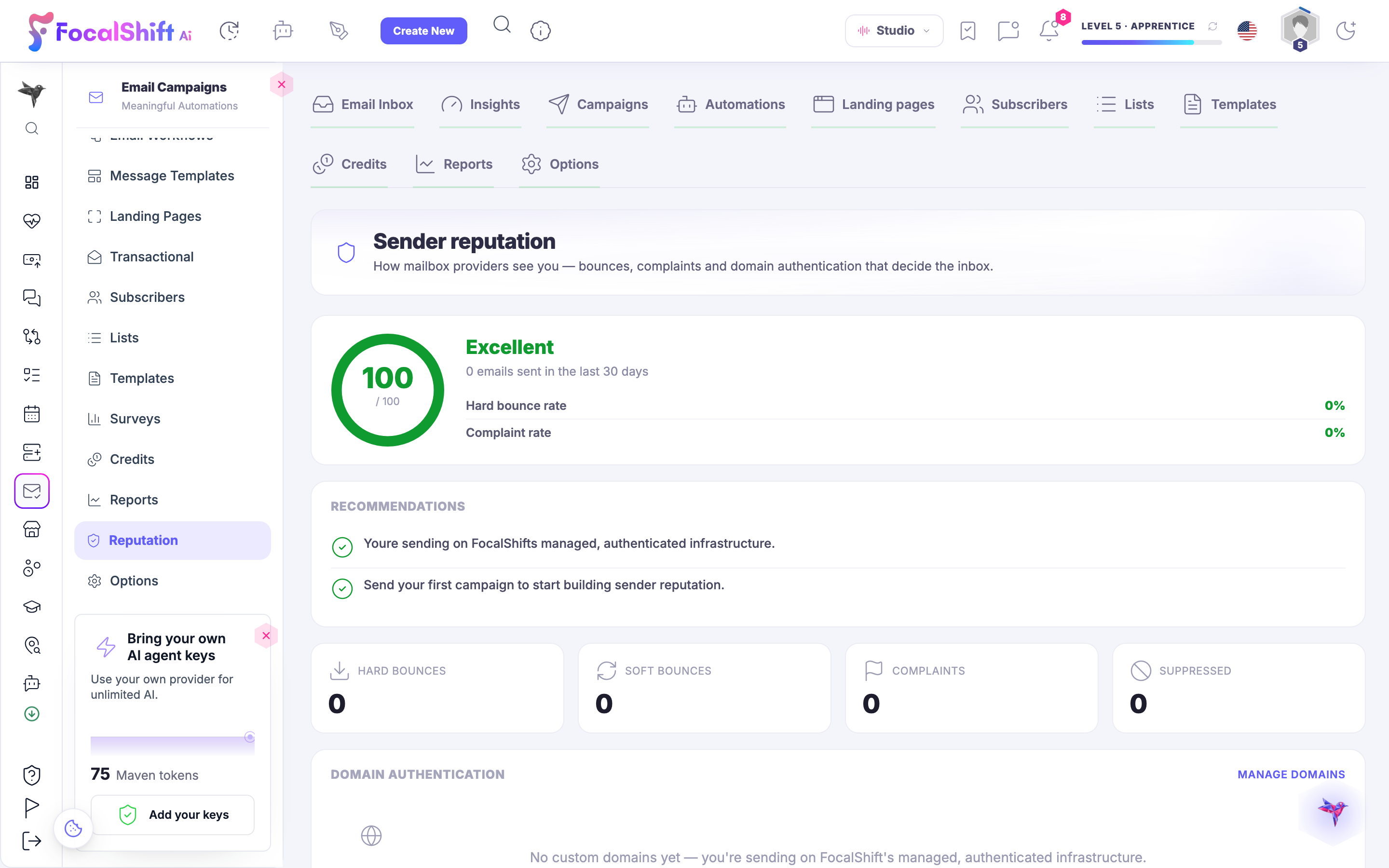
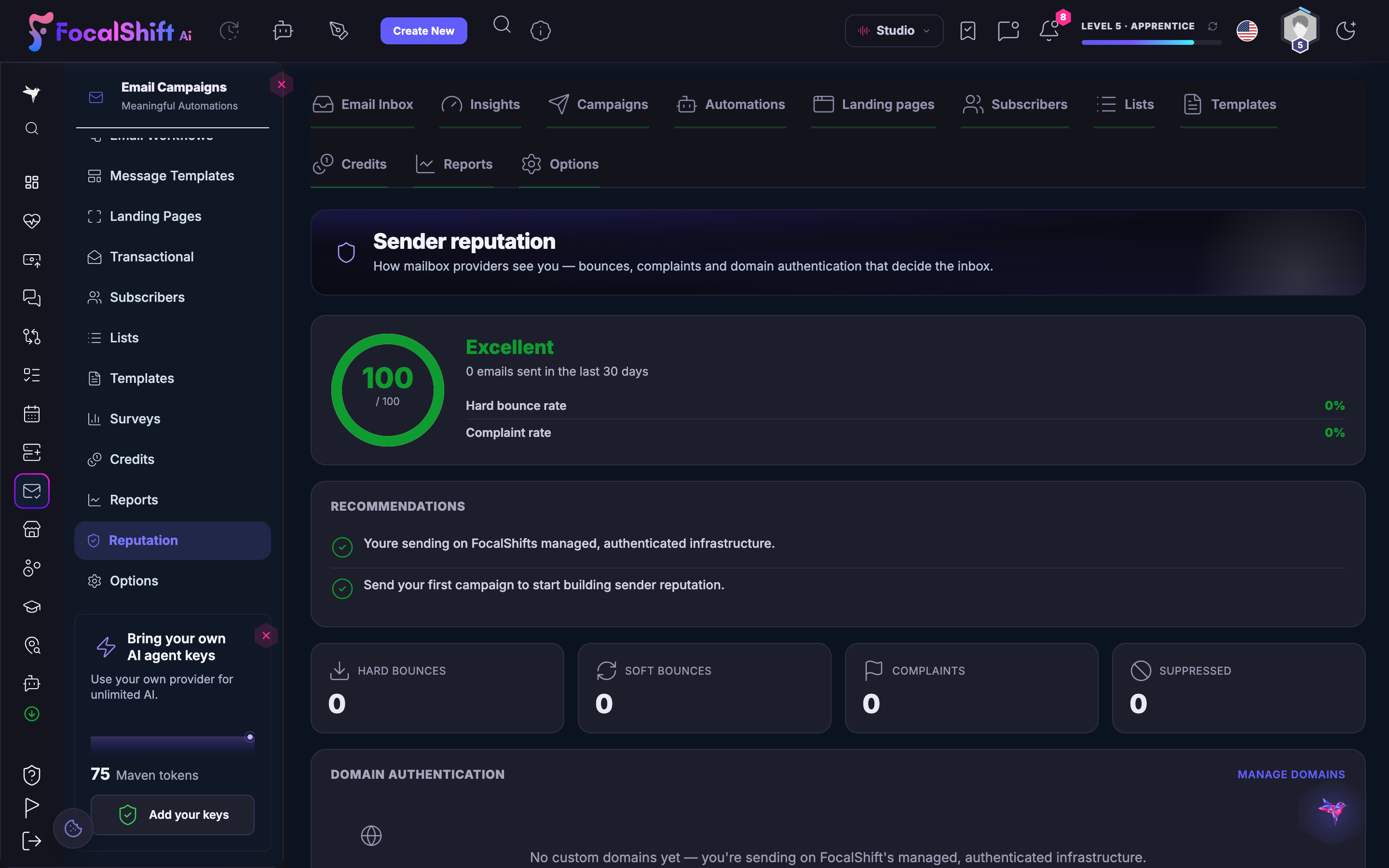
Sender reputation: how mailbox providers see you — a reputation score, hard-bounce and complaint rates, recommendations, and confirmation that you are sending on the platform's managed, authenticated infrastructure.Sender reputation: how mailbox providers see you — a reputation score, hard-bounce and complaint rates, recommendations, and confirmation that you are sending on the platform's managed, authenticated infrastructure.
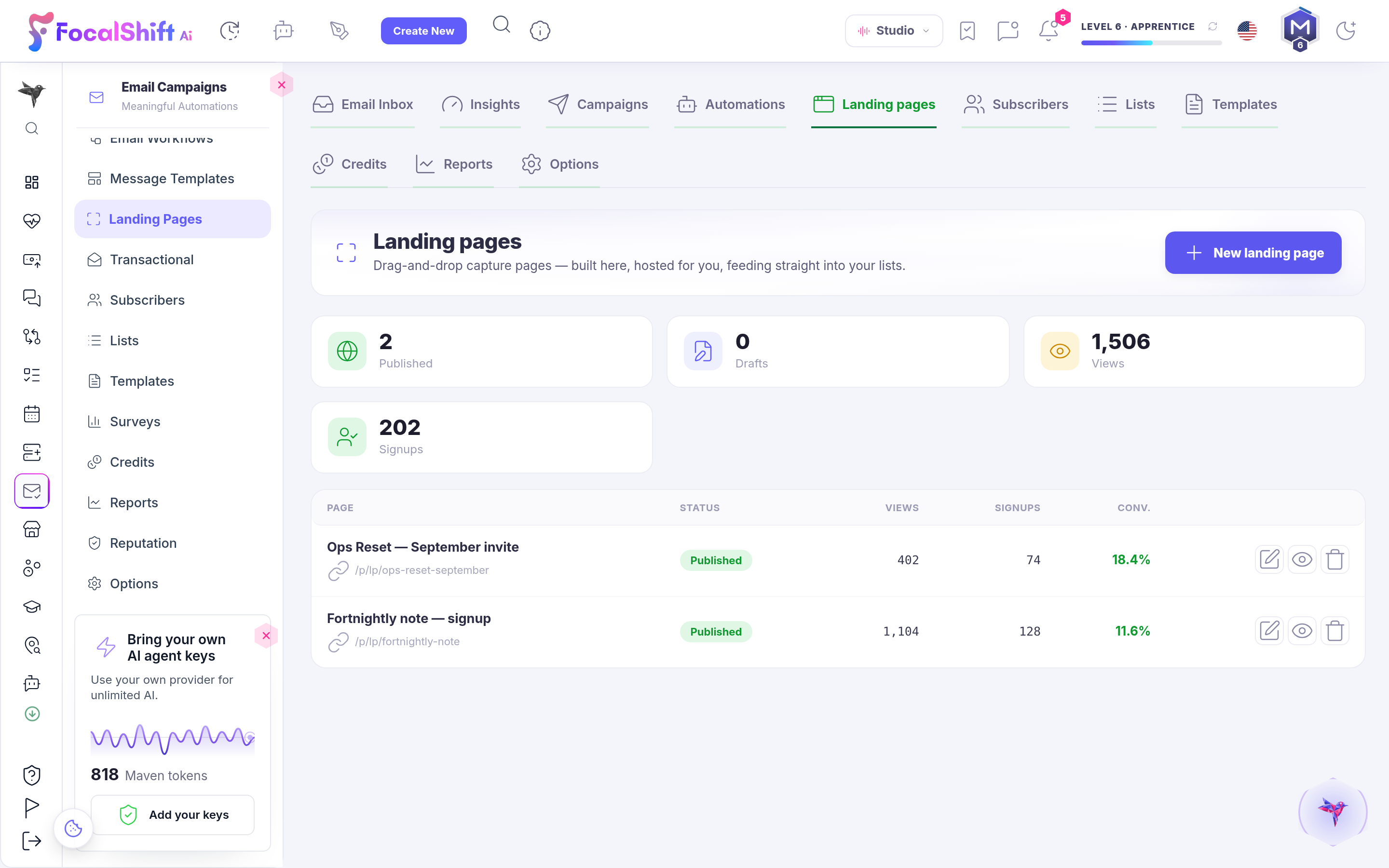
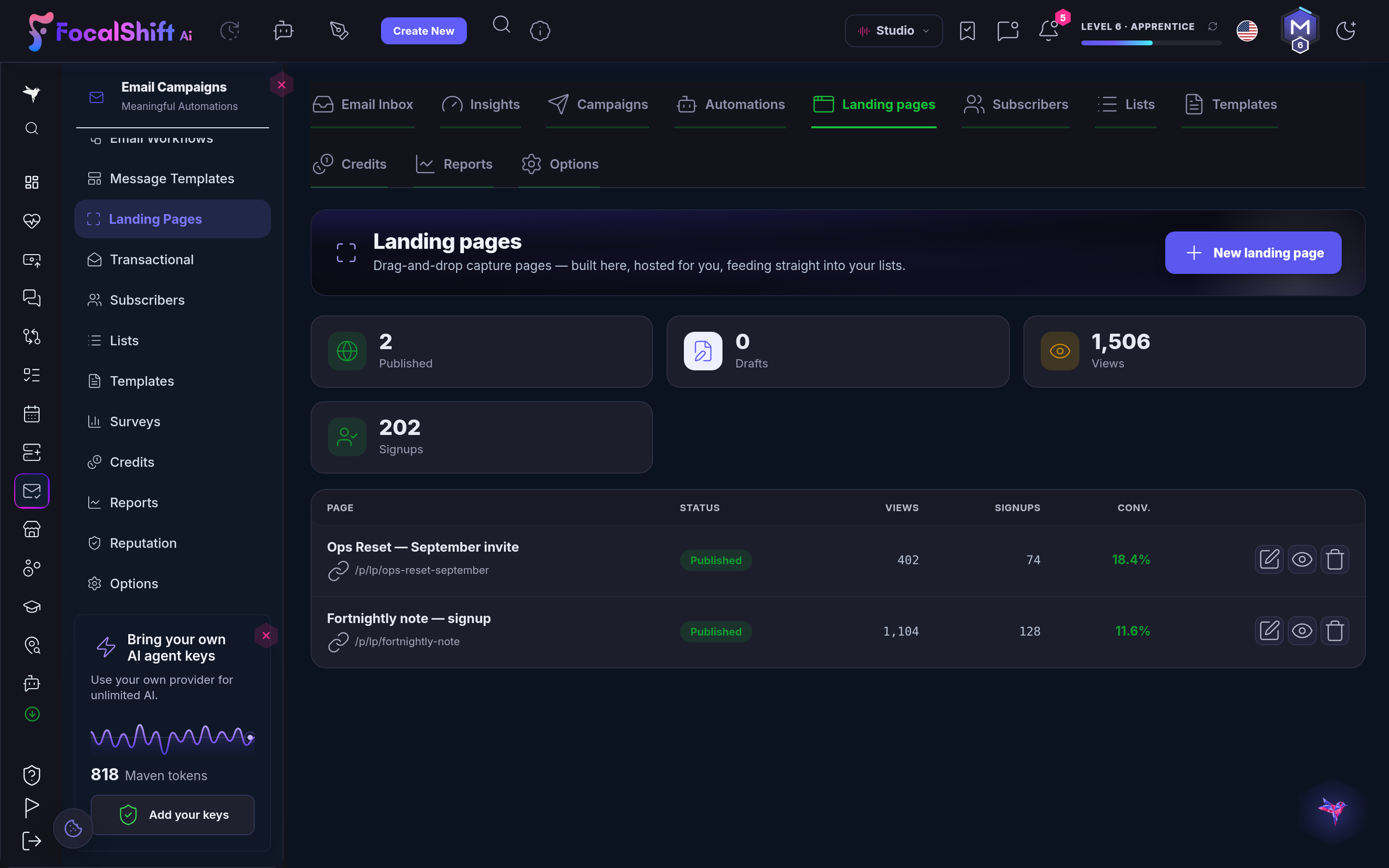
The Landing pages tab inside AI Mail: drag-and-drop capture pages, built here and hosted for you, feeding straight into your lists — counts of what is published and what is still a draft beside total views and signups, then a table of your live pages carrying the address, state, views, signups and conversion rate of each one, with controls to edit it, preview it or remove it.The Landing pages tab inside AI Mail: drag-and-drop capture pages, built here and hosted for you, feeding straight into your lists — counts of what is published and what is still a draft beside total views and signups, then a table of your live pages carrying the address, state, views, signups and conversion rate of each one, with controls to edit it, preview it or remove it.
AI Mail

Fermer
The AI Mail overview: your email at a glance — subscribers, campaigns, automations and sends this month, with a send-volume view for the last thirty days and a deliverability panel showing open, click and bounce rates.The AI Mail overview: your email at a glance — subscribers, campaigns, automations and sends this month, with a send-volume view for the last thirty days and a deliverability panel showing open, click and bounce rates.

AI Mail

Fermer
The AI Mail template shelf: ready-made email designs — a classic newsletter, a weekly digest, a magazine issue and more — shown in a neutral palette, each with its own Use this design control and branded to your colours in one click.The AI Mail template shelf: ready-made email designs — a classic newsletter, a weekly digest, a magazine issue and more — shown in a neutral palette, each with its own Use this design control and branded to your colours in one click.

AI Mail

Fermer
Email reports: how your sending performs — emails sent, open, click and bounce rates, an opens-versus-clicks trend for the last thirty days, a deliverability breakdown and an engagement funnel.Email reports: how your sending performs — emails sent, open, click and bounce rates, an opens-versus-clicks trend for the last thirty days, a deliverability breakdown and an engagement funnel.

AI Mail

Fermer
Sender reputation: how mailbox providers see you — a reputation score, hard-bounce and complaint rates, recommendations, and confirmation that you are sending on the platform's managed, authenticated infrastructure.Sender reputation: how mailbox providers see you — a reputation score, hard-bounce and complaint rates, recommendations, and confirmation that you are sending on the platform's managed, authenticated infrastructure.

AI Mail

Fermer
The Landing pages tab inside AI Mail: drag-and-drop capture pages, built here and hosted for you, feeding straight into your lists — counts of what is published and what is still a draft beside total views and signups, then a table of your live pages carrying the address, state, views, signups and conversion rate of each one, with controls to edit it, preview it or remove it.The Landing pages tab inside AI Mail: drag-and-drop capture pages, built here and hosted for you, feeding straight into your lists — counts of what is published and what is still a draft beside total views and signups, then a table of your live pages carrying the address, state, views, signups and conversion rate of each one, with controls to edit it, preview it or remove it.
A look inside AI Mail

Stills from the product, one after the next.
The AI Mail overview: your email at a glance — subscribers, campaigns, automations and sends this month, with a send-volume view for the last thirty days and a deliverability panel showing open, click and bounce rates.The AI Mail overview: your email at a glance — subscribers, campaigns, automations and sends this month, with a send-volume view for the last thirty days and a deliverability panel showing open, click and bounce rates.
The AI Mail template shelf: ready-made email designs — a classic newsletter, a weekly digest, a magazine issue and more — shown in a neutral palette, each with its own Use this design control and branded to your colours in one click.The AI Mail template shelf: ready-made email designs — a classic newsletter, a weekly digest, a magazine issue and more — shown in a neutral palette, each with its own Use this design control and branded to your colours in one click.
Email reports: how your sending performs — emails sent, open, click and bounce rates, an opens-versus-clicks trend for the last thirty days, a deliverability breakdown and an engagement funnel.Email reports: how your sending performs — emails sent, open, click and bounce rates, an opens-versus-clicks trend for the last thirty days, a deliverability breakdown and an engagement funnel.
Sender reputation: how mailbox providers see you — a reputation score, hard-bounce and complaint rates, recommendations, and confirmation that you are sending on the platform's managed, authenticated infrastructure.Sender reputation: how mailbox providers see you — a reputation score, hard-bounce and complaint rates, recommendations, and confirmation that you are sending on the platform's managed, authenticated infrastructure.
The Landing pages tab inside AI Mail: drag-and-drop capture pages, built here and hosted for you, feeding straight into your lists — counts of what is published and what is still a draft beside total views and signups, then a table of your live pages carrying the address, state, views, signups and conversion rate of each one, with controls to edit it, preview it or remove it.The Landing pages tab inside AI Mail: drag-and-drop capture pages, built here and hosted for you, feeding straight into your lists — counts of what is published and what is still a draft beside total views and signups, then a table of your live pages carrying the address, state, views, signups and conversion rate of each one, with controls to edit it, preview it or remove it.

Your storefront — platform screenshots

Real screens from the product. Open any one full size, or switch the set to light or dark.

Fermer
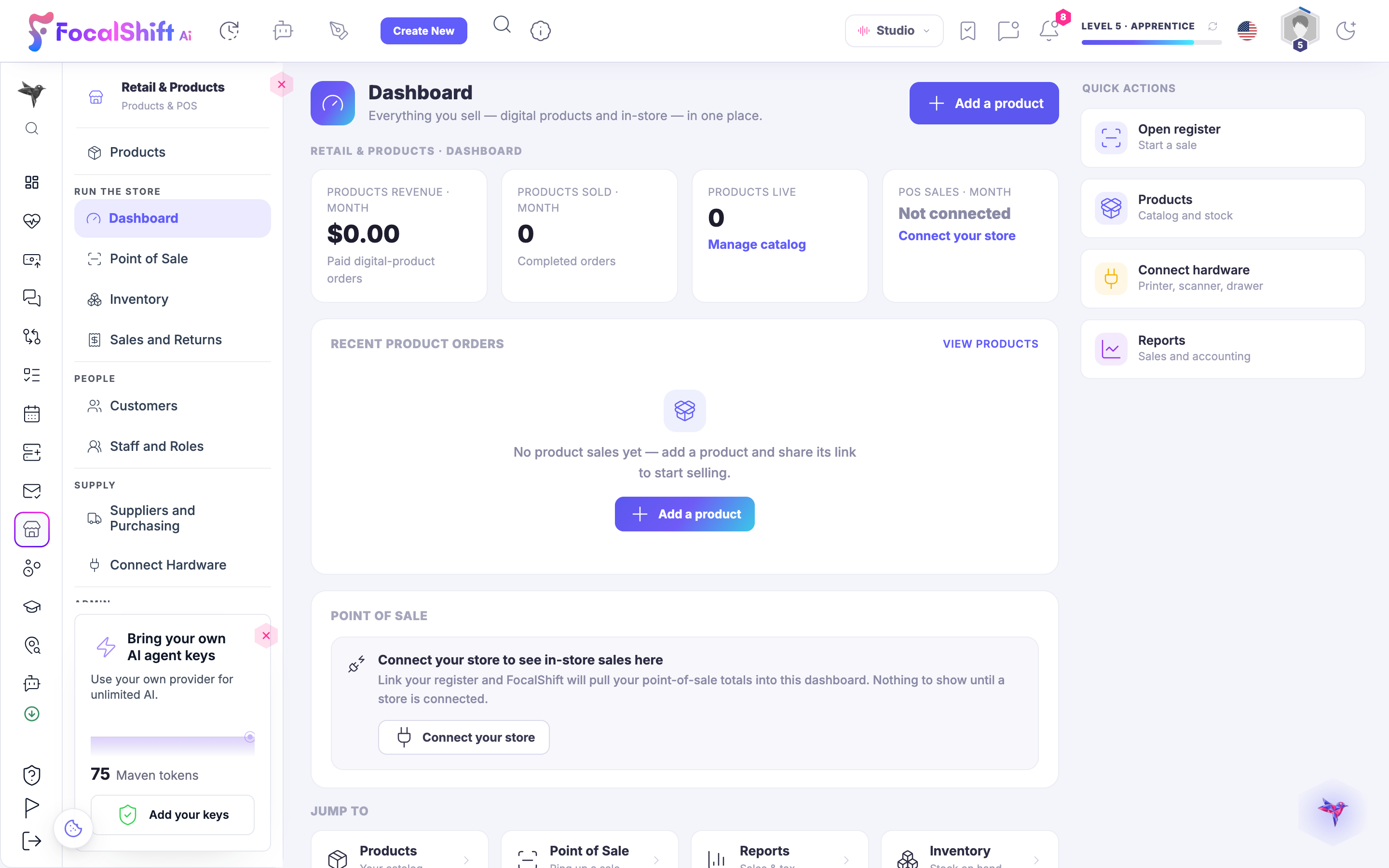
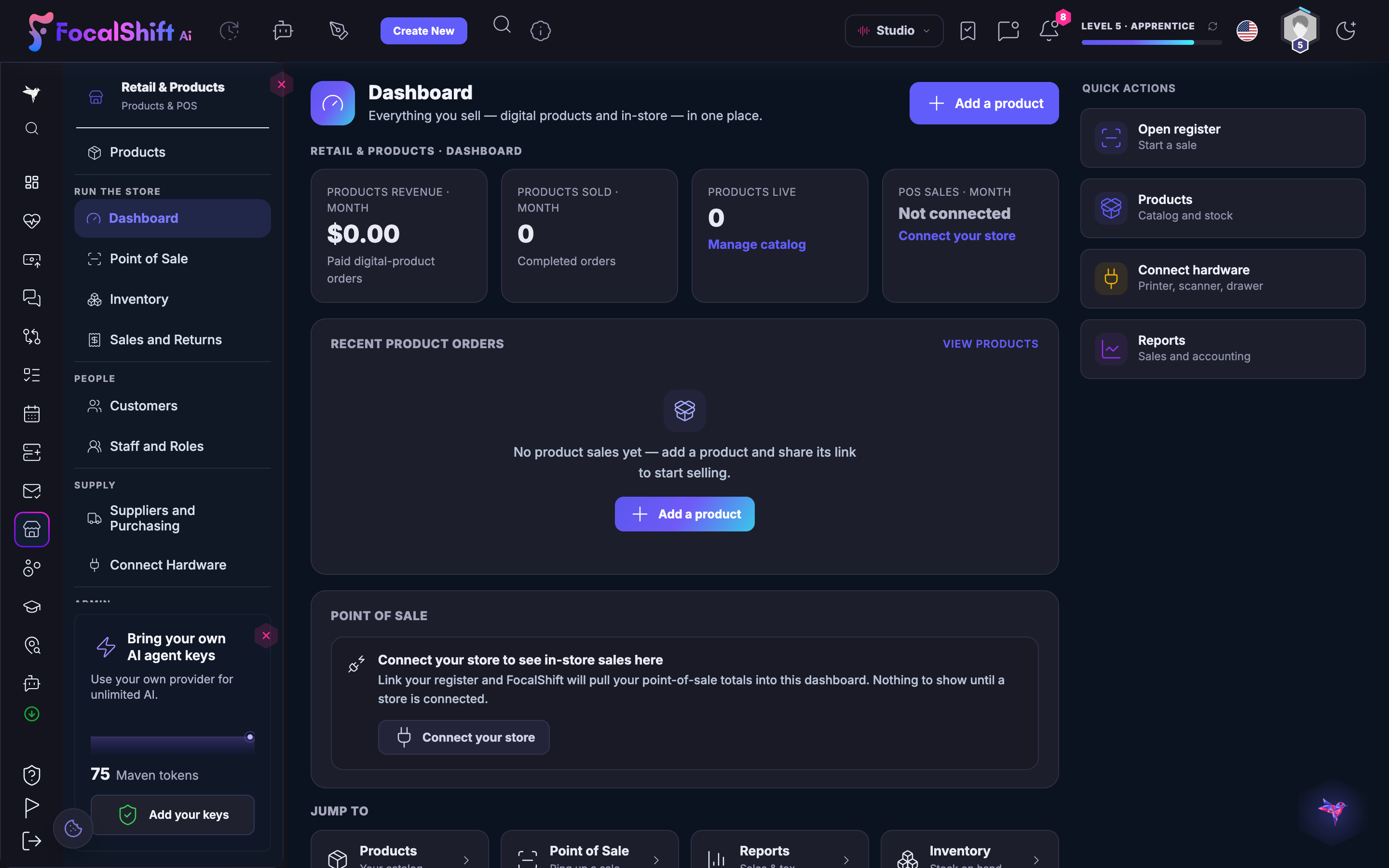
The Retail & Products dashboard on a shop that has not opened yet: everything you sell, digital and in-store, gathered in one place — product revenue for the month, units sold and the live-product count all still at zero, the register not yet connected, and a recent-orders panel saying there are no sales yet and offering to add your first product — beside quick actions to open the register, manage the catalogue, connect your hardware or read your reports.The Retail & Products dashboard on a shop that has not opened yet: everything you sell, digital and in-store, gathered in one place — product revenue for the month, units sold and the live-product count all still at zero, the register not yet connected, and a recent-orders panel saying there are no sales yet and offering to add your first product — beside quick actions to open the register, manage the catalogue, connect your hardware or read your reports.

Votre vitrine

Fermer
The Retail & Products dashboard on a shop that has not opened yet: everything you sell, digital and in-store, gathered in one place — product revenue for the month, units sold and the live-product count all still at zero, the register not yet connected, and a recent-orders panel saying there are no sales yet and offering to add your first product — beside quick actions to open the register, manage the catalogue, connect your hardware or read your reports.The Retail & Products dashboard on a shop that has not opened yet: everything you sell, digital and in-store, gathered in one place — product revenue for the month, units sold and the live-product count all still at zero, the register not yet connected, and a recent-orders panel saying there are no sales yet and offering to add your first product — beside quick actions to open the register, manage the catalogue, connect your hardware or read your reports.

A look inside Your storefront

Stills from the product, one after the next.

The Retail & Products dashboard on a shop that has not opened yet: everything you sell, digital and in-store, gathered in one place — product revenue for the month, units sold and the live-product count all still at zero, the register not yet connected, and a recent-orders panel saying there are no sales yet and offering to add your first product — beside quick actions to open the register, manage the catalogue, connect your hardware or read your reports.The Retail & Products dashboard on a shop that has not opened yet: everything you sell, digital and in-store, gathered in one place — product revenue for the month, units sold and the live-product count all still at zero, the register not yet connected, and a recent-orders panel saying there are no sales yet and offering to add your first product — beside quick actions to open the register, manage the catalogue, connect your hardware or read your reports.

Lead Hub — platform screenshots

Real screens from the product. Open any one full size, or switch the set to light or dark.

Fermer
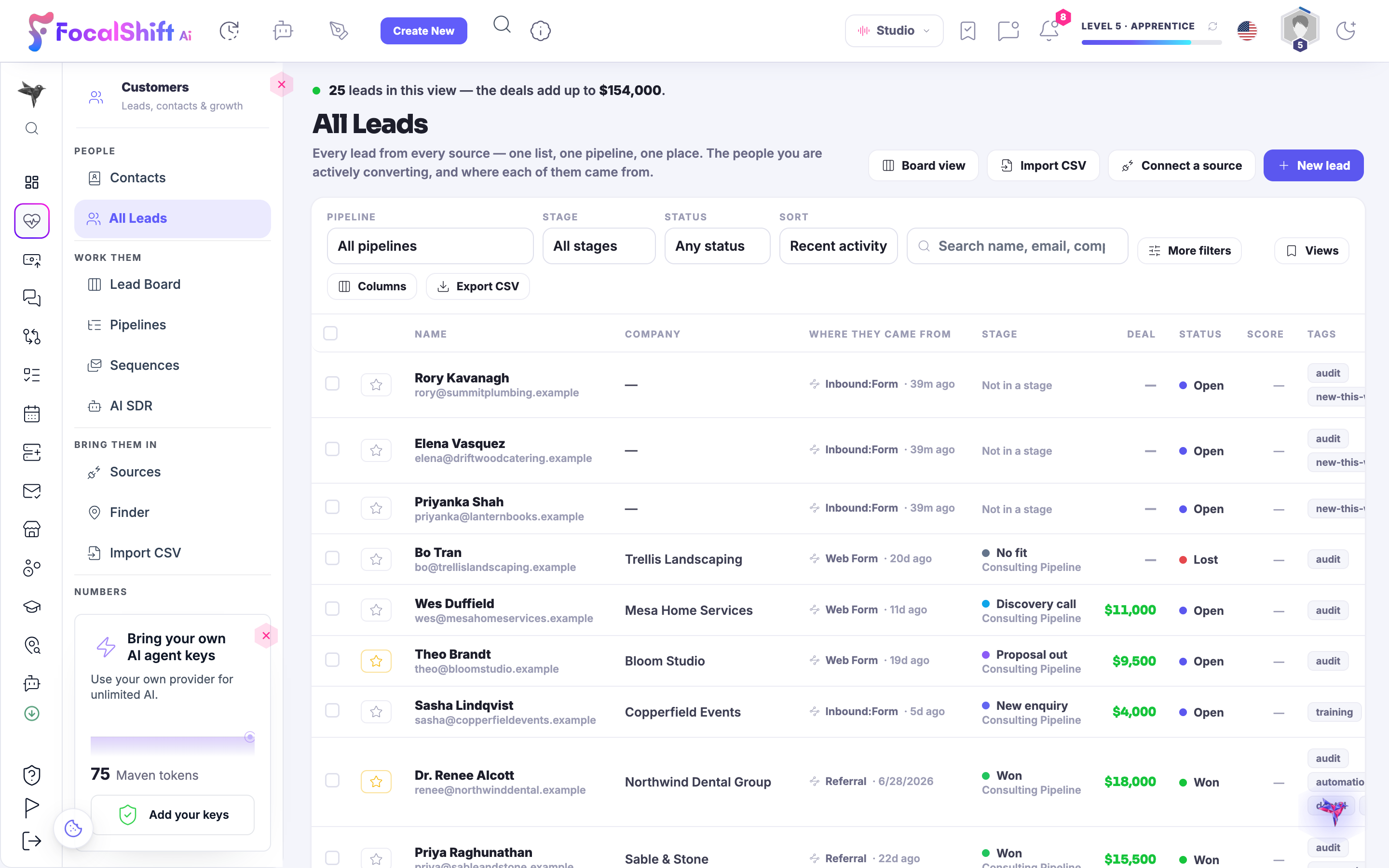
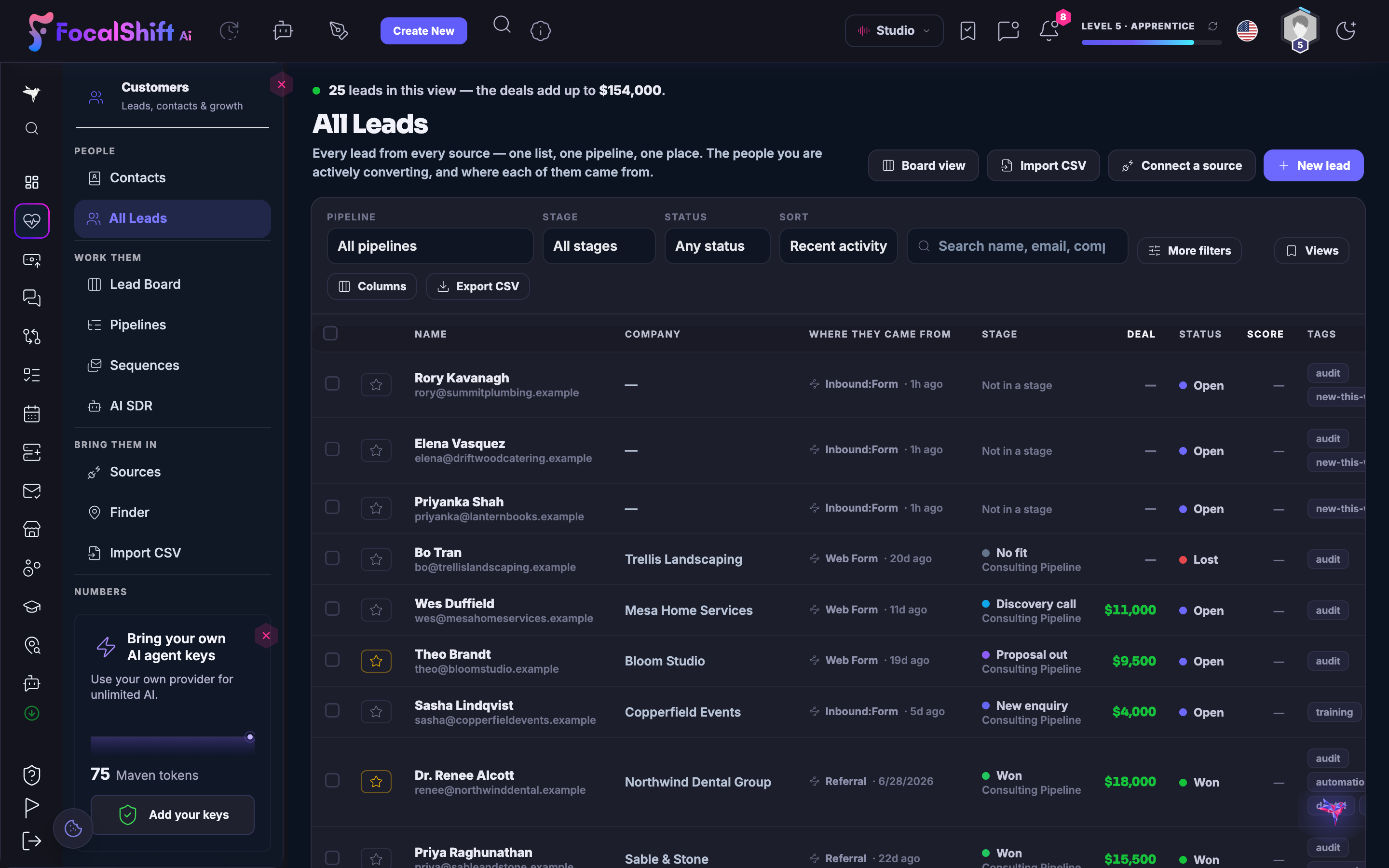
The All Leads list in Lead Hub: every lead from every source in one table — name, company, where they came from, pipeline stage, deal value and status — with the deals in view adding up at the top.The All Leads list in Lead Hub: every lead from every source in one table — name, company, where they came from, pipeline stage, deal value and status — with the deals in view adding up at the top.
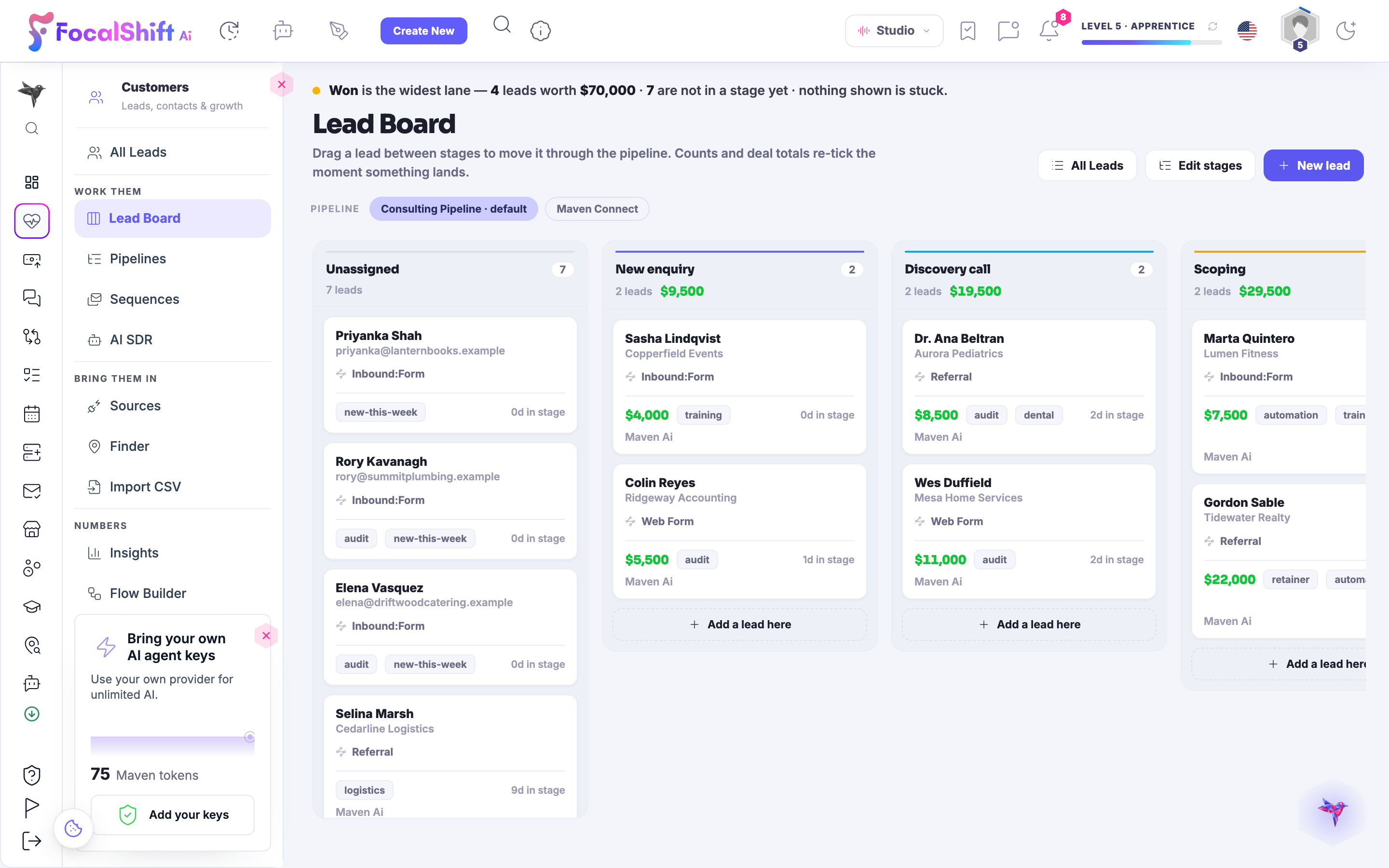
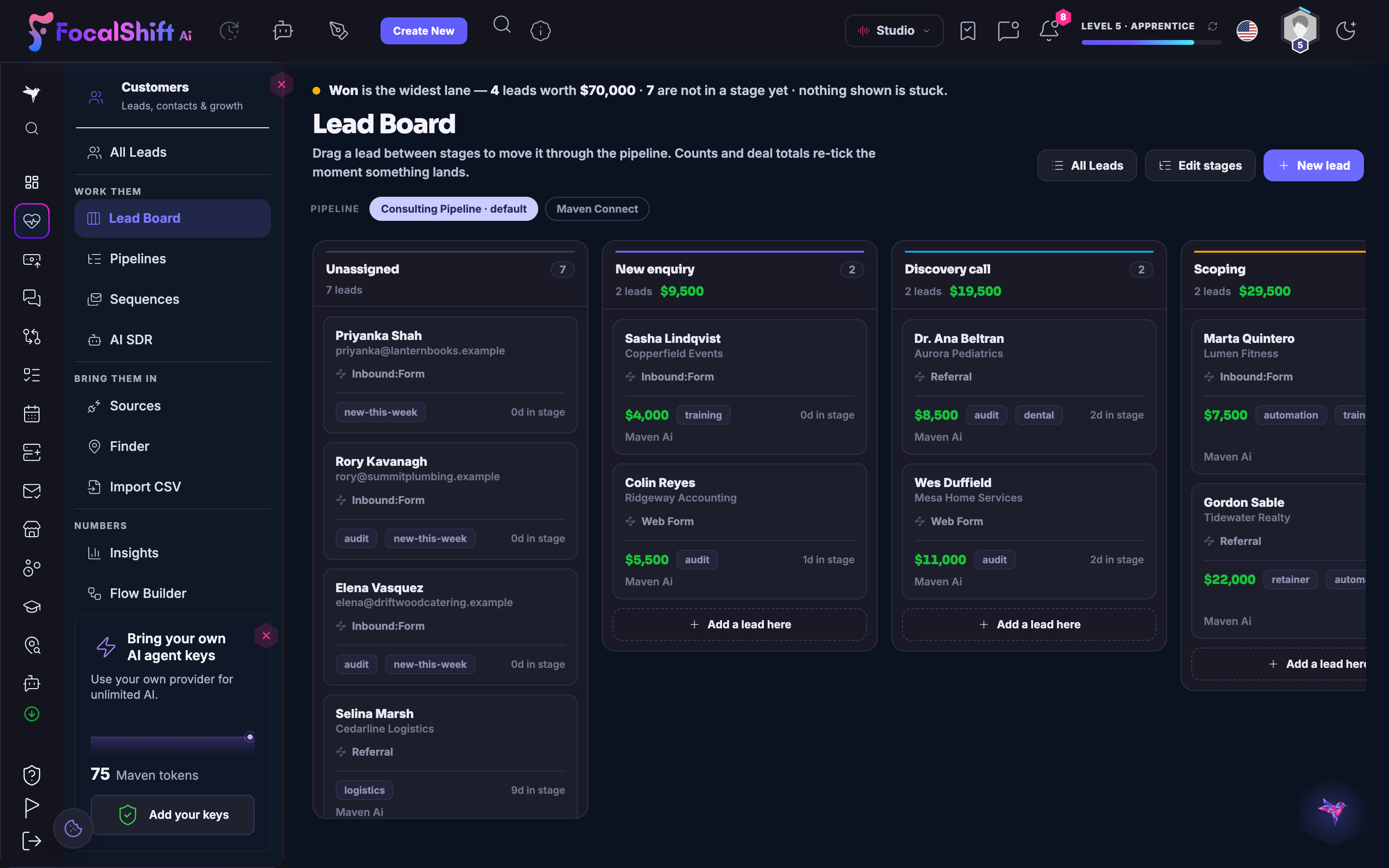
The Lead Board: drag a lead between stages to move it through the pipeline — unassigned, new enquiry, discovery call, scoping and won — with counts and deal totals re-ticking the moment something lands.The Lead Board: drag a lead between stages to move it through the pipeline — unassigned, new enquiry, discovery call, scoping and won — with counts and deal totals re-ticking the moment something lands.
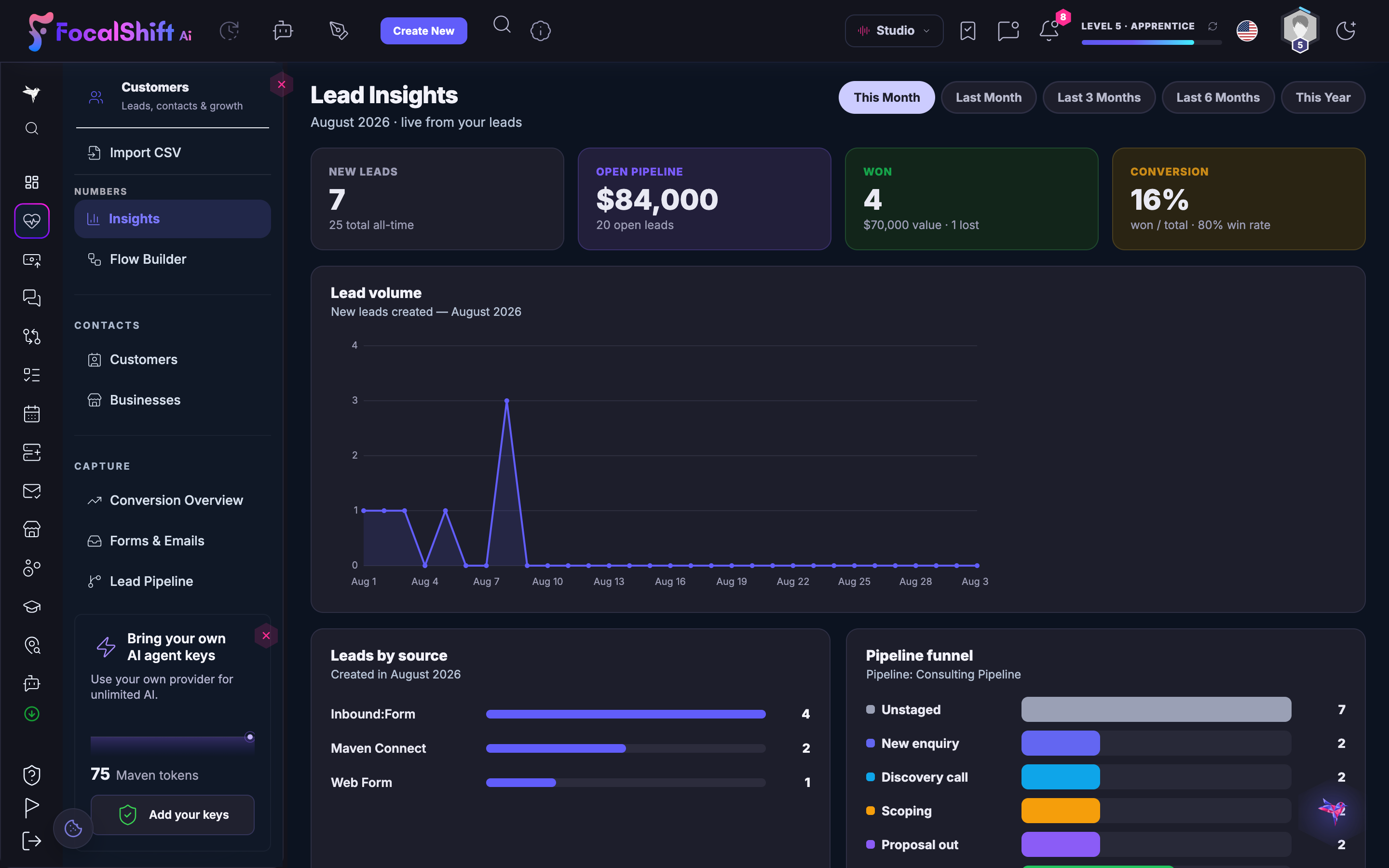
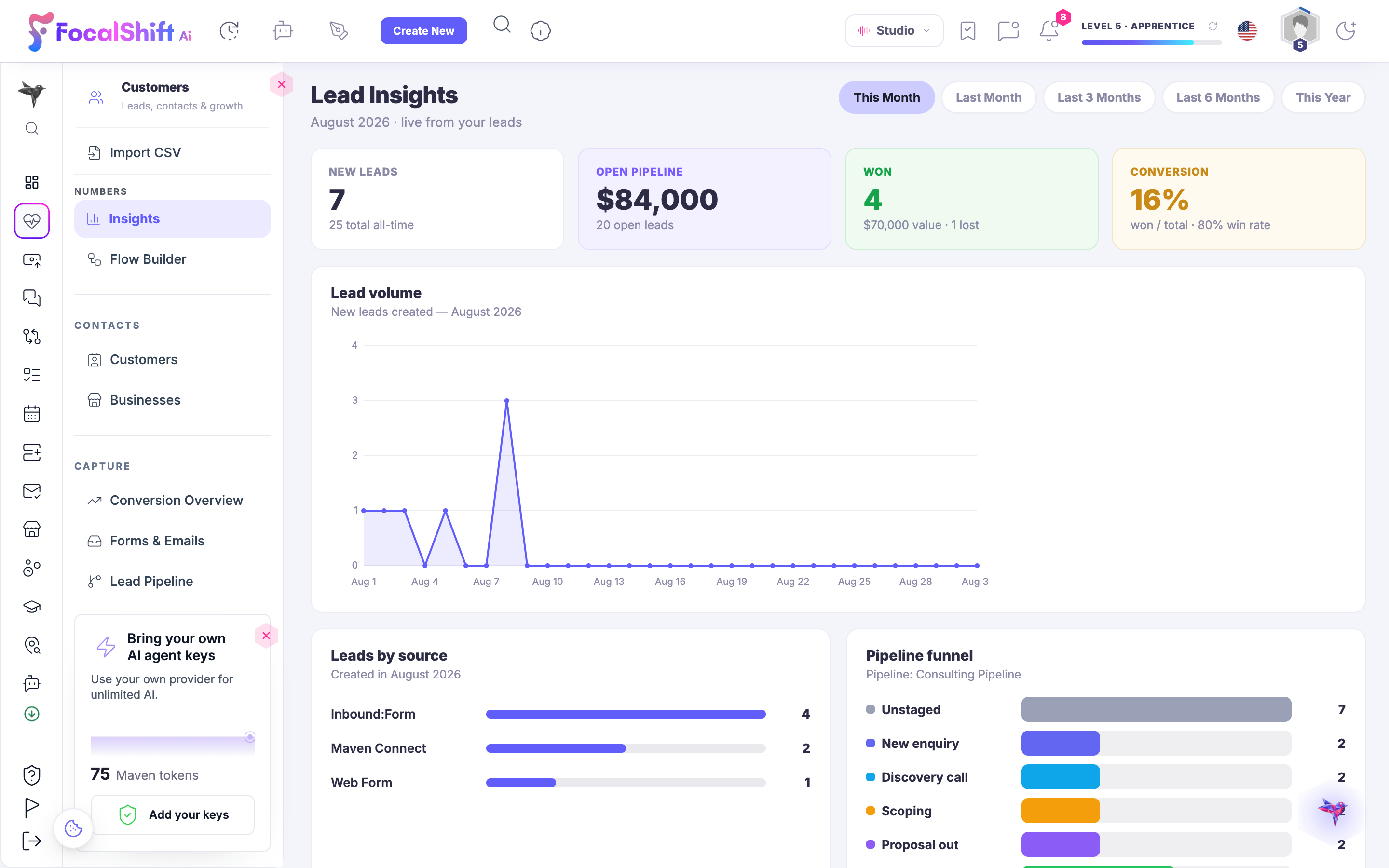
Lead Insights: this month's new leads, open pipeline value, won deals and conversion rate, with a lead-volume trend, leads by source and a pipeline funnel, live from your own leads.Lead Insights: this month's new leads, open pipeline value, won deals and conversion rate, with a lead-volume trend, leads by source and a pipeline funnel, live from your own leads.

Lead Hub

Fermer
The All Leads list in Lead Hub: every lead from every source in one table — name, company, where they came from, pipeline stage, deal value and status — with the deals in view adding up at the top.The All Leads list in Lead Hub: every lead from every source in one table — name, company, where they came from, pipeline stage, deal value and status — with the deals in view adding up at the top.

Lead Hub

Fermer
The Lead Board: drag a lead between stages to move it through the pipeline — unassigned, new enquiry, discovery call, scoping and won — with counts and deal totals re-ticking the moment something lands.The Lead Board: drag a lead between stages to move it through the pipeline — unassigned, new enquiry, discovery call, scoping and won — with counts and deal totals re-ticking the moment something lands.

Lead Hub

Fermer
Lead Insights: this month's new leads, open pipeline value, won deals and conversion rate, with a lead-volume trend, leads by source and a pipeline funnel, live from your own leads.Lead Insights: this month's new leads, open pipeline value, won deals and conversion rate, with a lead-volume trend, leads by source and a pipeline funnel, live from your own leads.

A look inside Lead Hub

Stills from the product, one after the next.

The All Leads list in Lead Hub: every lead from every source in one table — name, company, where they came from, pipeline stage, deal value and status — with the deals in view adding up at the top.The All Leads list in Lead Hub: every lead from every source in one table — name, company, where they came from, pipeline stage, deal value and status — with the deals in view adding up at the top.
The Lead Board: drag a lead between stages to move it through the pipeline — unassigned, new enquiry, discovery call, scoping and won — with counts and deal totals re-ticking the moment something lands.The Lead Board: drag a lead between stages to move it through the pipeline — unassigned, new enquiry, discovery call, scoping and won — with counts and deal totals re-ticking the moment something lands.
Lead Insights: this month's new leads, open pipeline value, won deals and conversion rate, with a lead-volume trend, leads by source and a pipeline funnel, live from your own leads.Lead Insights: this month's new leads, open pipeline value, won deals and conversion rate, with a lead-volume trend, leads by source and a pipeline funnel, live from your own leads.

Automation Center — platform screenshots

Real screens from the product. Open any one full size, or switch the set to light or dark.

Fermer
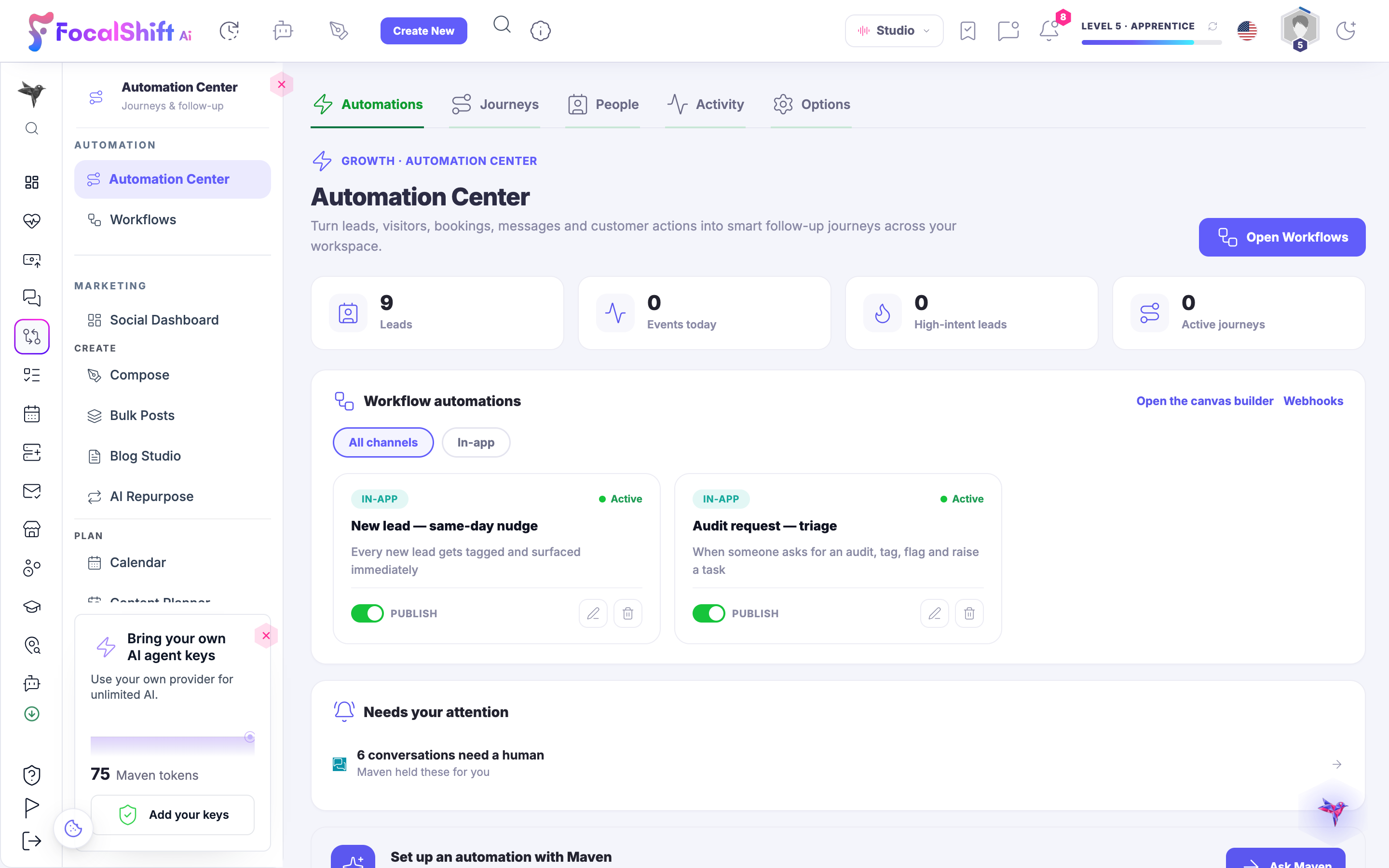
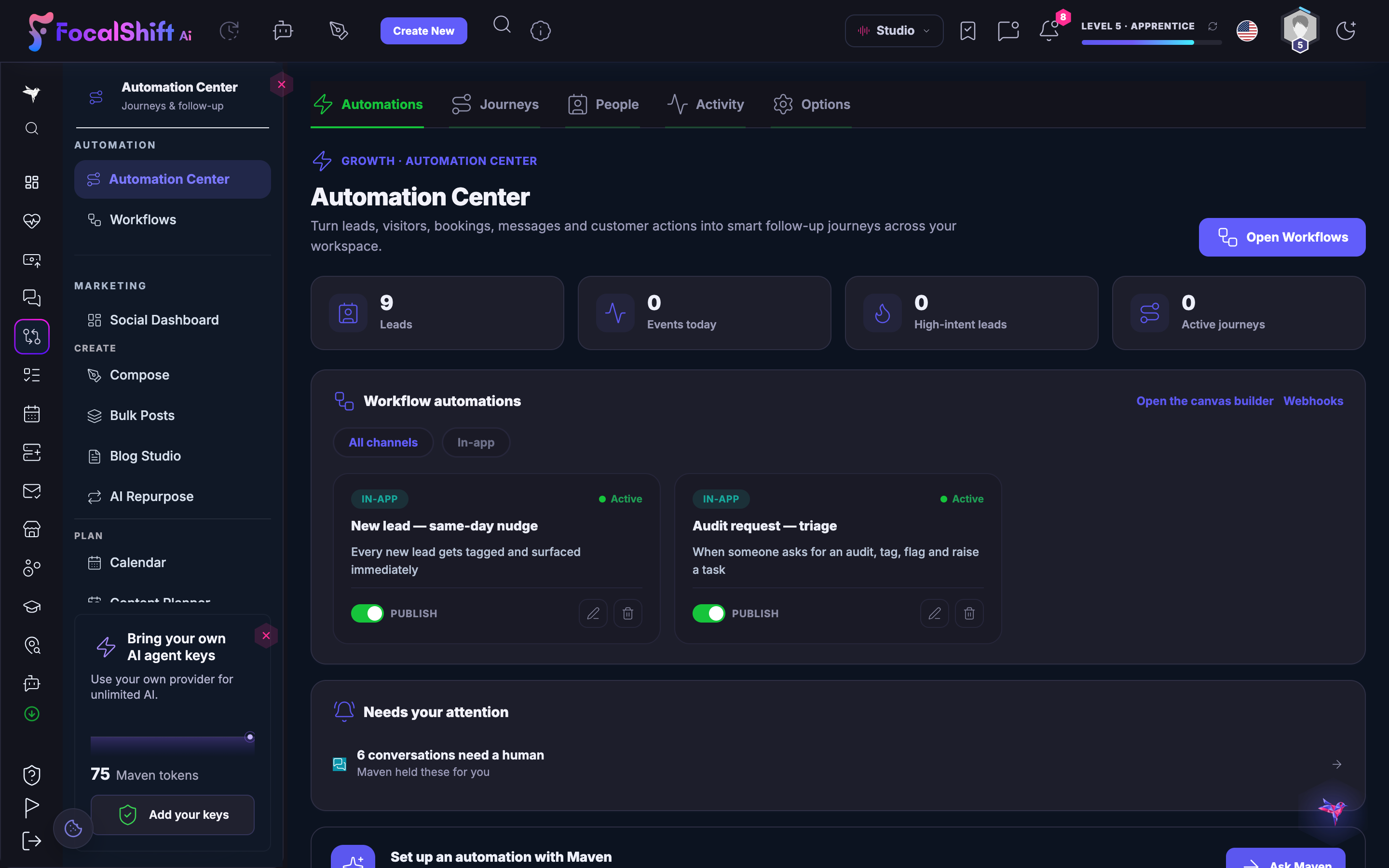
The Automation Center: leads, visitors, bookings and messages turned into follow-up journeys, with two live automations — one that tags and surfaces every new lead the same day, one that triages an incoming audit request — each with its publish switch.The Automation Center: leads, visitors, bookings and messages turned into follow-up journeys, with two live automations — one that tags and surfaces every new lead the same day, one that triages an incoming audit request — each with its publish switch.
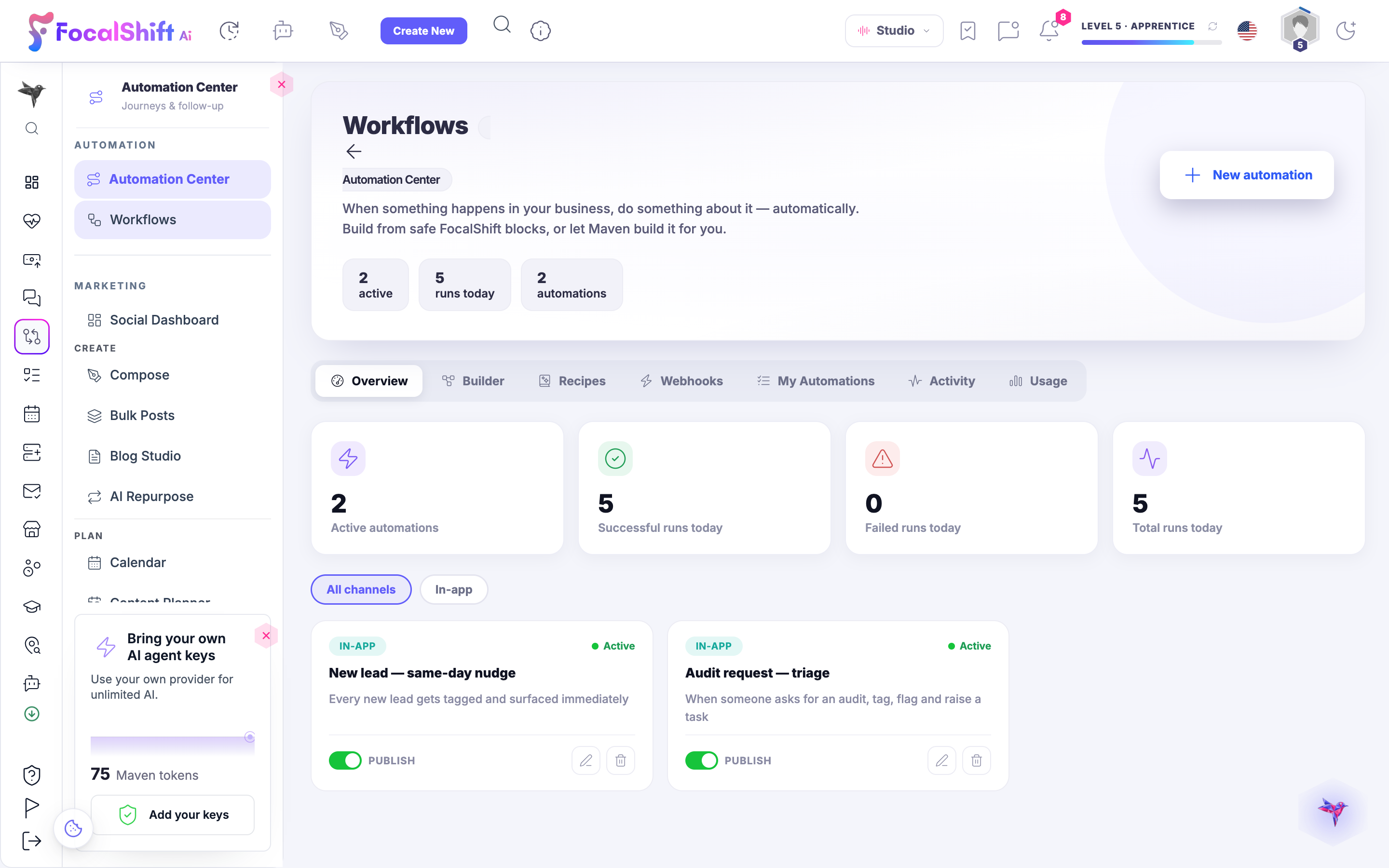
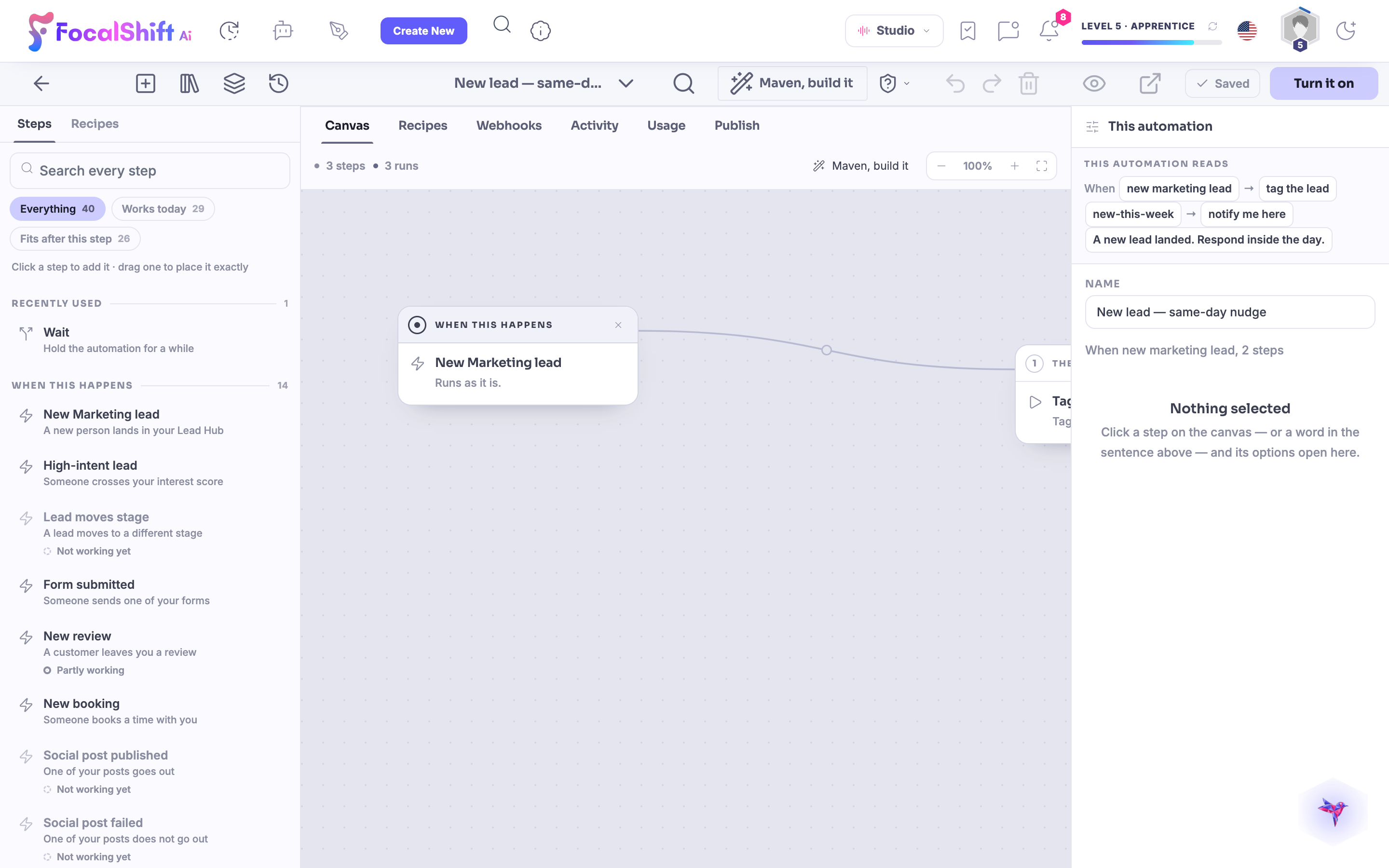
The Workflows overview in the Automation Center: active automations, successful and failed runs today and total runs, above the two live automations — the same-day new-lead nudge and the audit-request triage — each with its publish switch.The Workflows overview in the Automation Center: active automations, successful and failed runs today and total runs, above the two live automations — the same-day new-lead nudge and the audit-request triage — each with its publish switch.
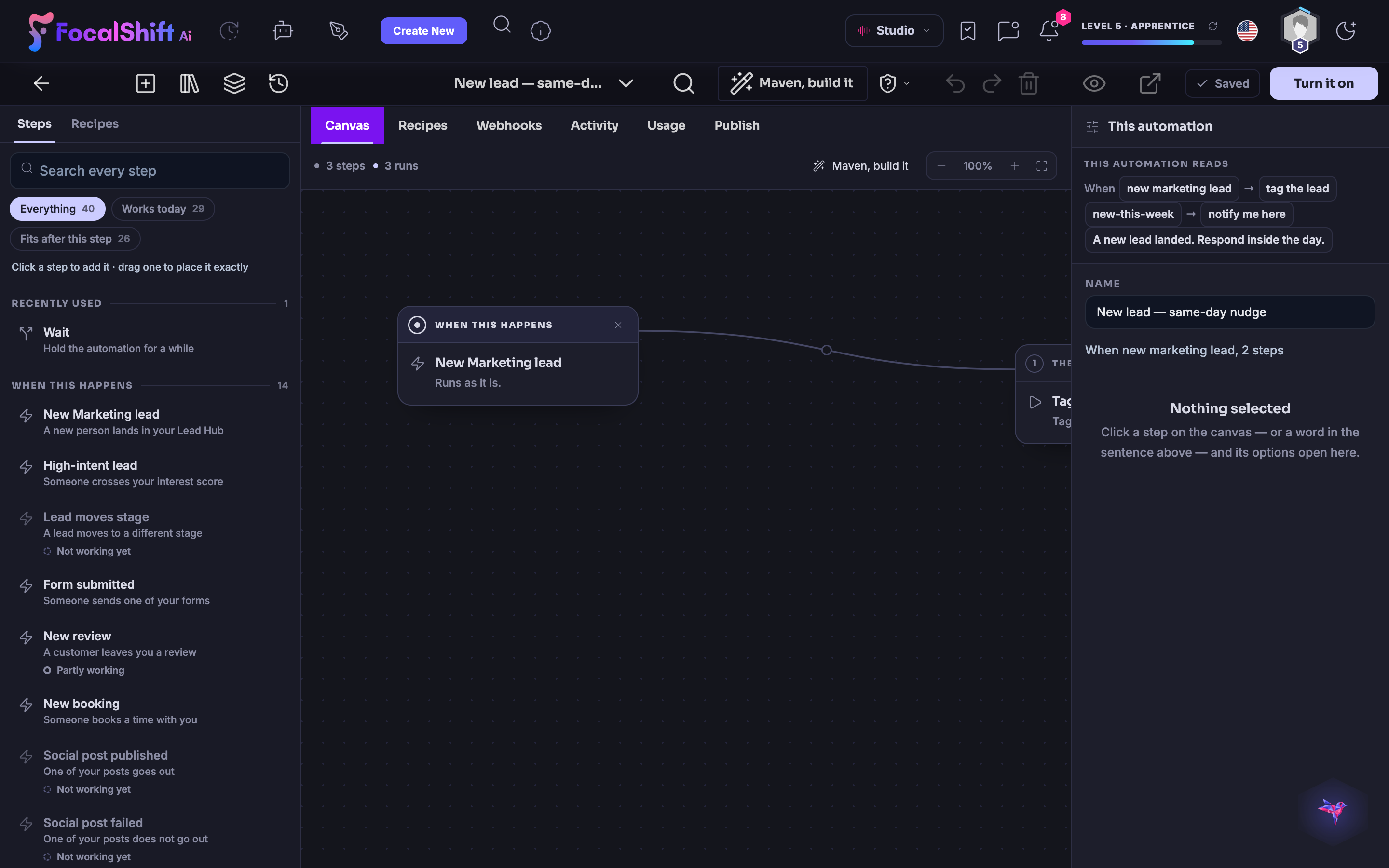
The real New lead, same-day nudge automation on the canvas: when a new marketing lead lands, tag the lead and notify you the same day, read back as a plain sentence above the connected steps.The real New lead, same-day nudge automation on the canvas: when a new marketing lead lands, tag the lead and notify you the same day, read back as a plain sentence above the connected steps.
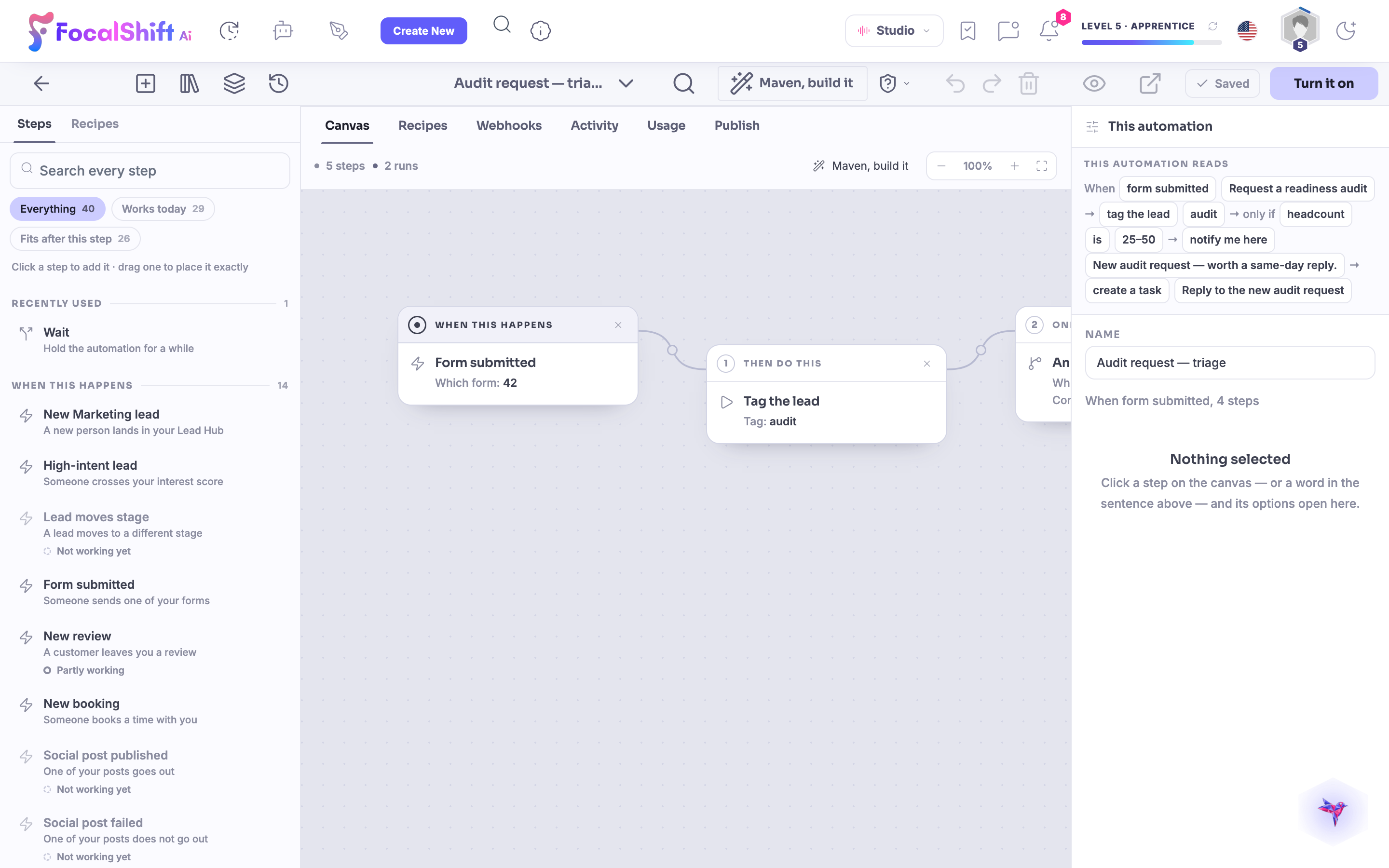
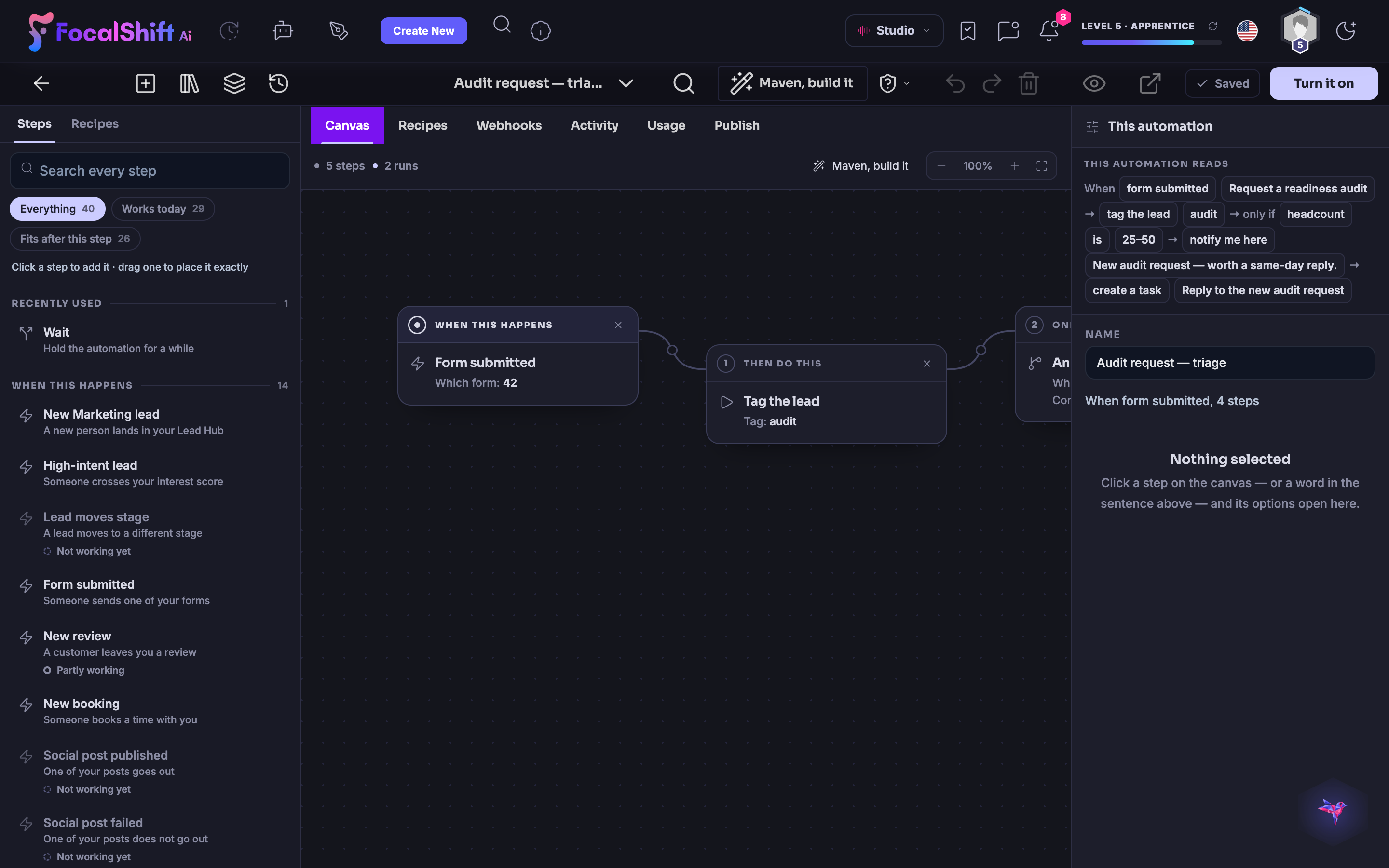
The real Audit request triage automation on the canvas: when a form is submitted for a readiness audit, tag the lead, and only if the headcount is in range, notify you and create a task — read back as a plain sentence.The real Audit request triage automation on the canvas: when a form is submitted for a readiness audit, tag the lead, and only if the headcount is in range, notify you and create a task — read back as a plain sentence.

Centre d'automatisation

Fermer
The Automation Center: leads, visitors, bookings and messages turned into follow-up journeys, with two live automations — one that tags and surfaces every new lead the same day, one that triages an incoming audit request — each with its publish switch.The Automation Center: leads, visitors, bookings and messages turned into follow-up journeys, with two live automations — one that tags and surfaces every new lead the same day, one that triages an incoming audit request — each with its publish switch.

Centre d'automatisation

Fermer
The Workflows overview in the Automation Center: active automations, successful and failed runs today and total runs, above the two live automations — the same-day new-lead nudge and the audit-request triage — each with its publish switch.The Workflows overview in the Automation Center: active automations, successful and failed runs today and total runs, above the two live automations — the same-day new-lead nudge and the audit-request triage — each with its publish switch.

Centre d'automatisation

Fermer
The real New lead, same-day nudge automation on the canvas: when a new marketing lead lands, tag the lead and notify you the same day, read back as a plain sentence above the connected steps.The real New lead, same-day nudge automation on the canvas: when a new marketing lead lands, tag the lead and notify you the same day, read back as a plain sentence above the connected steps.

Centre d'automatisation

Fermer
The real Audit request triage automation on the canvas: when a form is submitted for a readiness audit, tag the lead, and only if the headcount is in range, notify you and create a task — read back as a plain sentence.The real Audit request triage automation on the canvas: when a form is submitted for a readiness audit, tag the lead, and only if the headcount is in range, notify you and create a task — read back as a plain sentence.

A look inside Automation Center

Stills from the product, one after the next.

The Automation Center: leads, visitors, bookings and messages turned into follow-up journeys, with two live automations — one that tags and surfaces every new lead the same day, one that triages an incoming audit request — each with its publish switch.The Automation Center: leads, visitors, bookings and messages turned into follow-up journeys, with two live automations — one that tags and surfaces every new lead the same day, one that triages an incoming audit request — each with its publish switch.
The Workflows overview in the Automation Center: active automations, successful and failed runs today and total runs, above the two live automations — the same-day new-lead nudge and the audit-request triage — each with its publish switch.The Workflows overview in the Automation Center: active automations, successful and failed runs today and total runs, above the two live automations — the same-day new-lead nudge and the audit-request triage — each with its publish switch.
The real New lead, same-day nudge automation on the canvas: when a new marketing lead lands, tag the lead and notify you the same day, read back as a plain sentence above the connected steps.The real New lead, same-day nudge automation on the canvas: when a new marketing lead lands, tag the lead and notify you the same day, read back as a plain sentence above the connected steps.
The real Audit request triage automation on the canvas: when a form is submitted for a readiness audit, tag the lead, and only if the headcount is in range, notify you and create a task — read back as a plain sentence.The real Audit request triage automation on the canvas: when a form is submitted for a readiness audit, tag the lead, and only if the headcount is in range, notify you and create a task — read back as a plain sentence.

Landing pages — platform screenshots

Real screens from the product. Open any one full size, or switch the set to light or dark.

Fermer
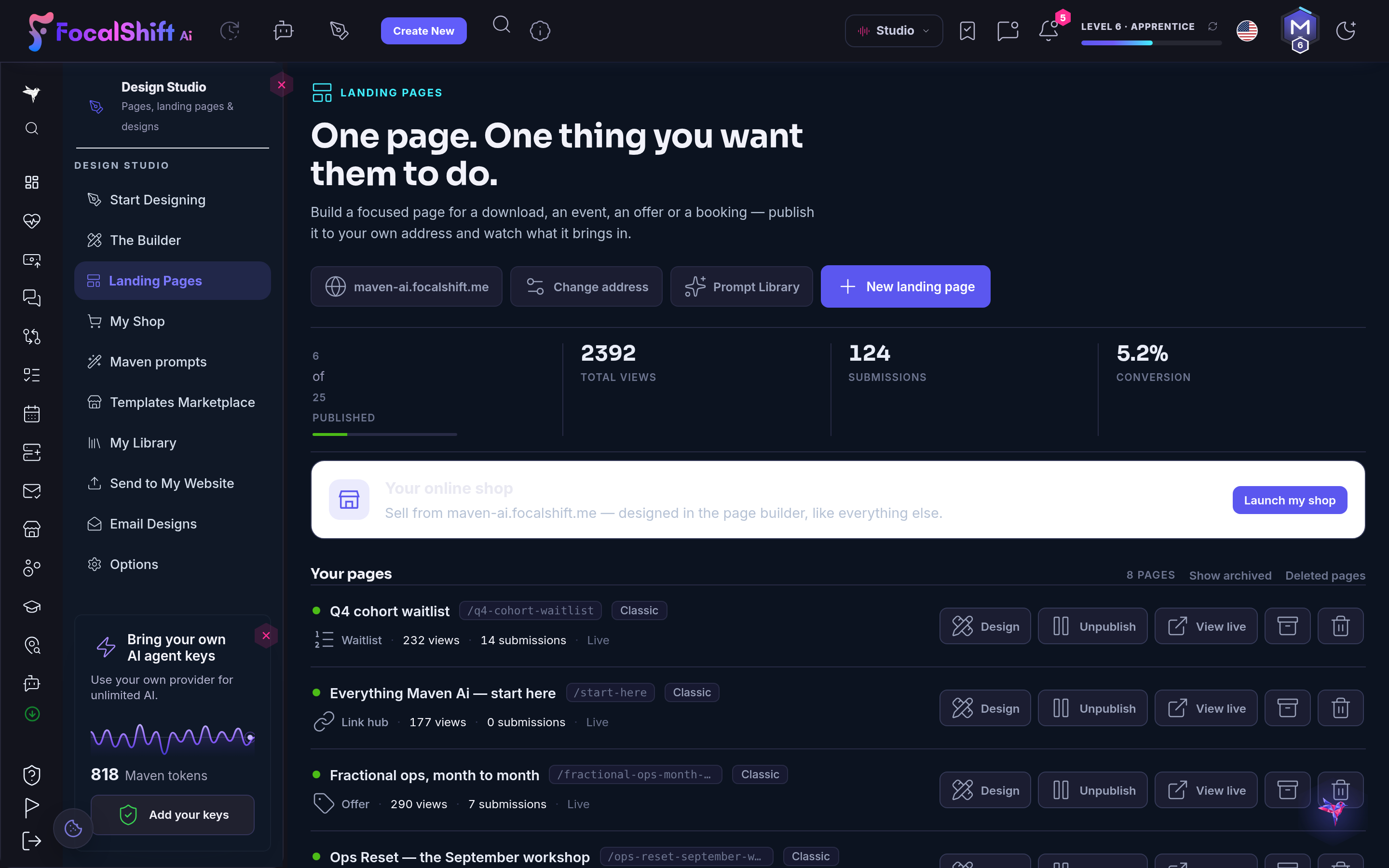
The Landing Pages workspace — one page, one thing you want them to do — with the page address, the prompt library and controls to change the address or start a new page, above total views, submissions and conversion.The Landing Pages workspace — one page, one thing you want them to do — with the page address, the prompt library and controls to change the address or start a new page, above total views, submissions and conversion.
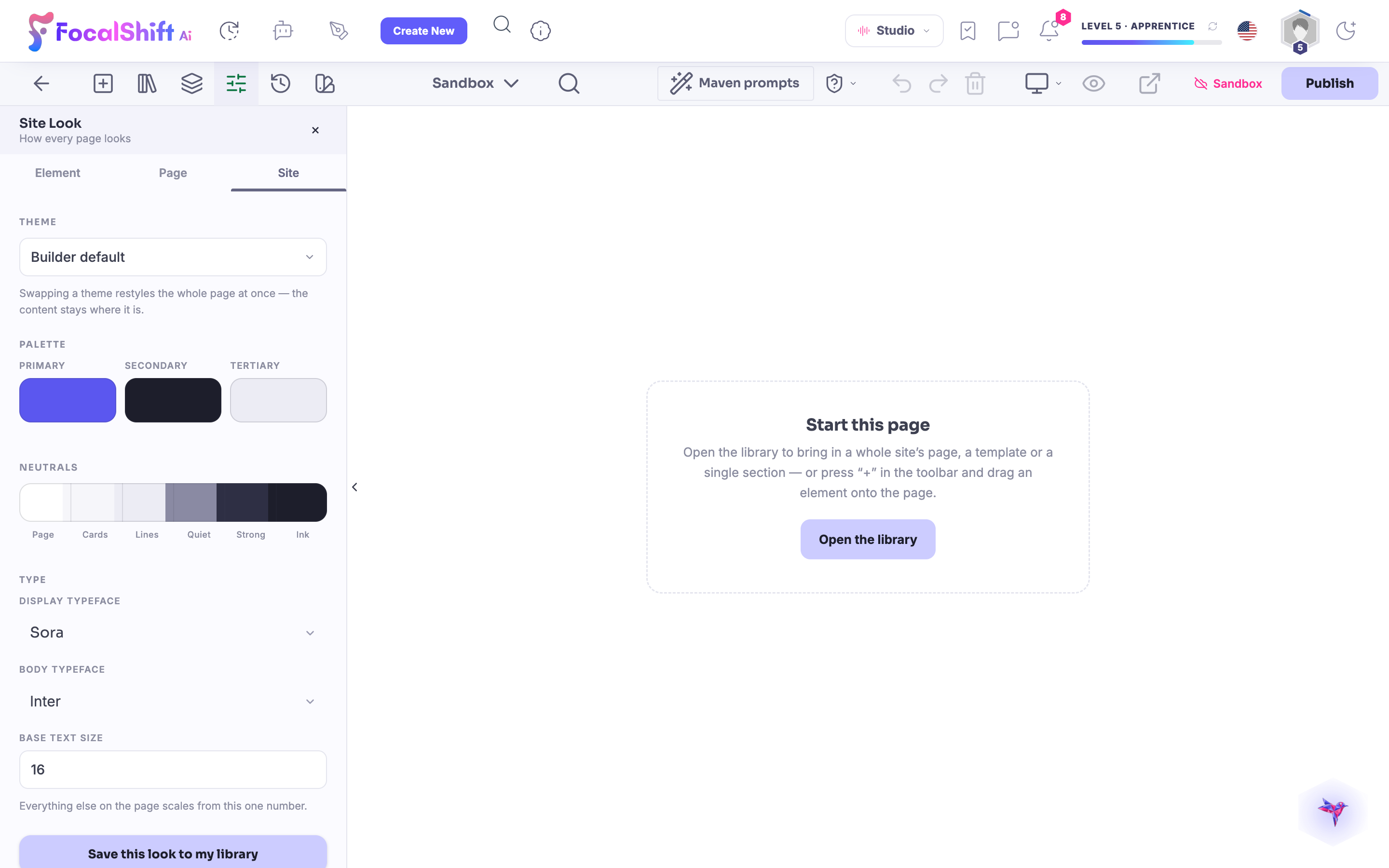
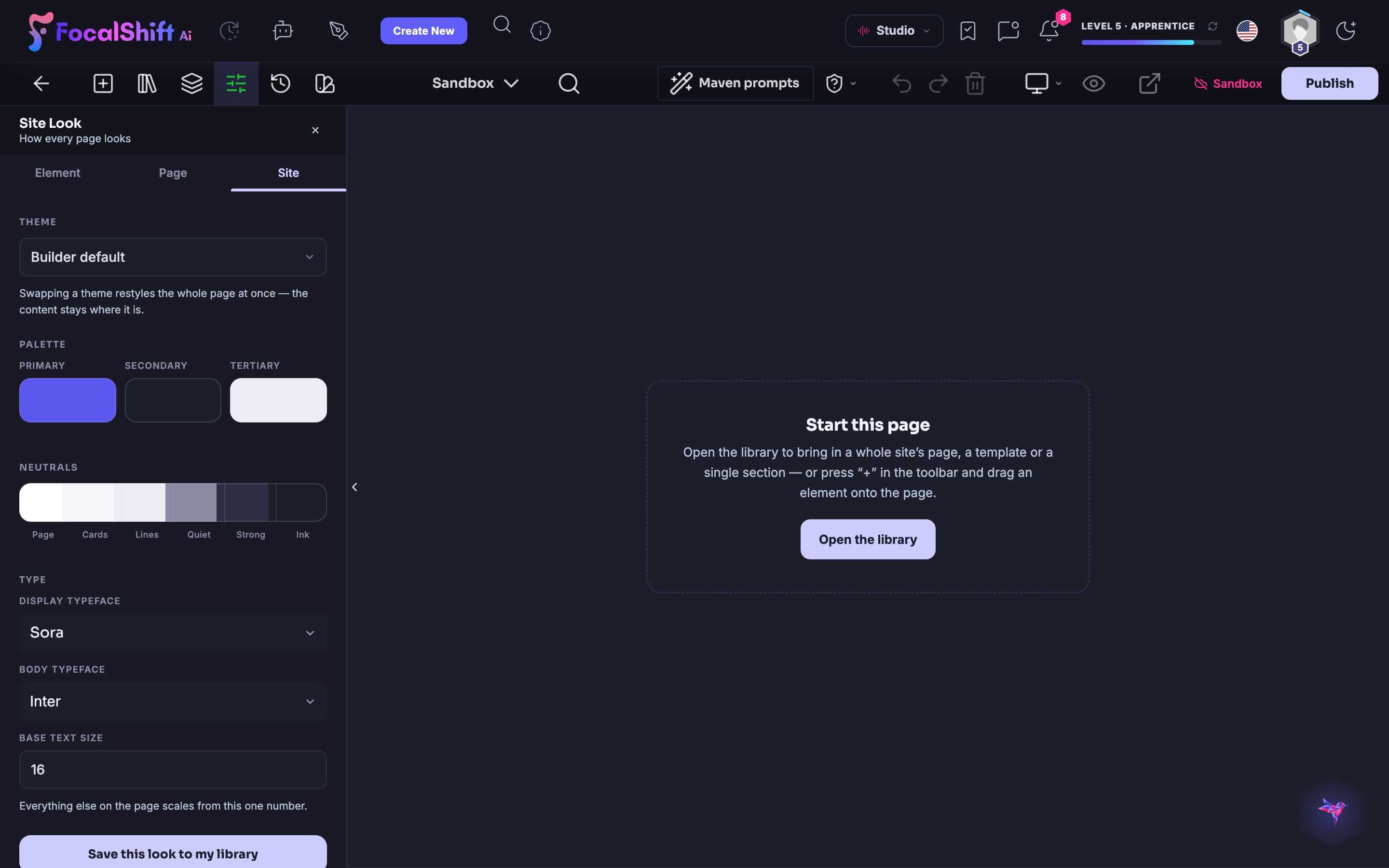
The Site Look panel in the page designer: swap a theme to restyle the whole page at once while the content stays put, with primary, secondary and tertiary palette swatches and the display and body typefaces.The Site Look panel in the page designer: swap a theme to restyle the whole page at once while the content stays put, with primary, secondary and tertiary palette swatches and the display and body typefaces.

Pages d'atterrissage

Fermer
The Landing Pages workspace — one page, one thing you want them to do — with the page address, the prompt library and controls to change the address or start a new page, above total views, submissions and conversion.The Landing Pages workspace — one page, one thing you want them to do — with the page address, the prompt library and controls to change the address or start a new page, above total views, submissions and conversion.

Pages d'atterrissage

Fermer
The Site Look panel in the page designer: swap a theme to restyle the whole page at once while the content stays put, with primary, secondary and tertiary palette swatches and the display and body typefaces.The Site Look panel in the page designer: swap a theme to restyle the whole page at once while the content stays put, with primary, secondary and tertiary palette swatches and the display and body typefaces.

A look inside Landing pages

Stills from the product, one after the next.

The Landing Pages workspace — one page, one thing you want them to do — with the page address, the prompt library and controls to change the address or start a new page, above total views, submissions and conversion.The Landing Pages workspace — one page, one thing you want them to do — with the page address, the prompt library and controls to change the address or start a new page, above total views, submissions and conversion.
The Site Look panel in the page designer: swap a theme to restyle the whole page at once while the content stays put, with primary, secondary and tertiary palette swatches and the display and body typefaces.The Site Look panel in the page designer: swap a theme to restyle the whole page at once while the content stays put, with primary, secondary and tertiary palette swatches and the display and body typefaces.

Collaborate — platform screenshots

Real screens from the product. Open any one full size, or switch the set to light or dark.

Fermer
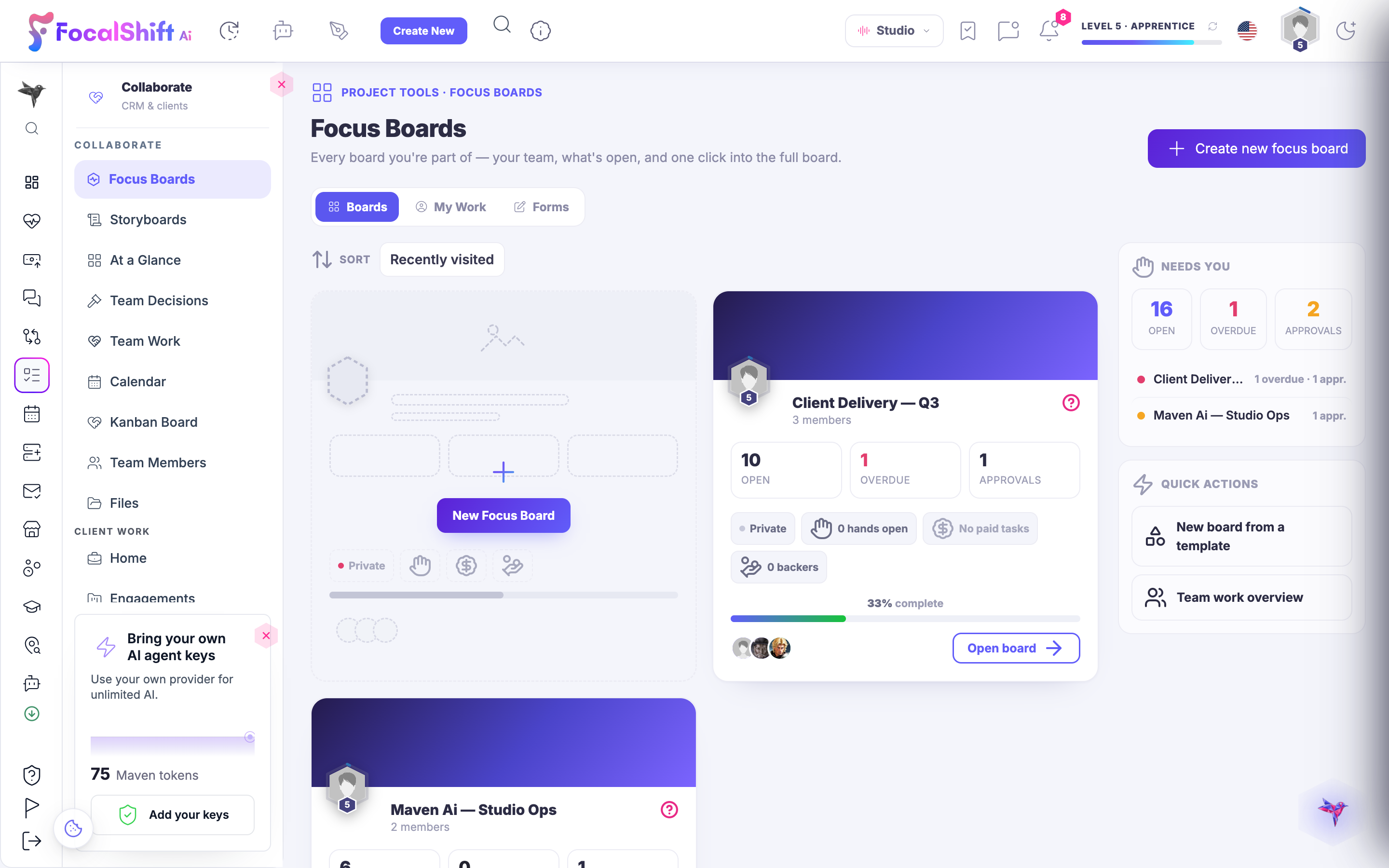
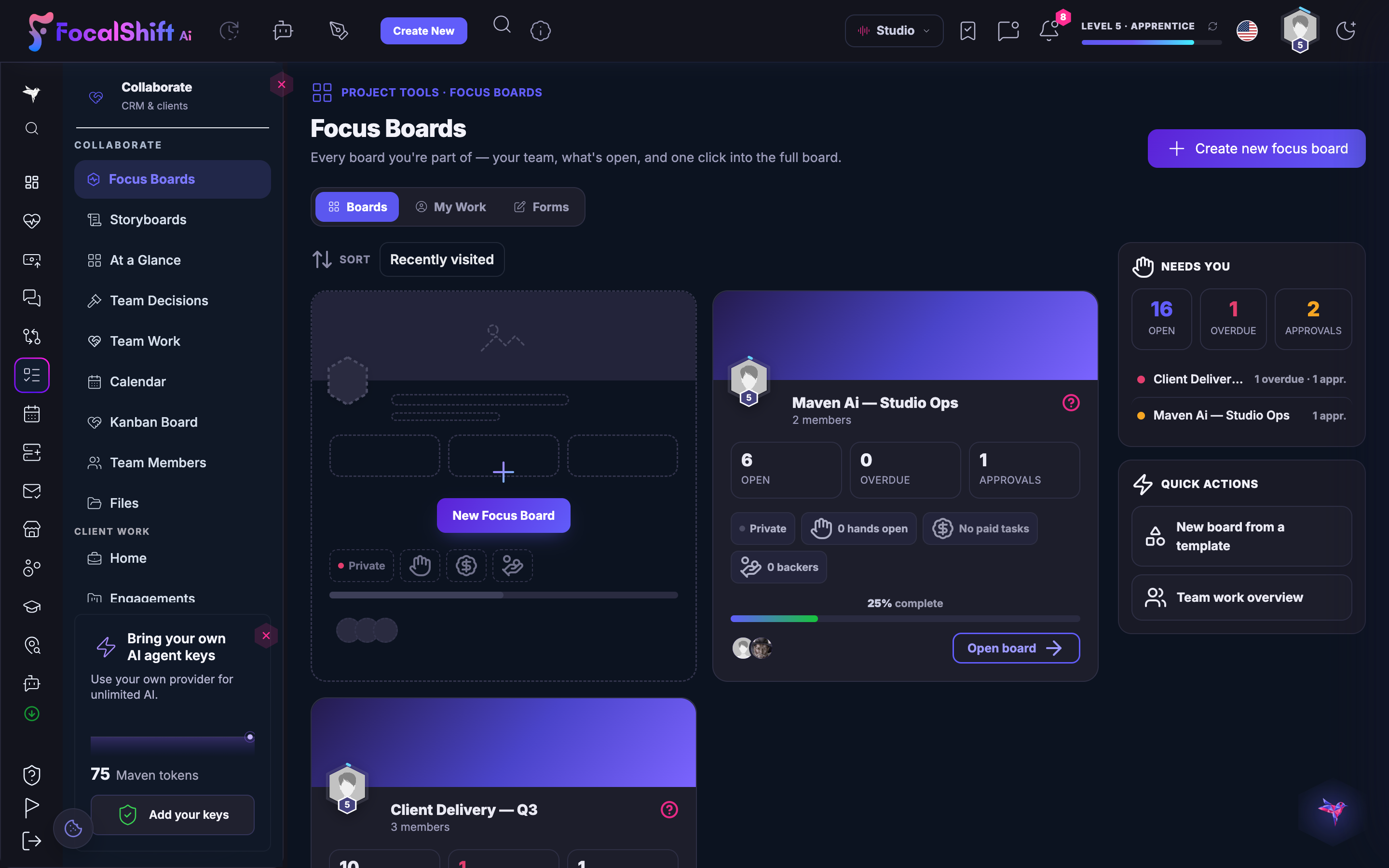
The FocusBoards workspace: every board you are part of — your team, what is open and one click into the full board — with a board carrying its open, overdue and approvals counts and how far along it is.The FocusBoards workspace: every board you are part of — your team, what is open and one click into the full board — with a board carrying its open, overdue and approvals counts and how far along it is.
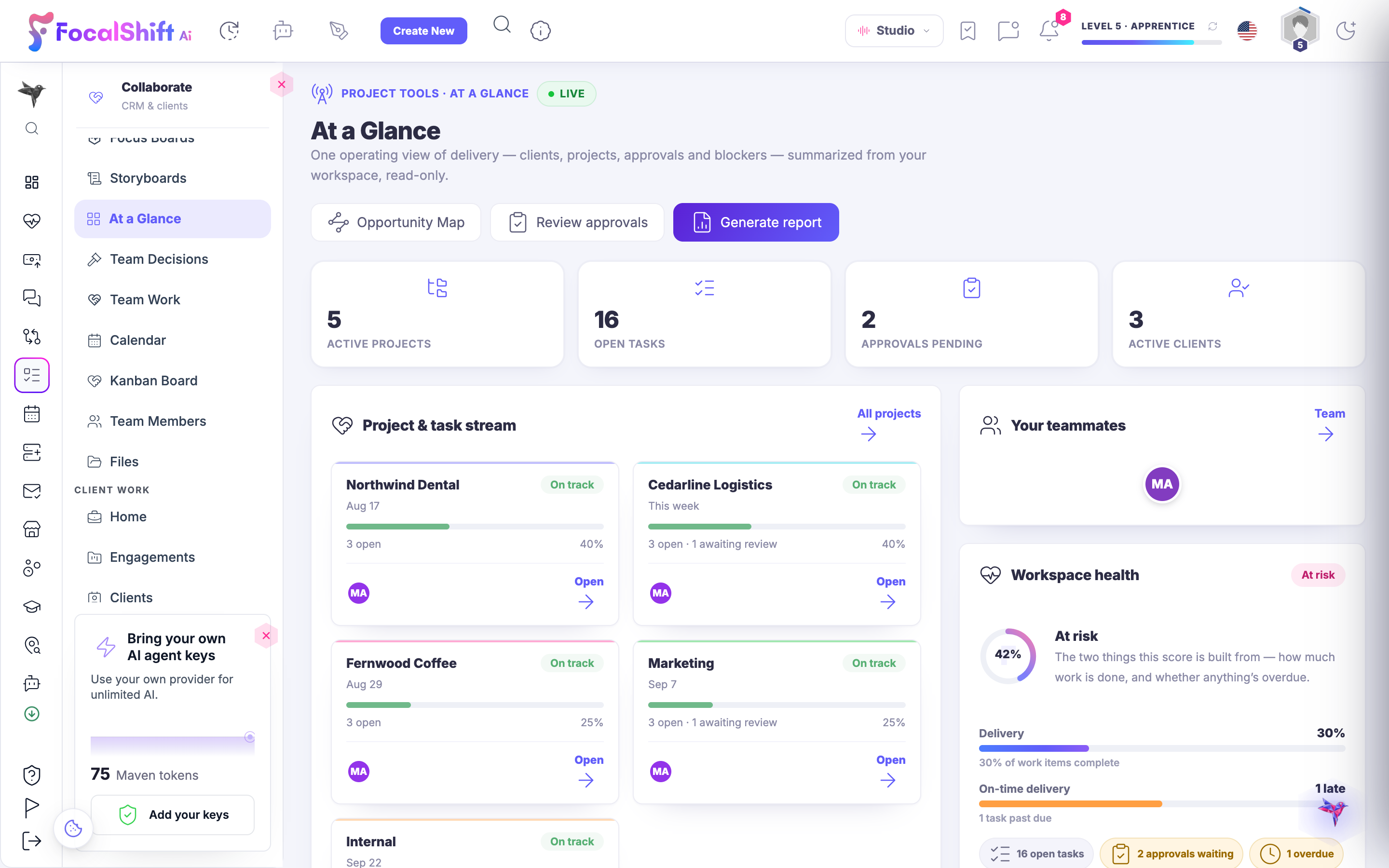
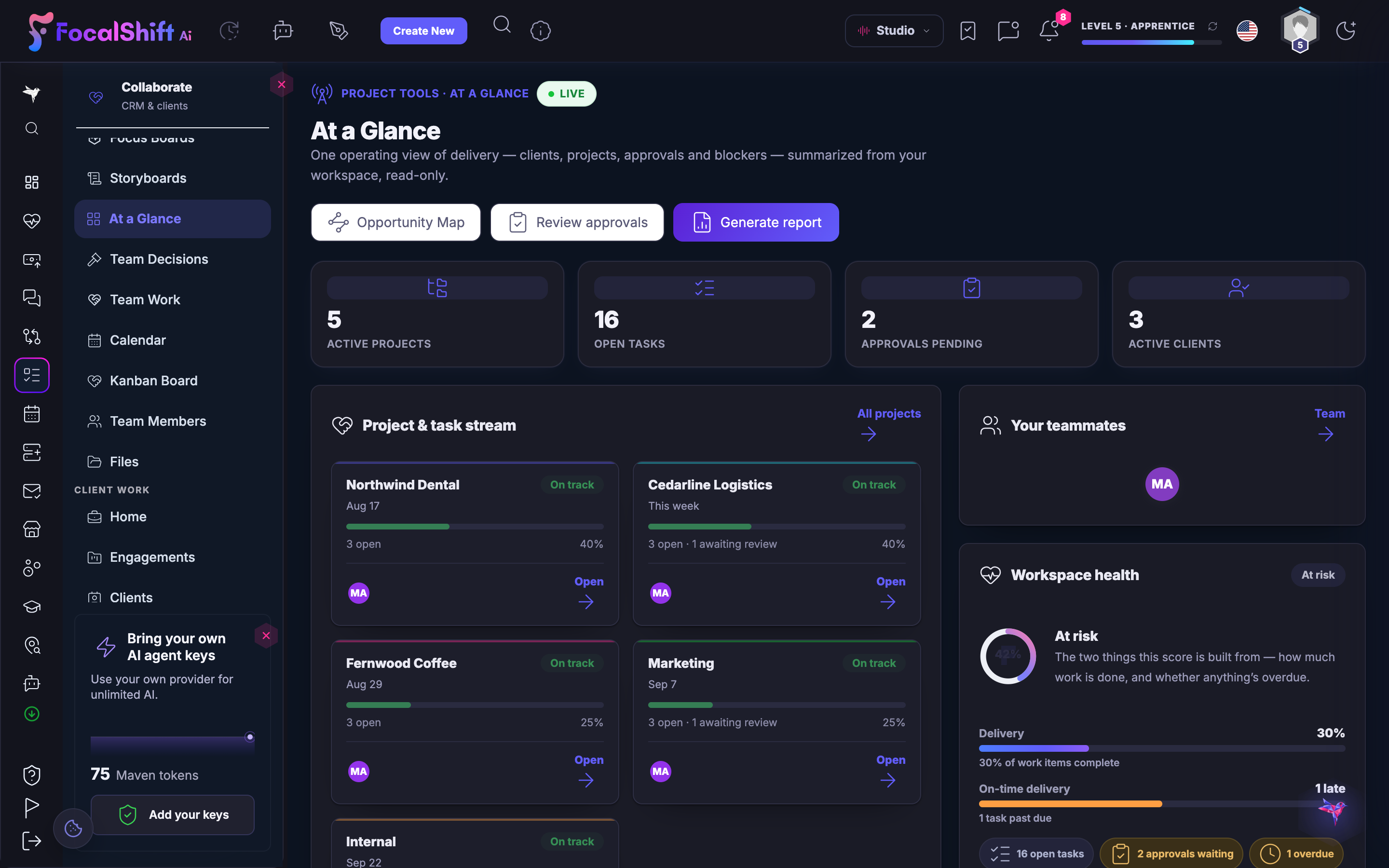
The At a Glance operating view: active projects, open tasks, approvals pending and active clients, with a project and task stream — each client on track with its open items and progress — and a workspace-health readout.The At a Glance operating view: active projects, open tasks, approvals pending and active clients, with a project and task stream — each client on track with its open items and progress — and a workspace-health readout.
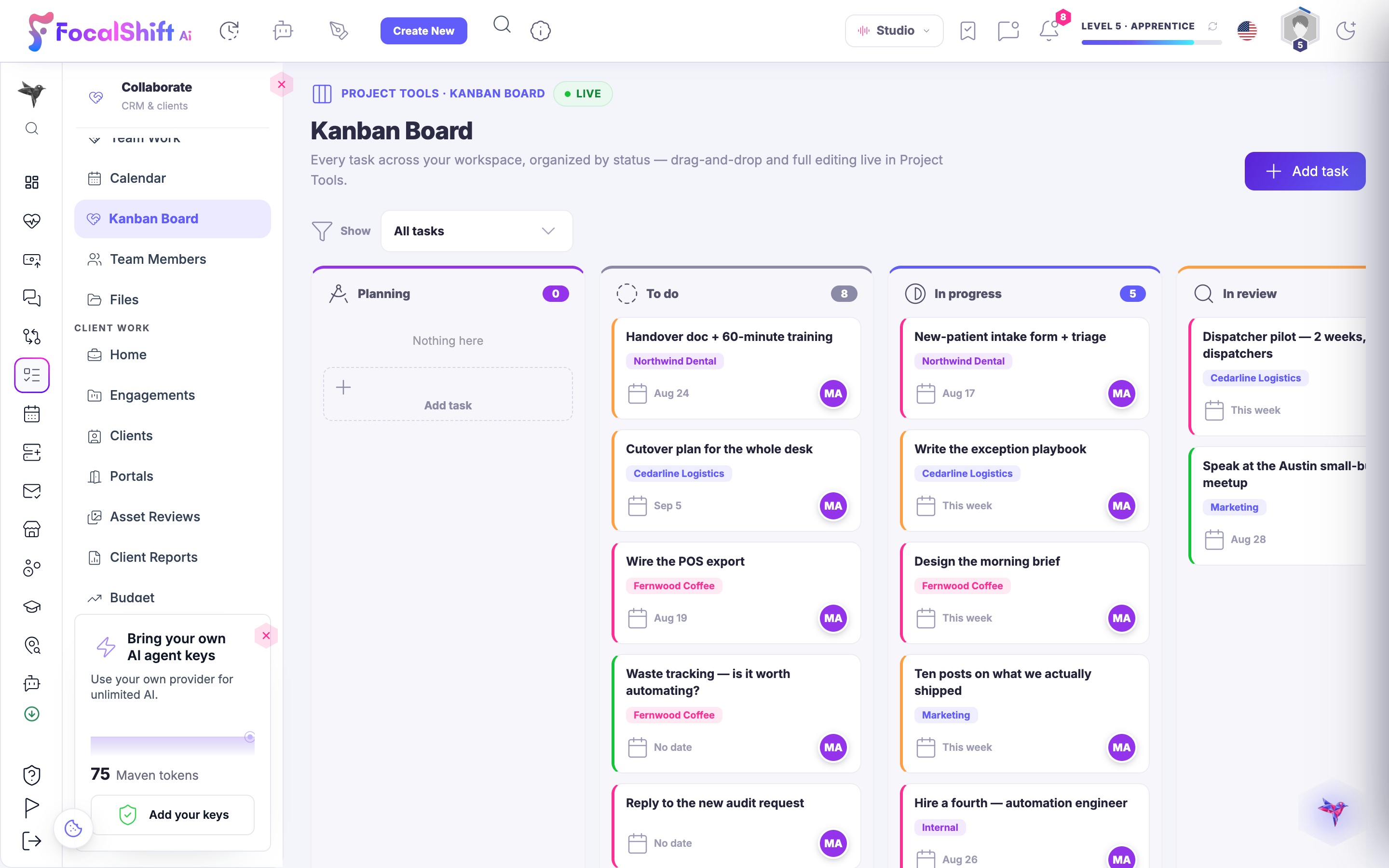
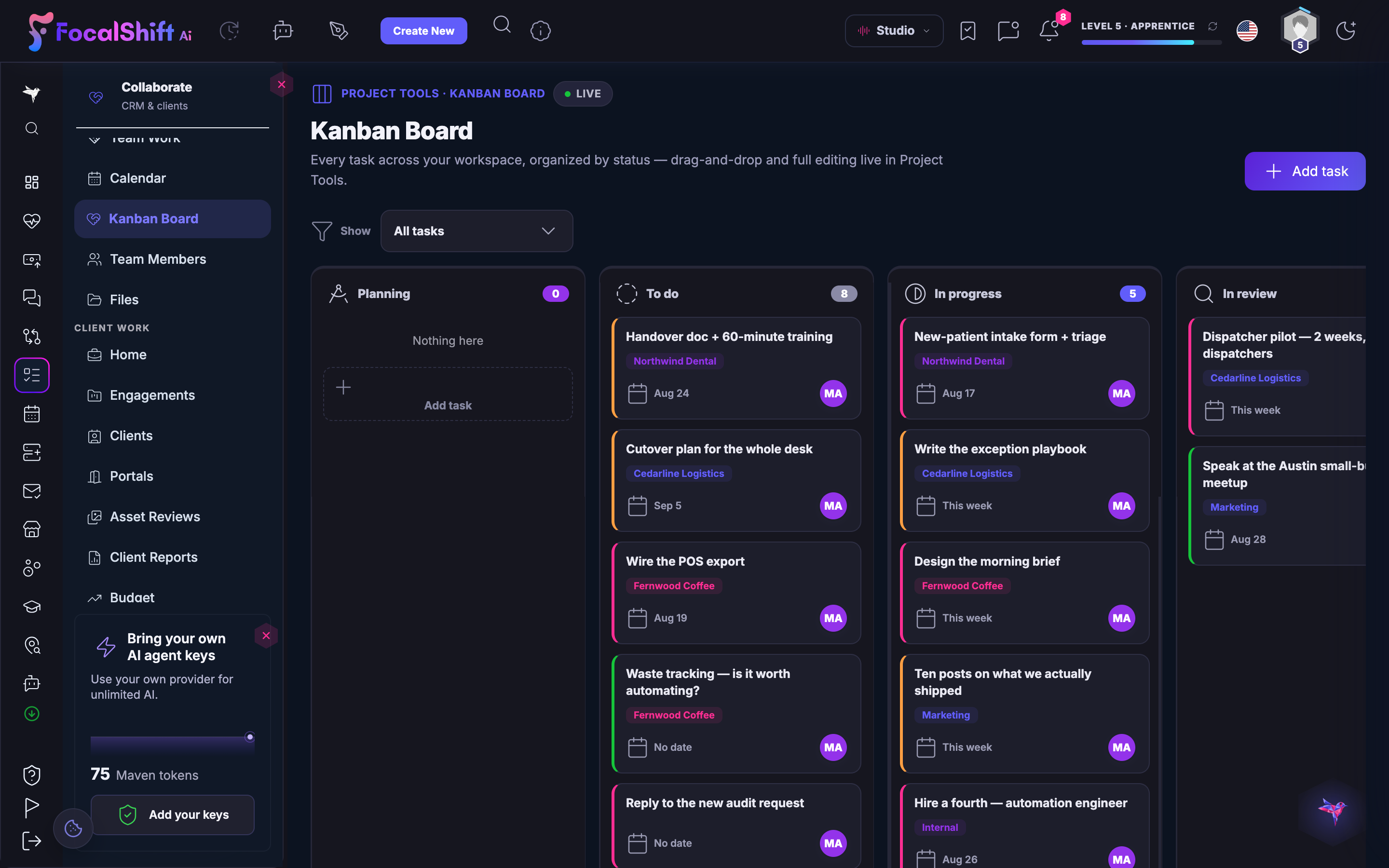
The Kanban Board: every task across your workspace organised by status — planning, to do, in progress and in review — as drag-and-drop cards tagged by client, each with its due date and owner.The Kanban Board: every task across your workspace organised by status — planning, to do, in progress and in review — as drag-and-drop cards tagged by client, each with its due date and owner.
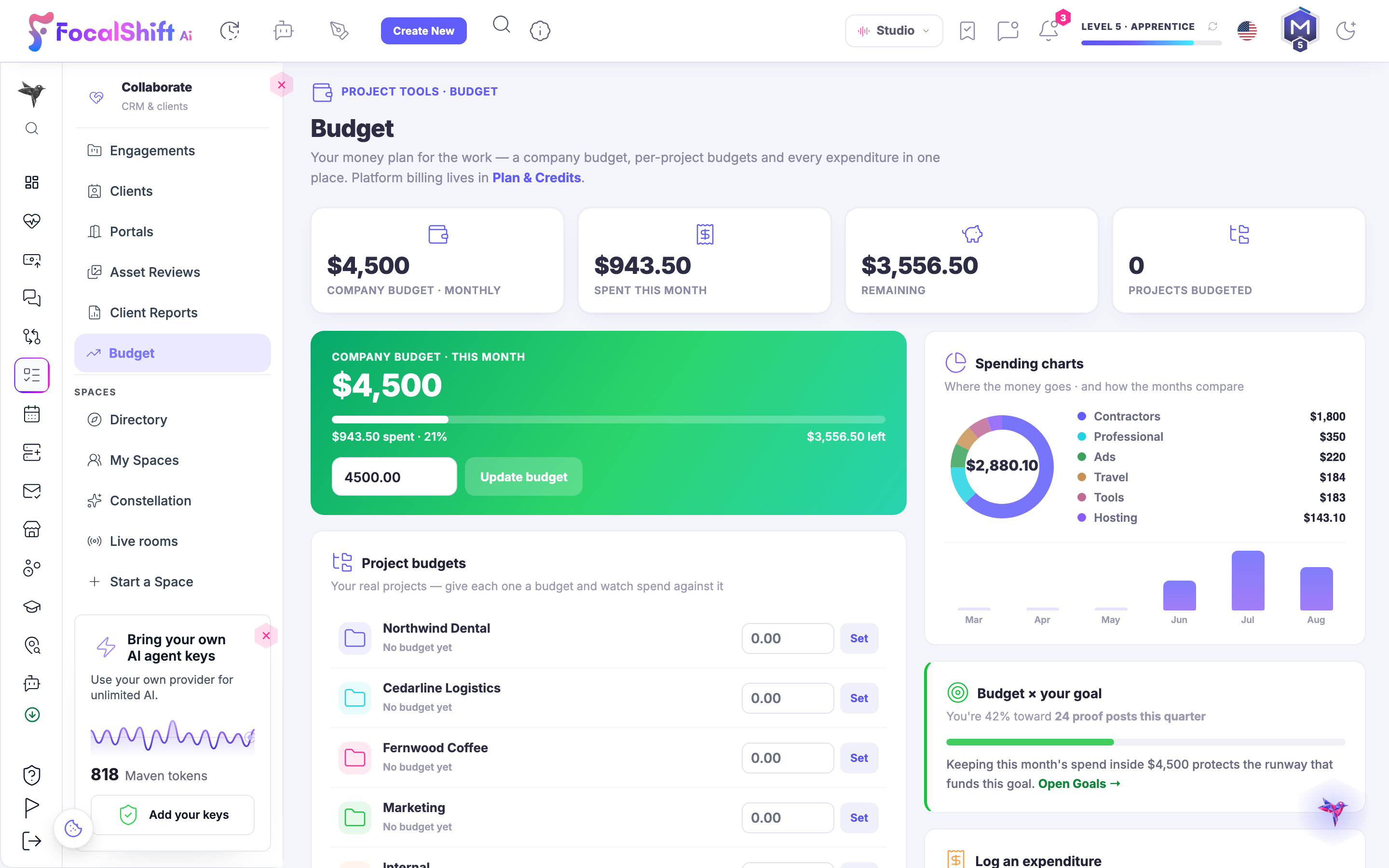
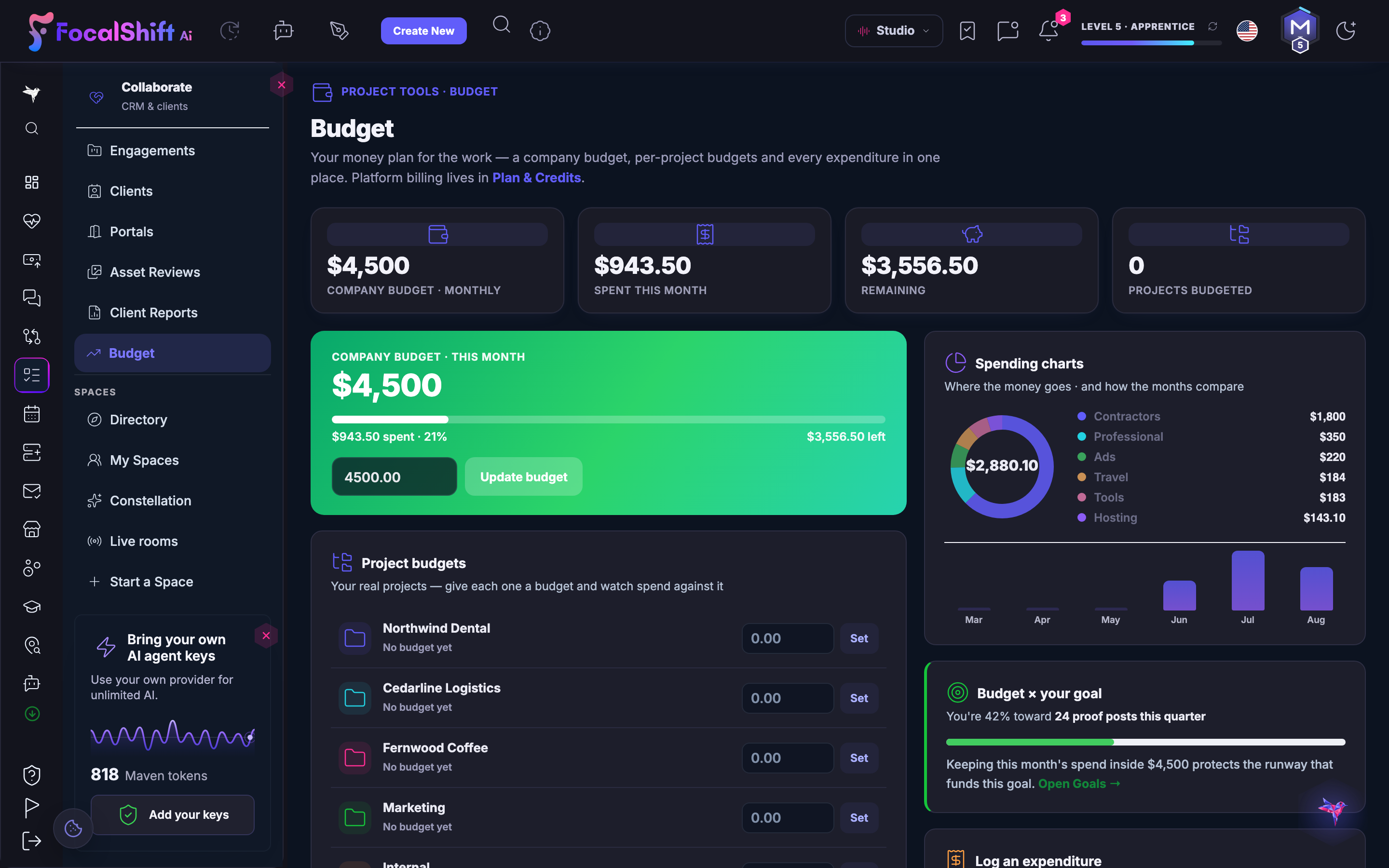
The Budget panel: your money plan for the work — a company budget for the month with what has been spent against it and what is left, a Set control ready to give each project a budget of its own, and spending charts showing where the money went and how the months compare.The Budget panel: your money plan for the work — a company budget for the month with what has been spent against it and what is left, a Set control ready to give each project a budget of its own, and spending charts showing where the money went and how the months compare.
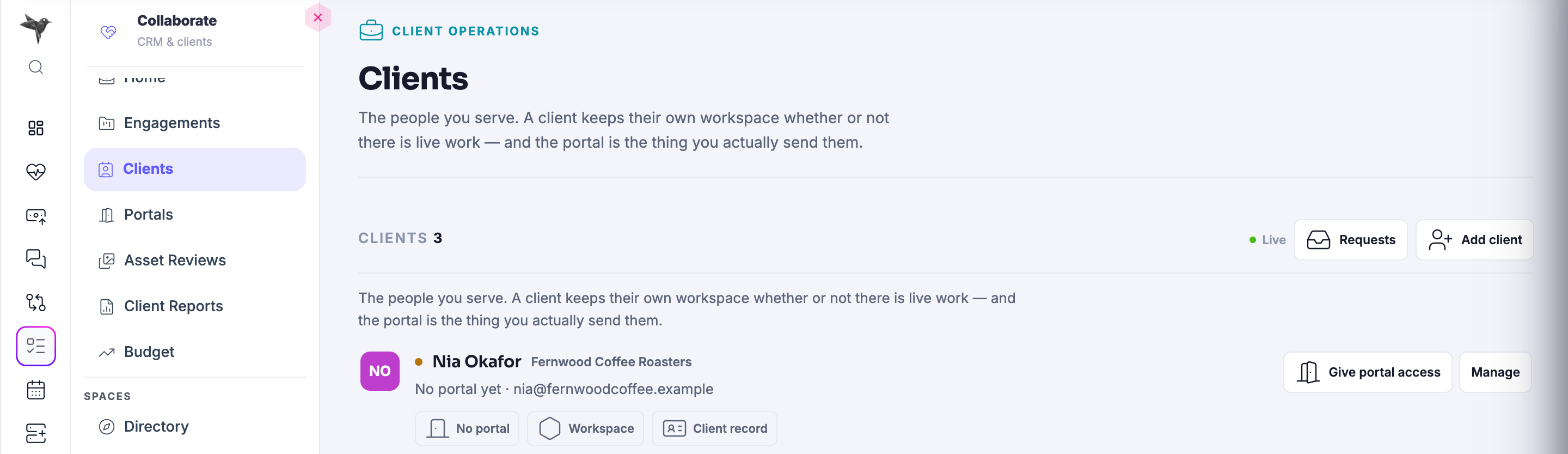
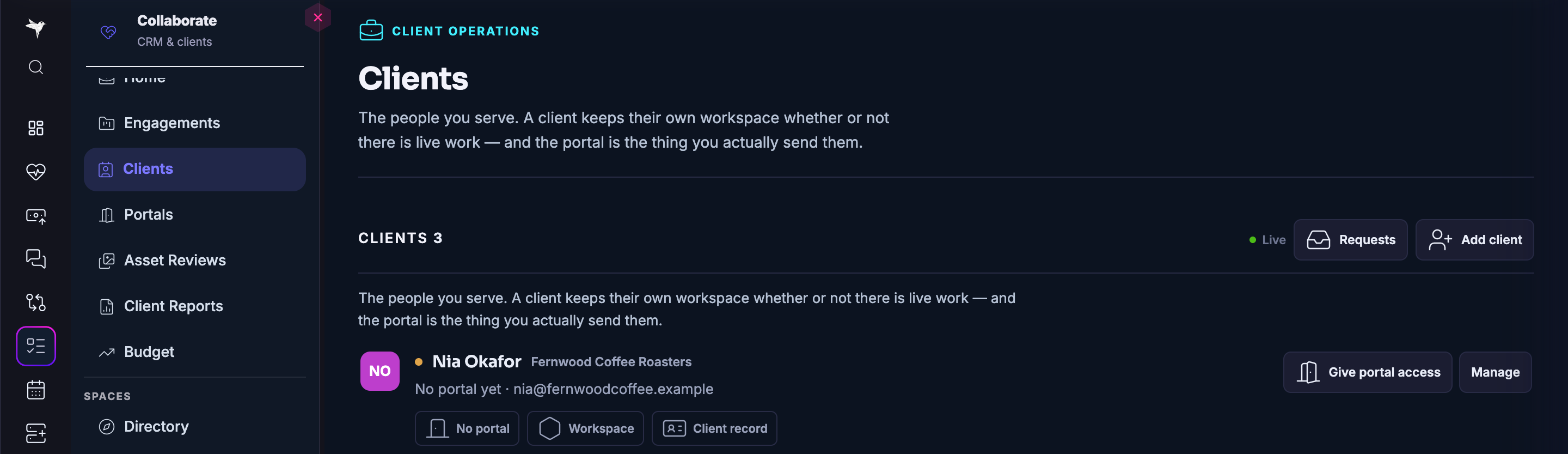
The Clients panel in client work: the people you serve, with a count of them and the first client record open — their business, whether a portal has been opened for them yet, and the controls to give portal access, open their workspace or manage the client record.The Clients panel in client work: the people you serve, with a count of them and the first client record open — their business, whether a portal has been opened for them yet, and the controls to give portal access, open their workspace or manage the client record.
The Portals panel: the link you actually send, read as a summary — how many portals are active, how many were opened this week, how many are still waiting on a signature, how many are approved but not yet delivered, and how many clients you have in all.The Portals panel: the link you actually send, read as a summary — how many portals are active, how many were opened this week, how many are still waiting on a signature, how many are approved but not yet delivered, and how many clients you have in all.

Collaborer

Fermer
The FocusBoards workspace: every board you are part of — your team, what is open and one click into the full board — with a board carrying its open, overdue and approvals counts and how far along it is.The FocusBoards workspace: every board you are part of — your team, what is open and one click into the full board — with a board carrying its open, overdue and approvals counts and how far along it is.

Collaborer

Fermer
The At a Glance operating view: active projects, open tasks, approvals pending and active clients, with a project and task stream — each client on track with its open items and progress — and a workspace-health readout.The At a Glance operating view: active projects, open tasks, approvals pending and active clients, with a project and task stream — each client on track with its open items and progress — and a workspace-health readout.

Collaborer

Fermer
The Kanban Board: every task across your workspace organised by status — planning, to do, in progress and in review — as drag-and-drop cards tagged by client, each with its due date and owner.The Kanban Board: every task across your workspace organised by status — planning, to do, in progress and in review — as drag-and-drop cards tagged by client, each with its due date and owner.

Collaborer

Fermer
The Budget panel: your money plan for the work — a company budget for the month with what has been spent against it and what is left, a Set control ready to give each project a budget of its own, and spending charts showing where the money went and how the months compare.The Budget panel: your money plan for the work — a company budget for the month with what has been spent against it and what is left, a Set control ready to give each project a budget of its own, and spending charts showing where the money went and how the months compare.

Collaborer

Fermer
The Clients panel in client work: the people you serve, with a count of them and the first client record open — their business, whether a portal has been opened for them yet, and the controls to give portal access, open their workspace or manage the client record.The Clients panel in client work: the people you serve, with a count of them and the first client record open — their business, whether a portal has been opened for them yet, and the controls to give portal access, open their workspace or manage the client record.

Collaborer

Fermer
The Portals panel: the link you actually send, read as a summary — how many portals are active, how many were opened this week, how many are still waiting on a signature, how many are approved but not yet delivered, and how many clients you have in all.The Portals panel: the link you actually send, read as a summary — how many portals are active, how many were opened this week, how many are still waiting on a signature, how many are approved but not yet delivered, and how many clients you have in all.

A look inside Collaborate

Stills from the product, one after the next. The full set is in the screenshots.

The FocusBoards workspace: every board you are part of — your team, what is open and one click into the full board — with a board carrying its open, overdue and approvals counts and how far along it is.The FocusBoards workspace: every board you are part of — your team, what is open and one click into the full board — with a board carrying its open, overdue and approvals counts and how far along it is.
The At a Glance operating view: active projects, open tasks, approvals pending and active clients, with a project and task stream — each client on track with its open items and progress — and a workspace-health readout.The At a Glance operating view: active projects, open tasks, approvals pending and active clients, with a project and task stream — each client on track with its open items and progress — and a workspace-health readout.
The Kanban Board: every task across your workspace organised by status — planning, to do, in progress and in review — as drag-and-drop cards tagged by client, each with its due date and owner.The Kanban Board: every task across your workspace organised by status — planning, to do, in progress and in review — as drag-and-drop cards tagged by client, each with its due date and owner.
The Budget panel: your money plan for the work — a company budget for the month with what has been spent against it and what is left, a Set control ready to give each project a budget of its own, and spending charts showing where the money went and how the months compare.The Budget panel: your money plan for the work — a company budget for the month with what has been spent against it and what is left, a Set control ready to give each project a budget of its own, and spending charts showing where the money went and how the months compare.
The Clients panel in client work: the people you serve, with a count of them and the first client record open — their business, whether a portal has been opened for them yet, and the controls to give portal access, open their workspace or manage the client record.The Clients panel in client work: the people you serve, with a count of them and the first client record open — their business, whether a portal has been opened for them yet, and the controls to give portal access, open their workspace or manage the client record.

Say it in your own words. See your own deck.

Join the beta program
Demander à Maven