Messaggi

This is the product's own frame. Your conversations appear here once you have an account.

Get started now
Notifiche

This is the product's own frame. Alerts about your business appear here once you have an account.

Italiano
The contract was exactly where it should be

Files, where they belong.

Documents and assets attached to the clients, projects and deals they belong to — findable by context, not by folder luck.

Why it matters

One home for the working files — shared on purpose.

Context is the folderFiles live with their client, board or deal.
Versions behaveThe current one is obvious; the history is kept.
Shared with intentTeam and clients see exactly what they should.
Part of one platform — works hand-in-hand withCollabora·Lavoro per i clienti

Maven adds this one: the logo, the brief and the contract were never the hard part — finding them again was.

File

Your working files, in your workspace — dropped in once, sorted into folders, and opened only by the people you chose.
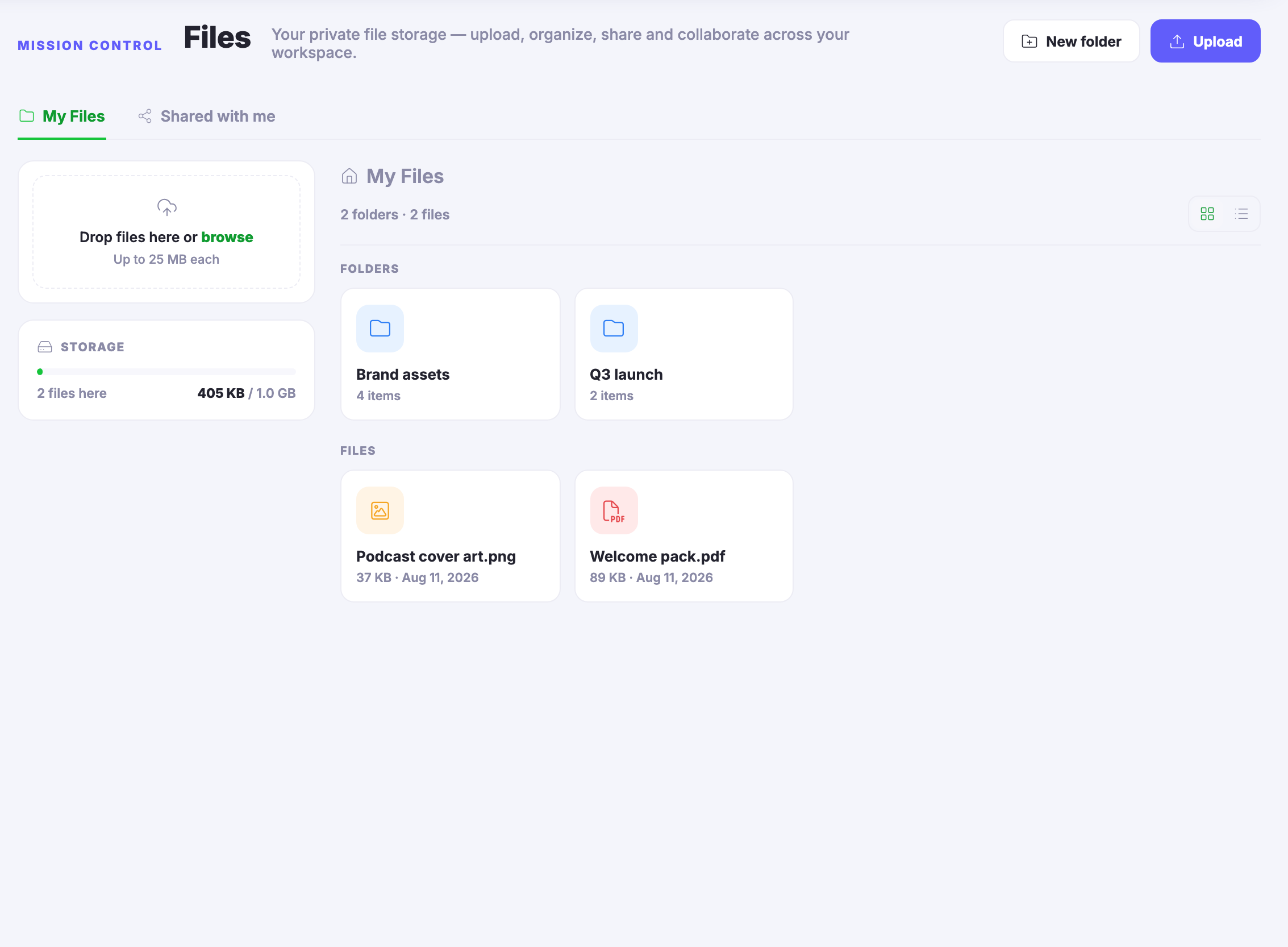
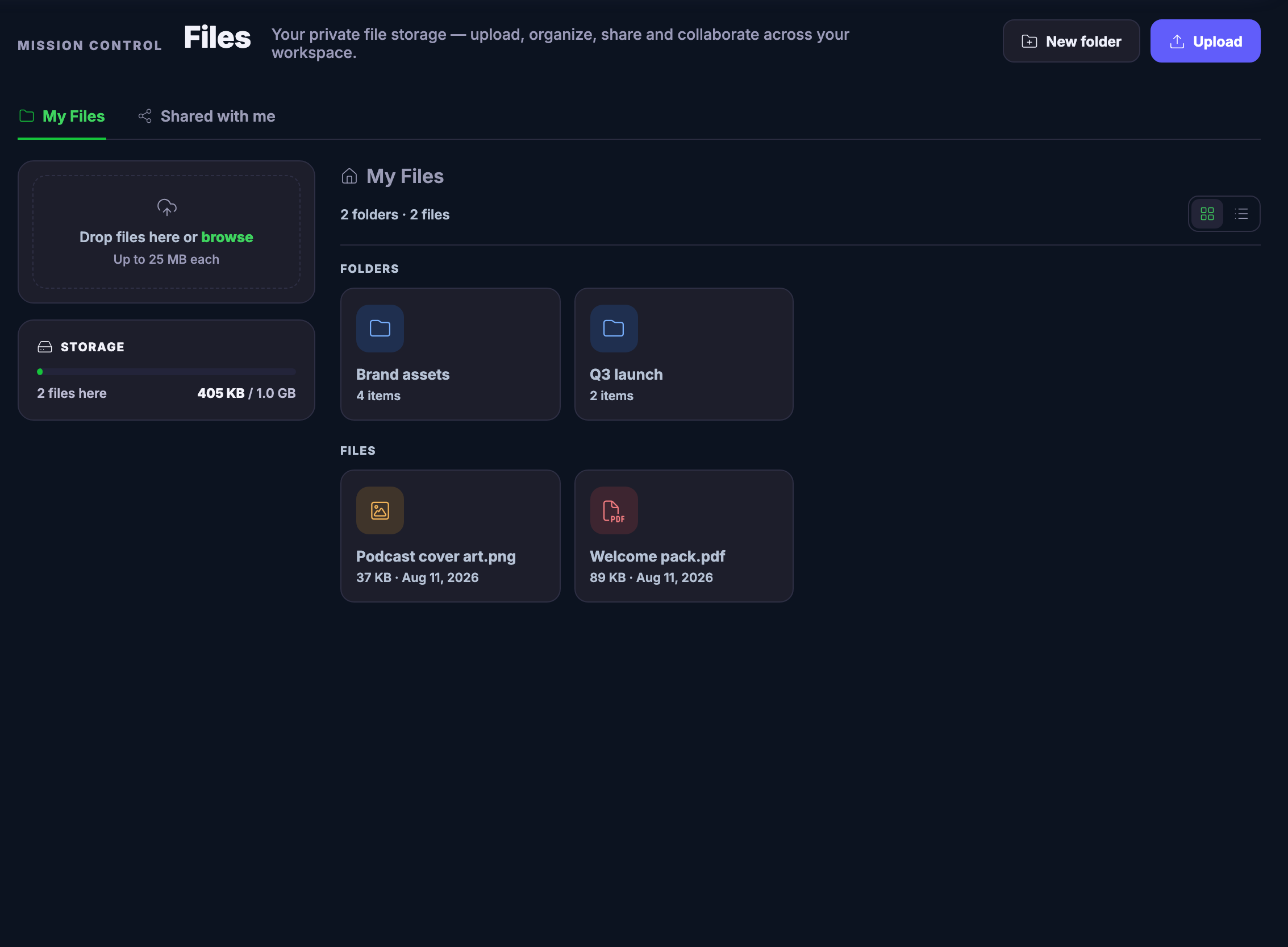
The file lands where the work livesA folder for the brand, a folder for the launch — what you upload sits in your workspace next to the work it belongs to, not wherever the browser dropped it.
Drop it in, see what you holdDrag files straight onto the page or upload in a click, switch between grid and list, and the storage panel always says what is here and how much room is left.
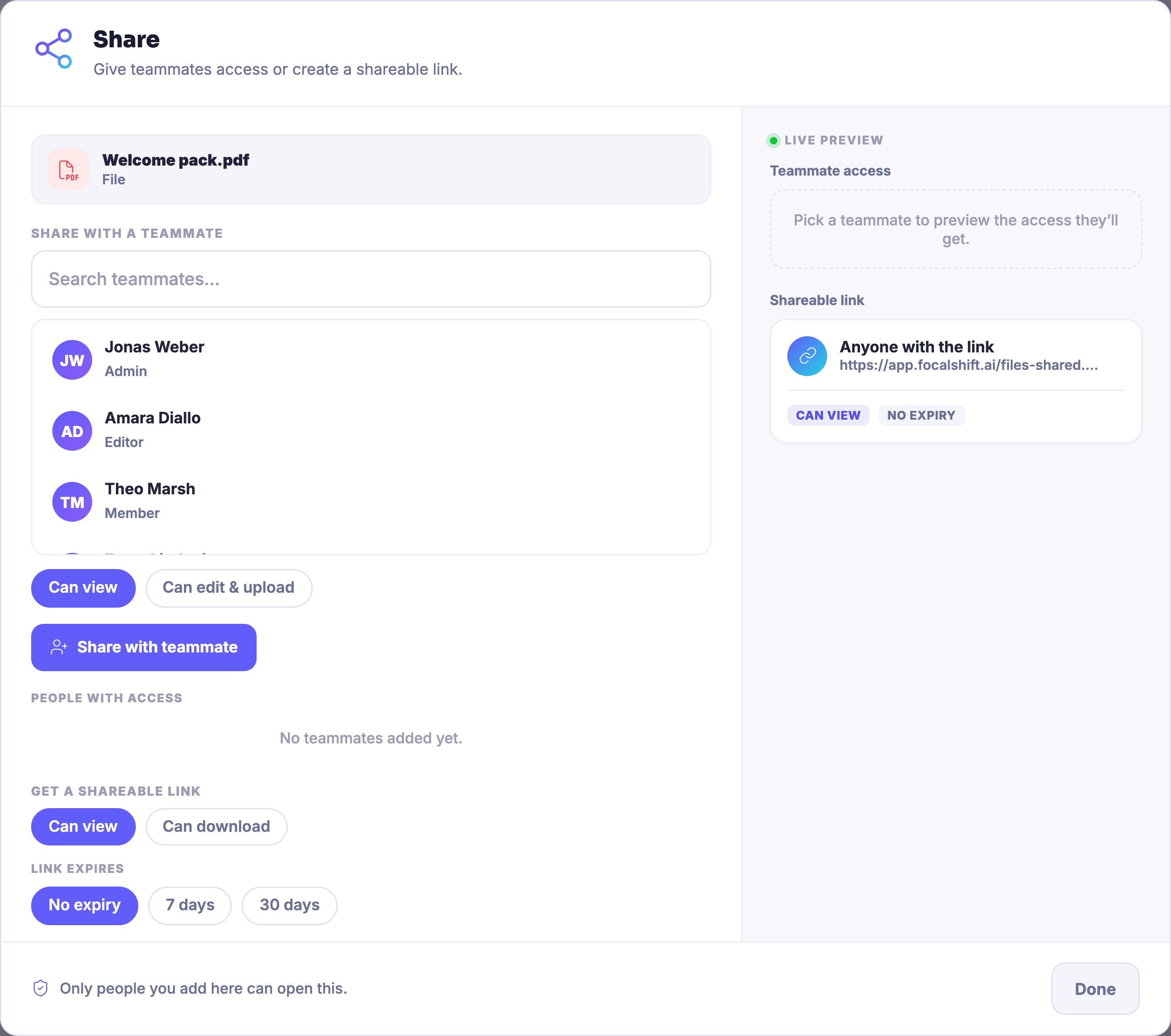
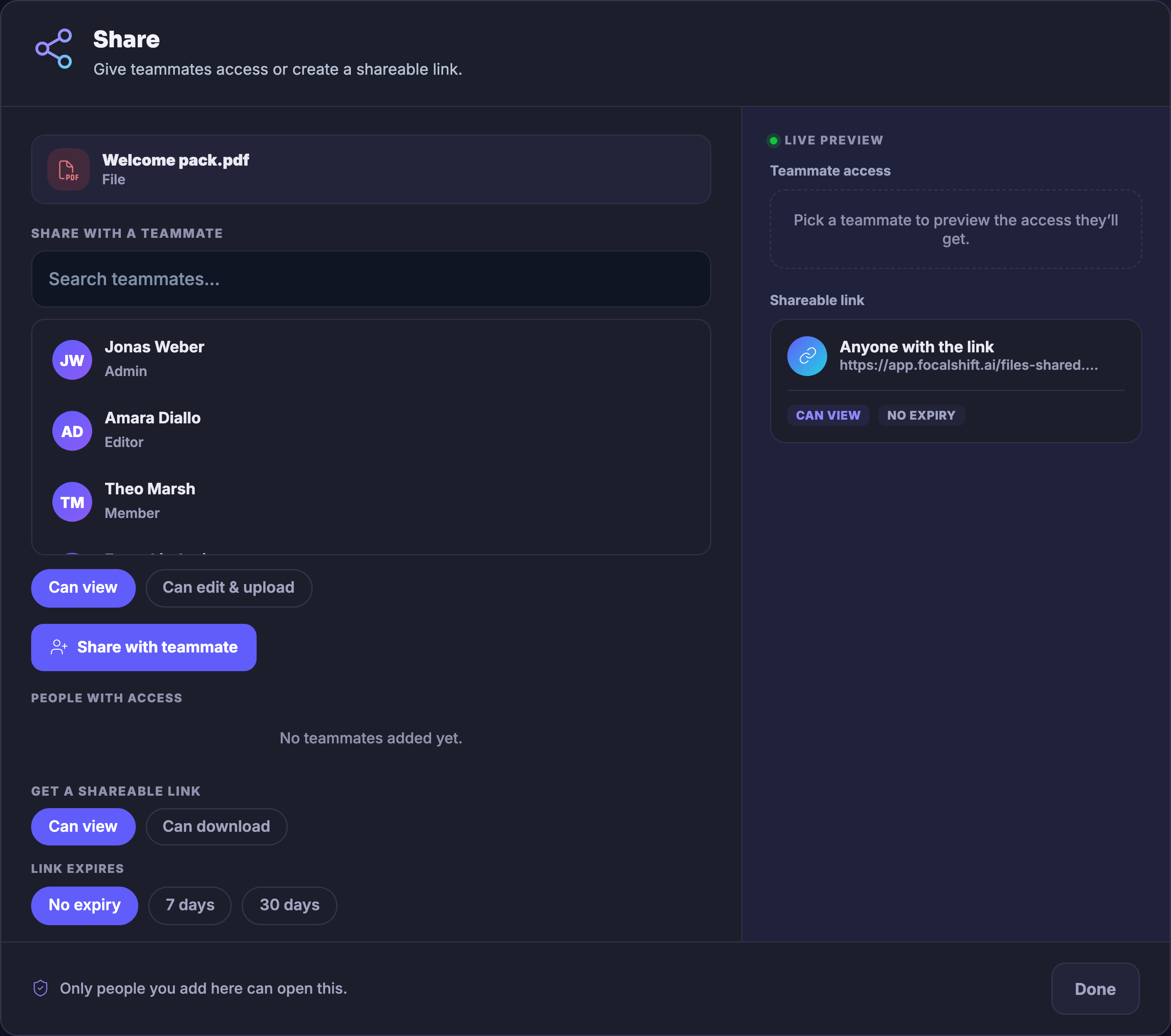
Shared with intentHand a teammate view or edit access, or cut a link that can view or download — with an expiry if it should not live forever. What you share lands in their Shared with me.
Read more about Files

The work makes files — and the files finally have an address.

One place, on purpose. Drag a file onto the page or upload it in a click, and put it in a folder named for the work it serves — the brand’s assets in one, the launch’s papers in another. Grid when you want to see thumbnails, list when you want sizes and dates in columns. The storage panel keeps an honest running count of what is here and the room you have left.

Private until you say otherwise. Nothing here is visible to anybody else until you share it — and sharing is specific. A teammate gets view access or edit-and-upload access, by name. A link can view or it can download, and it can expire on a schedule or never. What you hand a teammate arrives under their own Shared with me tab, and the dialog says the quiet part out loud: only people you add can open it.

And a file is not a dead end. From its own menu a file can be sent to a Focus Board, so the draft joins the board where that work is already moving — the file home and the workday pointing at each other instead of past each other.

What it actually does

  • Uploads by drag or click, folders to sort into, and grid or list views of everything you hold
  • Teammate shares with view or edit-and-upload access, and share links that view or download, with an optional expiry
  • A Shared with me tab for what others hand you, and a send-to-Focus-Board control on every file

What that changes for you

  • The latest logo is exactly where the next person expects it
  • Access is deliberate — private by default, and only as open as you chose
  • No more digging through mail threads for the attachment

You come away with one tidy home for the files your business runs on, and a say over who opens each one.

A look inside Files

Files — platform screenshots

Real screens from the product. Open any one full size, or switch the set to light or dark.

Chiudi
The Files screen in Mission Control, populated: tabs for My Files and Shared with me, a drop-files-here upload card and a storage panel showing two files here and a small fraction of the allowance used. The My Files area lists two folders, one named for the brand’s assets and one for the quarter’s launch, each carrying its item count — and two loose files, a podcast cover art image and a welcome pack document, each card wearing its size and date. New folder and Upload controls sit top right.The Files screen in Mission Control, populated: tabs for My Files and Shared with me, a drop-files-here upload card and a storage panel showing two files here and a small fraction of the allowance used. The My Files area lists two folders, one named for the brand’s assets and one for the quarter’s launch, each carrying its item count — and two loose files, a podcast cover art image and a welcome pack document, each card wearing its size and date. New folder and Upload controls sit top right.
The Share dialog open over the Files screen, for the welcome pack document: a search-teammates field above a roster of demo teammates with their role tags, chips choosing between view access and edit-and-upload access, and a Share with teammate control. Below, a shareable-link section with view and download permission chips and link-expiry choices including no expiry; a live-preview column on the right shows the anyone-with-the-link card, and the footer notes that only people you add here can open this.The Share dialog open over the Files screen, for the welcome pack document: a search-teammates field above a roster of demo teammates with their role tags, chips choosing between view access and edit-and-upload access, and a Share with teammate control. Below, a shareable-link section with view and download permission chips and link-expiry choices including no expiry; a live-preview column on the right shows the anyone-with-the-link card, and the footer notes that only people you add here can open this.

File

Chiudi
The Files screen in Mission Control, populated: tabs for My Files and Shared with me, a drop-files-here upload card and a storage panel showing two files here and a small fraction of the allowance used. The My Files area lists two folders, one named for the brand’s assets and one for the quarter’s launch, each carrying its item count — and two loose files, a podcast cover art image and a welcome pack document, each card wearing its size and date. New folder and Upload controls sit top right.The Files screen in Mission Control, populated: tabs for My Files and Shared with me, a drop-files-here upload card and a storage panel showing two files here and a small fraction of the allowance used. The My Files area lists two folders, one named for the brand’s assets and one for the quarter’s launch, each carrying its item count — and two loose files, a podcast cover art image and a welcome pack document, each card wearing its size and date. New folder and Upload controls sit top right.

File

Chiudi
The Share dialog open over the Files screen, for the welcome pack document: a search-teammates field above a roster of demo teammates with their role tags, chips choosing between view access and edit-and-upload access, and a Share with teammate control. Below, a shareable-link section with view and download permission chips and link-expiry choices including no expiry; a live-preview column on the right shows the anyone-with-the-link card, and the footer notes that only people you add here can open this.The Share dialog open over the Files screen, for the welcome pack document: a search-teammates field above a roster of demo teammates with their role tags, chips choosing between view access and edit-and-upload access, and a Share with teammate control. Below, a shareable-link section with view and download permission chips and link-expiry choices including no expiry; a live-preview column on the right shows the anyone-with-the-link card, and the footer notes that only people you add here can open this.

A look inside Files

Stills from the product, one after the next.

The Files screen in Mission Control, populated: tabs for My Files and Shared with me, a drop-files-here upload card and a storage panel showing two files here and a small fraction of the allowance used. The My Files area lists two folders, one named for the brand’s assets and one for the quarter’s launch, each carrying its item count — and two loose files, a podcast cover art image and a welcome pack document, each card wearing its size and date. New folder and Upload controls sit top right.The Files screen in Mission Control, populated: tabs for My Files and Shared with me, a drop-files-here upload card and a storage panel showing two files here and a small fraction of the allowance used. The My Files area lists two folders, one named for the brand’s assets and one for the quarter’s launch, each carrying its item count — and two loose files, a podcast cover art image and a welcome pack document, each card wearing its size and date. New folder and Upload controls sit top right.
The Share dialog open over the Files screen, for the welcome pack document: a search-teammates field above a roster of demo teammates with their role tags, chips choosing between view access and edit-and-upload access, and a Share with teammate control. Below, a shareable-link section with view and download permission chips and link-expiry choices including no expiry; a live-preview column on the right shows the anyone-with-the-link card, and the footer notes that only people you add here can open this.The Share dialog open over the Files screen, for the welcome pack document: a search-teammates field above a roster of demo teammates with their role tags, chips choosing between view access and edit-and-upload access, and a Share with teammate control. Below, a shareable-link section with view and download permission chips and link-expiry choices including no expiry; a live-preview column on the right shows the anyone-with-the-link card, and the footer notes that only people you add here can open this.
An open green folder with a sheet of paper lifting out of it, a paperclip and an envelope beside it

See it in your own business.

Everything on this page comes with the platform — start free and try it on your real work.

Get started now

Next Up: Backstage

The working room behind the polished surfaces.

Chiedi a Maven