Сообщения

This is the product's own frame. Your conversations appear here once you have an account.

Get started now
Уведомления

This is the product's own frame. Alerts about your business appear here once you have an account.

Русский

9:05 · The look is set once, at the top

Brand held once, applied to everything.


Site Look is one panel: a theme, three colours, the neutrals, a display face, a body face and one base text size everything scales from. Set it once and every page, section and landing page you open afterwards already wears it. Touch a swatch and watch the pages follow.

SITE LOOK · HOW EVERY PAGE LOOKS THEME PALETTE NEUTRALS DISPLAY TYPEFACESora BODY TYPEFACEInter BASE TEXT SIZE · EVERYTHING SCALES FROM THIS A PAGE A LANDING PAGE AN EMAIL
Touch a swatch · everything here already wears your brand

Maven adds this one: sooner or later everything else here needs somewhere to point at, and that page has to be yours to change.

The Design Canvas

Everywhere you design, in one place — and everything you open there is already in your colours.
Brand held once, applied to everythingYour colours, your type and your logo live in one kit, and anything you open on the canvas starts already wearing them.
Finished designs, not a blank pageA shelf of complete designs to start from — whole sites, single pages, sections and email layouts — each one yours to take apart.
One canvas, every surfaceThe page, the post, the product shot and the letter are built in the same room, which is why they finally match.
Read more about The Design Canvas

Start with the part that already works.

Your colours, your type and your logo are held once, so anything you build starts already wearing them. Landing pages, social artwork and product shots come out of the same place, which is why they finally match.

The shelf is the point. A finished design — a whole site, a single page, one section, an email layout — is a running start rather than a blank canvas, and every one of them can be opened, taken apart and made yours rather than admired and abandoned.

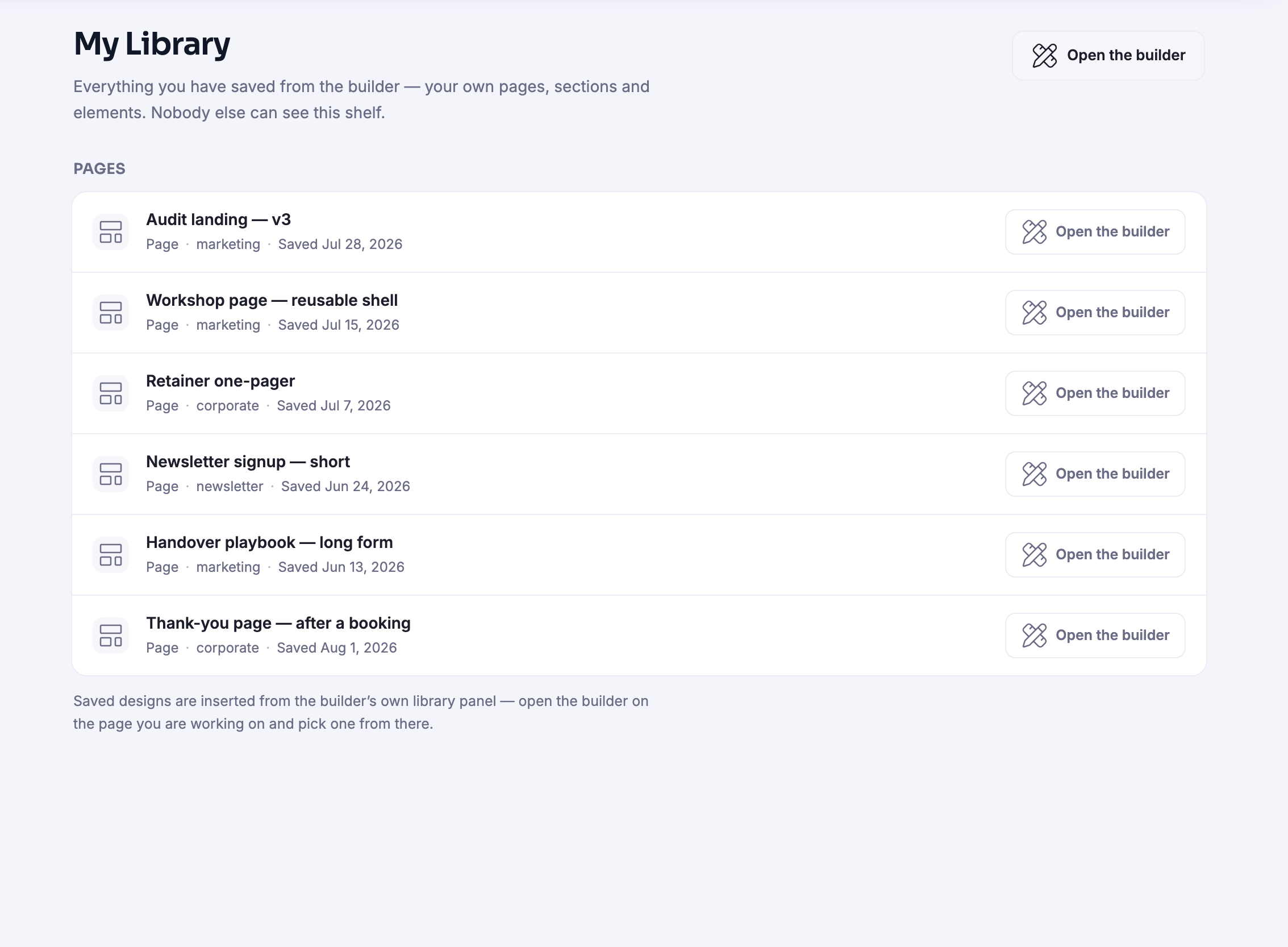
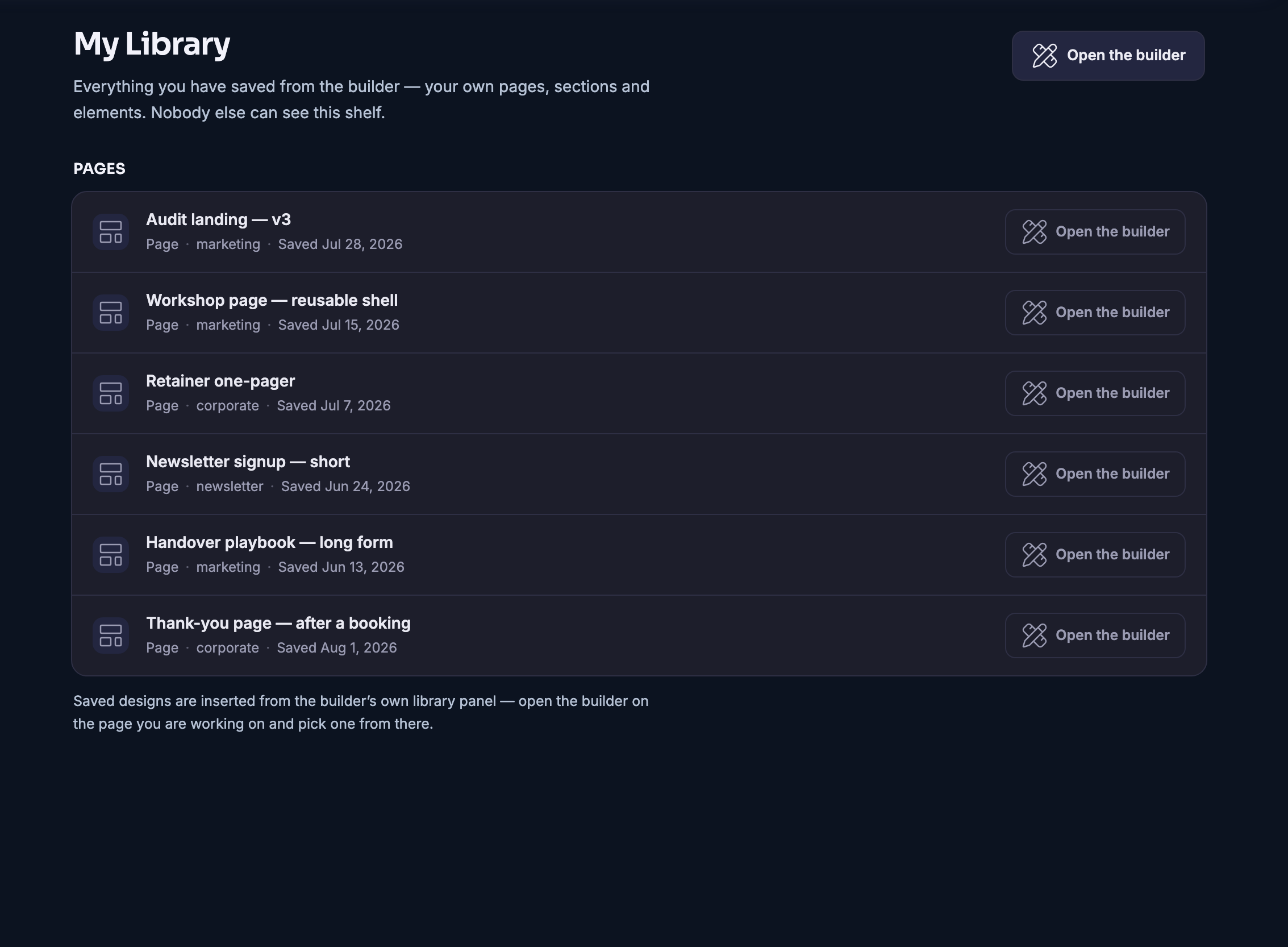
Everything you keep goes to your own library. The section that worked on last month’s page is there for this month’s, and a design you have already made yours does not have to be made yours twice.

And it does not end at the canvas. A finished design can go live on an address of your own, or be sent across to a site you already run, without anybody exporting anything.

What it actually does

  • Brand held once, applied to everything
  • Finished designs to start from, all of them editable
  • Pages, artwork and email layouts built on one canvas

What that changes for you

  • Your work stops looking like five different companies
  • A page goes live the same afternoon you thought of it
  • You are not the bottleneck on your own marketing

You come away with a page with an address, and somewhere for a visitor to land.

A look inside The Design Canvas

9:20 · Watch the builder work

Start with the part that already works.

This is the builder as it is in Mission Control. Site Look on the left, the canvas in the middle, Maven prompts in the toolbar, Sandbox and Publish at the top. Open the Library and a whole site, a page template or a single section arrives with real content already in it, wearing your brand. Insert, then make it yours.

MISSION CONTROL · THE BUILDER · RECORDED
The FocalShift page builder: Site Look panel, canvas, Library opening, a section inserted, Publish
LIBRARY · SITES · PAGES · SECTIONS · YOURSInsert
LANDING PAGE · READY THE TEMPLATES SHELF · SHOWN AS LAYOUTS, NOT NAMES

9:40 · The shelf

Finished designs, not a blank page.

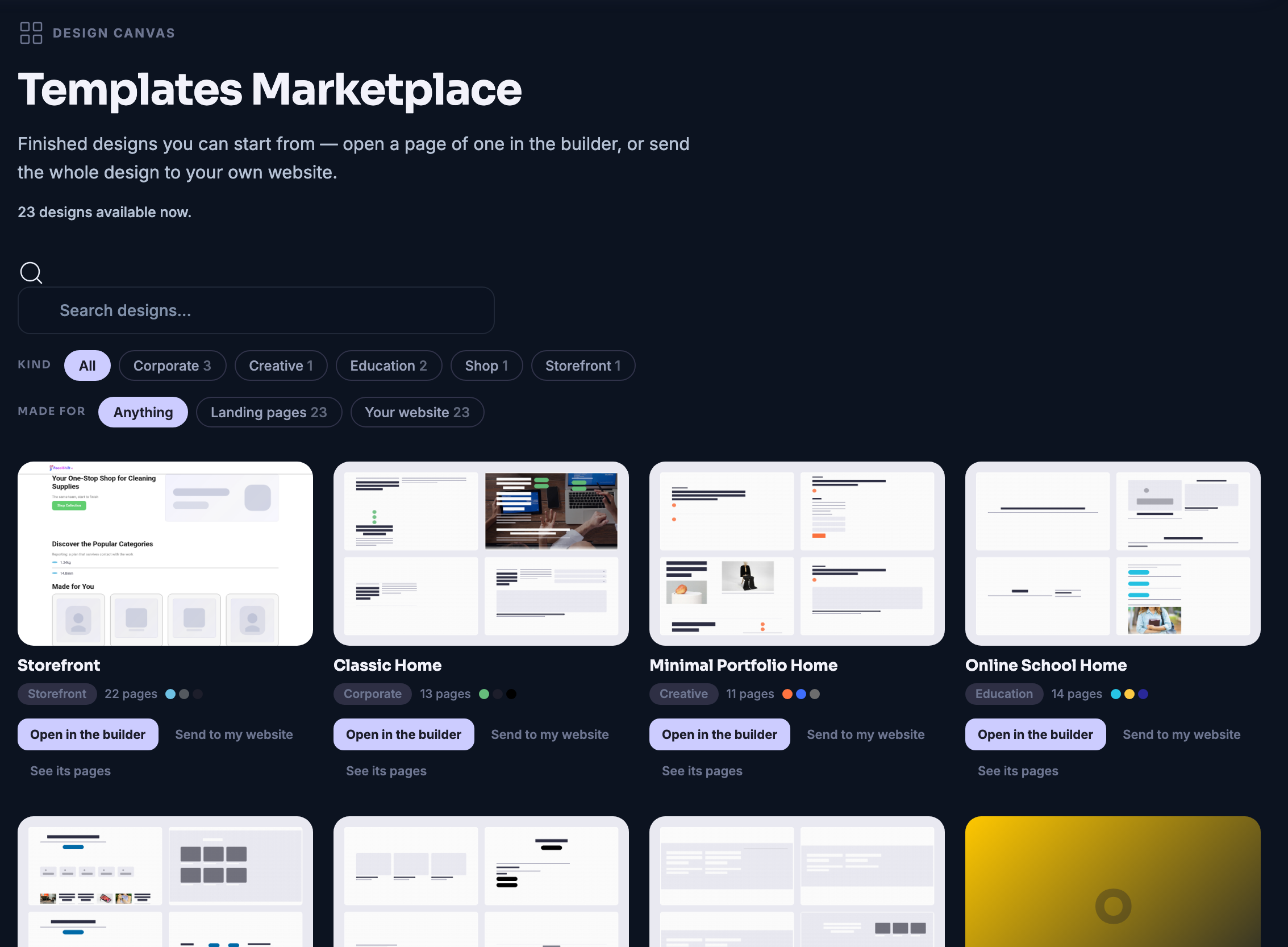
The shelf is finished designs shown as layouts: whole sites, single pages, sections you can drop in. Pick one, and it opens on your canvas already wearing your brand. Save your own once it is right, and it joins the shelf as yours.

The Design Canvas — platform screenshots

Real screens from the product. Open any one full size, or switch the set to light or dark.

Закрыть
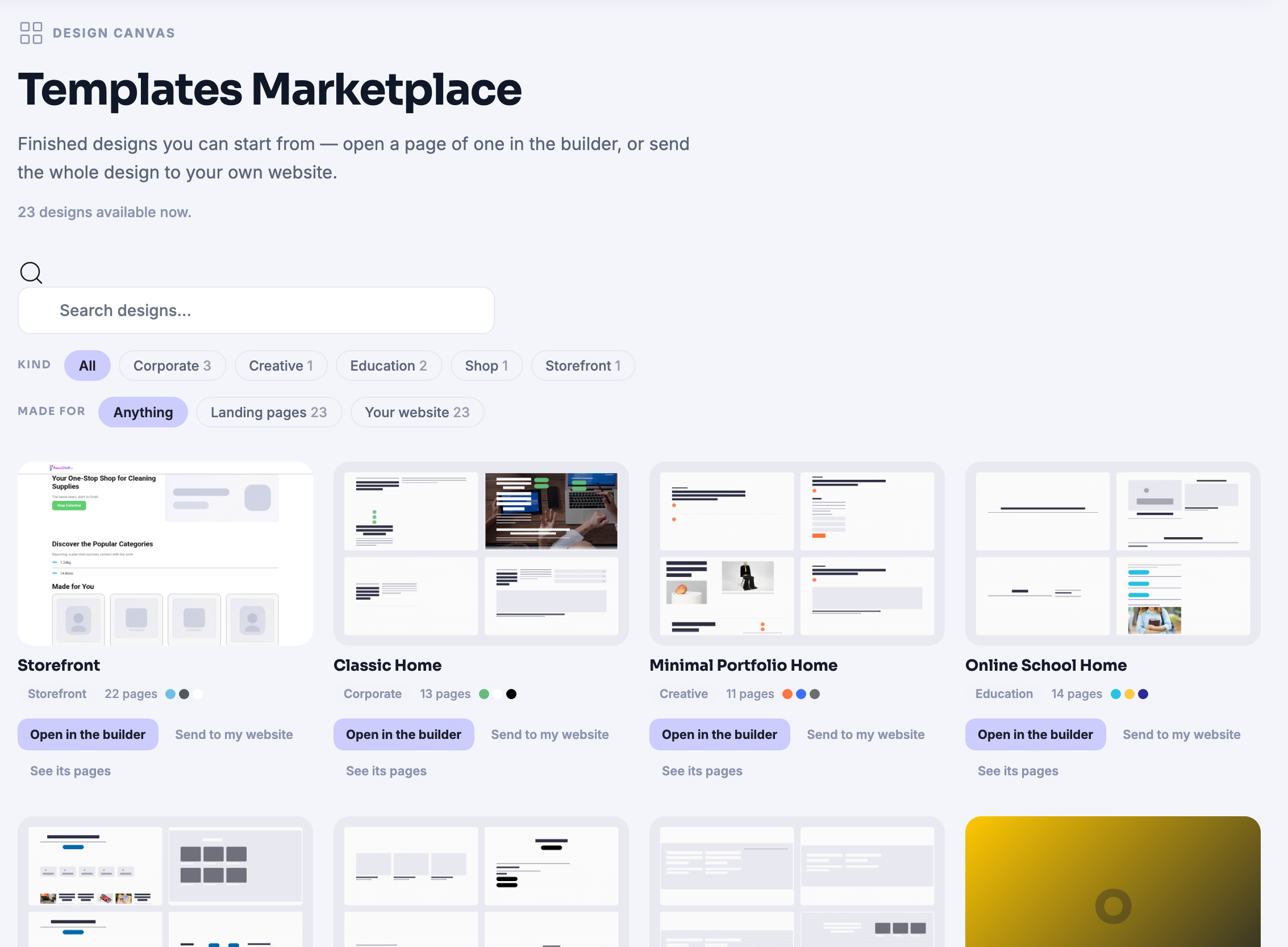
The Templates Marketplace on the Design Canvas: a shelf of finished designs to start from — a storefront, a classic home page, a minimal portfolio home, an online school — each one shown as a thumbnail of its layout rather than a name, and labelled underneath with the kind of business it was made for, how many pages it holds and the palette it uses, drawn as small coloured dots. Every design carries a control that opens it in the builder, one that sends the whole design to a site of your own, and a link to look through its pages first. Above the shelf sit a search box and two rows of filters — the kind of business, and whether a design is meant to be a landing page or a whole website. The page’s own kicker reads Design Canvas, and the grid runs on past the bottom edge of the frame.The Templates Marketplace on the Design Canvas: a shelf of finished designs to start from — a storefront, a classic home page, a minimal portfolio home, an online school — each one shown as a thumbnail of its layout rather than a name, and labelled underneath with the kind of business it was made for, how many pages it holds and the palette it uses, drawn as small coloured dots. Every design carries a control that opens it in the builder, one that sends the whole design to a site of your own, and a link to look through its pages first. Above the shelf sit a search box and two rows of filters — the kind of business, and whether a design is meant to be a landing page or a whole website. The page’s own kicker reads Design Canvas, and the grid runs on past the bottom edge of the frame.
My Library on the Design Canvas: the pages this member has saved out of the builder, filed under a single Pages heading, one to a row — an audit landing page, a reusable workshop shell, a retainer one-pager, a short newsletter signup, a long-form handover playbook, and a thank-you page for after a booking. Each row says what kind of thing it is, the label it was filed under and the date it was saved, and carries a control that opens it back up in the builder. A line at the head of the shelf says that this is everything you have saved and that nobody else can see it; a line at the foot explains that a saved design is dropped in from the builder’s own library panel while you are working on a page.My Library on the Design Canvas: the pages this member has saved out of the builder, filed under a single Pages heading, one to a row — an audit landing page, a reusable workshop shell, a retainer one-pager, a short newsletter signup, a long-form handover playbook, and a thank-you page for after a booking. Each row says what kind of thing it is, the label it was filed under and the date it was saved, and carries a control that opens it back up in the builder. A line at the head of the shelf says that this is everything you have saved and that nobody else can see it; a line at the foot explains that a saved design is dropped in from the builder’s own library panel while you are working on a page.

The Design Canvas

Закрыть
The Templates Marketplace on the Design Canvas: a shelf of finished designs to start from — a storefront, a classic home page, a minimal portfolio home, an online school — each one shown as a thumbnail of its layout rather than a name, and labelled underneath with the kind of business it was made for, how many pages it holds and the palette it uses, drawn as small coloured dots. Every design carries a control that opens it in the builder, one that sends the whole design to a site of your own, and a link to look through its pages first. Above the shelf sit a search box and two rows of filters — the kind of business, and whether a design is meant to be a landing page or a whole website. The page’s own kicker reads Design Canvas, and the grid runs on past the bottom edge of the frame.The Templates Marketplace on the Design Canvas: a shelf of finished designs to start from — a storefront, a classic home page, a minimal portfolio home, an online school — each one shown as a thumbnail of its layout rather than a name, and labelled underneath with the kind of business it was made for, how many pages it holds and the palette it uses, drawn as small coloured dots. Every design carries a control that opens it in the builder, one that sends the whole design to a site of your own, and a link to look through its pages first. Above the shelf sit a search box and two rows of filters — the kind of business, and whether a design is meant to be a landing page or a whole website. The page’s own kicker reads Design Canvas, and the grid runs on past the bottom edge of the frame.

The Design Canvas

Закрыть
My Library on the Design Canvas: the pages this member has saved out of the builder, filed under a single Pages heading, one to a row — an audit landing page, a reusable workshop shell, a retainer one-pager, a short newsletter signup, a long-form handover playbook, and a thank-you page for after a booking. Each row says what kind of thing it is, the label it was filed under and the date it was saved, and carries a control that opens it back up in the builder. A line at the head of the shelf says that this is everything you have saved and that nobody else can see it; a line at the foot explains that a saved design is dropped in from the builder’s own library panel while you are working on a page.My Library on the Design Canvas: the pages this member has saved out of the builder, filed under a single Pages heading, one to a row — an audit landing page, a reusable workshop shell, a retainer one-pager, a short newsletter signup, a long-form handover playbook, and a thank-you page for after a booking. Each row says what kind of thing it is, the label it was filed under and the date it was saved, and carries a control that opens it back up in the builder. A line at the head of the shelf says that this is everything you have saved and that nobody else can see it; a line at the foot explains that a saved design is dropped in from the builder’s own library panel while you are working on a page.

A look inside The Design Canvas

Stills from the product, one after the next.

The Templates Marketplace on the Design Canvas: a shelf of finished designs to start from — a storefront, a classic home page, a minimal portfolio home, an online school — each one shown as a thumbnail of its layout rather than a name, and labelled underneath with the kind of business it was made for, how many pages it holds and the palette it uses, drawn as small coloured dots. Every design carries a control that opens it in the builder, one that sends the whole design to a site of your own, and a link to look through its pages first. Above the shelf sit a search box and two rows of filters — the kind of business, and whether a design is meant to be a landing page or a whole website. The page’s own kicker reads Design Canvas, and the grid runs on past the bottom edge of the frame.The Templates Marketplace on the Design Canvas: a shelf of finished designs to start from — a storefront, a classic home page, a minimal portfolio home, an online school — each one shown as a thumbnail of its layout rather than a name, and labelled underneath with the kind of business it was made for, how many pages it holds and the palette it uses, drawn as small coloured dots. Every design carries a control that opens it in the builder, one that sends the whole design to a site of your own, and a link to look through its pages first. Above the shelf sit a search box and two rows of filters — the kind of business, and whether a design is meant to be a landing page or a whole website. The page’s own kicker reads Design Canvas, and the grid runs on past the bottom edge of the frame.
My Library on the Design Canvas: the pages this member has saved out of the builder, filed under a single Pages heading, one to a row — an audit landing page, a reusable workshop shell, a retainer one-pager, a short newsletter signup, a long-form handover playbook, and a thank-you page for after a booking. Each row says what kind of thing it is, the label it was filed under and the date it was saved, and carries a control that opens it back up in the builder. A line at the head of the shelf says that this is everything you have saved and that nobody else can see it; a line at the foot explains that a saved design is dropped in from the builder’s own library panel while you are working on a page.My Library on the Design Canvas: the pages this member has saved out of the builder, filed under a single Pages heading, one to a row — an audit landing page, a reusable workshop shell, a retainer one-pager, a short newsletter signup, a long-form handover playbook, and a thank-you page for after a booking. Each row says what kind of thing it is, the label it was filed under and the date it was saved, and carries a control that opens it back up in the builder. A line at the head of the shelf says that this is everything you have saved and that nobody else can see it; a line at the foot explains that a saved design is dropped in from the builder’s own library panel while you are working on a page.

The Builder — platform screenshots

Real screens from the product. Open any one full size, or switch the set to light or dark.

Закрыть
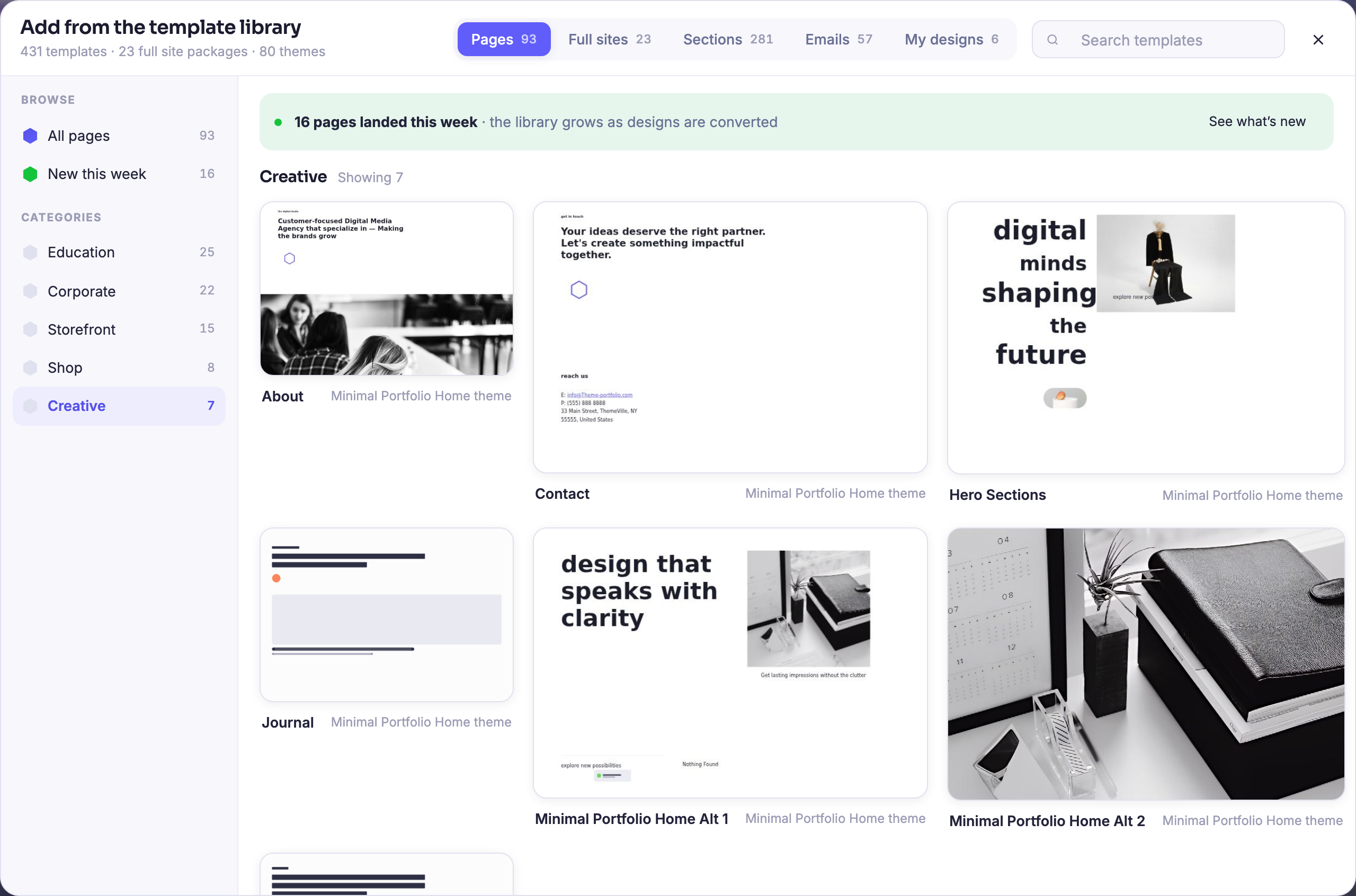
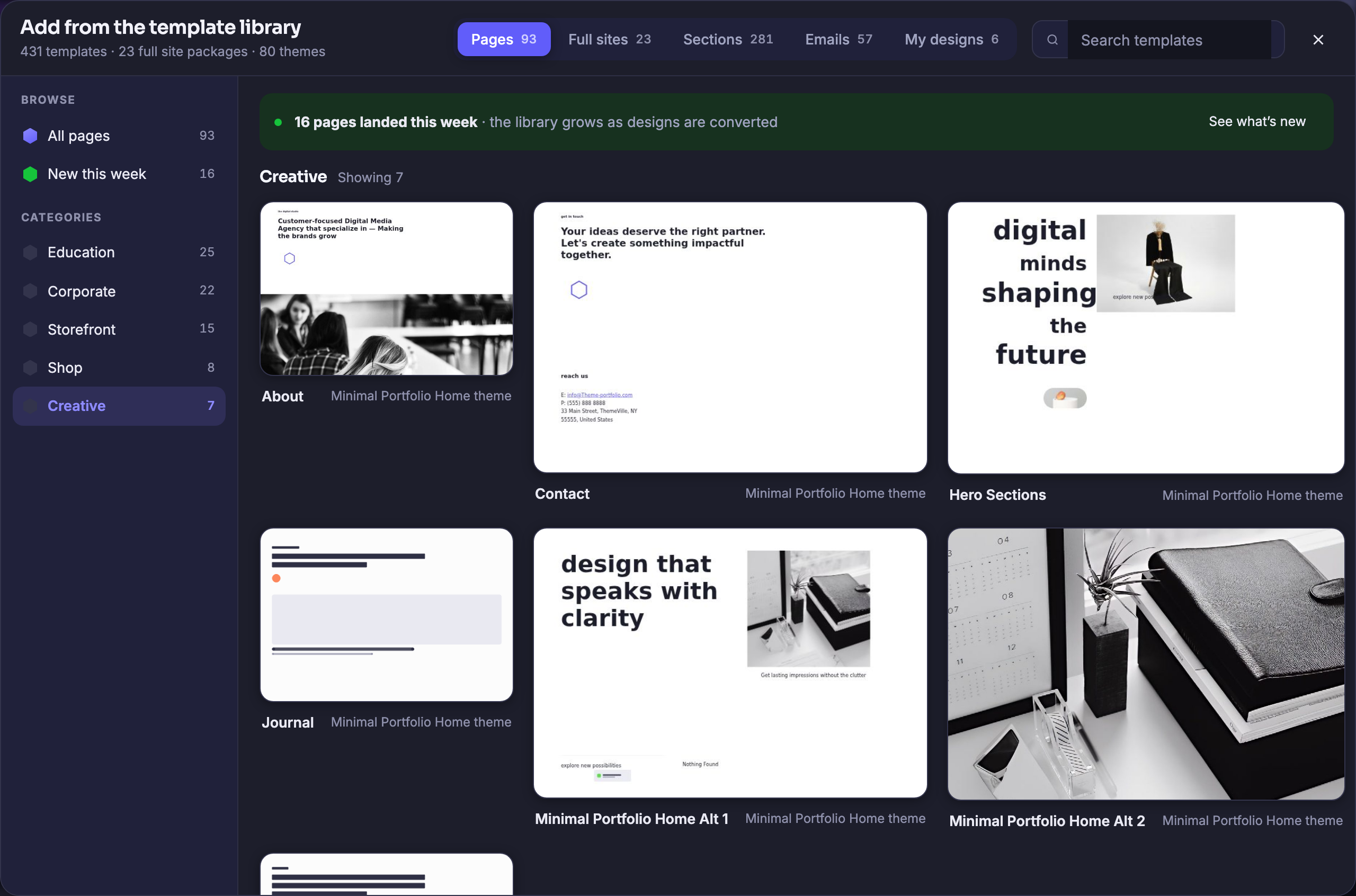
The Builder with its template library open over the canvas, headed “Add from the template library” and counting, under that heading, four hundred and thirty-one templates, twenty-three whole-site packages and eighty themes. Across the top a strip of tabs names what is in it — pages, full sites, sections, emails and the member’s own designs — each with its own count beside it, with a search box at the end. Down the left a browse rail lists everything, then what landed this week, then the categories with their counts: education, corporate, storefront, shop and creative. The creative set is the one showing, and its finished page designs fill the panel three across: an agency page opening on a black-and-white photograph of four people at work, a contact page with a plain invitation and an address block, a hero page setting the words digital minds shaping the future beside a fashion photograph, a journal page laid out as headings and a wide image band, and two portfolio home pages — one pairing the line design that speaks with clarity with a still life, the other a full-bleed photograph of a desk; a seventh begins below the fold, which is what the panel’s own header counts when it reads seven.The Builder with its template library open over the canvas, headed “Add from the template library” and counting, under that heading, four hundred and thirty-one templates, twenty-three whole-site packages and eighty themes. Across the top a strip of tabs names what is in it — pages, full sites, sections, emails and the member’s own designs — each with its own count beside it, with a search box at the end. Down the left a browse rail lists everything, then what landed this week, then the categories with their counts: education, corporate, storefront, shop and creative. The creative set is the one showing, and its finished page designs fill the panel three across: an agency page opening on a black-and-white photograph of four people at work, a contact page with a plain invitation and an address block, a hero page setting the words digital minds shaping the future beside a fashion photograph, a journal page laid out as headings and a wide image band, and two portfolio home pages — one pairing the line design that speaks with clarity with a still life, the other a full-bleed photograph of a desk; a seventh begins below the fold, which is what the panel’s own header counts when it reads seven.

Конструктор

Закрыть
The Builder with its template library open over the canvas, headed “Add from the template library” and counting, under that heading, four hundred and thirty-one templates, twenty-three whole-site packages and eighty themes. Across the top a strip of tabs names what is in it — pages, full sites, sections, emails and the member’s own designs — each with its own count beside it, with a search box at the end. Down the left a browse rail lists everything, then what landed this week, then the categories with their counts: education, corporate, storefront, shop and creative. The creative set is the one showing, and its finished page designs fill the panel three across: an agency page opening on a black-and-white photograph of four people at work, a contact page with a plain invitation and an address block, a hero page setting the words digital minds shaping the future beside a fashion photograph, a journal page laid out as headings and a wide image band, and two portfolio home pages — one pairing the line design that speaks with clarity with a still life, the other a full-bleed photograph of a desk; a seventh begins below the fold, which is what the panel’s own header counts when it reads seven.The Builder with its template library open over the canvas, headed “Add from the template library” and counting, under that heading, four hundred and thirty-one templates, twenty-three whole-site packages and eighty themes. Across the top a strip of tabs names what is in it — pages, full sites, sections, emails and the member’s own designs — each with its own count beside it, with a search box at the end. Down the left a browse rail lists everything, then what landed this week, then the categories with their counts: education, corporate, storefront, shop and creative. The creative set is the one showing, and its finished page designs fill the panel three across: an agency page opening on a black-and-white photograph of four people at work, a contact page with a plain invitation and an address block, a hero page setting the words digital minds shaping the future beside a fashion photograph, a journal page laid out as headings and a wide image band, and two portfolio home pages — one pairing the line design that speaks with clarity with a still life, the other a full-bleed photograph of a desk; a seventh begins below the fold, which is what the panel’s own header counts when it reads seven.

A look inside The Builder

Stills from the product, one after the next.

The Builder with its template library open over the canvas, headed “Add from the template library” and counting, under that heading, four hundred and thirty-one templates, twenty-three whole-site packages and eighty themes. Across the top a strip of tabs names what is in it — pages, full sites, sections, emails and the member’s own designs — each with its own count beside it, with a search box at the end. Down the left a browse rail lists everything, then what landed this week, then the categories with their counts: education, corporate, storefront, shop and creative. The creative set is the one showing, and its finished page designs fill the panel three across: an agency page opening on a black-and-white photograph of four people at work, a contact page with a plain invitation and an address block, a hero page setting the words digital minds shaping the future beside a fashion photograph, a journal page laid out as headings and a wide image band, and two portfolio home pages — one pairing the line design that speaks with clarity with a still life, the other a full-bleed photograph of a desk; a seventh begins below the fold, which is what the panel’s own header counts when it reads seven.The Builder with its template library open over the canvas, headed “Add from the template library” and counting, under that heading, four hundred and thirty-one templates, twenty-three whole-site packages and eighty themes. Across the top a strip of tabs names what is in it — pages, full sites, sections, emails and the member’s own designs — each with its own count beside it, with a search box at the end. Down the left a browse rail lists everything, then what landed this week, then the categories with their counts: education, corporate, storefront, shop and creative. The creative set is the one showing, and its finished page designs fill the panel three across: an agency page opening on a black-and-white photograph of four people at work, a contact page with a plain invitation and an address block, a hero page setting the words digital minds shaping the future beside a fashion photograph, a journal page laid out as headings and a wide image band, and two portfolio home pages — one pairing the line design that speaks with clarity with a still life, the other a full-bleed photograph of a desk; a seventh begins below the fold, which is what the panel’s own header counts when it reads seven.

Maven adds this one: the moment changing a page needs somebody else, it stops getting changed.

Конструктор

A page built the way a page is actually built — from good parts, not from an empty rectangle.

A library of finished sectionsTwo hundred ready-made sections on the shelf. Bring one onto the page and it arrives whole, not as a box you have to fill.
The look is set once, at the topTheme, palette, typefaces and base size are decided for the whole page in one panel. Change one and the page follows.
Sandbox first, publish when you mean itWork on it privately for as long as you like. Nothing your visitors see changes until you say so.
Read more about The Builder

Nobody builds a page from an empty rectangle. This one starts from the parts.

The library is the difference. Whole sites, single pages, individual sections and the elements you saved yourself all sit one control away, and bringing one onto the canvas gives you a finished piece of page to edit rather than an empty container to fill.

The look is decided once, at the top. Theme, palette, typefaces and the base text size are set for the whole page in a single panel, and everything on the page scales from that one number. You are not restyling twelve things to change one thing.

Nothing is public until you decide it is. Work happens in a sandbox for as long as you want it to; publishing is a deliberate act, and what your visitors see does not move underneath them while you are still thinking.

When it is finished it goes somewhere real: live on an address of your own, or across to a site you already run. Either way the page leaves the builder as a page rather than as a file somebody has to install.

What it actually does

  • A library of ready-made sections, pages and whole sites
  • One panel that sets the look of the entire page
  • A private sandbox, and publishing as a deliberate act

What that changes for you

  • A page is an afternoon of work rather than a project
  • Changing the look is one edit, not a dozen
  • Nothing goes live before you are ready for it to

You come away with a real page, on a real address, built in an afternoon.

A look inside The Builder

10:15 · The payoff · A landing page

Sandbox first, publish when you mean it.

The landing page introduces the offer and takes the sign-up, and the form at its foot is already wired to your customer list, so a name typed there is a contact the same second. Build it in the private Sandbox, look at it as long as you like, and press Publish only when you mean it.

SANDBOX · PRIVATE UNTIL YOU SAY THE OFFER SIGN UP YOUR CUSTOMER LIST PUBLISH LIVEYOUR SITE · YOUR ADDRESS
Press publish · only when you mean it

The Design Canvas & Landing Pages · included

Nobody builds a page from an empty rectangle. This one starts from the parts.

A page that is yours to change, built from parts that already work, already wearing your brand, published when you mean it.

Get started now

Next Up: Download

Take the platform with you on the desktop and on the phone.

Спросить Maven