Messages

This is the product's own frame. Your conversations appear here once you have an account.

Get started now
Notifications

This is the product's own frame. Alerts about your business appear here once you have an account.

Français
Main Street noticed you back

Local Pulse.

The local-business toolkit — customers remembered, reviews gathered, loyalty running and your shop visible on the map.

The idea, drawn

A neighborhood business is a memory problem.

The people who keep a local business alive are the ones who come back. Pulse is the part of the platform that remembers them — who they are, what they bought, when they last came in, and whether anyone ever thanked them for it.

A shop on its street, with the regulars who come back

Drawn: one shop on its street, the regulars who return to it, and the review that arrives because somebody asked.

Remembered, not re–asked

A customer’s history is attached to the customer, so the person serving them does not have to reconstruct it.

Asked at the right moment

The request for a review goes out after the visit, not weeks later when the feeling has gone.

Findable on the map

The listing, the hours and the replies live in the same place as the customers they bring in.

Why it matters

What this does for your business.

Built for a doorTools shaped for businesses with foot traffic and regulars.
The neighborhood graphCustomers, reviews and nearby allies in one view.
Big-chain memoryRemember people like the corporations do — without being one.
Part of one platform — works hand-in-hand withSur la carte·Local Customers

Close up

Every city on the map has a page. One of them is yours.

The members working near you, what they have published about the place, and how the week has really moved it — one page per city, and the one you are nearest offered outright.

A page per place, not a group to join.Every city with members working in it has its own page, ranked by what has actually happened there this week. The one you are nearest is offered outright and any other is a word in a search field away. There is nothing to apply for and nothing to set up.

The people on your own street.The members near you, each with a line saying what their business does and where it is, and a marking on the ones open to being hired. That is the difference between knowing somebody is out there and knowing who.

Local knowledge, written down.Long-form from and about the city, gathered as members publish it — how a launch actually went, what a season of doorstep conversations taught somebody, what a count done by hand said before a lease was signed. None of it would have been in a directory.

Because you said I reach people near me.

Local Pulse

A page for the city you are actually in — who is working there, what they have been publishing about the place, and how the week has really moved it.
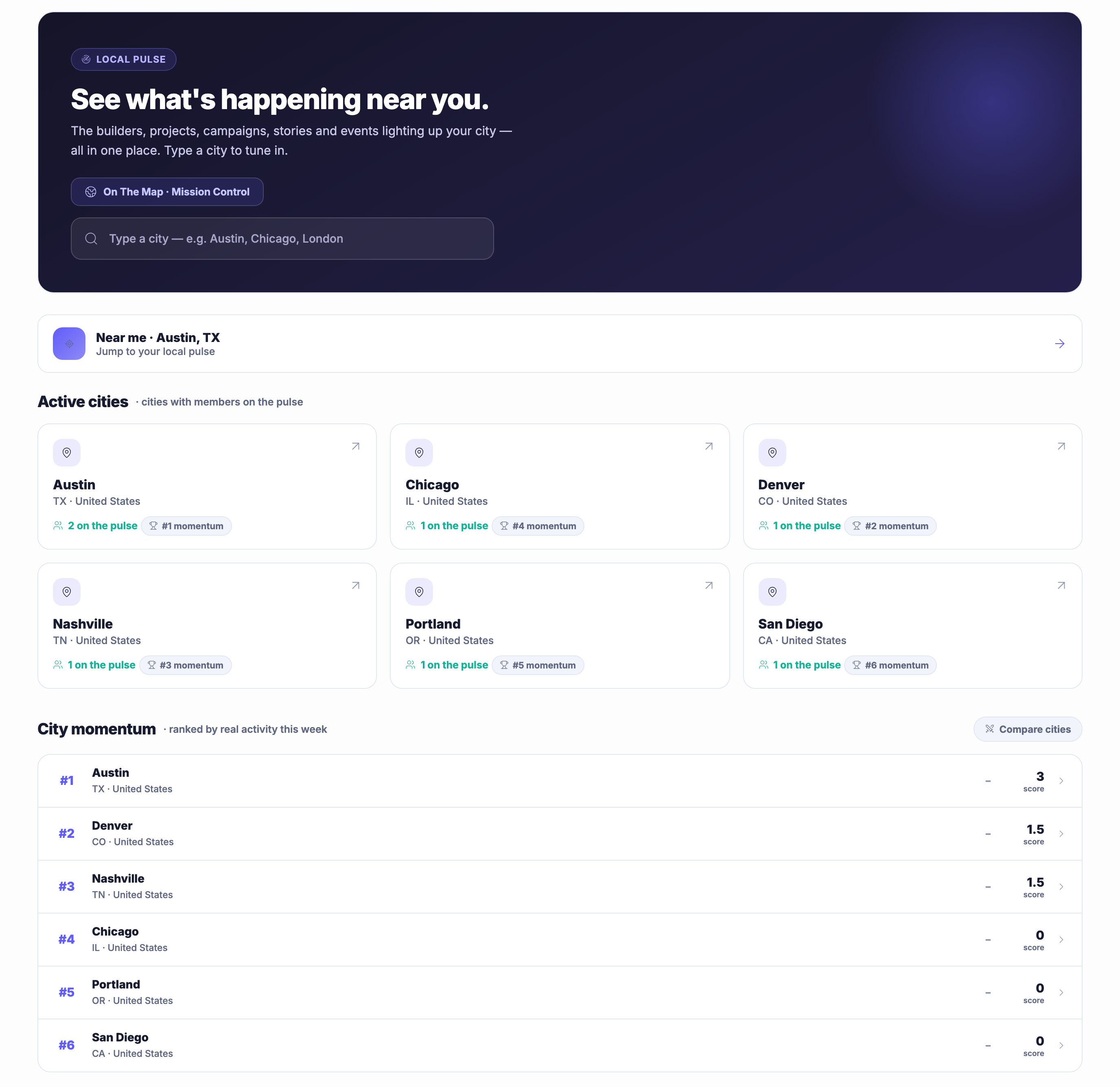
A page per city, and one of them is yoursEvery place with members working in it has its own page, ranked by what has actually happened there this week, with the one nearest you offered outright. Type a city and you are in it. There is nothing to apply for and nothing to set up.
The people on your own streetThe members near you, each with a line about what their business does and where it is, and a marking on the ones open to being hired. That is the difference between knowing somebody is out there and knowing who.
What they have written about the placeLong-form from and about your city, gathered as members publish it — how a launch actually went, what a season of doorstep conversations taught somebody, what a count done by hand said before a lease was signed. None of it would have been in a directory.
Read more about Local Pulse

Who is working where you are, and what they have already worked out about the place.

On The Map shows you the whole network from above. Local Pulse is the other end of the same telescope: one city, close up, with the people working in it named and the writing they have published under their own names sitting beside them.

Every place with members in it has a page. The one you are nearest is offered outright and any other is a word in a search field away, because a city is somewhere you look at rather than a group you apply to join. Each page carries what has actually moved there this week and where that puts it against everywhere else — and where nothing has moved, it says nothing has moved, which is the only useful way to be told a place is quiet.

The community band is the part most people came for: the members near you, what each of them does, where they are, and whether they are open to being hired. It turns a vague sense that there must be somebody local into a name you can read and a business you can look at.

Beside it sits the writing, and that is where local knowledge actually lives. Somebody who counted the people walking a riverside path for three weekends before signing a lease has learned something no listing could hold, and on the city page it is a piece anybody a mile away can read. Nothing here asks you to publish in order to be included — being on your city page follows from working on the platform in a place, the same way being on the map does. What publishing gets you is that somebody nearby reads it.

What it actually does

  • A page for every city where members are working
  • The members near you, and who is open to being hired
  • Long-form from and about the place, as it is published

What that changes for you

  • You can see the businesses on your own street, not only the ones on the internet
  • A neighbour who is open to work is a name rather than a guess
  • What somebody local learned the hard way is readable before you learn it too

You come away with the people working where you are, and what they have already worked out about the place.

A look inside Local Pulse

Growth Overview — platform screenshots

Real screens from the product. Open any one full size, or switch the set to light or dark.

Fermer
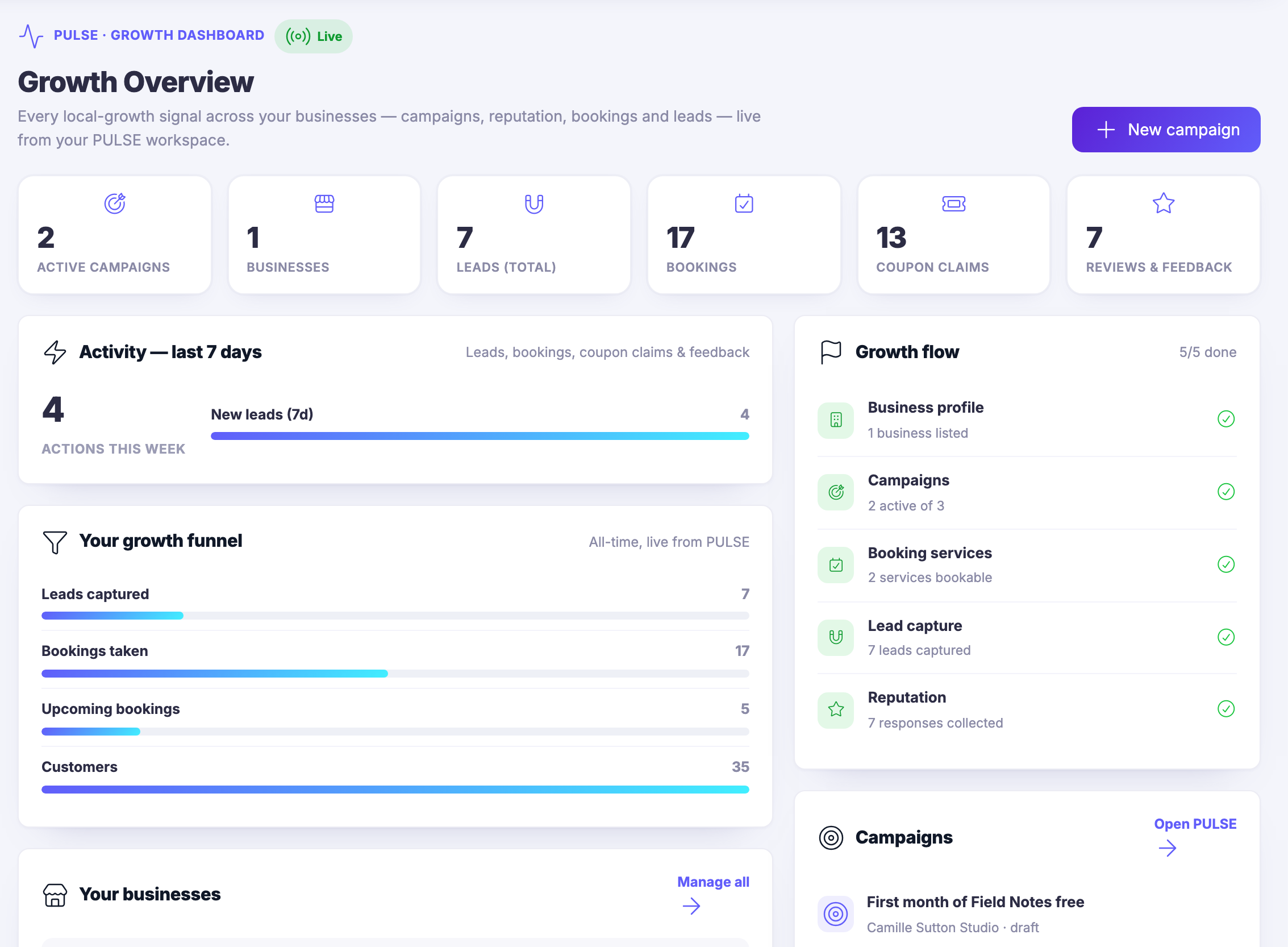
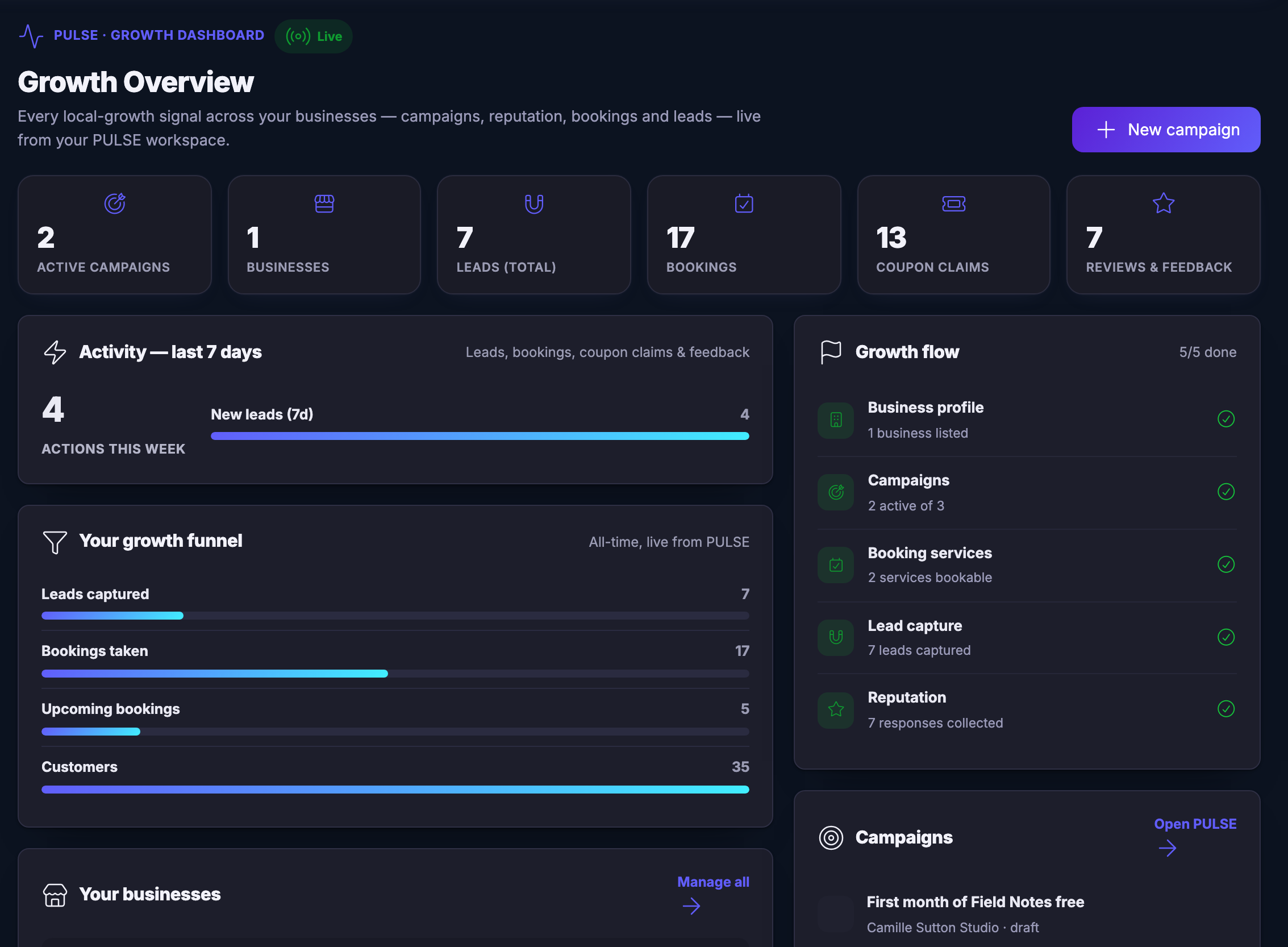
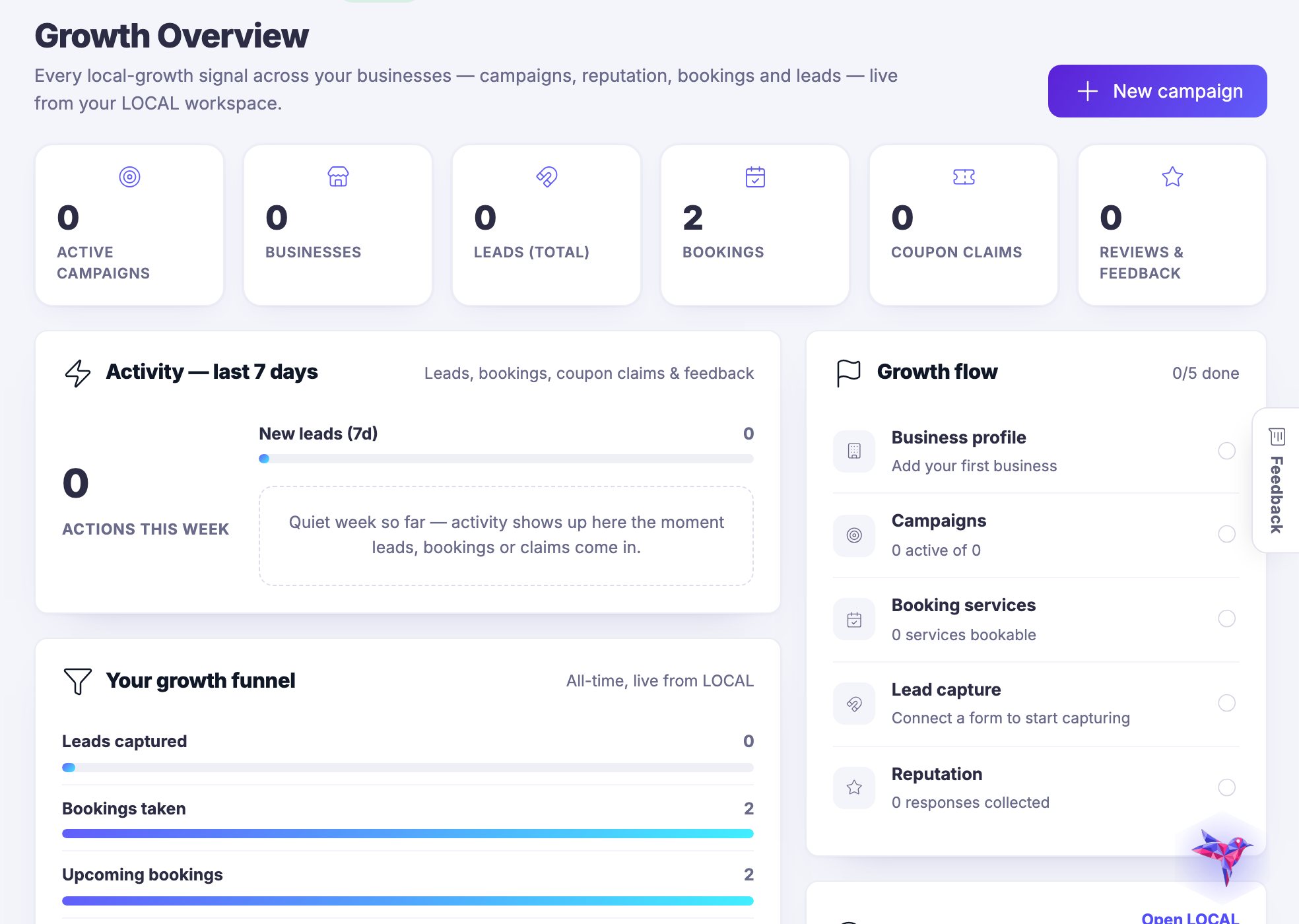
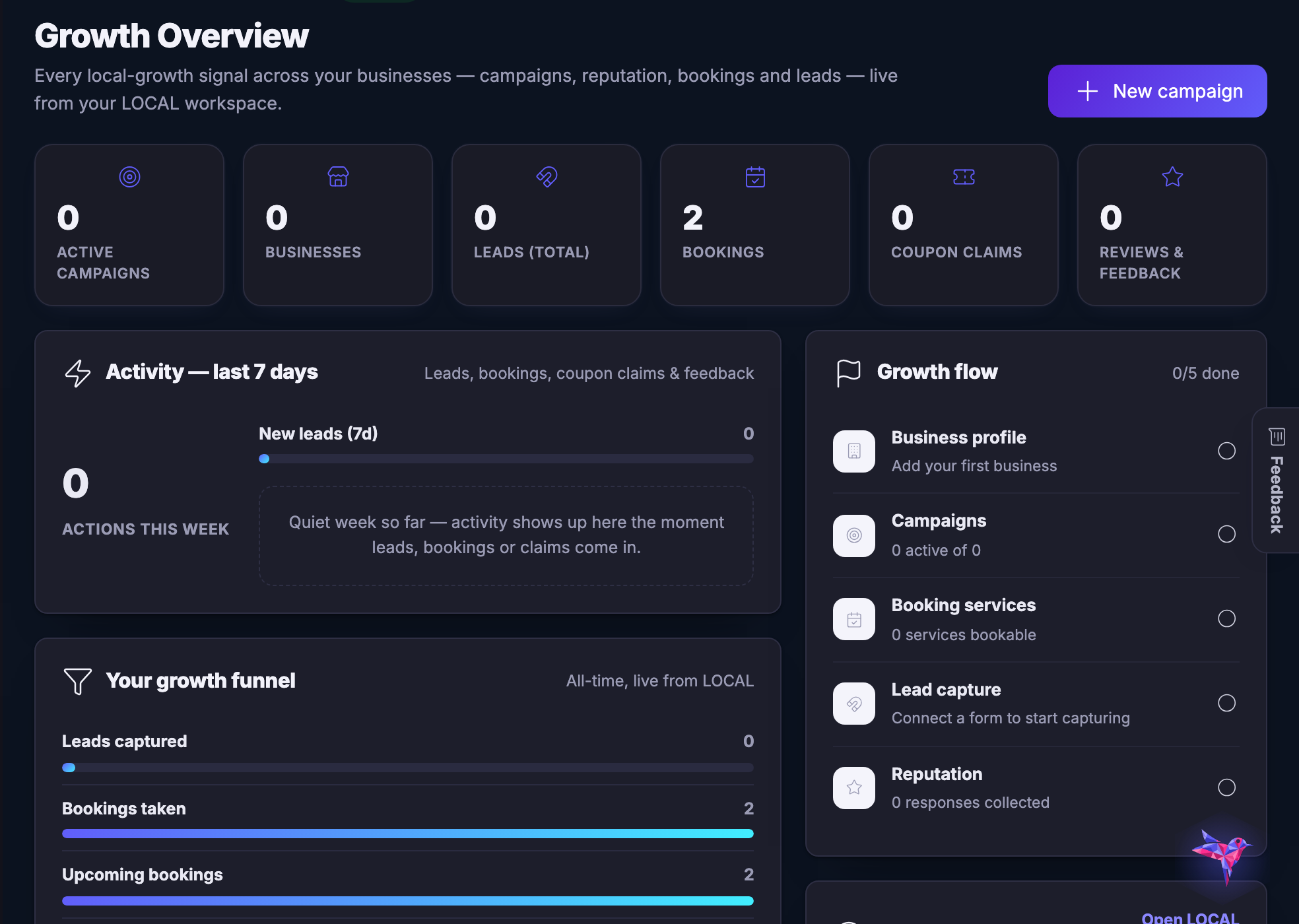
The Growth Overview screen, open and populated. The main column opens on a small line reading pulse, growth dashboard, and a green badge marked live, then the heading — growth overview — and a sentence in the product’s own words saying every local-growth signal across your businesses, campaigns, reputation, bookings and leads, is live from your PULSE workspace. A control to start a new campaign sits at the right of that line. Beneath it six counters in a row, each with an icon and its own figure: active campaigns, businesses, leads in total, bookings, coupon claims, and reviews and feedback. Below them, on the left, a panel headed activity over the last seven days, noted as leads, bookings, coupon claims and feedback, showing a count of actions this week beside a bar for new leads in the last seven days. Under that, a panel headed your growth funnel, marked all-time and live from PULSE, with four labelled bars stacked one under the other and their figures at the right: leads captured, bookings taken, upcoming bookings, and customers. The bars are widest at customers. A third panel begins at the bottom edge of the frame, headed your businesses. Down the right-hand side a panel headed growth flow, with a completion count beside it, listing five steps each with an icon, a line of its own working and a green tick: business profile with the number of businesses listed, campaigns with how many are active of the total, booking services with how many are bookable, lead capture with how many leads were captured, and reputation with how many responses were collected. Every one of the five is ticked. Below it a panel headed campaigns with a link across to the PULSE workspace, and the first campaign row beginning at the frame’s lower edge.The Growth Overview screen, open and populated. The main column opens on a small line reading pulse, growth dashboard, and a green badge marked live, then the heading — growth overview — and a sentence in the product’s own words saying every local-growth signal across your businesses, campaigns, reputation, bookings and leads, is live from your PULSE workspace. A control to start a new campaign sits at the right of that line. Beneath it six counters in a row, each with an icon and its own figure: active campaigns, businesses, leads in total, bookings, coupon claims, and reviews and feedback. Below them, on the left, a panel headed activity over the last seven days, noted as leads, bookings, coupon claims and feedback, showing a count of actions this week beside a bar for new leads in the last seven days. Under that, a panel headed your growth funnel, marked all-time and live from PULSE, with four labelled bars stacked one under the other and their figures at the right: leads captured, bookings taken, upcoming bookings, and customers. The bars are widest at customers. A third panel begins at the bottom edge of the frame, headed your businesses. Down the right-hand side a panel headed growth flow, with a completion count beside it, listing five steps each with an icon, a line of its own working and a green tick: business profile with the number of businesses listed, campaigns with how many are active of the total, booking services with how many are bookable, lead capture with how many leads were captured, and reputation with how many responses were collected. Every one of the five is ticked. Below it a panel headed campaigns with a link across to the PULSE workspace, and the first campaign row beginning at the frame’s lower edge.
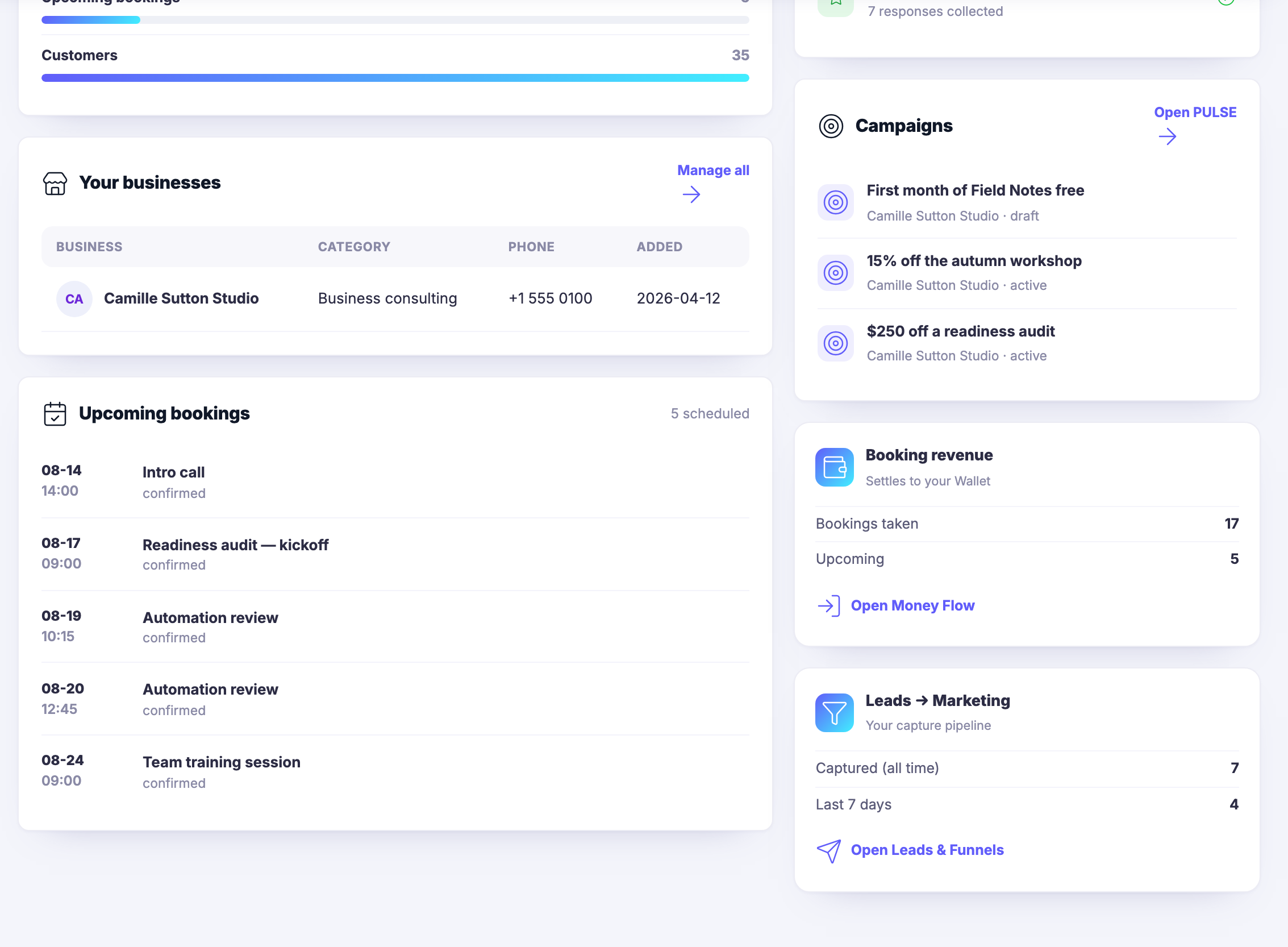
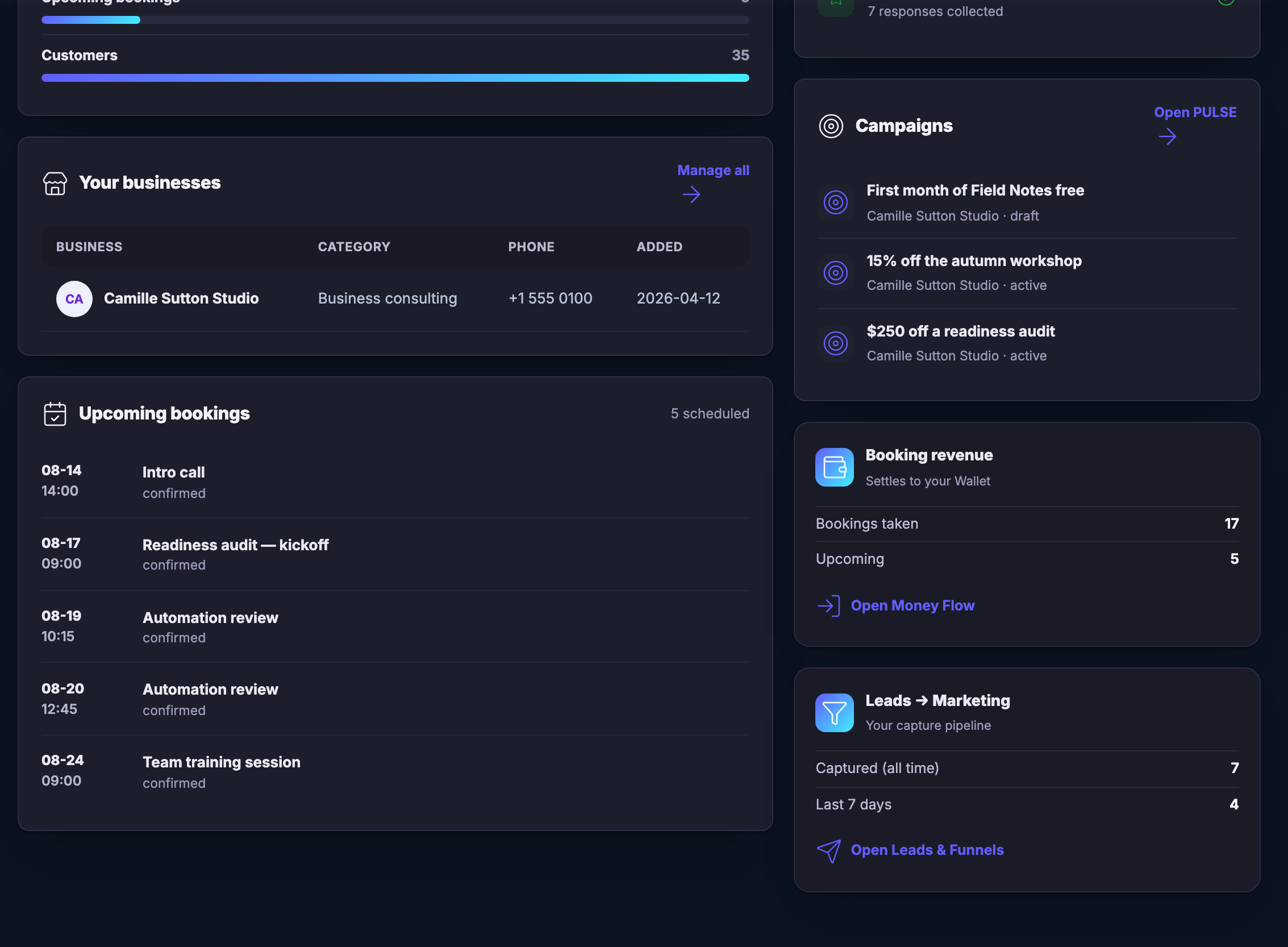
The same Growth Overview screen scrolled down to its lower band. The foot of the growth funnel is still visible at the top of the frame. Under it a panel headed your businesses, with a link to manage them all, and a table with columns for the business, its category, its phone number and the date it was added — one row in it, a consulting studio. Below that a panel headed upcoming bookings, carrying its own count of how many are scheduled and then the bookings themselves in the order they fall — each row a date and a time at the left, the service that was booked beside it, and its status beneath — so the next commitments stand on the same screen as the growth that produced them. Down the right-hand side, a panel headed campaigns with a link across to the PULSE workspace, holding the offers standing against that same consulting studio, each named for what it gives away and each marked draft or active, so an offer is never separated from the business it belongs to. Under that a panel headed booking revenue, noted as settling to your Wallet, with a figure for bookings taken and a figure for upcoming, and a link through to Money Flow. Under that again a panel headed leads to marketing, described as your capture pipeline, with a figure captured all-time and a figure for the last seven days, and a link through to leads and funnels.The same Growth Overview screen scrolled down to its lower band. The foot of the growth funnel is still visible at the top of the frame. Under it a panel headed your businesses, with a link to manage them all, and a table with columns for the business, its category, its phone number and the date it was added — one row in it, a consulting studio. Below that a panel headed upcoming bookings, carrying its own count of how many are scheduled and then the bookings themselves in the order they fall — each row a date and a time at the left, the service that was booked beside it, and its status beneath — so the next commitments stand on the same screen as the growth that produced them. Down the right-hand side, a panel headed campaigns with a link across to the PULSE workspace, holding the offers standing against that same consulting studio, each named for what it gives away and each marked draft or active, so an offer is never separated from the business it belongs to. Under that a panel headed booking revenue, noted as settling to your Wallet, with a figure for bookings taken and a figure for upcoming, and a link through to Money Flow. Under that again a panel headed leads to marketing, described as your capture pipeline, with a figure captured all-time and a figure for the last seven days, and a link through to leads and funnels.

Aperçu de la croissance

Fermer
The Growth Overview screen, open and populated. The main column opens on a small line reading pulse, growth dashboard, and a green badge marked live, then the heading — growth overview — and a sentence in the product’s own words saying every local-growth signal across your businesses, campaigns, reputation, bookings and leads, is live from your PULSE workspace. A control to start a new campaign sits at the right of that line. Beneath it six counters in a row, each with an icon and its own figure: active campaigns, businesses, leads in total, bookings, coupon claims, and reviews and feedback. Below them, on the left, a panel headed activity over the last seven days, noted as leads, bookings, coupon claims and feedback, showing a count of actions this week beside a bar for new leads in the last seven days. Under that, a panel headed your growth funnel, marked all-time and live from PULSE, with four labelled bars stacked one under the other and their figures at the right: leads captured, bookings taken, upcoming bookings, and customers. The bars are widest at customers. A third panel begins at the bottom edge of the frame, headed your businesses. Down the right-hand side a panel headed growth flow, with a completion count beside it, listing five steps each with an icon, a line of its own working and a green tick: business profile with the number of businesses listed, campaigns with how many are active of the total, booking services with how many are bookable, lead capture with how many leads were captured, and reputation with how many responses were collected. Every one of the five is ticked. Below it a panel headed campaigns with a link across to the PULSE workspace, and the first campaign row beginning at the frame’s lower edge.The Growth Overview screen, open and populated. The main column opens on a small line reading pulse, growth dashboard, and a green badge marked live, then the heading — growth overview — and a sentence in the product’s own words saying every local-growth signal across your businesses, campaigns, reputation, bookings and leads, is live from your PULSE workspace. A control to start a new campaign sits at the right of that line. Beneath it six counters in a row, each with an icon and its own figure: active campaigns, businesses, leads in total, bookings, coupon claims, and reviews and feedback. Below them, on the left, a panel headed activity over the last seven days, noted as leads, bookings, coupon claims and feedback, showing a count of actions this week beside a bar for new leads in the last seven days. Under that, a panel headed your growth funnel, marked all-time and live from PULSE, with four labelled bars stacked one under the other and their figures at the right: leads captured, bookings taken, upcoming bookings, and customers. The bars are widest at customers. A third panel begins at the bottom edge of the frame, headed your businesses. Down the right-hand side a panel headed growth flow, with a completion count beside it, listing five steps each with an icon, a line of its own working and a green tick: business profile with the number of businesses listed, campaigns with how many are active of the total, booking services with how many are bookable, lead capture with how many leads were captured, and reputation with how many responses were collected. Every one of the five is ticked. Below it a panel headed campaigns with a link across to the PULSE workspace, and the first campaign row beginning at the frame’s lower edge.

Aperçu de la croissance

Fermer
The same Growth Overview screen scrolled down to its lower band. The foot of the growth funnel is still visible at the top of the frame. Under it a panel headed your businesses, with a link to manage them all, and a table with columns for the business, its category, its phone number and the date it was added — one row in it, a consulting studio. Below that a panel headed upcoming bookings, carrying its own count of how many are scheduled and then the bookings themselves in the order they fall — each row a date and a time at the left, the service that was booked beside it, and its status beneath — so the next commitments stand on the same screen as the growth that produced them. Down the right-hand side, a panel headed campaigns with a link across to the PULSE workspace, holding the offers standing against that same consulting studio, each named for what it gives away and each marked draft or active, so an offer is never separated from the business it belongs to. Under that a panel headed booking revenue, noted as settling to your Wallet, with a figure for bookings taken and a figure for upcoming, and a link through to Money Flow. Under that again a panel headed leads to marketing, described as your capture pipeline, with a figure captured all-time and a figure for the last seven days, and a link through to leads and funnels.The same Growth Overview screen scrolled down to its lower band. The foot of the growth funnel is still visible at the top of the frame. Under it a panel headed your businesses, with a link to manage them all, and a table with columns for the business, its category, its phone number and the date it was added — one row in it, a consulting studio. Below that a panel headed upcoming bookings, carrying its own count of how many are scheduled and then the bookings themselves in the order they fall — each row a date and a time at the left, the service that was booked beside it, and its status beneath — so the next commitments stand on the same screen as the growth that produced them. Down the right-hand side, a panel headed campaigns with a link across to the PULSE workspace, holding the offers standing against that same consulting studio, each named for what it gives away and each marked draft or active, so an offer is never separated from the business it belongs to. Under that a panel headed booking revenue, noted as settling to your Wallet, with a figure for bookings taken and a figure for upcoming, and a link through to Money Flow. Under that again a panel headed leads to marketing, described as your capture pipeline, with a figure captured all-time and a figure for the last seven days, and a link through to leads and funnels.

A look inside Growth Overview

Stills from the product, one after the next.

The Growth Overview screen, open and populated. The main column opens on a small line reading pulse, growth dashboard, and a green badge marked live, then the heading — growth overview — and a sentence in the product’s own words saying every local-growth signal across your businesses, campaigns, reputation, bookings and leads, is live from your PULSE workspace. A control to start a new campaign sits at the right of that line. Beneath it six counters in a row, each with an icon and its own figure: active campaigns, businesses, leads in total, bookings, coupon claims, and reviews and feedback. Below them, on the left, a panel headed activity over the last seven days, noted as leads, bookings, coupon claims and feedback, showing a count of actions this week beside a bar for new leads in the last seven days. Under that, a panel headed your growth funnel, marked all-time and live from PULSE, with four labelled bars stacked one under the other and their figures at the right: leads captured, bookings taken, upcoming bookings, and customers. The bars are widest at customers. A third panel begins at the bottom edge of the frame, headed your businesses. Down the right-hand side a panel headed growth flow, with a completion count beside it, listing five steps each with an icon, a line of its own working and a green tick: business profile with the number of businesses listed, campaigns with how many are active of the total, booking services with how many are bookable, lead capture with how many leads were captured, and reputation with how many responses were collected. Every one of the five is ticked. Below it a panel headed campaigns with a link across to the PULSE workspace, and the first campaign row beginning at the frame’s lower edge.The Growth Overview screen, open and populated. The main column opens on a small line reading pulse, growth dashboard, and a green badge marked live, then the heading — growth overview — and a sentence in the product’s own words saying every local-growth signal across your businesses, campaigns, reputation, bookings and leads, is live from your PULSE workspace. A control to start a new campaign sits at the right of that line. Beneath it six counters in a row, each with an icon and its own figure: active campaigns, businesses, leads in total, bookings, coupon claims, and reviews and feedback. Below them, on the left, a panel headed activity over the last seven days, noted as leads, bookings, coupon claims and feedback, showing a count of actions this week beside a bar for new leads in the last seven days. Under that, a panel headed your growth funnel, marked all-time and live from PULSE, with four labelled bars stacked one under the other and their figures at the right: leads captured, bookings taken, upcoming bookings, and customers. The bars are widest at customers. A third panel begins at the bottom edge of the frame, headed your businesses. Down the right-hand side a panel headed growth flow, with a completion count beside it, listing five steps each with an icon, a line of its own working and a green tick: business profile with the number of businesses listed, campaigns with how many are active of the total, booking services with how many are bookable, lead capture with how many leads were captured, and reputation with how many responses were collected. Every one of the five is ticked. Below it a panel headed campaigns with a link across to the PULSE workspace, and the first campaign row beginning at the frame’s lower edge.
The same Growth Overview screen scrolled down to its lower band. The foot of the growth funnel is still visible at the top of the frame. Under it a panel headed your businesses, with a link to manage them all, and a table with columns for the business, its category, its phone number and the date it was added — one row in it, a consulting studio. Below that a panel headed upcoming bookings, carrying its own count of how many are scheduled and then the bookings themselves in the order they fall — each row a date and a time at the left, the service that was booked beside it, and its status beneath — so the next commitments stand on the same screen as the growth that produced them. Down the right-hand side, a panel headed campaigns with a link across to the PULSE workspace, holding the offers standing against that same consulting studio, each named for what it gives away and each marked draft or active, so an offer is never separated from the business it belongs to. Under that a panel headed booking revenue, noted as settling to your Wallet, with a figure for bookings taken and a figure for upcoming, and a link through to Money Flow. Under that again a panel headed leads to marketing, described as your capture pipeline, with a figure captured all-time and a figure for the last seven days, and a link through to leads and funnels.The same Growth Overview screen scrolled down to its lower band. The foot of the growth funnel is still visible at the top of the frame. Under it a panel headed your businesses, with a link to manage them all, and a table with columns for the business, its category, its phone number and the date it was added — one row in it, a consulting studio. Below that a panel headed upcoming bookings, carrying its own count of how many are scheduled and then the bookings themselves in the order they fall — each row a date and a time at the left, the service that was booked beside it, and its status beneath — so the next commitments stand on the same screen as the growth that produced them. Down the right-hand side, a panel headed campaigns with a link across to the PULSE workspace, holding the offers standing against that same consulting studio, each named for what it gives away and each marked draft or active, so an offer is never separated from the business it belongs to. Under that a panel headed booking revenue, noted as settling to your Wallet, with a figure for bookings taken and a figure for upcoming, and a link through to Money Flow. Under that again a panel headed leads to marketing, described as your capture pipeline, with a figure captured all-time and a figure for the last seven days, and a link through to leads and funnels.

Local Pulse — platform screenshots

Real screens from the product. Open any one full size, or switch the set to light or dark.

Fermer
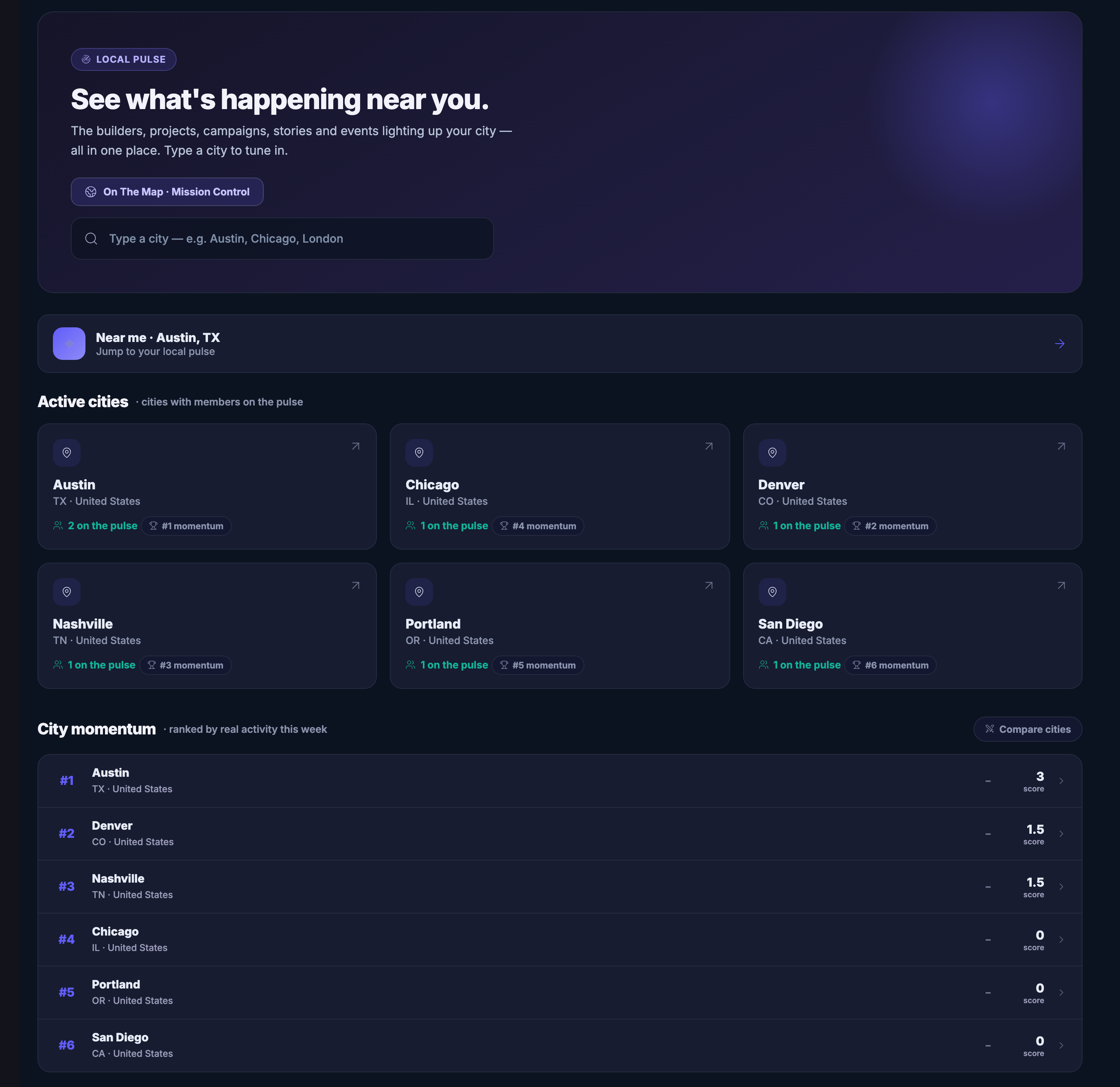
The Local Pulse index as a member sees it: a headline band inviting you to see what is happening near you, describing the builders, projects, campaigns, stories and events lighting up your city as one page, with a control across to On The Map in Mission Control and a field to type a city into. Under it a row naming the member’s own city and offering to jump straight to its pulse. Then the active cities, each a card carrying its name, its state and country, how many members are on the pulse there and where it stands for momentum; and below them the momentum ranking itself, described as ranked by real activity this week, listing the same places in order with a score against each and a control to compare cities. Only the places at the head of the ranking have moved at all — the rest carry a score of nothing, and the list says so plainly.The Local Pulse index as a member sees it: a headline band inviting you to see what is happening near you, describing the builders, projects, campaigns, stories and events lighting up your city as one page, with a control across to On The Map in Mission Control and a field to type a city into. Under it a row naming the member’s own city and offering to jump straight to its pulse. Then the active cities, each a card carrying its name, its state and country, how many members are on the pulse there and where it stands for momentum; and below them the momentum ranking itself, described as ranked by real activity this week, listing the same places in order with a score against each and a control to compare cities. Only the places at the head of the ranking have moved at all — the rest carry a score of nothing, and the list says so plainly.
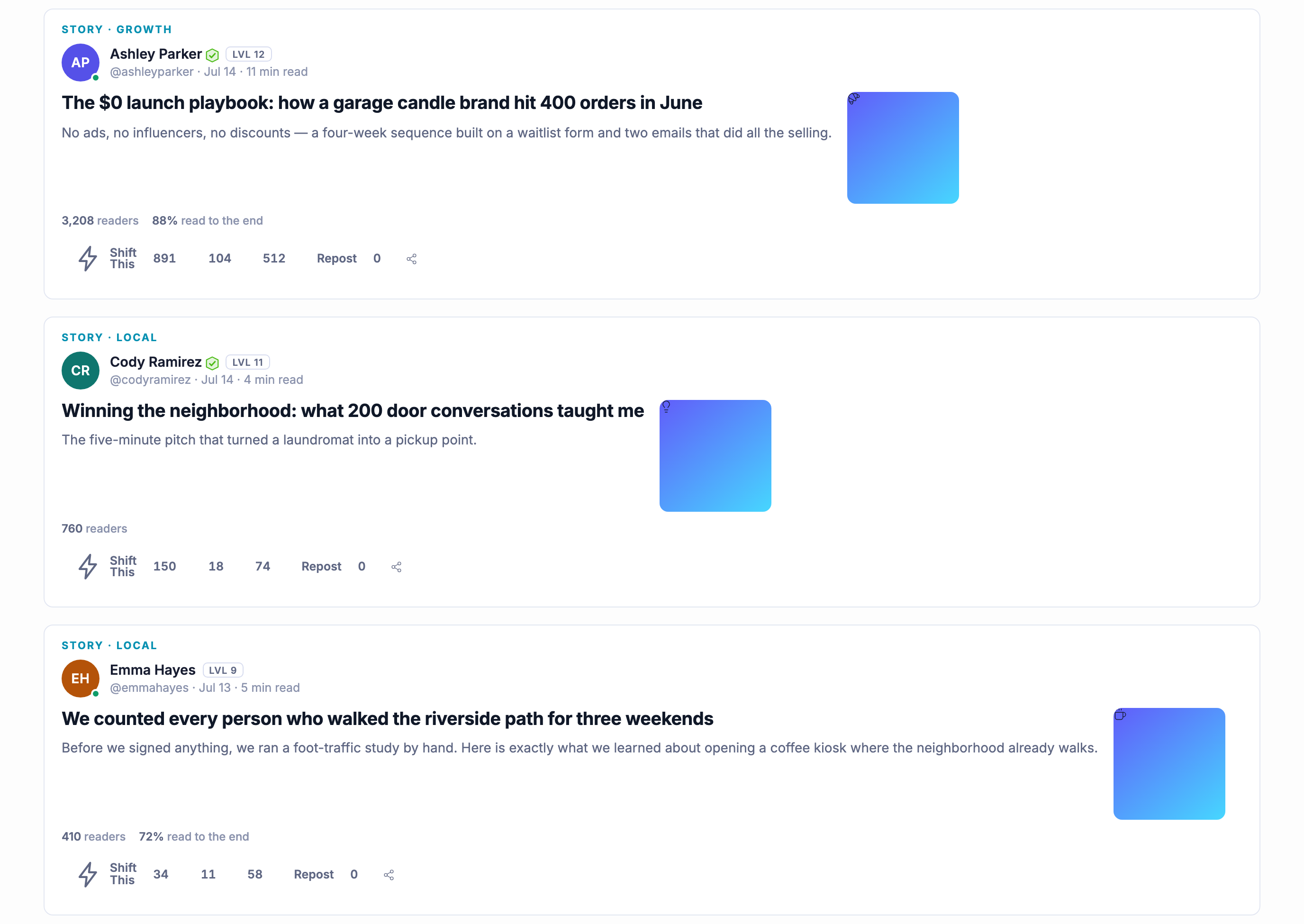
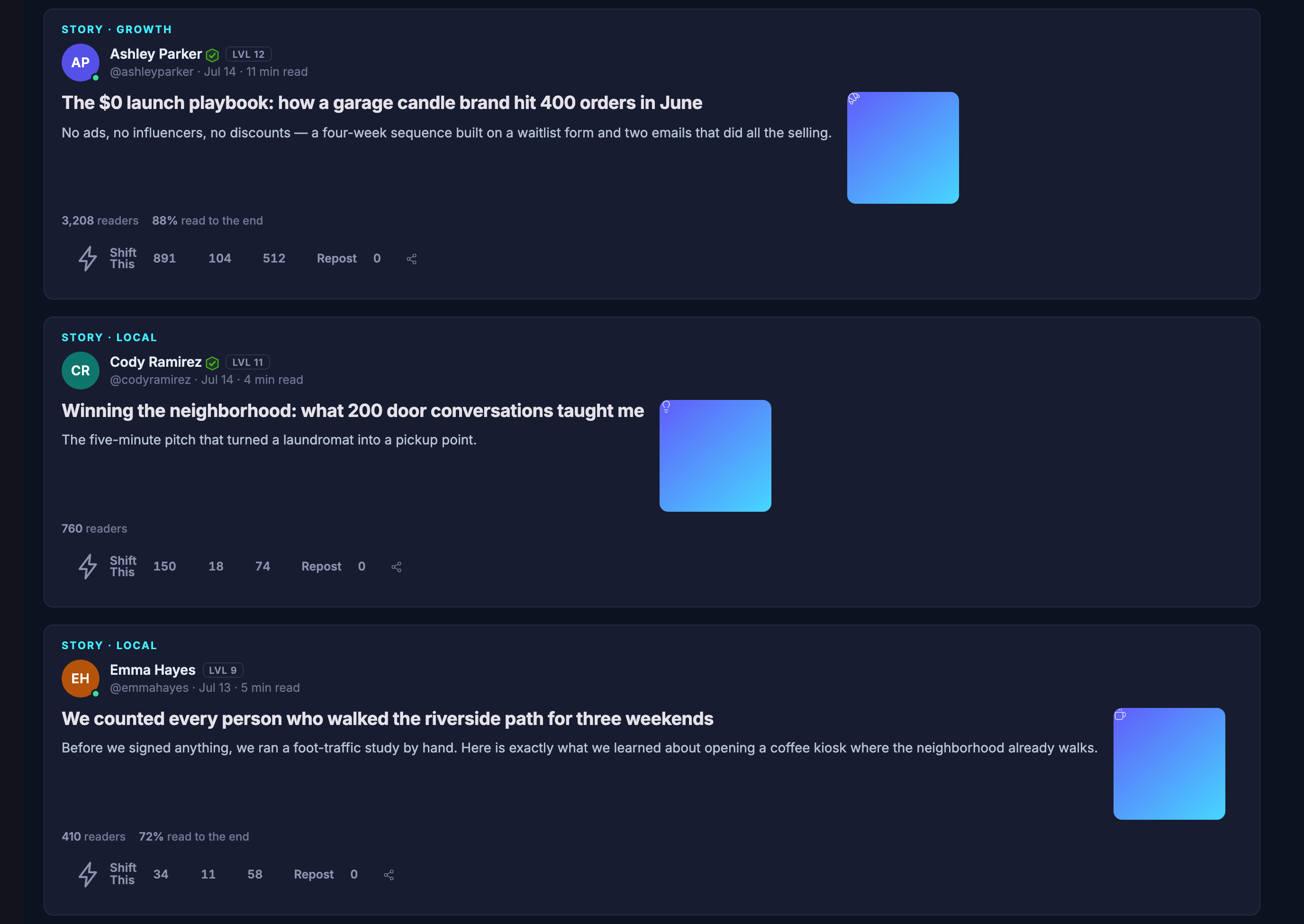
The city’s briefing feed: the week in one place, newest first, as a stack of story cards. Each carries the section it belongs to, the member who wrote it with the level they have reached and their handle, the day it went out and how long it takes to read, then its headline and a line about what it covers, and a picture slot that renders as plain colour because no cover image has been uploaded. Beneath each, what it has drawn — its readership, how much of it people finished where that has been recorded — and the controls that shift it on, reply to it, pass it on or repost it. The pieces here are three different members of this city writing about working in it: launching a small brand on no budget, with the headline putting the spend against the orders it produced; what a season of doorstep conversations did for a neighbourhood; and a foot-traffic count somebody ran by hand along a riverside path before opening anything there.The city’s briefing feed: the week in one place, newest first, as a stack of story cards. Each carries the section it belongs to, the member who wrote it with the level they have reached and their handle, the day it went out and how long it takes to read, then its headline and a line about what it covers, and a picture slot that renders as plain colour because no cover image has been uploaded. Beneath each, what it has drawn — its readership, how much of it people finished where that has been recorded — and the controls that shift it on, reply to it, pass it on or repost it. The pieces here are three different members of this city writing about working in it: launching a small brand on no budget, with the headline putting the spend against the orders it produced; what a season of doorstep conversations did for a neighbourhood; and a foot-traffic count somebody ran by hand along a riverside path before opening anything there.
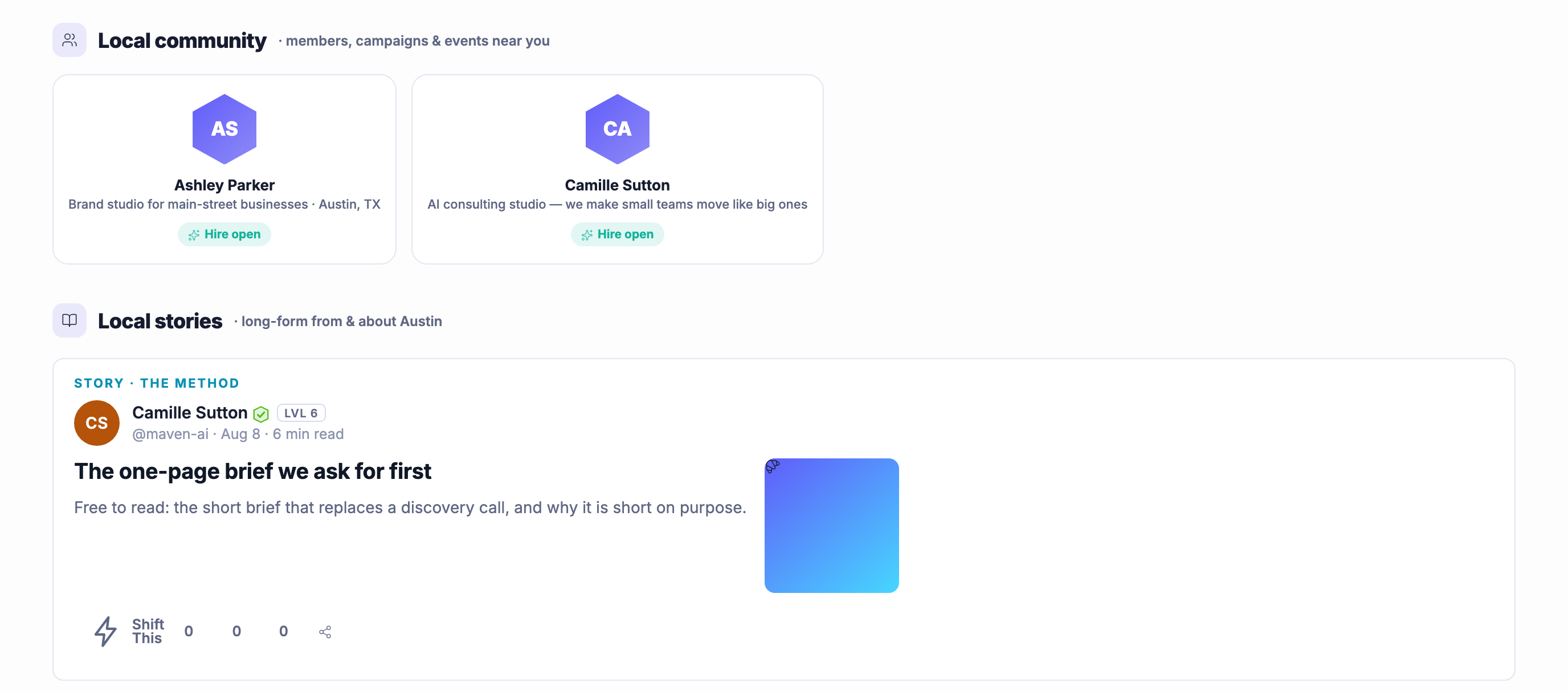
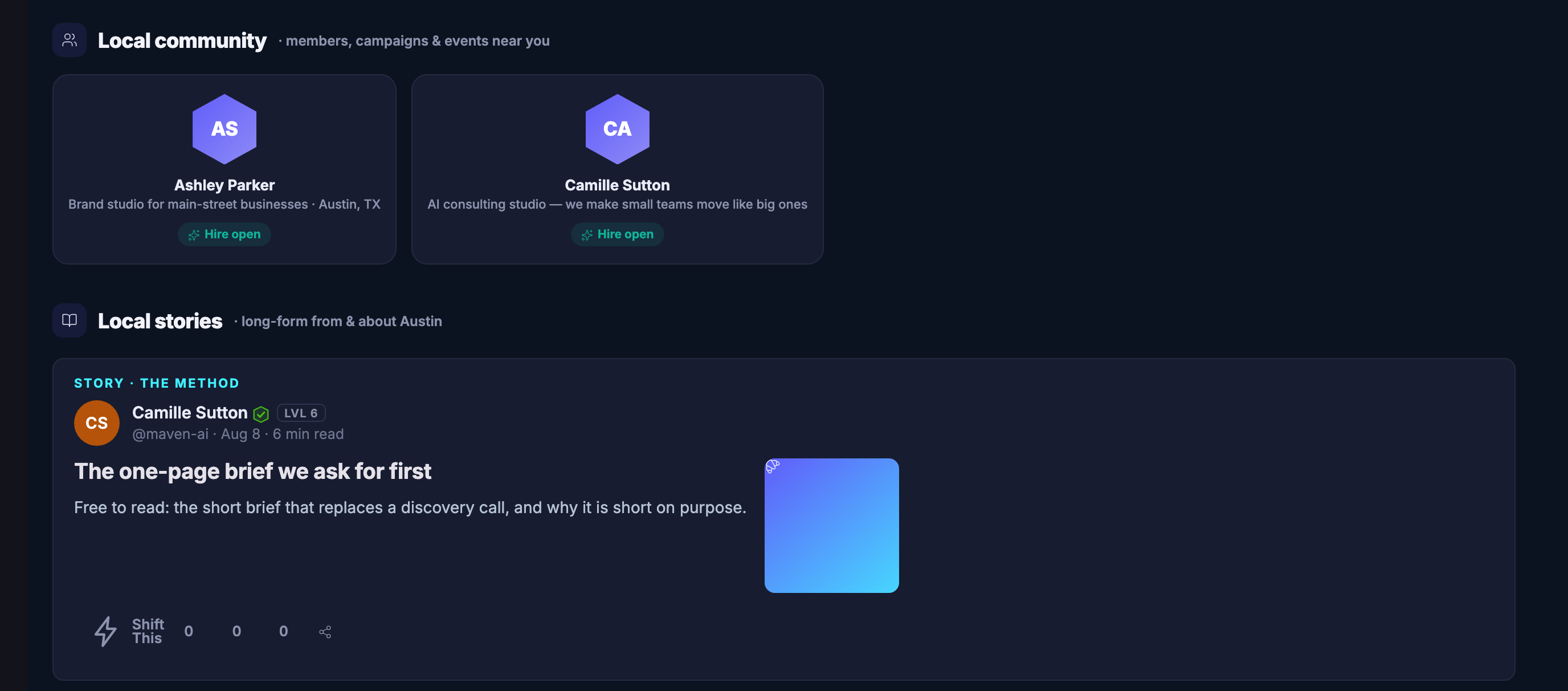
The city page’s community band, headed for the members, campaigns and events near you — what stands under it here is the members: each a monogram badge, their name, a line saying what their business does and where it is, and a marking that they are open to being hired. Below it the local stories band, described as long-form from and about the city, opening on a piece with the section it belongs to, its author with the level they have reached and their handle, the date and its reading time, its headline and a line about what it covers, a picture slot rendering as plain colour with no cover image uploaded, and the controls that shift it on, reply to it or pass it on — this one carrying no responses of any kind yet. The band runs on past the foot of the frame.The city page’s community band, headed for the members, campaigns and events near you — what stands under it here is the members: each a monogram badge, their name, a line saying what their business does and where it is, and a marking that they are open to being hired. Below it the local stories band, described as long-form from and about the city, opening on a piece with the section it belongs to, its author with the level they have reached and their handle, the date and its reading time, its headline and a line about what it covers, a picture slot rendering as plain colour with no cover image uploaded, and the controls that shift it on, reply to it or pass it on — this one carrying no responses of any kind yet. The band runs on past the foot of the frame.

Local Pulse

Fermer
The Local Pulse index as a member sees it: a headline band inviting you to see what is happening near you, describing the builders, projects, campaigns, stories and events lighting up your city as one page, with a control across to On The Map in Mission Control and a field to type a city into. Under it a row naming the member’s own city and offering to jump straight to its pulse. Then the active cities, each a card carrying its name, its state and country, how many members are on the pulse there and where it stands for momentum; and below them the momentum ranking itself, described as ranked by real activity this week, listing the same places in order with a score against each and a control to compare cities. Only the places at the head of the ranking have moved at all — the rest carry a score of nothing, and the list says so plainly.The Local Pulse index as a member sees it: a headline band inviting you to see what is happening near you, describing the builders, projects, campaigns, stories and events lighting up your city as one page, with a control across to On The Map in Mission Control and a field to type a city into. Under it a row naming the member’s own city and offering to jump straight to its pulse. Then the active cities, each a card carrying its name, its state and country, how many members are on the pulse there and where it stands for momentum; and below them the momentum ranking itself, described as ranked by real activity this week, listing the same places in order with a score against each and a control to compare cities. Only the places at the head of the ranking have moved at all — the rest carry a score of nothing, and the list says so plainly.

Local Pulse

Fermer
The city’s briefing feed: the week in one place, newest first, as a stack of story cards. Each carries the section it belongs to, the member who wrote it with the level they have reached and their handle, the day it went out and how long it takes to read, then its headline and a line about what it covers, and a picture slot that renders as plain colour because no cover image has been uploaded. Beneath each, what it has drawn — its readership, how much of it people finished where that has been recorded — and the controls that shift it on, reply to it, pass it on or repost it. The pieces here are three different members of this city writing about working in it: launching a small brand on no budget, with the headline putting the spend against the orders it produced; what a season of doorstep conversations did for a neighbourhood; and a foot-traffic count somebody ran by hand along a riverside path before opening anything there.The city’s briefing feed: the week in one place, newest first, as a stack of story cards. Each carries the section it belongs to, the member who wrote it with the level they have reached and their handle, the day it went out and how long it takes to read, then its headline and a line about what it covers, and a picture slot that renders as plain colour because no cover image has been uploaded. Beneath each, what it has drawn — its readership, how much of it people finished where that has been recorded — and the controls that shift it on, reply to it, pass it on or repost it. The pieces here are three different members of this city writing about working in it: launching a small brand on no budget, with the headline putting the spend against the orders it produced; what a season of doorstep conversations did for a neighbourhood; and a foot-traffic count somebody ran by hand along a riverside path before opening anything there.

Local Pulse

Fermer
The city page’s community band, headed for the members, campaigns and events near you — what stands under it here is the members: each a monogram badge, their name, a line saying what their business does and where it is, and a marking that they are open to being hired. Below it the local stories band, described as long-form from and about the city, opening on a piece with the section it belongs to, its author with the level they have reached and their handle, the date and its reading time, its headline and a line about what it covers, a picture slot rendering as plain colour with no cover image uploaded, and the controls that shift it on, reply to it or pass it on — this one carrying no responses of any kind yet. The band runs on past the foot of the frame.The city page’s community band, headed for the members, campaigns and events near you — what stands under it here is the members: each a monogram badge, their name, a line saying what their business does and where it is, and a marking that they are open to being hired. Below it the local stories band, described as long-form from and about the city, opening on a piece with the section it belongs to, its author with the level they have reached and their handle, the date and its reading time, its headline and a line about what it covers, a picture slot rendering as plain colour with no cover image uploaded, and the controls that shift it on, reply to it or pass it on — this one carrying no responses of any kind yet. The band runs on past the foot of the frame.

A look inside Local Pulse

Stills from the product, one after the next.

The Local Pulse index as a member sees it: a headline band inviting you to see what is happening near you, describing the builders, projects, campaigns, stories and events lighting up your city as one page, with a control across to On The Map in Mission Control and a field to type a city into. Under it a row naming the member’s own city and offering to jump straight to its pulse. Then the active cities, each a card carrying its name, its state and country, how many members are on the pulse there and where it stands for momentum; and below them the momentum ranking itself, described as ranked by real activity this week, listing the same places in order with a score against each and a control to compare cities. Only the places at the head of the ranking have moved at all — the rest carry a score of nothing, and the list says so plainly.The Local Pulse index as a member sees it: a headline band inviting you to see what is happening near you, describing the builders, projects, campaigns, stories and events lighting up your city as one page, with a control across to On The Map in Mission Control and a field to type a city into. Under it a row naming the member’s own city and offering to jump straight to its pulse. Then the active cities, each a card carrying its name, its state and country, how many members are on the pulse there and where it stands for momentum; and below them the momentum ranking itself, described as ranked by real activity this week, listing the same places in order with a score against each and a control to compare cities. Only the places at the head of the ranking have moved at all — the rest carry a score of nothing, and the list says so plainly.
The city’s briefing feed: the week in one place, newest first, as a stack of story cards. Each carries the section it belongs to, the member who wrote it with the level they have reached and their handle, the day it went out and how long it takes to read, then its headline and a line about what it covers, and a picture slot that renders as plain colour because no cover image has been uploaded. Beneath each, what it has drawn — its readership, how much of it people finished where that has been recorded — and the controls that shift it on, reply to it, pass it on or repost it. The pieces here are three different members of this city writing about working in it: launching a small brand on no budget, with the headline putting the spend against the orders it produced; what a season of doorstep conversations did for a neighbourhood; and a foot-traffic count somebody ran by hand along a riverside path before opening anything there.The city’s briefing feed: the week in one place, newest first, as a stack of story cards. Each carries the section it belongs to, the member who wrote it with the level they have reached and their handle, the day it went out and how long it takes to read, then its headline and a line about what it covers, and a picture slot that renders as plain colour because no cover image has been uploaded. Beneath each, what it has drawn — its readership, how much of it people finished where that has been recorded — and the controls that shift it on, reply to it, pass it on or repost it. The pieces here are three different members of this city writing about working in it: launching a small brand on no budget, with the headline putting the spend against the orders it produced; what a season of doorstep conversations did for a neighbourhood; and a foot-traffic count somebody ran by hand along a riverside path before opening anything there.
The city page’s community band, headed for the members, campaigns and events near you — what stands under it here is the members: each a monogram badge, their name, a line saying what their business does and where it is, and a marking that they are open to being hired. Below it the local stories band, described as long-form from and about the city, opening on a piece with the section it belongs to, its author with the level they have reached and their handle, the date and its reading time, its headline and a line about what it covers, a picture slot rendering as plain colour with no cover image uploaded, and the controls that shift it on, reply to it or pass it on — this one carrying no responses of any kind yet. The band runs on past the foot of the frame.The city page’s community band, headed for the members, campaigns and events near you — what stands under it here is the members: each a monogram badge, their name, a line saying what their business does and where it is, and a marking that they are open to being hired. Below it the local stories band, described as long-form from and about the city, opening on a piece with the section it belongs to, its author with the level they have reached and their handle, the date and its reading time, its headline and a line about what it covers, a picture slot rendering as plain colour with no cover image uploaded, and the controls that shift it on, reply to it or pass it on — this one carrying no responses of any kind yet. The band runs on past the foot of the frame.
A woman standing in front of a big screen of rising charts

All four in one place

One picture of repeat custom.

Reviews, loyalty, referrals and offers all report into a single screen — so whether people are coming back is a question you answer in one look instead of four.

Six counts, read live.Campaigns running, businesses listed, leads arriving, bookings taken, offer claims and the responses your reputation has collected sit across the top of one screen — taken from the workspace as it stands, rather than typed up at the end of the month.

A funnel that ends in customers.Leads captured, bookings taken, bookings still ahead of you and the customers you have, drawn one under the other on the same all-time scale. Reading down it is how you find the narrow end, which is the only thing a growth figure is any good for.

A set-up checklist that ticks itself.Your business listed, campaigns running, services people can book, somewhere for leads to arrive and a reputation collecting responses — each one worked out from the real counts rather than from a box somebody remembered to tick.

Maven adds this one: asking for a review, running a stamp card, paying out a referral and putting an offer out are four separate jobs, and not one of them tells you on its own whether people are coming back.

Aperçu de la croissance

One screen over every tool that turns a first sale into a second one — so the question gets answered in one look instead of four.

Four tools, one row of countsCampaigns running, businesses listed, leads in, bookings taken, offer claims and the responses your reputation has collected — all of it across the top of one screen, read live from the workspace rather than typed in. You stop opening four tools in four tabs to work out whether the week actually moved.
A funnel that ends in customersLeads captured, bookings taken, bookings still to come, and the customers you have — drawn one under the other on the same all-time scale. It is not a chart to admire; it is the shape that tells you which end is narrow, which is the only thing worth knowing from a growth number.
A checklist that ticks itselfBusiness profile, campaigns, bookable services, lead capture, reputation: each one reads as done or not done, worked out from the real counts rather than from a box somebody remembered to tick. It is the shortest honest answer to what you have not set up yet.
Read more about Growth Overview

Four different tools all answer the same question, and not one of them can answer it on its own.

A review sits in one place, a stamp card in another, a referral in a third and an offer in a fourth. Each of them is doing something useful, and each of them reports on itself. What none of them can tell you is the thing you actually want to know at the end of a month, which is whether more people are coming back than were coming back before.

This screen is where the four of them land. The counters across the top are the same figures the tools underneath are keeping — campaigns running, businesses listed, leads arriving, bookings taken, offer claims and responses collected — read live from the workspace rather than copied into a spreadsheet on a Friday. Nothing here is a projection and nothing here is entered by hand.

Under them the funnel puts the four stages on one scale: leads captured, bookings taken, bookings still ahead of you, and the customers you have. Reading down it is how you find the narrow end. A busy top and a thin bottom is a different problem from a thin top and a full bottom, and they want opposite things done about them.

Beside that, a checklist works out for itself what you have and have not set up — your business listed, campaigns running, services people can book, somewhere for leads to arrive, and a reputation collecting responses. It ticks from the real counts, so it cannot flatter you. And the two panels at the foot carry the story out of this workspace altogether: what the bookings are worth goes to Money Flow, and what the leads are doing goes on to marketing.

What it actually does

  • One live row of counts over campaigns, businesses, leads, bookings, offer claims and responses collected
  • An all-time funnel from leads captured through to the customers you have
  • A set-up checklist worked out from the real counts, and hand-offs to Money Flow and marketing

What that changes for you

  • You answer “did this month work” on one screen instead of in four tabs
  • You can see which end of the funnel is narrow, and therefore what to fix
  • You stop discovering in November that something was never switched on

You come away with one screen that tells you whether people are coming back.

A look inside Growth Overview

See it in your own business.

Everything on this page comes with the platform — start free and try it on your real work.

Get started now

The real screens

What the local toolkit looks like signed in.

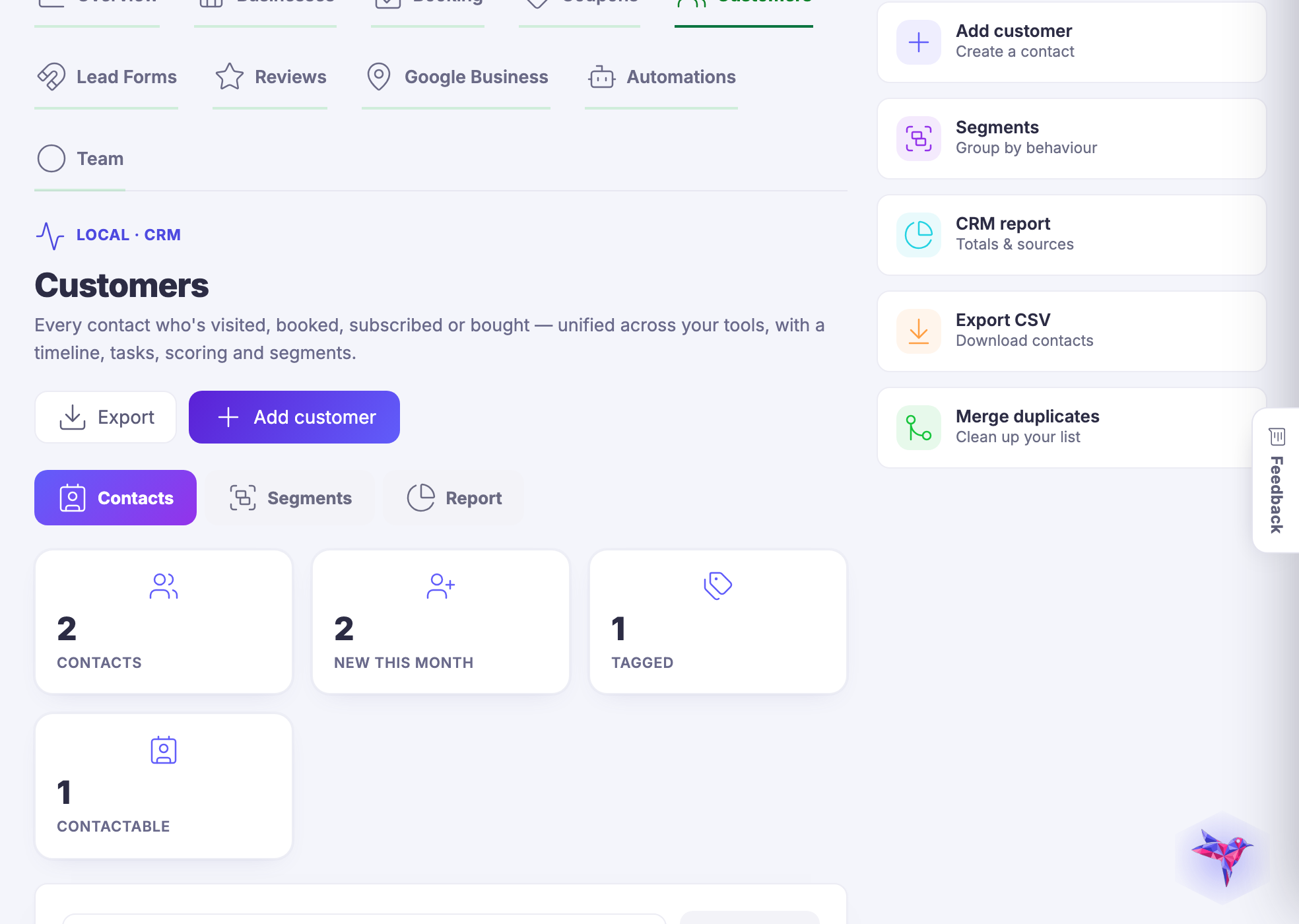
Two screens from a real account — the growth view a shop owner opens in the morning, and the customer list underneath it.

Growth overview — Where the shop stands this week: what came in, what is worth doing next, and which of the local tools are actually switched on.
Growth overview

Where the shop stands this week: what came in, what is worth doing next, and which of the local tools are actually switched on.

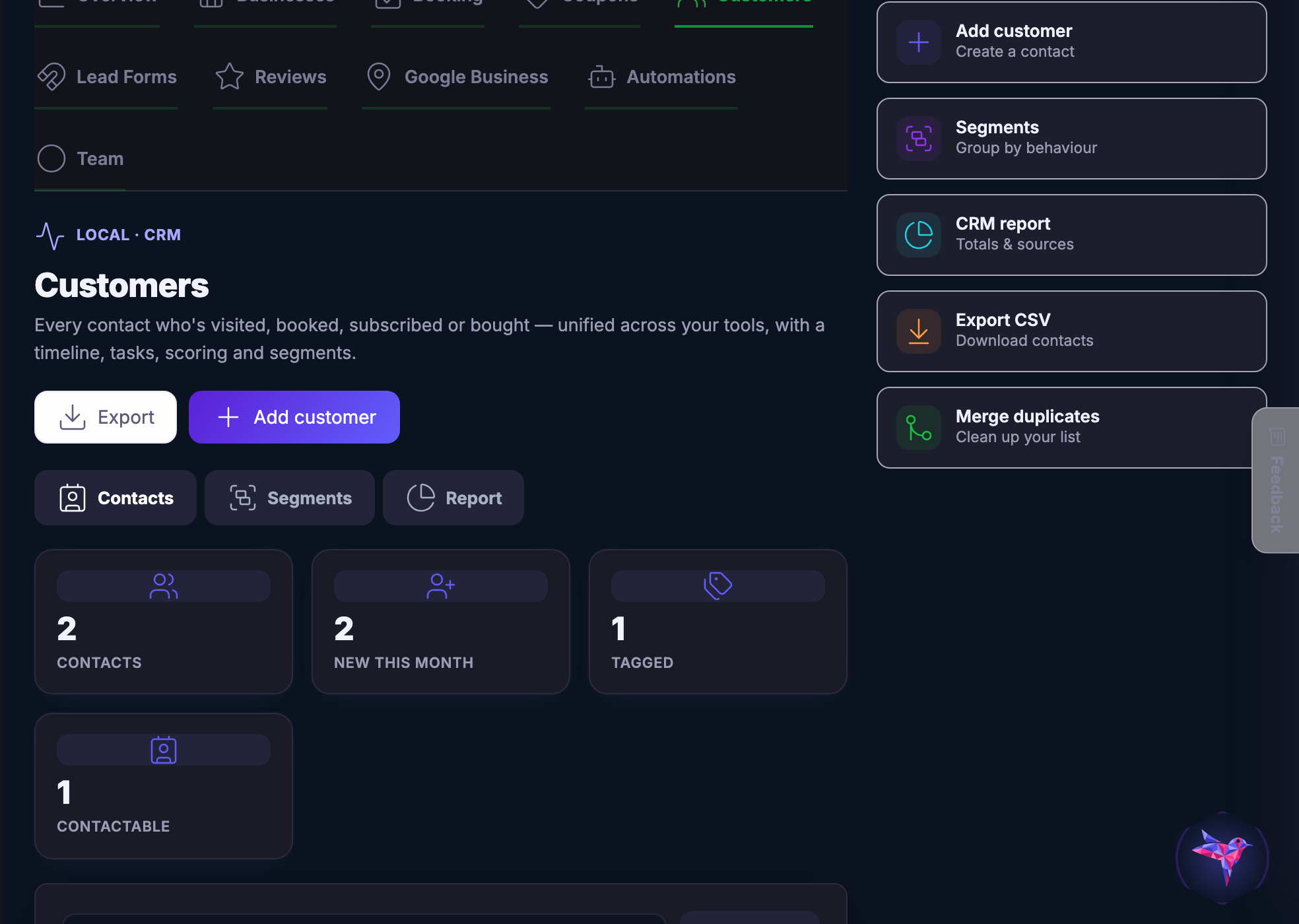
Customers — The people behind the counter conversation — each one with their own history, tags and next step.
Clients

The people behind the counter conversation — each one with their own history, tags and next step.

Captured from a demo coffee business on a live account. A brand new account looks quiet, and that is what a new account really looks like.

Be the business your street remembers.

Join the beta program

Next Up: Email campaigns

Broadcasts, automated journeys and trusted sending from the same customer record.

Demander à Maven