Messages

This is the product's own frame. Your conversations appear here once you have an account.

Get started now
Notifications

This is the product's own frame. Alerts about your business appear here once you have an account.

Français
Five stars, asked for at the right moment

Reviews, earned and gathered.

The happy customer at the counter rarely thinks to write it down. Review Booster asks at the moment they're happiest — and routes the glow where it counts.

Why it matters

What this does for your business.

Timing is everythingThe ask goes out right after the good experience, not a week later.
Friction removedOne tap from "loved it" to a posted review.
Hear the bad news firstUnhappy signals come to you privately — before they become public one-stars.
Part of one platform — works hand-in-hand withLocal Customers·Marketing & Social

The ask, and the answer

Ask at the right moment. Ask everyone the same way.

An invitation that stands ready beside the work, goes to every customer alike, and brings all of it back to one place.

Close to the work, not weeks later.A customer who has just watched something land can say what they think in a minute. The same customer three weeks on has a good feeling and no words for it. Review Booster sits in the same workspace as the bookings, the conversations and the customer records, so the ask belongs beside the job rather than in a separate task you get to on a quiet Friday.

The same invitation, for everybody.Invite every genuine customer the same way. The one who was disappointed is telling you something the contented ones cannot, and a page of nothing but praise is the least persuasive thing on the internet. Asking everyone alike is both the honest way to do it and the one that reads as true.

Everything they said, in one feed.What comes back arrives in a single list — who wrote it, when, and their actual words — with a breakdown beside it showing how the whole picture falls rather than how the best of it does. Anything still waiting on you is marked as waiting, so it does not sit there unread.

Because you said I reach whoever finds me.

Booster d'avis

Whoever finds you is reading what your last customers wrote — this is where you ask for it, and where all of it lands.
Ask close to the work, not weeks laterThe invitation lives in the same workspace as the customers, the bookings and the conversations, so it goes out from the record of the job rather than from a list you keep by hand. A month later nobody remembers the afternoon well enough to write about it. That is the whole advantage, and it is timing.
One invitation, set up once and left standingYou name it, publish it, and it stays published. The campaigns table shows what is live and when you made it, with the controls to edit it, duplicate it or take it down again — so the asking is a thing you set up rather than a thing you keep remembering to do.
Everything said about you, in one feedReviews arrive in a single list with the reviewer, the date and what they actually wrote, alongside a breakdown of how the whole picture falls. Anything still waiting on a decision from you is marked as waiting, so it does not sit there unread.
Read more about Review Booster

Nobody writes a review on their way out of the door. Somebody has to ask, and when you ask decides whether you get one.

The people deciding whether to work with you have almost certainly read something about you first, and it was not written by you. That is not a marketing problem to be managed; it is simply how being found works now. What you get to decide is whether the people who already know what you are like are ever invited to say so, and when.

Timing is the whole of it. A customer who has just watched something land is holding an opinion they can put into words in about ninety seconds. The same customer three weeks later has a vague good feeling and nothing to say, and will not write anything at all. That is why the invitation belongs beside the work — in the same place as the booking, the conversation and the customer record — rather than in a separate task you get to on a quiet Friday. You name the ask once, publish it, and it stands there.

Ask everybody, the same way. The customer who was disappointed is telling you something the contented ones cannot, and hearing it early is worth more than not hearing it at all — but the reason to invite everyone alike is simpler than that. A wall of nothing but praise is the least persuasive thing on the internet, and a business that only invites the people it expects to be kind is not gathering opinion, it is arranging it. Neither the people reading nor the platforms carrying it are fooled for long.

Then read what comes back, in one place. The feed keeps the reviewer, the date and their actual sentences together, and the breakdown beside it shows how the whole picture falls rather than how the best of it does. Anything waiting on you is marked as waiting. That is the part that turns reviews from a thing that happens to you into something you can actually answer.

What it actually does

  • A review invitation you name once, publish, and leave standing
  • A campaigns table showing what is live, with the controls to edit, duplicate or take it down
  • One feed of everything customers wrote, with the ones awaiting a decision marked

What that changes for you

  • The ask happens while the work is still fresh, instead of never
  • What people say about you stops being something you find out about by accident
  • Whoever looks you up meets a picture your own customers wrote

You come away with an invitation that stands ready beside the work, and one feed holding everything your customers said.

A look inside Review Booster

Review Booster — platform screenshots

Real screens from the product. Open any one full size, or switch the set to light or dark.

Fermer
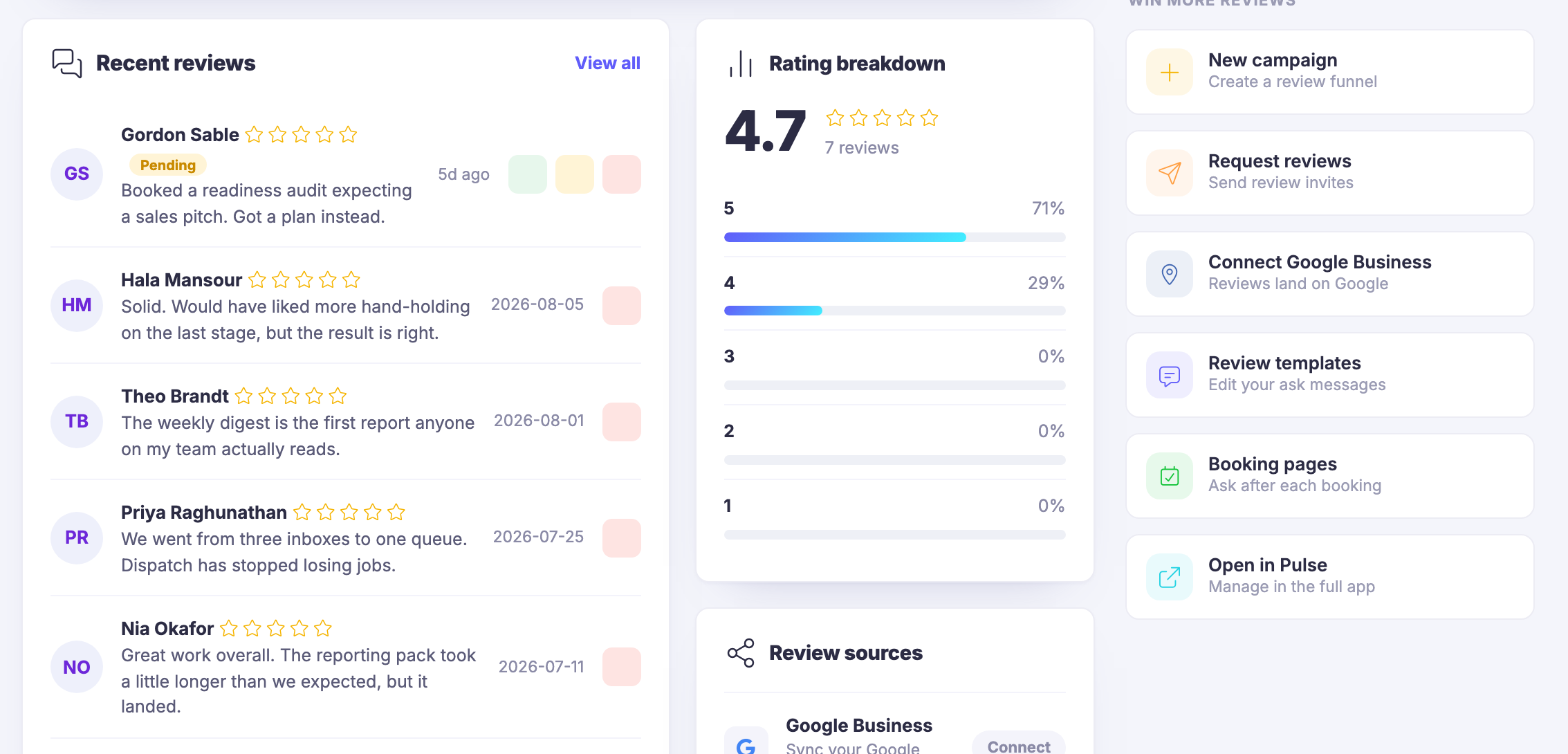
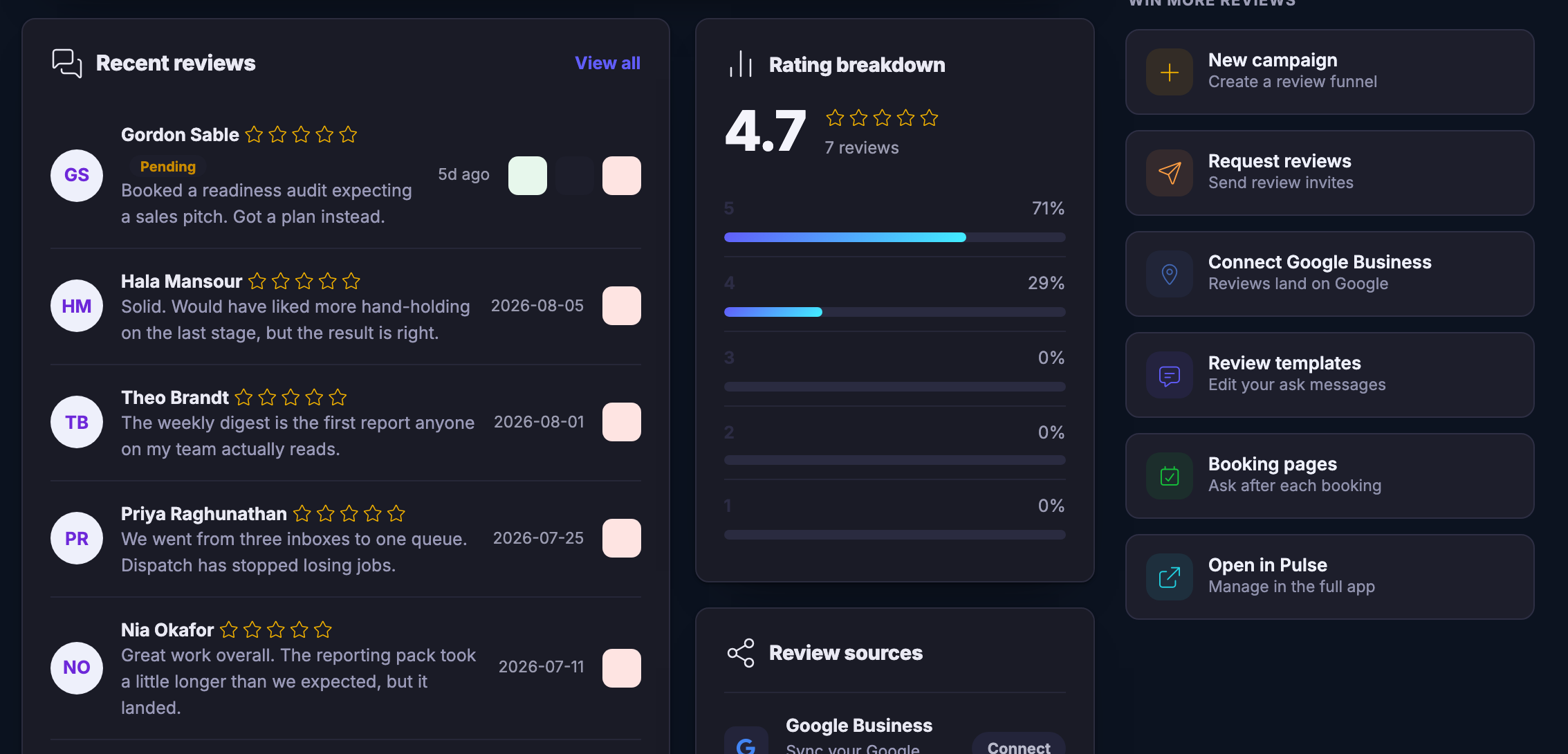
The Review Booster feed inside the Customers workspace. The wide panel in the middle is headed recent reviews with a view-all control, and holds five review rows one under another: each carries a circular monogram, the reviewer’s name, a row of star glyphs — five of them — which paint as empty outlines rather than filled shapes, a date or a relative age, and a sentence or two in their own words about the work. The topmost row is badged pending and carries three controls of its own — a tick, an eye with a line struck through it, and a bin — while the rows below carry only the bin. The list runs on past the bottom edge of the frame. To its right a card headed rating breakdown: a large average figure over the words seven reviews, then five rows counting down, each with its own star glyph, its own share written as a percentage, and a bar that is filled on the top two rows and empty on the rest. On the far right a column headed win more reviews, holding doors to a new campaign — described in the product’s own words as creating a review funnel — to requesting reviews, to connecting the third-party listing service so reviews land there, to editing the messages the ask is written in, to booking pages so the ask follows a booking, and to opening the module in the full app.The Review Booster feed inside the Customers workspace. The wide panel in the middle is headed recent reviews with a view-all control, and holds five review rows one under another: each carries a circular monogram, the reviewer’s name, a row of star glyphs — five of them — which paint as empty outlines rather than filled shapes, a date or a relative age, and a sentence or two in their own words about the work. The topmost row is badged pending and carries three controls of its own — a tick, an eye with a line struck through it, and a bin — while the rows below carry only the bin. The list runs on past the bottom edge of the frame. To its right a card headed rating breakdown: a large average figure over the words seven reviews, then five rows counting down, each with its own star glyph, its own share written as a percentage, and a bar that is filled on the top two rows and empty on the rest. On the far right a column headed win more reviews, holding doors to a new campaign — described in the product’s own words as creating a review funnel — to requesting reviews, to connecting the third-party listing service so reviews land there, to editing the messages the ask is written in, to booking pages so the ask follows a booking, and to opening the module in the full app.
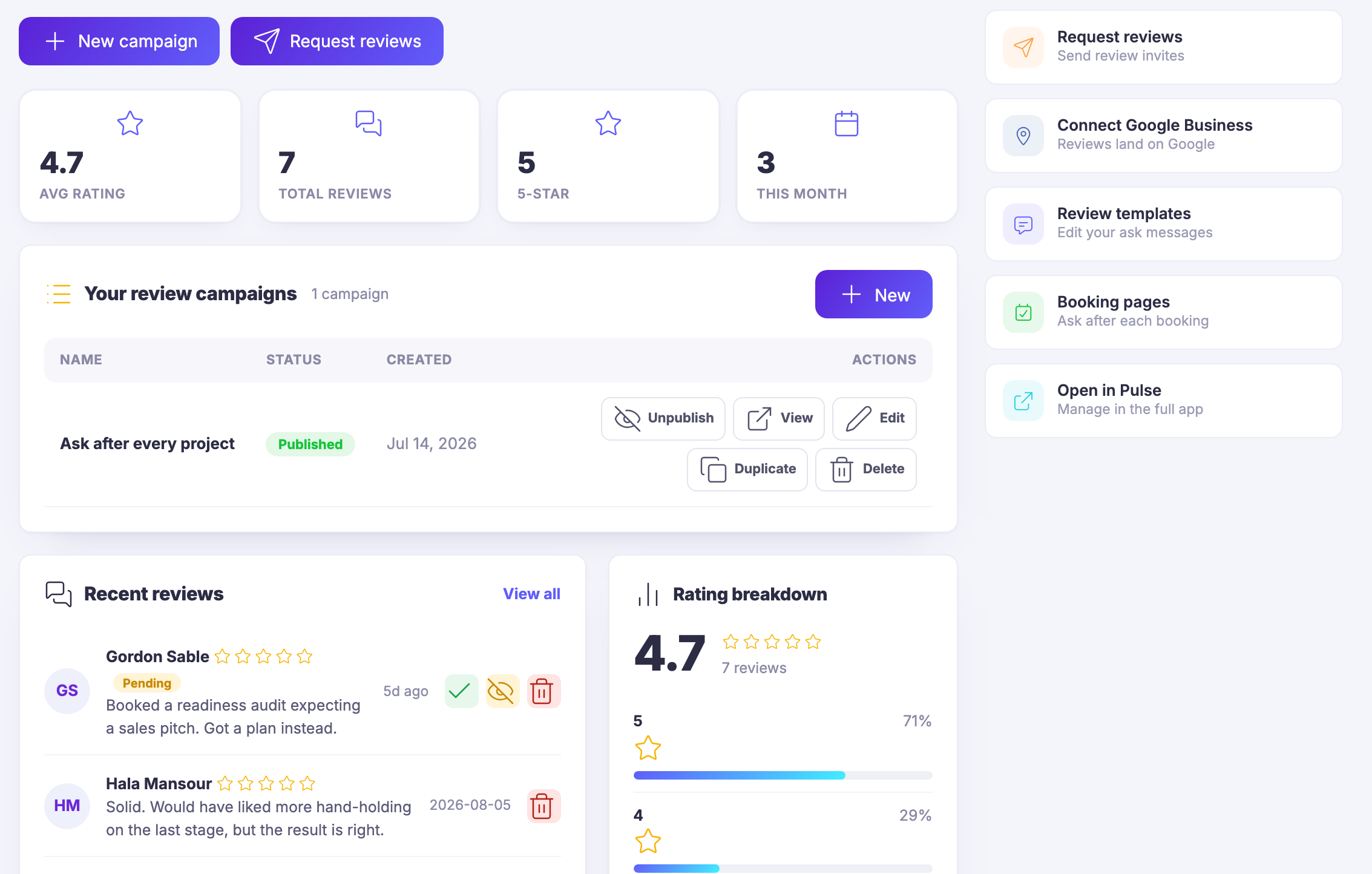
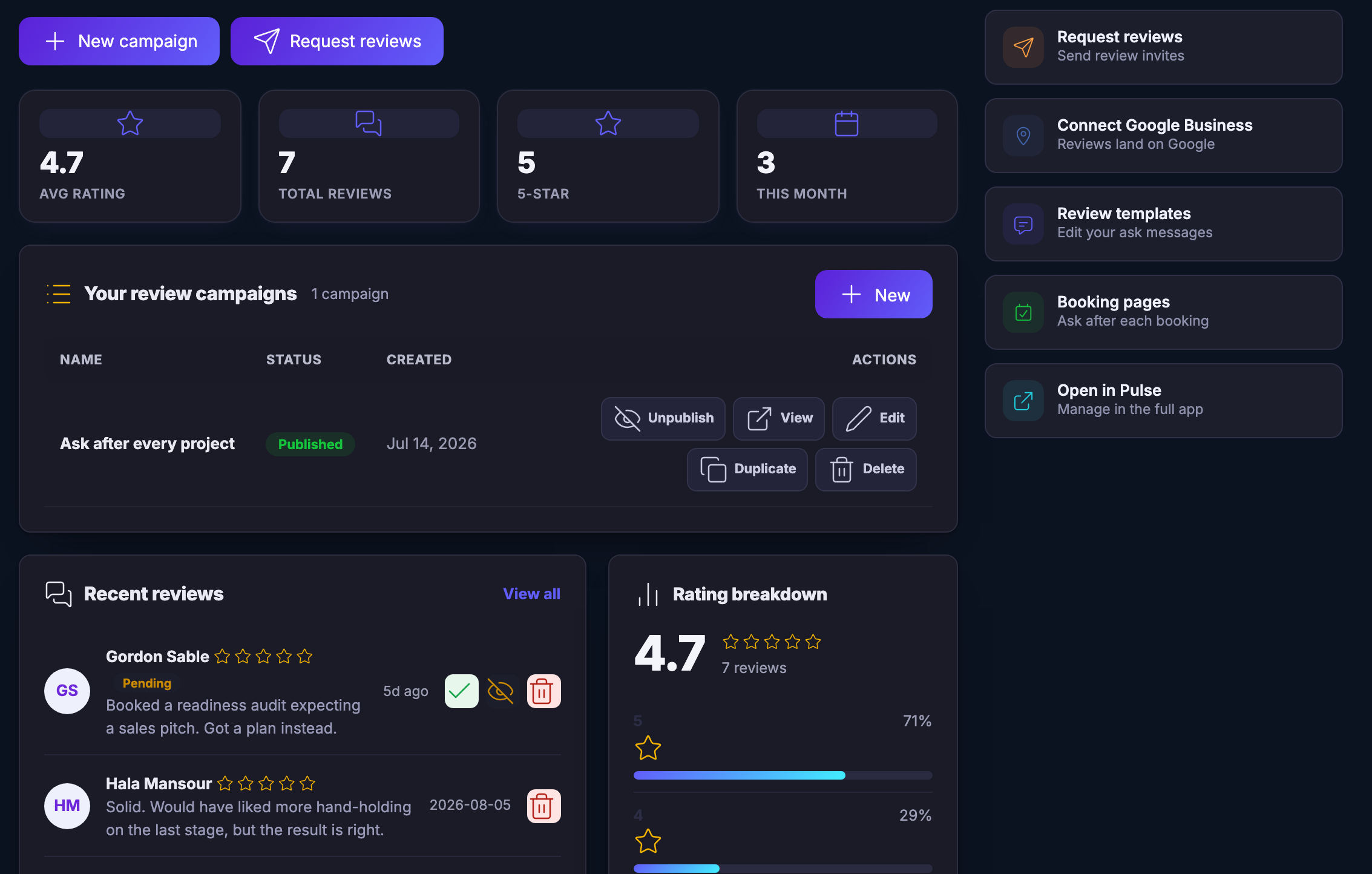
The top of the same Review Booster screen. Two filled controls open the frame — one for a new campaign, one for requesting reviews. Under them four counters run across the width, each a figure above its label: an average rating, a total of reviews, a count of the top rating, and a count for this month, each carrying its own small outline glyph above the figure. Below the counters a panel headed your review campaigns, noting that there is one, with a filled control to add another. Its table has columns for name, status, created and actions, and one row in it: a campaign called Ask after every project, badged published, with its creation date and a row of controls reading unpublish, view, edit, duplicate and delete. Beneath that the recent reviews feed and the rating breakdown card begin again, cut off by the bottom of the frame. On the right the same column of doors, beginning at requesting reviews.The top of the same Review Booster screen. Two filled controls open the frame — one for a new campaign, one for requesting reviews. Under them four counters run across the width, each a figure above its label: an average rating, a total of reviews, a count of the top rating, and a count for this month, each carrying its own small outline glyph above the figure. Below the counters a panel headed your review campaigns, noting that there is one, with a filled control to add another. Its table has columns for name, status, created and actions, and one row in it: a campaign called Ask after every project, badged published, with its creation date and a row of controls reading unpublish, view, edit, duplicate and delete. Beneath that the recent reviews feed and the rating breakdown card begin again, cut off by the bottom of the frame. On the right the same column of doors, beginning at requesting reviews.

Booster d'avis

Fermer
The Review Booster feed inside the Customers workspace. The wide panel in the middle is headed recent reviews with a view-all control, and holds five review rows one under another: each carries a circular monogram, the reviewer’s name, a row of star glyphs — five of them — which paint as empty outlines rather than filled shapes, a date or a relative age, and a sentence or two in their own words about the work. The topmost row is badged pending and carries three controls of its own — a tick, an eye with a line struck through it, and a bin — while the rows below carry only the bin. The list runs on past the bottom edge of the frame. To its right a card headed rating breakdown: a large average figure over the words seven reviews, then five rows counting down, each with its own star glyph, its own share written as a percentage, and a bar that is filled on the top two rows and empty on the rest. On the far right a column headed win more reviews, holding doors to a new campaign — described in the product’s own words as creating a review funnel — to requesting reviews, to connecting the third-party listing service so reviews land there, to editing the messages the ask is written in, to booking pages so the ask follows a booking, and to opening the module in the full app.The Review Booster feed inside the Customers workspace. The wide panel in the middle is headed recent reviews with a view-all control, and holds five review rows one under another: each carries a circular monogram, the reviewer’s name, a row of star glyphs — five of them — which paint as empty outlines rather than filled shapes, a date or a relative age, and a sentence or two in their own words about the work. The topmost row is badged pending and carries three controls of its own — a tick, an eye with a line struck through it, and a bin — while the rows below carry only the bin. The list runs on past the bottom edge of the frame. To its right a card headed rating breakdown: a large average figure over the words seven reviews, then five rows counting down, each with its own star glyph, its own share written as a percentage, and a bar that is filled on the top two rows and empty on the rest. On the far right a column headed win more reviews, holding doors to a new campaign — described in the product’s own words as creating a review funnel — to requesting reviews, to connecting the third-party listing service so reviews land there, to editing the messages the ask is written in, to booking pages so the ask follows a booking, and to opening the module in the full app.

Booster d'avis

Fermer
The top of the same Review Booster screen. Two filled controls open the frame — one for a new campaign, one for requesting reviews. Under them four counters run across the width, each a figure above its label: an average rating, a total of reviews, a count of the top rating, and a count for this month, each carrying its own small outline glyph above the figure. Below the counters a panel headed your review campaigns, noting that there is one, with a filled control to add another. Its table has columns for name, status, created and actions, and one row in it: a campaign called Ask after every project, badged published, with its creation date and a row of controls reading unpublish, view, edit, duplicate and delete. Beneath that the recent reviews feed and the rating breakdown card begin again, cut off by the bottom of the frame. On the right the same column of doors, beginning at requesting reviews.The top of the same Review Booster screen. Two filled controls open the frame — one for a new campaign, one for requesting reviews. Under them four counters run across the width, each a figure above its label: an average rating, a total of reviews, a count of the top rating, and a count for this month, each carrying its own small outline glyph above the figure. Below the counters a panel headed your review campaigns, noting that there is one, with a filled control to add another. Its table has columns for name, status, created and actions, and one row in it: a campaign called Ask after every project, badged published, with its creation date and a row of controls reading unpublish, view, edit, duplicate and delete. Beneath that the recent reviews feed and the rating breakdown card begin again, cut off by the bottom of the frame. On the right the same column of doors, beginning at requesting reviews.

A look inside Review Booster

Stills from the product, one after the next.

The Review Booster feed inside the Customers workspace. The wide panel in the middle is headed recent reviews with a view-all control, and holds five review rows one under another: each carries a circular monogram, the reviewer’s name, a row of star glyphs — five of them — which paint as empty outlines rather than filled shapes, a date or a relative age, and a sentence or two in their own words about the work. The topmost row is badged pending and carries three controls of its own — a tick, an eye with a line struck through it, and a bin — while the rows below carry only the bin. The list runs on past the bottom edge of the frame. To its right a card headed rating breakdown: a large average figure over the words seven reviews, then five rows counting down, each with its own star glyph, its own share written as a percentage, and a bar that is filled on the top two rows and empty on the rest. On the far right a column headed win more reviews, holding doors to a new campaign — described in the product’s own words as creating a review funnel — to requesting reviews, to connecting the third-party listing service so reviews land there, to editing the messages the ask is written in, to booking pages so the ask follows a booking, and to opening the module in the full app.The Review Booster feed inside the Customers workspace. The wide panel in the middle is headed recent reviews with a view-all control, and holds five review rows one under another: each carries a circular monogram, the reviewer’s name, a row of star glyphs — five of them — which paint as empty outlines rather than filled shapes, a date or a relative age, and a sentence or two in their own words about the work. The topmost row is badged pending and carries three controls of its own — a tick, an eye with a line struck through it, and a bin — while the rows below carry only the bin. The list runs on past the bottom edge of the frame. To its right a card headed rating breakdown: a large average figure over the words seven reviews, then five rows counting down, each with its own star glyph, its own share written as a percentage, and a bar that is filled on the top two rows and empty on the rest. On the far right a column headed win more reviews, holding doors to a new campaign — described in the product’s own words as creating a review funnel — to requesting reviews, to connecting the third-party listing service so reviews land there, to editing the messages the ask is written in, to booking pages so the ask follows a booking, and to opening the module in the full app.
The top of the same Review Booster screen. Two filled controls open the frame — one for a new campaign, one for requesting reviews. Under them four counters run across the width, each a figure above its label: an average rating, a total of reviews, a count of the top rating, and a count for this month, each carrying its own small outline glyph above the figure. Below the counters a panel headed your review campaigns, noting that there is one, with a filled control to add another. Its table has columns for name, status, created and actions, and one row in it: a campaign called Ask after every project, badged published, with its creation date and a row of controls reading unpublish, view, edit, duplicate and delete. Beneath that the recent reviews feed and the rating breakdown card begin again, cut off by the bottom of the frame. On the right the same column of doors, beginning at requesting reviews.The top of the same Review Booster screen. Two filled controls open the frame — one for a new campaign, one for requesting reviews. Under them four counters run across the width, each a figure above its label: an average rating, a total of reviews, a count of the top rating, and a count for this month, each carrying its own small outline glyph above the figure. Below the counters a panel headed your review campaigns, noting that there is one, with a filled control to add another. Its table has columns for name, status, created and actions, and one row in it: a campaign called Ask after every project, badged published, with its creation date and a row of controls reading unpublish, view, edit, duplicate and delete. Beneath that the recent reviews feed and the rating breakdown card begin again, cut off by the bottom of the frame. On the right the same column of doors, beginning at requesting reviews.
Two people with phones and a coffee, a clock, an eye and a review tag floating behind them

See it in your own business.

Everything on this page comes with the platform — start free and try it on your real work.

Get started now

Next Up: Local growth

Build reviews, loyalty and local visibility from every customer interaction.

Demander à Maven