Nachrichten

This is the product's own frame. Your conversations appear here once you have an account.

Get started now
Benachrichtigungen

This is the product's own frame. Alerts about your business appear here once you have an account.

Deutsch
Episode 12 shipped from the kitchen table

A podcast studio in the browser.

Record, edit lightly, publish and grow a show — without leaving the platform your business already runs on.

Why it matters

What this does for your business.

Record to publishedThe whole chain lives here — no file relay between four tools.
Your feed, everywherePublish once; syndicate to the usual places.
A show that sellsEpisodes link your offers, and listeners become leads.
Part of one platform — works hand-in-hand withPodcast Shows·Folgen

See it in your own business.

Everything on this page comes with the platform — start free and try it on your real work.

Get started now
One connected destination

Go deeper without losing the thread.

Each title beginning with a hashtag is a direct destination. The navigation can bring you to the exact part of the story without creating another disconnected page.

Give every show a clear home.

Run every show from one place.

Artwork, descriptions, feeds and team — each show managed cleanly, even when you run more than one.

Maven adds this one: an hour of talking is the most expensive thing most people make all week, and it usually gets used once.

Podcast-Studio

A show recorded, tidied and published without a file ever leaving the building.

A home for every showArtwork, description, feed and the people on it, held per show — so running a second one costs you nothing but the idea.
Record in a browser tabClean enough to publish, on your own or with someone remote. No rig, no install, no cable you have not got.
Episodes published straight to where they liveNotes, chapters and links attached to the episode, and the feed goes out from the same place you recorded.
Read more about Podcast Studio

A podcast studio in the browser.

The whole chain lives here. You plan the episode, record it, tidy it, write the notes and publish it without relaying a file between four tools and losing a take somewhere in the middle.

Each show keeps its own identity — its artwork, its description, its feed, its team — so running more than one is a matter of making another rather than of untangling the first. Episodes sit under their show with their notes, chapters and links, which is what makes a back catalogue worth having.

Gäste stop being an email chain. An invite link, a prep sheet and a recording link carry someone from would you come on? an you are live without a fortnight of messages, and what they said arrives attached to the episode rather than in a folder.

And a show earns rather than just existing. Episodes can carry your offers, a listener can become a name you know, and the best of them can sit behind a tier for the people who pay to be closer.

What it actually does

  • Every show with its own artwork, feed and team
  • Browser recording tuned for speech, on your own or with a guest
  • Episodes published straight to where they live

What that changes for you

  • The whole chain lives here, with no file relay between tools
  • A second show costs you the idea and nothing else
  • The episode keeps working after the week it went out

You come away with an episode published, and the clips it was hiding.

A look inside Podcast Studio

Podcast Studio — platform screenshots

Real screens from the product. Open any one full size, or switch the set to light or dark.

Schließen
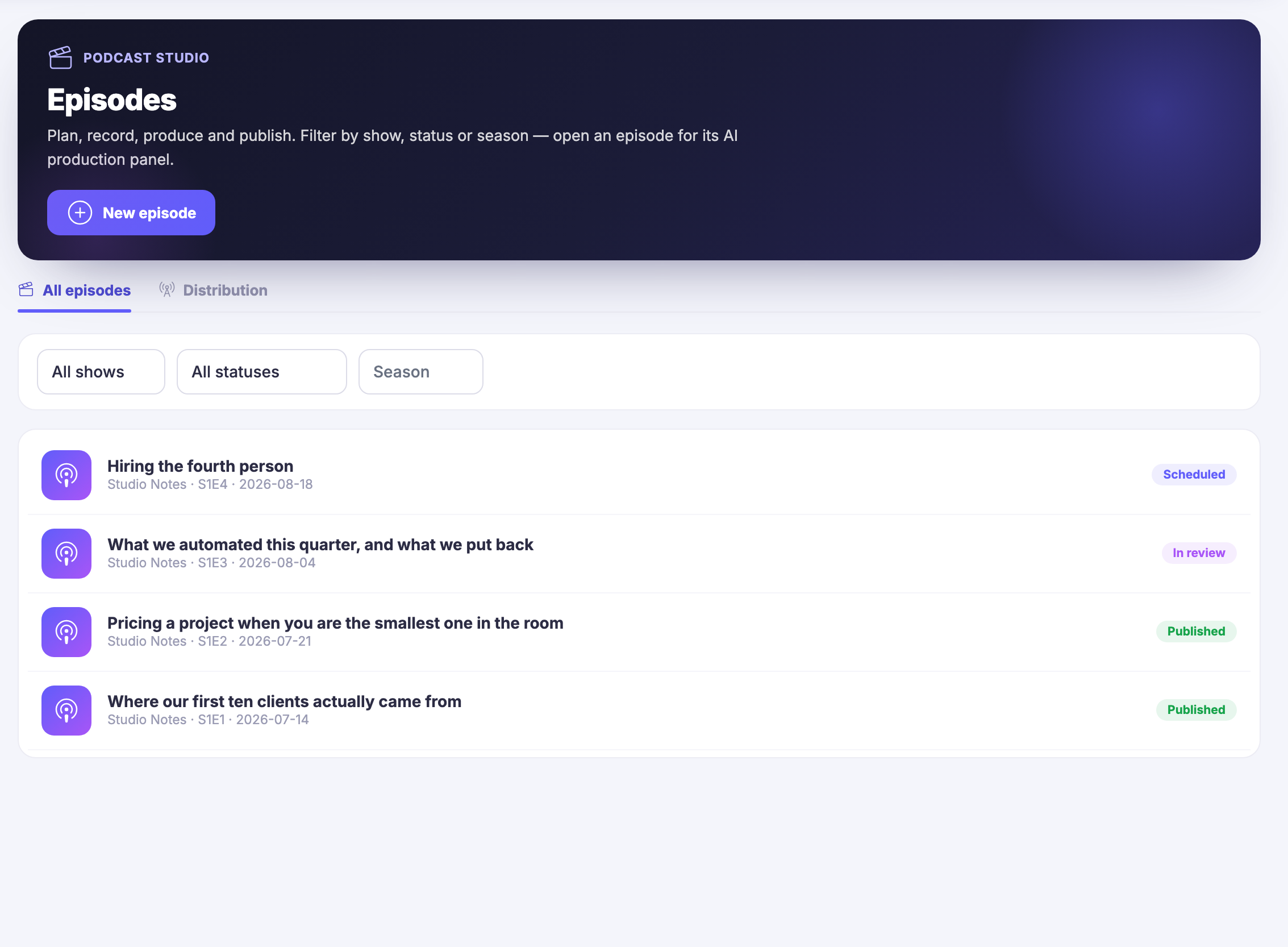
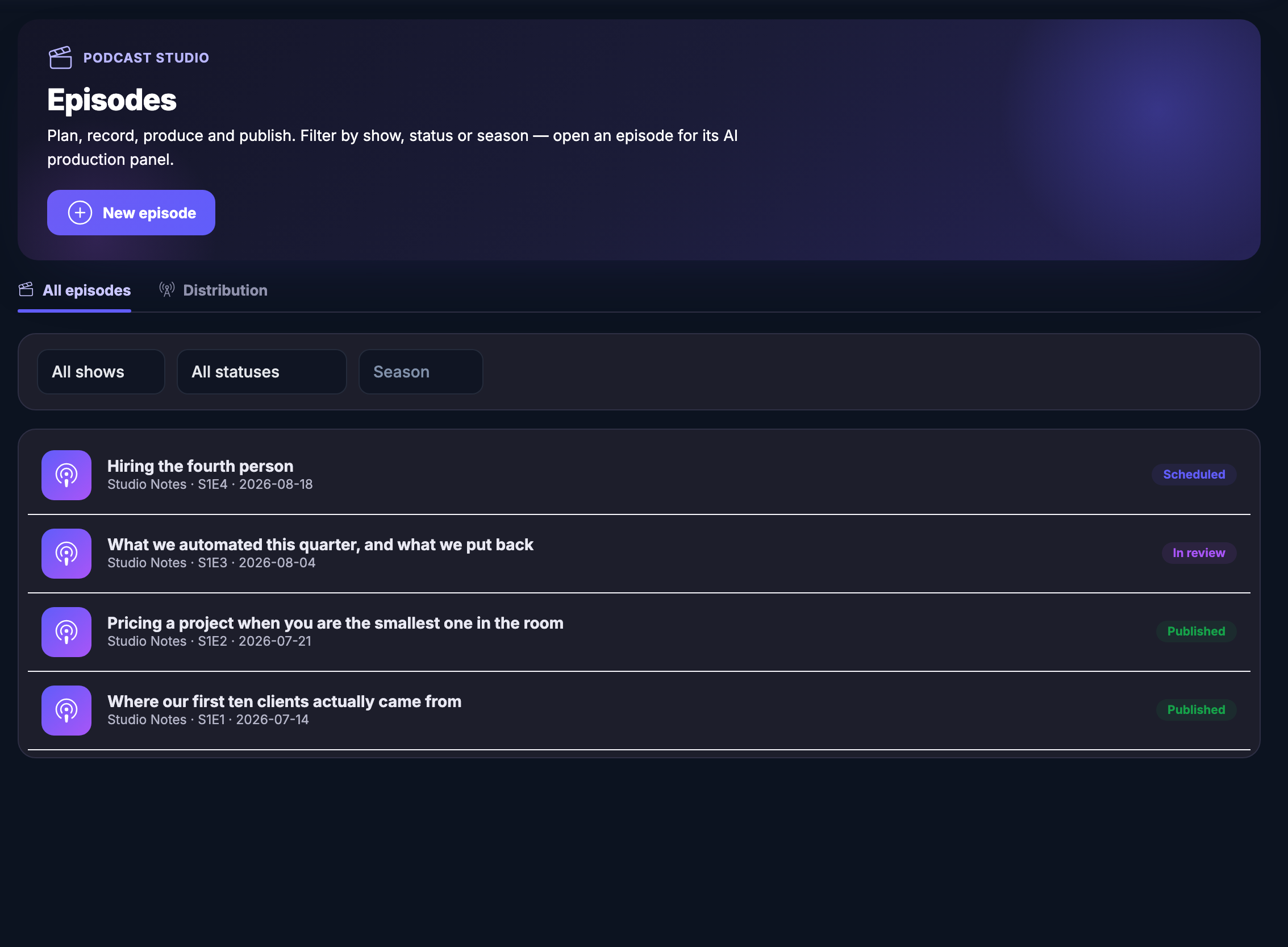
The Podcast Studio episode list, open on all episodes: a header panel naming the module and explaining that this is where episodes are planned, recorded, produced and published, with a control for a new episode and a note that an episode can be opened for its production panel. Under it a filter row offering a show, a status and a season, none of them set, and then four episodes one under another, each with its show name, its season and episode number and its date — hiring the fourth person, marked scheduled; what was automated this quarter and what was put back, marked in review; pricing a project when you are the smallest one in the room, marked published; and where the first ten clients actually came from, also marked published.The Podcast Studio episode list, open on all episodes: a header panel naming the module and explaining that this is where episodes are planned, recorded, produced and published, with a control for a new episode and a note that an episode can be opened for its production panel. Under it a filter row offering a show, a status and a season, none of them set, and then four episodes one under another, each with its show name, its season and episode number and its date — hiring the fourth person, marked scheduled; what was automated this quarter and what was put back, marked in review; pricing a project when you are the smallest one in the room, marked published; and where the first ten clients actually came from, also marked published.
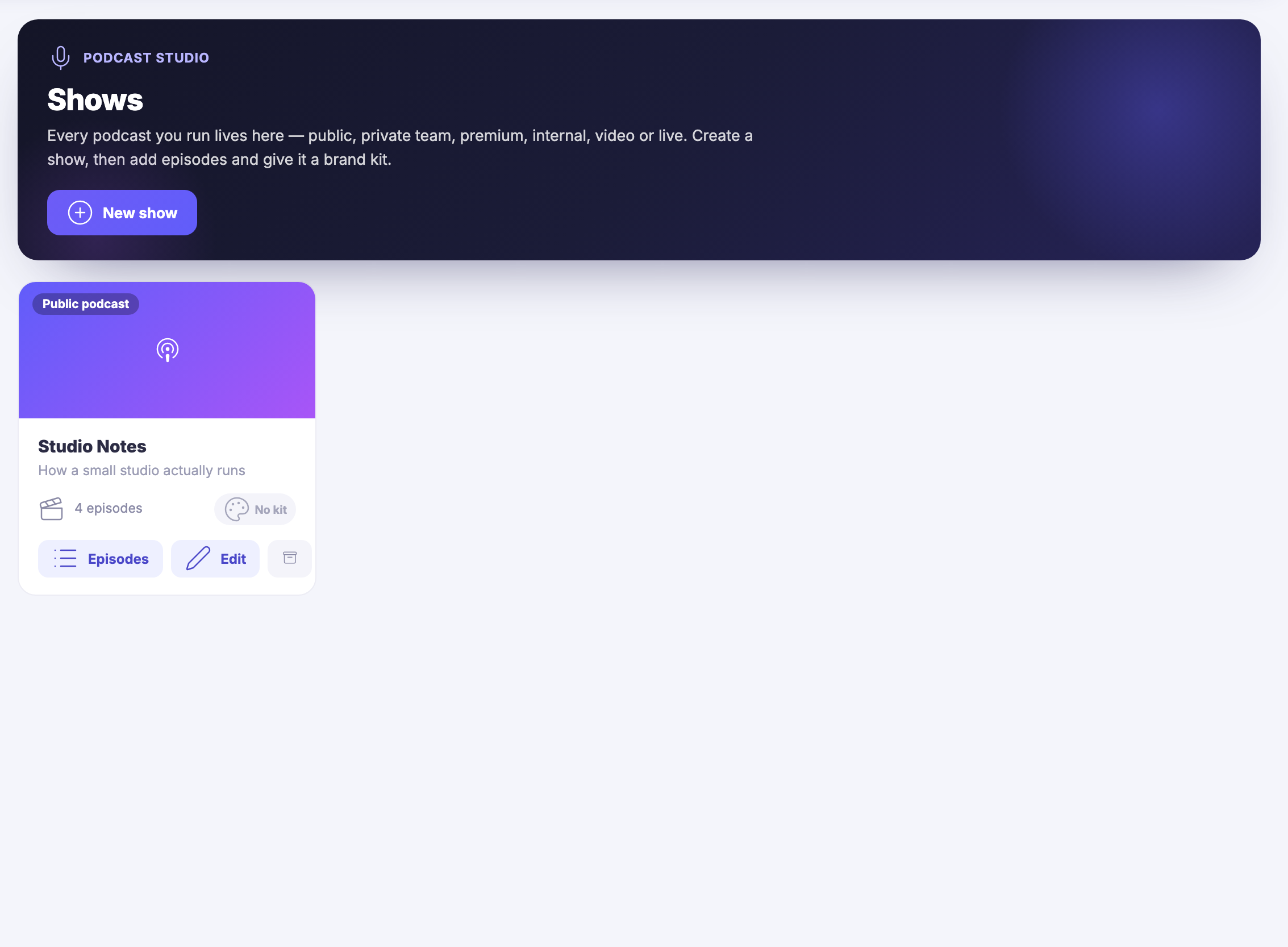
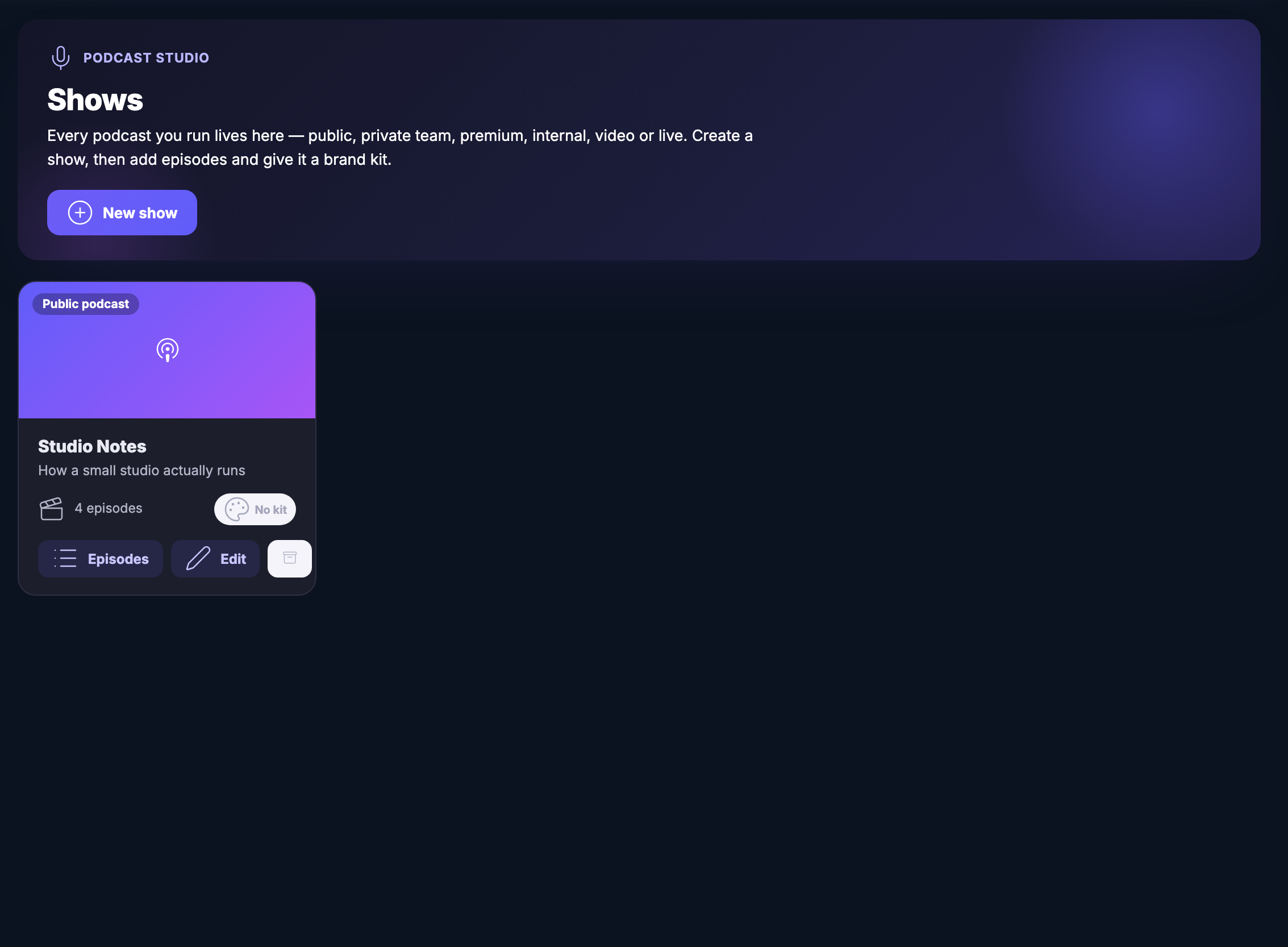
The Shows view: a header panel explaining that every podcast you run lives here — public, private, premium, internal, video or live — and inviting you to create a show and then give it episodes and a brand kit. Below it one show card, marked a public podcast, with its artwork block, its title Studio Notes, its line about how a small studio actually runs, a count of its episodes, a note that it has no brand kit yet, and controls to open its episodes, edit it or file it away. The rest of the field beside it is empty: this workspace runs one show.The Shows view: a header panel explaining that every podcast you run lives here — public, private, premium, internal, video or live — and inviting you to create a show and then give it episodes and a brand kit. Below it one show card, marked a public podcast, with its artwork block, its title Studio Notes, its line about how a small studio actually runs, a count of its episodes, a note that it has no brand kit yet, and controls to open its episodes, edit it or file it away. The rest of the field beside it is empty: this workspace runs one show.
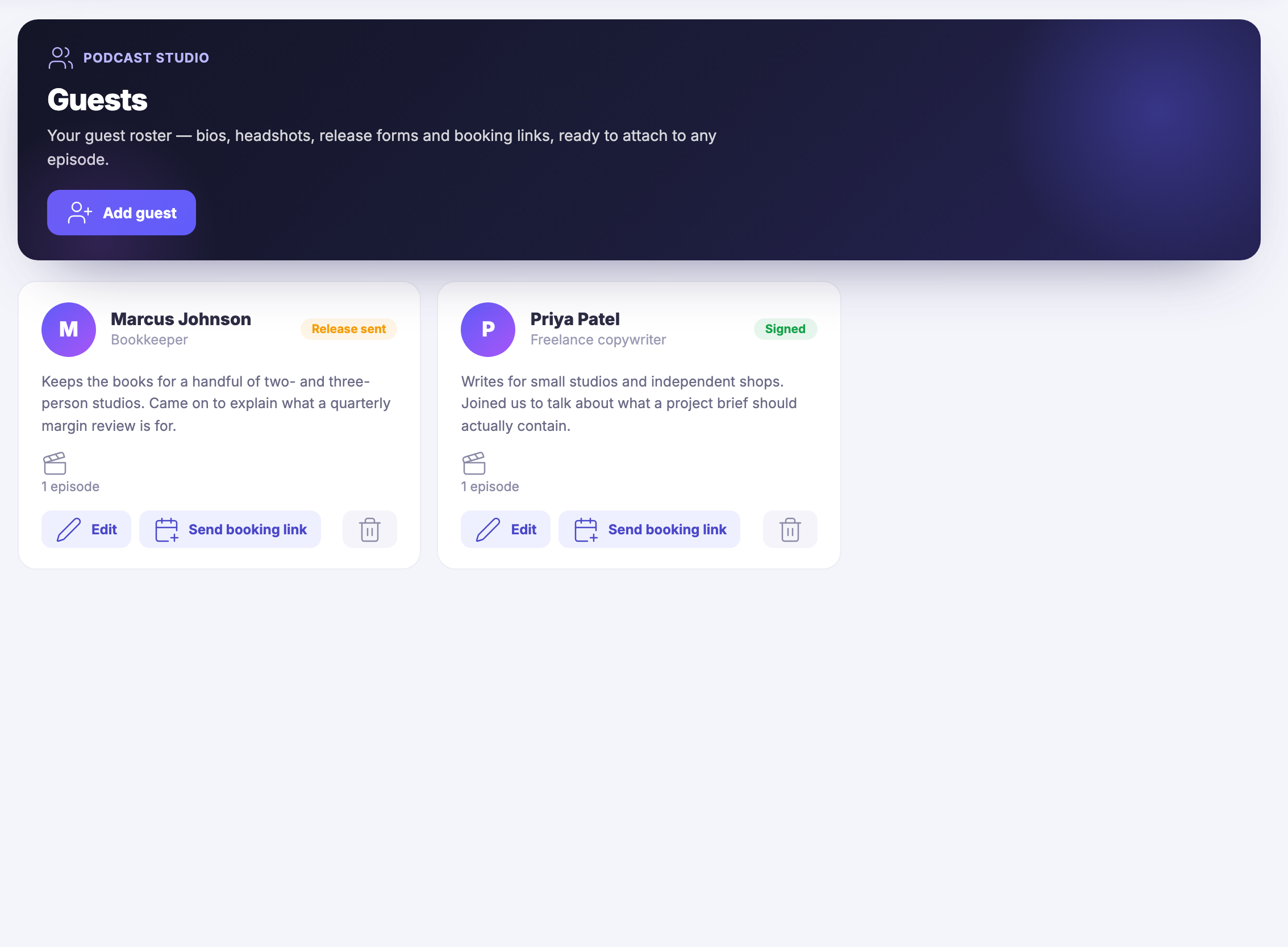
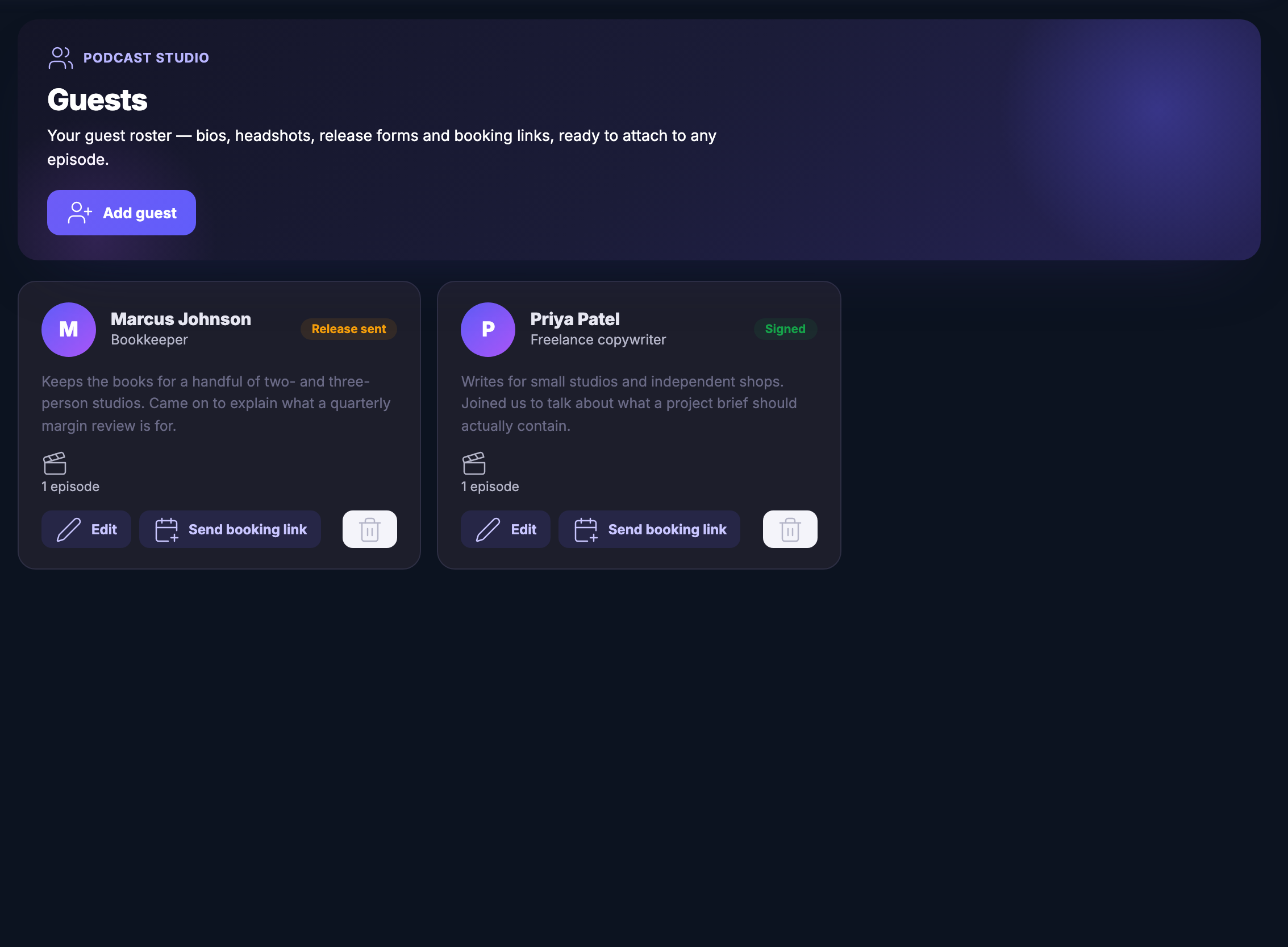
The guest roster: a header panel describing it as bios, headshots, release forms and booking links ready to attach to any episode, with a control to add a guest. Under it two guest cards side by side, each with an initials avatar, a name, what the person does — a bookkeeper, and a freelance copywriter — a short line on what they came on to talk about, a count of the episodes they appear in, and controls to edit them or send a booking link. One card is marked as having had a release form sent, the other as signed.The guest roster: a header panel describing it as bios, headshots, release forms and booking links ready to attach to any episode, with a control to add a guest. Under it two guest cards side by side, each with an initials avatar, a name, what the person does — a bookkeeper, and a freelance copywriter — a short line on what they came on to talk about, a count of the episodes they appear in, and controls to edit them or send a booking link. One card is marked as having had a release form sent, the other as signed.

Podcast-Studio

Schließen
The Podcast Studio episode list, open on all episodes: a header panel naming the module and explaining that this is where episodes are planned, recorded, produced and published, with a control for a new episode and a note that an episode can be opened for its production panel. Under it a filter row offering a show, a status and a season, none of them set, and then four episodes one under another, each with its show name, its season and episode number and its date — hiring the fourth person, marked scheduled; what was automated this quarter and what was put back, marked in review; pricing a project when you are the smallest one in the room, marked published; and where the first ten clients actually came from, also marked published.The Podcast Studio episode list, open on all episodes: a header panel naming the module and explaining that this is where episodes are planned, recorded, produced and published, with a control for a new episode and a note that an episode can be opened for its production panel. Under it a filter row offering a show, a status and a season, none of them set, and then four episodes one under another, each with its show name, its season and episode number and its date — hiring the fourth person, marked scheduled; what was automated this quarter and what was put back, marked in review; pricing a project when you are the smallest one in the room, marked published; and where the first ten clients actually came from, also marked published.

Podcast-Studio

Schließen
The Shows view: a header panel explaining that every podcast you run lives here — public, private, premium, internal, video or live — and inviting you to create a show and then give it episodes and a brand kit. Below it one show card, marked a public podcast, with its artwork block, its title Studio Notes, its line about how a small studio actually runs, a count of its episodes, a note that it has no brand kit yet, and controls to open its episodes, edit it or file it away. The rest of the field beside it is empty: this workspace runs one show.The Shows view: a header panel explaining that every podcast you run lives here — public, private, premium, internal, video or live — and inviting you to create a show and then give it episodes and a brand kit. Below it one show card, marked a public podcast, with its artwork block, its title Studio Notes, its line about how a small studio actually runs, a count of its episodes, a note that it has no brand kit yet, and controls to open its episodes, edit it or file it away. The rest of the field beside it is empty: this workspace runs one show.

Podcast-Studio

Schließen
The guest roster: a header panel describing it as bios, headshots, release forms and booking links ready to attach to any episode, with a control to add a guest. Under it two guest cards side by side, each with an initials avatar, a name, what the person does — a bookkeeper, and a freelance copywriter — a short line on what they came on to talk about, a count of the episodes they appear in, and controls to edit them or send a booking link. One card is marked as having had a release form sent, the other as signed.The guest roster: a header panel describing it as bios, headshots, release forms and booking links ready to attach to any episode, with a control to add a guest. Under it two guest cards side by side, each with an initials avatar, a name, what the person does — a bookkeeper, and a freelance copywriter — a short line on what they came on to talk about, a count of the episodes they appear in, and controls to edit them or send a booking link. One card is marked as having had a release form sent, the other as signed.

A look inside Podcast Studio

Stills from the product, one after the next.

The Podcast Studio episode list, open on all episodes: a header panel naming the module and explaining that this is where episodes are planned, recorded, produced and published, with a control for a new episode and a note that an episode can be opened for its production panel. Under it a filter row offering a show, a status and a season, none of them set, and then four episodes one under another, each with its show name, its season and episode number and its date — hiring the fourth person, marked scheduled; what was automated this quarter and what was put back, marked in review; pricing a project when you are the smallest one in the room, marked published; and where the first ten clients actually came from, also marked published.The Podcast Studio episode list, open on all episodes: a header panel naming the module and explaining that this is where episodes are planned, recorded, produced and published, with a control for a new episode and a note that an episode can be opened for its production panel. Under it a filter row offering a show, a status and a season, none of them set, and then four episodes one under another, each with its show name, its season and episode number and its date — hiring the fourth person, marked scheduled; what was automated this quarter and what was put back, marked in review; pricing a project when you are the smallest one in the room, marked published; and where the first ten clients actually came from, also marked published.
The Shows view: a header panel explaining that every podcast you run lives here — public, private, premium, internal, video or live — and inviting you to create a show and then give it episodes and a brand kit. Below it one show card, marked a public podcast, with its artwork block, its title Studio Notes, its line about how a small studio actually runs, a count of its episodes, a note that it has no brand kit yet, and controls to open its episodes, edit it or file it away. The rest of the field beside it is empty: this workspace runs one show.The Shows view: a header panel explaining that every podcast you run lives here — public, private, premium, internal, video or live — and inviting you to create a show and then give it episodes and a brand kit. Below it one show card, marked a public podcast, with its artwork block, its title Studio Notes, its line about how a small studio actually runs, a count of its episodes, a note that it has no brand kit yet, and controls to open its episodes, edit it or file it away. The rest of the field beside it is empty: this workspace runs one show.
The guest roster: a header panel describing it as bios, headshots, release forms and booking links ready to attach to any episode, with a control to add a guest. Under it two guest cards side by side, each with an initials avatar, a name, what the person does — a bookkeeper, and a freelance copywriter — a short line on what they came on to talk about, a count of the episodes they appear in, and controls to edit them or send a booking link. One card is marked as having had a release form sent, the other as signed.The guest roster: a header panel describing it as bios, headshots, release forms and booking links ready to attach to any episode, with a control to add a guest. Under it two guest cards side by side, each with an initials avatar, a name, what the person does — a bookkeeper, and a freelance copywriter — a short line on what they came on to talk about, a count of the episodes they appear in, and controls to edit them or send a booking link. One card is marked as having had a release form sent, the other as signed.

Move an episode from idea to published.

Episodes, organized to be found.

Every episode with its notes, chapters and links — easy to publish, easy to binge, easy to turn into clips.

Keep every guest and conversation connected.

Guests, without the email chain.

Invite links, prep sheets and recording links — the guest pipeline from "would you come on?" to "you're live" without seventeen emails.

Step into the recording room.

Hit record. Sound good.

Browser recording tuned for speech — solo takes or guest sessions — captured clean enough to publish.

Next Up: Live & podcast studio

Broadcast, record and publish without leaving the platform.

Maven fragen