संदेश

This is the product's own frame. Your conversations appear here once you have an account.

Get started now
सूचनाएं

This is the product's own frame. Alerts about your business appear here once you have an account.

हिन्दी

Mission Control

आपका पूरा व्यवसाय,
on one quiet screen.

Money, customers, work and goals stop living in nine tabs and start living in one place — where a number that changes anywhere shows up everywhere it matters. You open it once, and you already know where you stand.

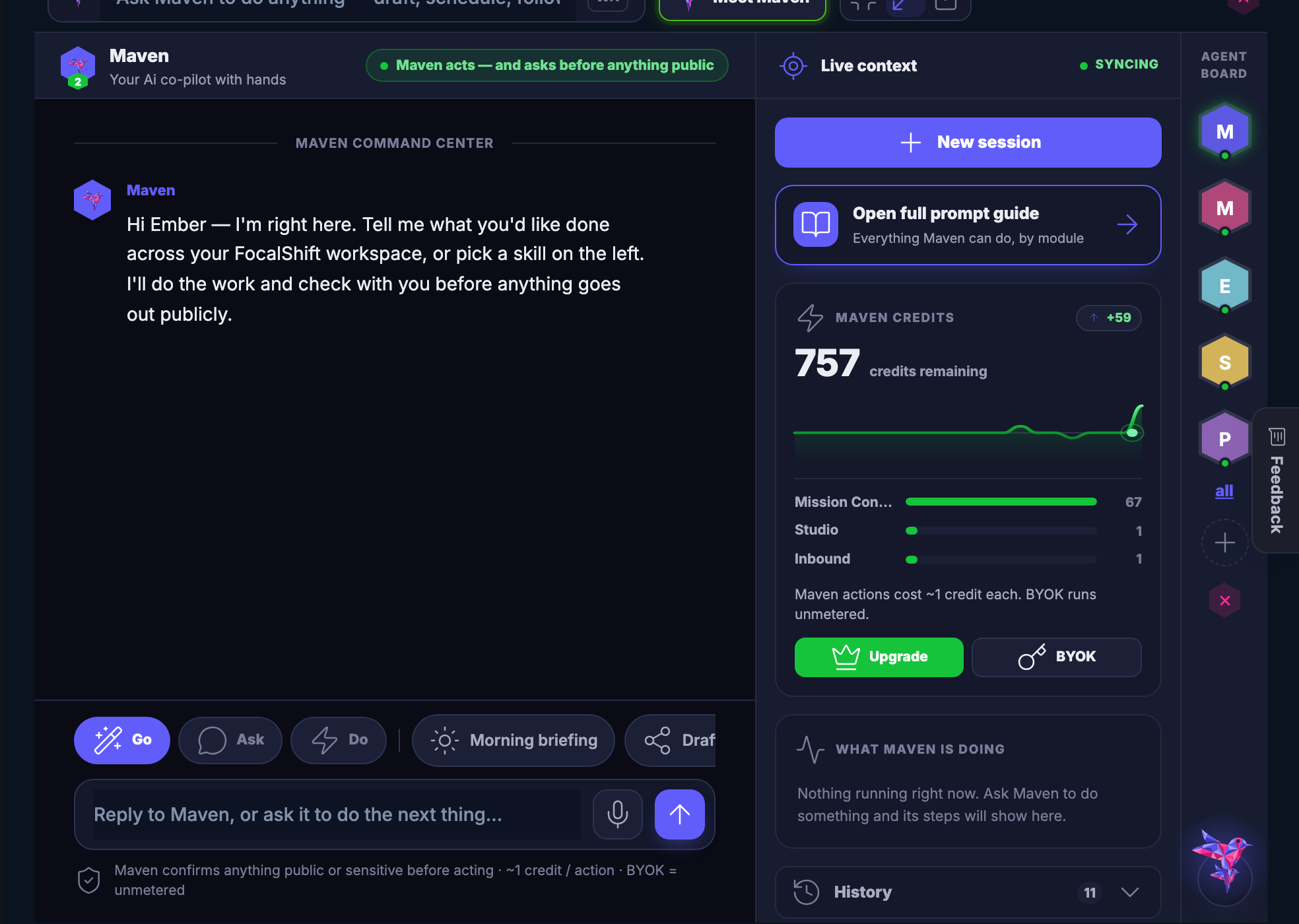
Maven in Mission Control: the session on the left, the live context and the agent board on the right.

Maven’s command center, captured from the product.

What you are looking at

One screen, and the whole business is already on it.

Money, customers, work and goals are not separate products here. They are rooms in one house, and the front door opens onto a screen that has already done the adding up for you.

Nine separate screens folding into one

Drawn: the separate screens most businesses live in, folding into the one this platform opens on.

Nothing to reconcile

A number that changes in one room is already changed in every other one. There is no export step, and no spreadsheet holding the real answer.

The work sits with the people

Projects, decisions and the conversation about them share a board, so nothing has to be re–explained to the person who missed it.

Your advisors are in the room

Maven and the Boardroom read the same records you do, so asking a question does not mean gathering the evidence first.

The shift

You stop being the messenger
between your own tools.

Before

The invoice total is in one tab. The lead’s name in another. The real state of the month is in your head — and every Monday you rebuild the truth by hand.

After

A sale your pipeline closes is already in your money. An invoice that gets paid already moved your goal. You look once, and you know.

One screen, three answers

Everything that matters, before your coffee’s done.

पैसा

Know the number without looking it up.

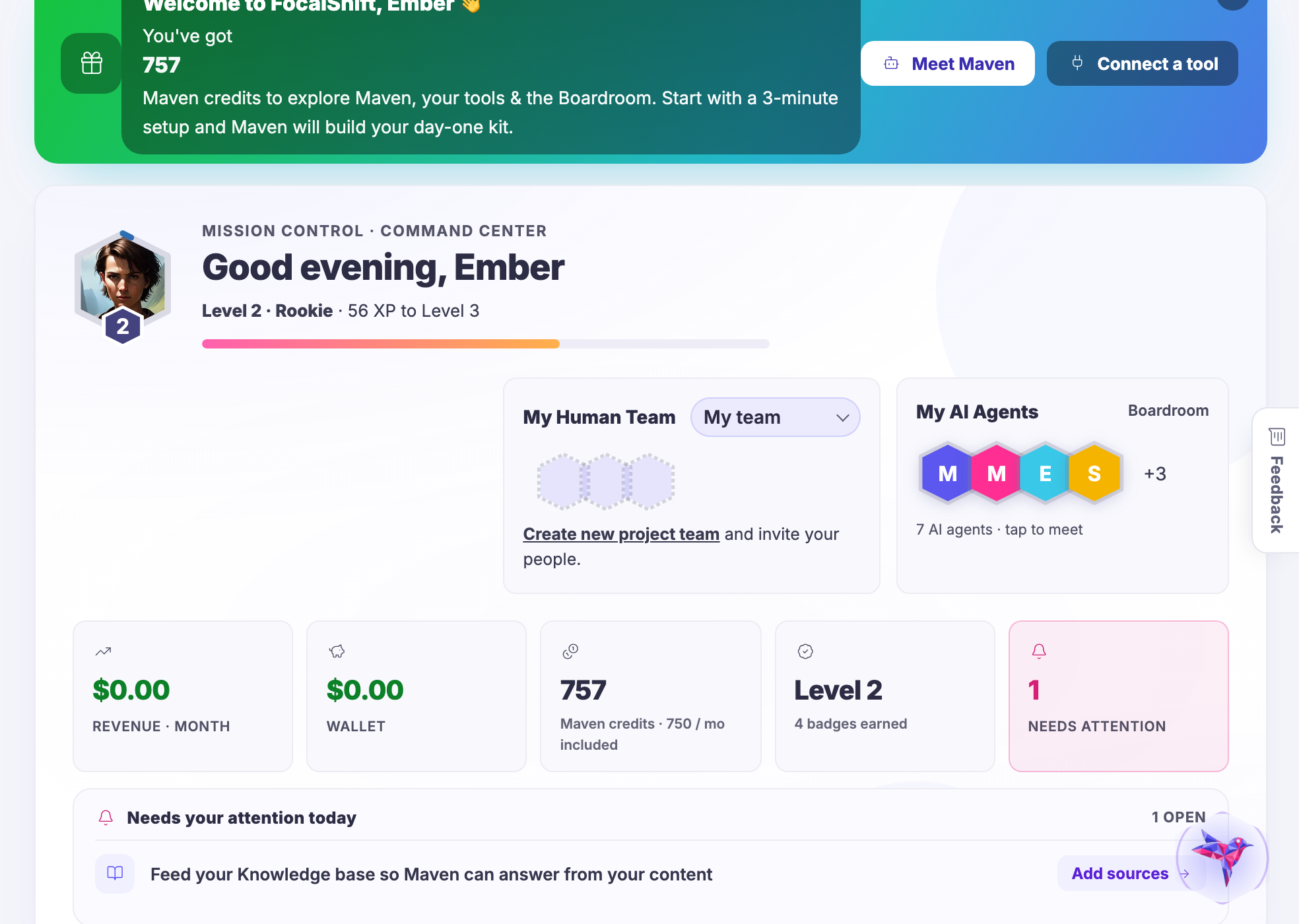
Every stream you earn from lands in one running total that updates itself the moment money moves. No exports. No formula that broke last week. Just the truth, current.

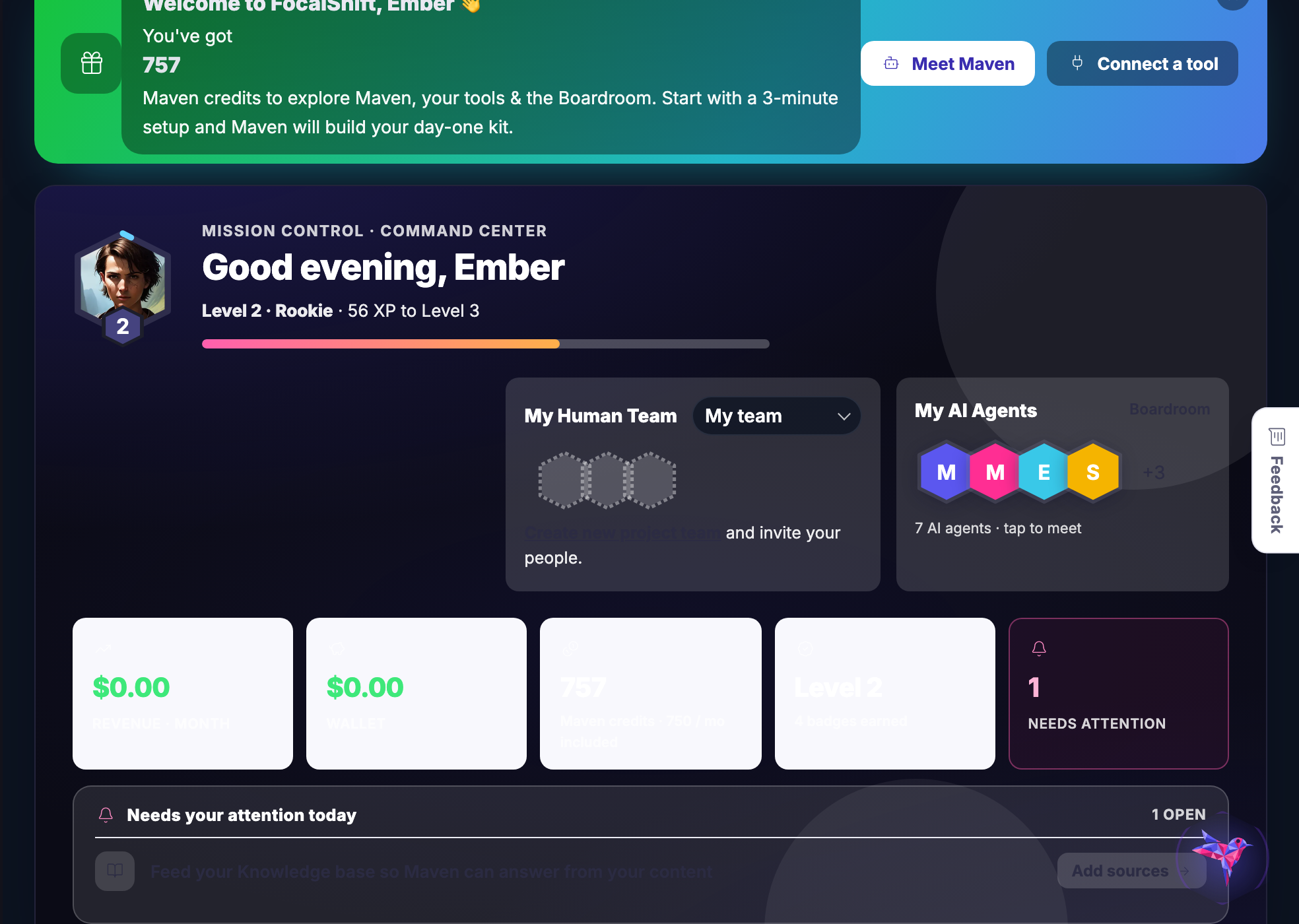
The Mission Control home screen: the greeting, the team and agents, and the row of tiles for revenue, wallet, credits and what needs attention.

Mission Control’s home screen, captured from the product.

Work

The work lives where the people are.

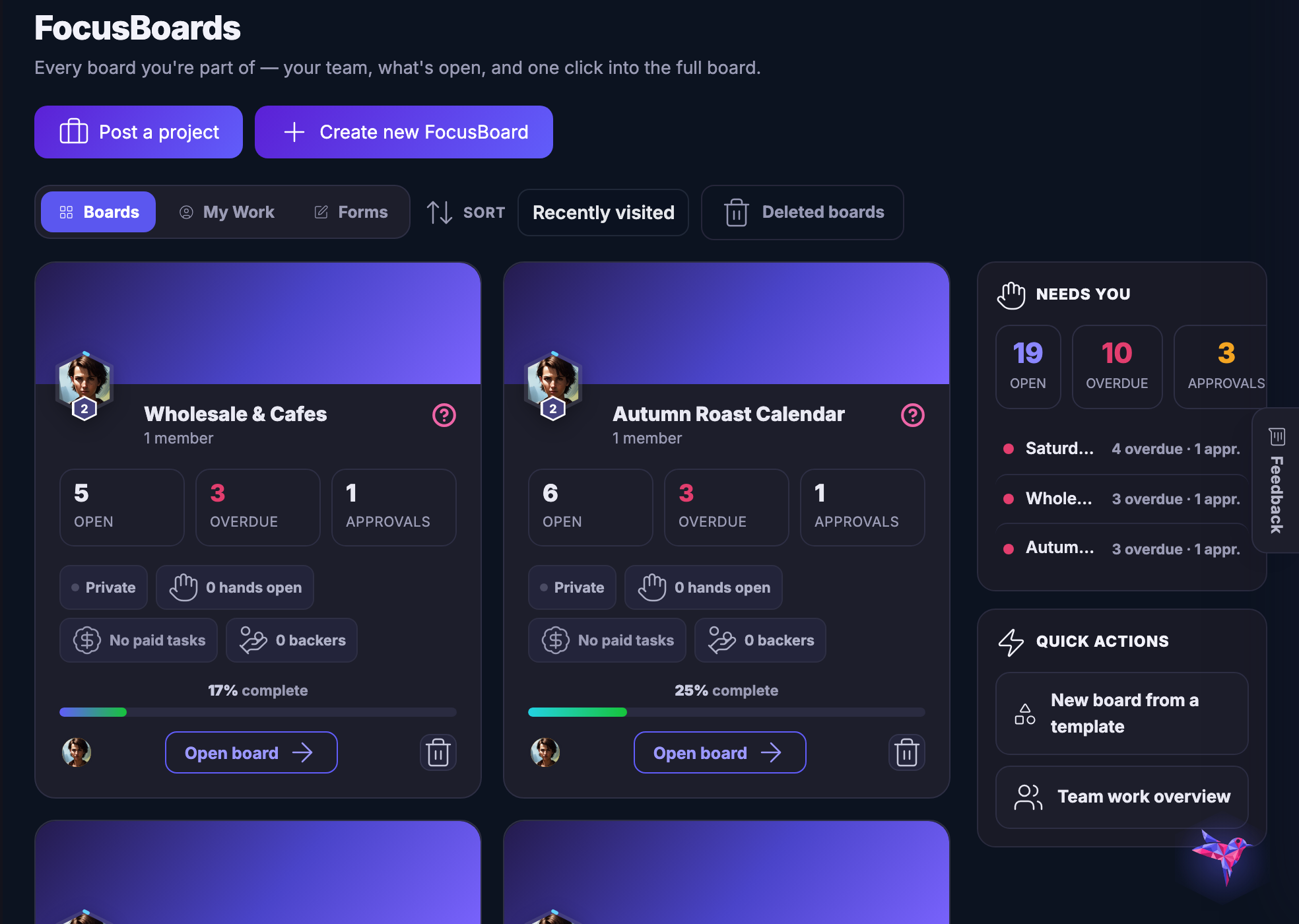
Projects, tasks, decisions and the conversation about them share one board your whole team can see — so nothing gets re-explained and nothing gets lost in a feed.

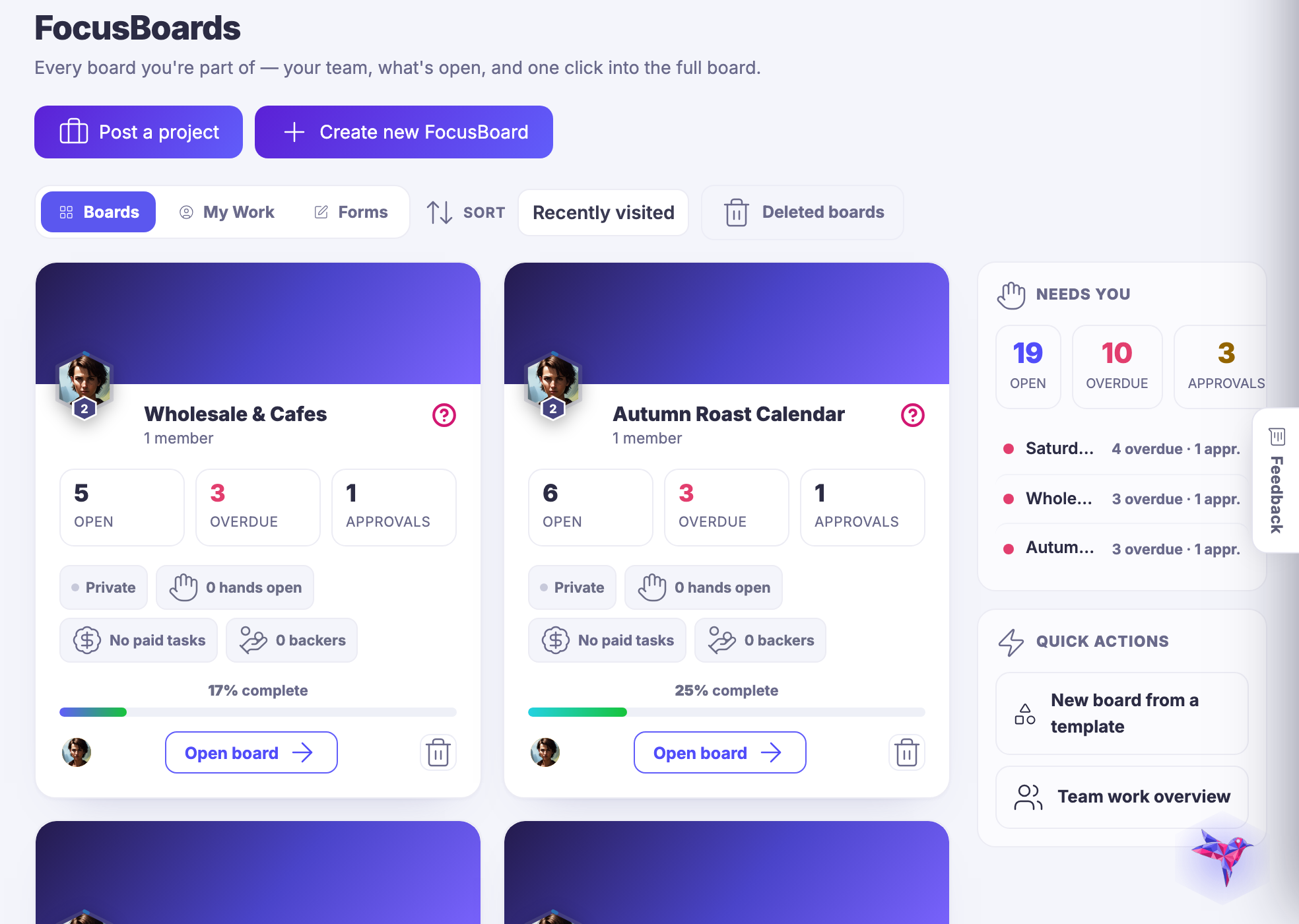
The FocusBoards screen: project boards with their open, overdue and approval counts, and the panel of what needs you.

FocusBoards, captured from the product.

Maven adds this one: every other card here answers one question — this is the screen where all of them answer at once.

व्यवसाय अवलोकन

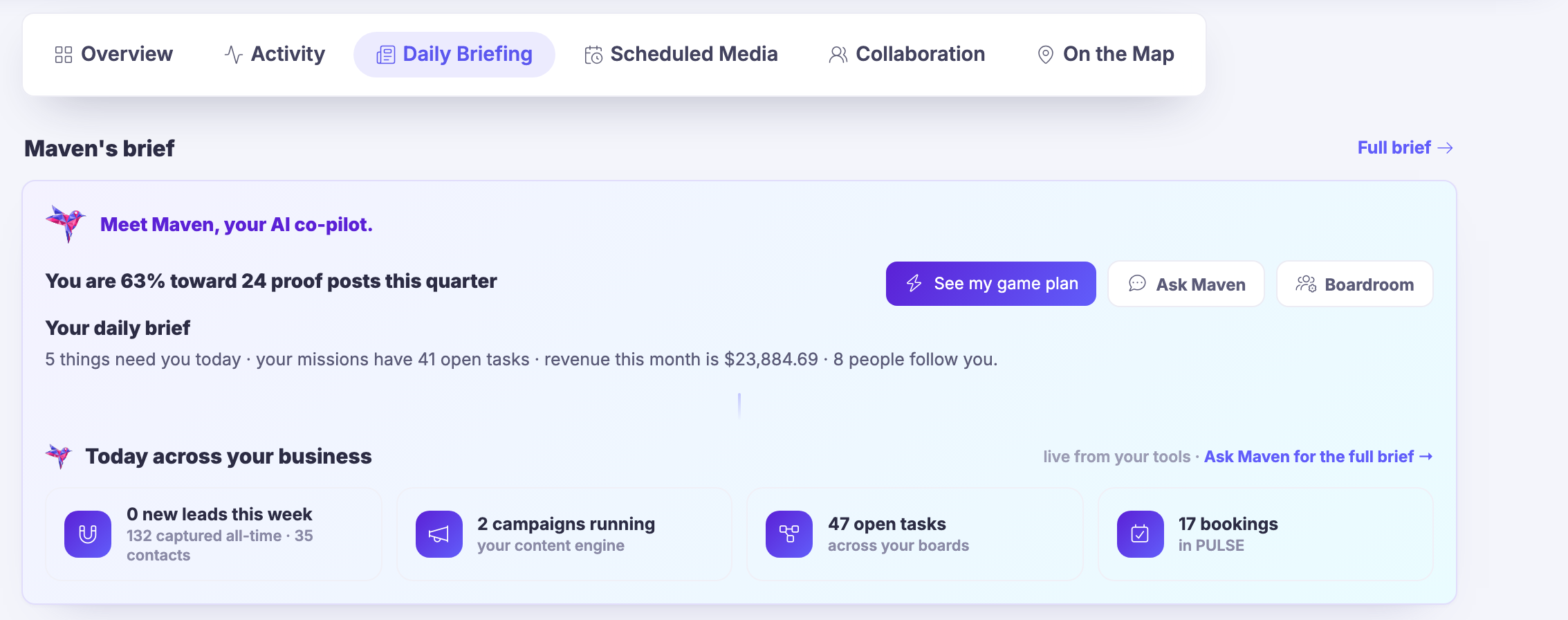
The screen your account opens on: the day in a sentence, the same day counted from the tools themselves, and everything that has happened since you last looked.
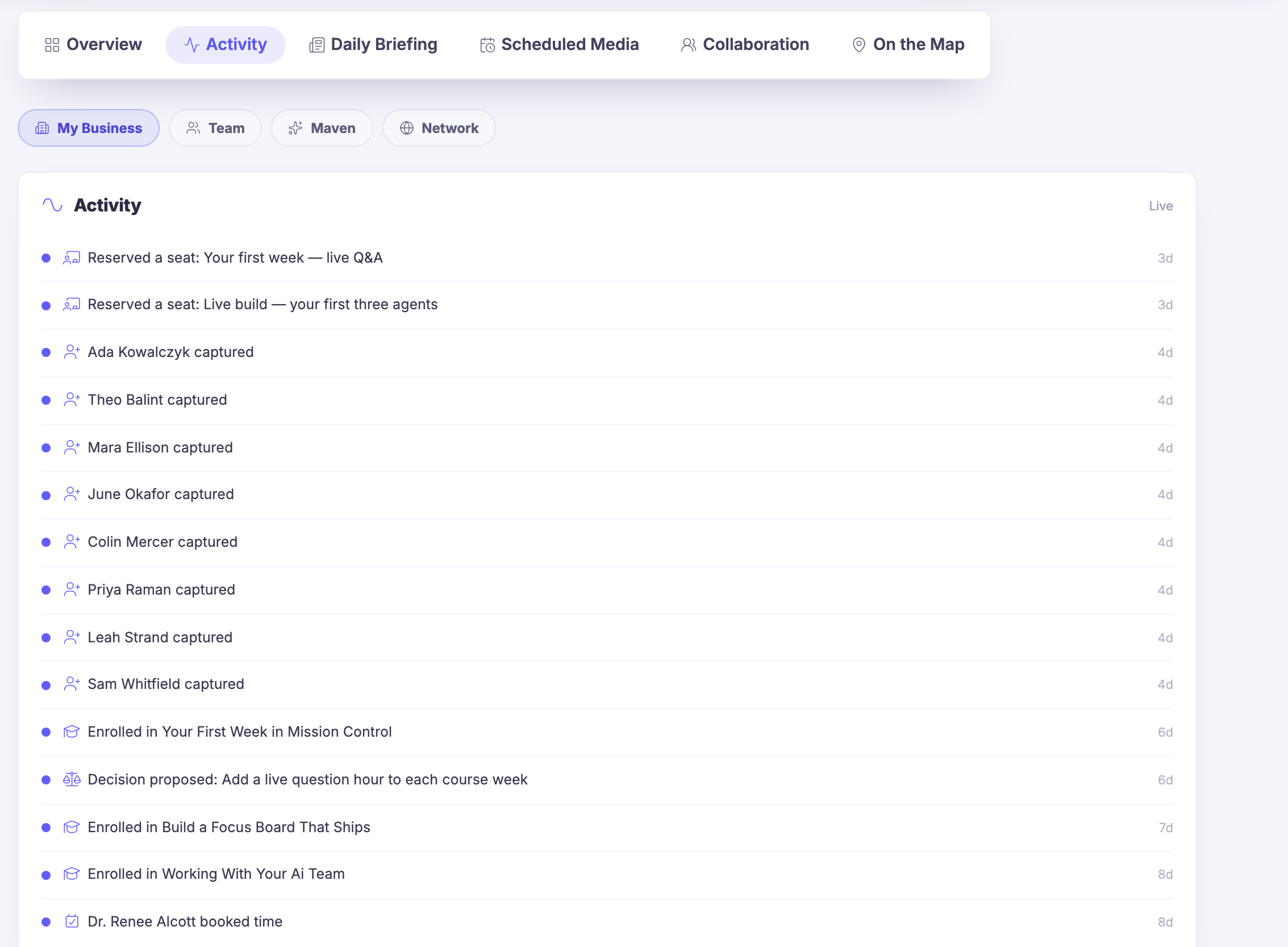
It opens on the answerThe briefing writes the day out in one line — what needs you, what your work has open, what the month has taken and who has started following you — instead of leaving it behind a report you have to run.
Every tool reports inUnder it, the same day counted again by the tools that own it: the leads, the campaigns running, the work open across your boards and the bookings held in your customer records, read live rather than typed in here.
Nothing on it was copied inAnd beside the briefing, the running list — a seat taken, a person captured, a decision put up for a verdict, time booked. A sale your pipeline closes has already moved this screen. Nobody rebuilds the state of the month by hand on a Monday.
Read more about Business Overview

The screen the account opens on.

Every other card on this deck answers one question well. This is the screen where the answers are already assembled: what the month has earned, what is in the wallet, what is waiting on you, and the work your people have open — arranged so you read it rather than build it.

None of it is a copy. The totals are the same records Money Flow keeps, the work is the same boards FocusBoards draws, the enquiries are the same cards the lead board moves. A sale closed on the board has already moved this screen by the time you look at it, and that is the only reason a screen like this can be trusted at a glance.

It is where the day starts rather than where it gets reported. The attention list is short on purpose — things nobody has answered yet, each carrying the control that opens the thing itself — so reading the screen and acting on it are the same motion.

And beside the briefing, the same day at full length: a running list of what has actually happened, newest first, with a switch for whose activity you want — your own business, the people working with you, Maven herself, or the wider network. Nothing is entered there. A seat gets reserved, a person gets captured, a decision goes up for a verdict, a client books time, and the line appears because the thing happened.

What it actually does

  • The day written out in one line, before you have opened anything
  • The same day counted again, live, by the tools that own it
  • A running list of what has happened, newest first

What that changes for you

  • You know where you stand before you have opened anything else
  • The day starts with what is waiting, not with a hunt for it
  • Nobody rebuilds the state of the month by hand

You come away with one screen you can trust at a glance, and the habit of starting there.

A look inside Business Overview

Business Overview — platform screenshots

Real screens from the product. Open any one full size, or switch the set to light or dark.

बंद करें
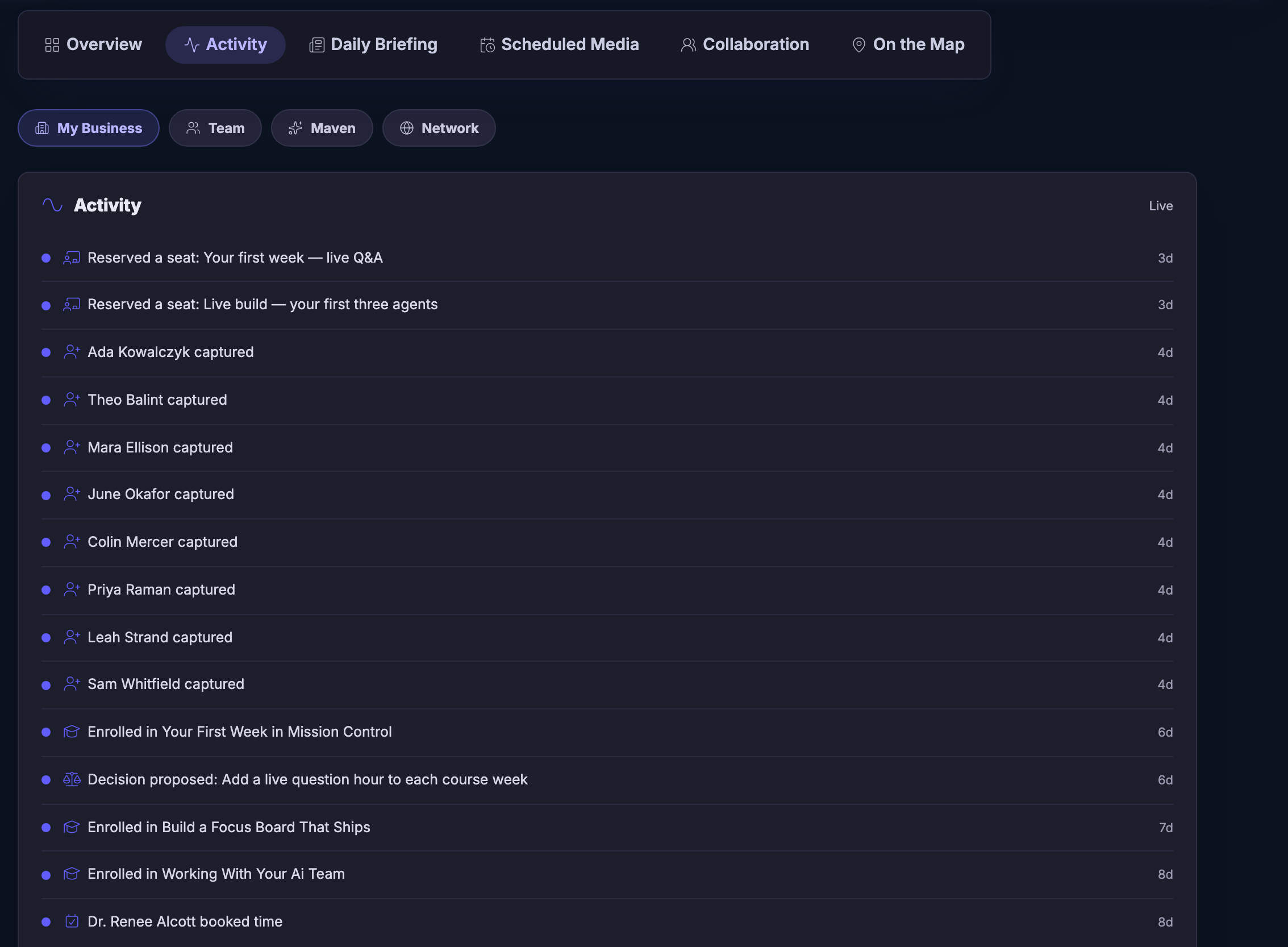
Business Overview on its activity view. Across the top, the screen’s own strip of views — the overview itself, this activity view, the daily briefing, scheduled media, collaboration and the map — with the activity view chosen. Under it a row of filters deciding whose activity you are reading: your own business, your people, Maven, or the wider network, resting on your own business. Then the panel itself, headed for activity and marked live: a seat reserved for a first-week question hour and another for a live build, then person after person captured into your records, a course enrolled, a decision put up for the team’s verdict, two more courses enrolled, and a client booking time — newest at the top, each row carrying its own small icon for the kind of thing it was and, on the right, how long ago it happened. The list runs on past the foot of the frame.Business Overview on its activity view. Across the top, the screen’s own strip of views — the overview itself, this activity view, the daily briefing, scheduled media, collaboration and the map — with the activity view chosen. Under it a row of filters deciding whose activity you are reading: your own business, your people, Maven, or the wider network, resting on your own business. Then the panel itself, headed for activity and marked live: a seat reserved for a first-week question hour and another for a live build, then person after person captured into your records, a course enrolled, a decision put up for the team’s verdict, two more courses enrolled, and a client booking time — newest at the top, each row carrying its own small icon for the kind of thing it was and, on the right, how long ago it happened. The list runs on past the foot of the frame.
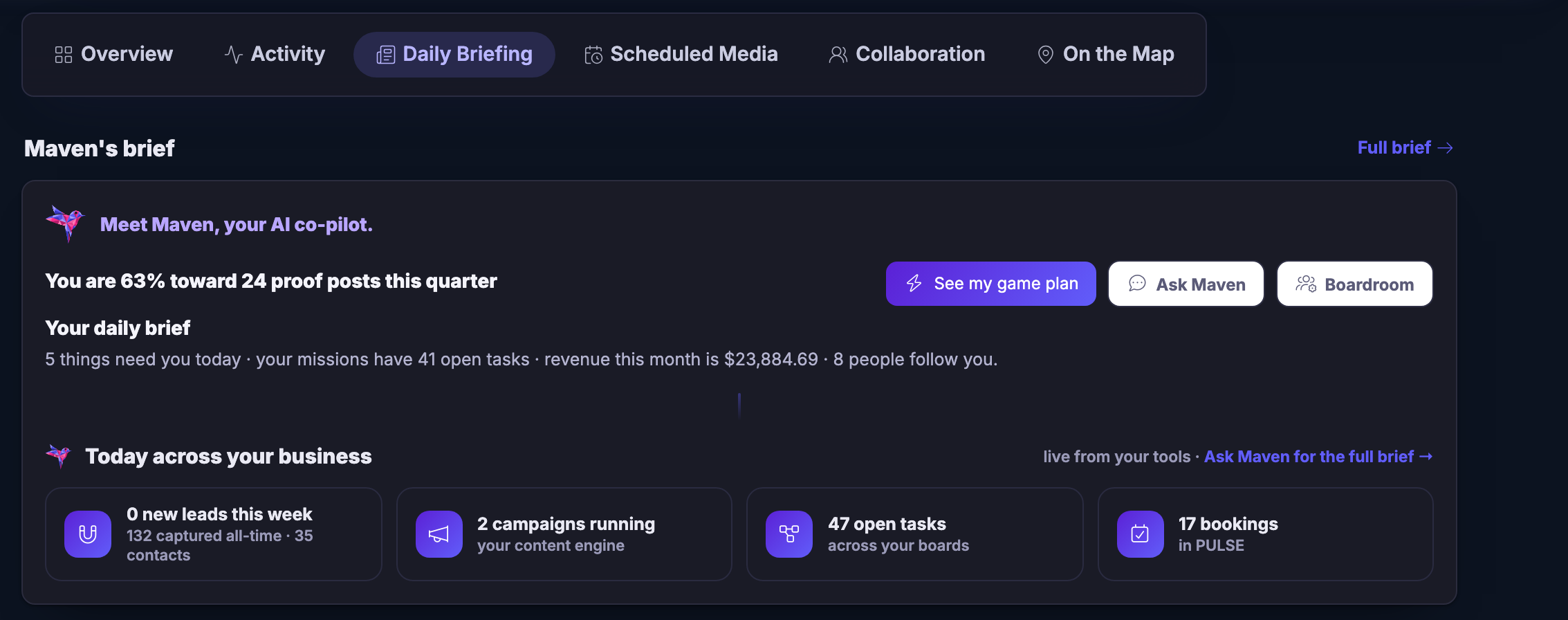
The same screen on its daily briefing. The strip of views sits across the top with the briefing chosen, and under it Maven’s brief: her own introduction, a line on how far the quarter’s proof posts have come, and then the day written out in a sentence — the things that need you today, the open tasks across your missions, what the month has taken and how many people follow you. Beside that sentence, controls to see the game plan she has drawn, to ask her directly, and to open the boardroom. Below it a band headed for today across your business and marked as read live from your tools: the new leads of the week beside the number captured all told and the contacts they became, the campaigns your content engine has running, the work open across your boards, and the bookings held in your customer records — each behind its own icon, in its own panel.The same screen on its daily briefing. The strip of views sits across the top with the briefing chosen, and under it Maven’s brief: her own introduction, a line on how far the quarter’s proof posts have come, and then the day written out in a sentence — the things that need you today, the open tasks across your missions, what the month has taken and how many people follow you. Beside that sentence, controls to see the game plan she has drawn, to ask her directly, and to open the boardroom. Below it a band headed for today across your business and marked as read live from your tools: the new leads of the week beside the number captured all told and the contacts they became, the campaigns your content engine has running, the work open across your boards, and the bookings held in your customer records — each behind its own icon, in its own panel.

व्यवसाय अवलोकन

बंद करें
Business Overview on its activity view. Across the top, the screen’s own strip of views — the overview itself, this activity view, the daily briefing, scheduled media, collaboration and the map — with the activity view chosen. Under it a row of filters deciding whose activity you are reading: your own business, your people, Maven, or the wider network, resting on your own business. Then the panel itself, headed for activity and marked live: a seat reserved for a first-week question hour and another for a live build, then person after person captured into your records, a course enrolled, a decision put up for the team’s verdict, two more courses enrolled, and a client booking time — newest at the top, each row carrying its own small icon for the kind of thing it was and, on the right, how long ago it happened. The list runs on past the foot of the frame.Business Overview on its activity view. Across the top, the screen’s own strip of views — the overview itself, this activity view, the daily briefing, scheduled media, collaboration and the map — with the activity view chosen. Under it a row of filters deciding whose activity you are reading: your own business, your people, Maven, or the wider network, resting on your own business. Then the panel itself, headed for activity and marked live: a seat reserved for a first-week question hour and another for a live build, then person after person captured into your records, a course enrolled, a decision put up for the team’s verdict, two more courses enrolled, and a client booking time — newest at the top, each row carrying its own small icon for the kind of thing it was and, on the right, how long ago it happened. The list runs on past the foot of the frame.

व्यवसाय अवलोकन

बंद करें
The same screen on its daily briefing. The strip of views sits across the top with the briefing chosen, and under it Maven’s brief: her own introduction, a line on how far the quarter’s proof posts have come, and then the day written out in a sentence — the things that need you today, the open tasks across your missions, what the month has taken and how many people follow you. Beside that sentence, controls to see the game plan she has drawn, to ask her directly, and to open the boardroom. Below it a band headed for today across your business and marked as read live from your tools: the new leads of the week beside the number captured all told and the contacts they became, the campaigns your content engine has running, the work open across your boards, and the bookings held in your customer records — each behind its own icon, in its own panel.The same screen on its daily briefing. The strip of views sits across the top with the briefing chosen, and under it Maven’s brief: her own introduction, a line on how far the quarter’s proof posts have come, and then the day written out in a sentence — the things that need you today, the open tasks across your missions, what the month has taken and how many people follow you. Beside that sentence, controls to see the game plan she has drawn, to ask her directly, and to open the boardroom. Below it a band headed for today across your business and marked as read live from your tools: the new leads of the week beside the number captured all told and the contacts they became, the campaigns your content engine has running, the work open across your boards, and the bookings held in your customer records — each behind its own icon, in its own panel.

A look inside Business Overview

Stills from the product, one after the next.

Business Overview on its activity view. Across the top, the screen’s own strip of views — the overview itself, this activity view, the daily briefing, scheduled media, collaboration and the map — with the activity view chosen. Under it a row of filters deciding whose activity you are reading: your own business, your people, Maven, or the wider network, resting on your own business. Then the panel itself, headed for activity and marked live: a seat reserved for a first-week question hour and another for a live build, then person after person captured into your records, a course enrolled, a decision put up for the team’s verdict, two more courses enrolled, and a client booking time — newest at the top, each row carrying its own small icon for the kind of thing it was and, on the right, how long ago it happened. The list runs on past the foot of the frame.Business Overview on its activity view. Across the top, the screen’s own strip of views — the overview itself, this activity view, the daily briefing, scheduled media, collaboration and the map — with the activity view chosen. Under it a row of filters deciding whose activity you are reading: your own business, your people, Maven, or the wider network, resting on your own business. Then the panel itself, headed for activity and marked live: a seat reserved for a first-week question hour and another for a live build, then person after person captured into your records, a course enrolled, a decision put up for the team’s verdict, two more courses enrolled, and a client booking time — newest at the top, each row carrying its own small icon for the kind of thing it was and, on the right, how long ago it happened. The list runs on past the foot of the frame.
The same screen on its daily briefing. The strip of views sits across the top with the briefing chosen, and under it Maven’s brief: her own introduction, a line on how far the quarter’s proof posts have come, and then the day written out in a sentence — the things that need you today, the open tasks across your missions, what the month has taken and how many people follow you. Beside that sentence, controls to see the game plan she has drawn, to ask her directly, and to open the boardroom. Below it a band headed for today across your business and marked as read live from your tools: the new leads of the week beside the number captured all told and the contacts they became, the campaigns your content engine has running, the work open across your boards, and the bookings held in your customer records — each behind its own icon, in its own panel.The same screen on its daily briefing. The strip of views sits across the top with the briefing chosen, and under it Maven’s brief: her own introduction, a line on how far the quarter’s proof posts have come, and then the day written out in a sentence — the things that need you today, the open tasks across your missions, what the month has taken and how many people follow you. Beside that sentence, controls to see the game plan she has drawn, to ask her directly, and to open the boardroom. Below it a band headed for today across your business and marked as read live from your tools: the new leads of the week beside the number captured all told and the contacts they became, the campaigns your content engine has running, the work open across your boards, and the bookings held in your customer records — each behind its own icon, in its own panel.

The part you have to feel

Touch one thing. Watch everything answer.

One platform means nothing waits for you to copy it somewhere else. Mark the invoice paid — and watch the month move on its own.

The real screen

And the one step out of it.

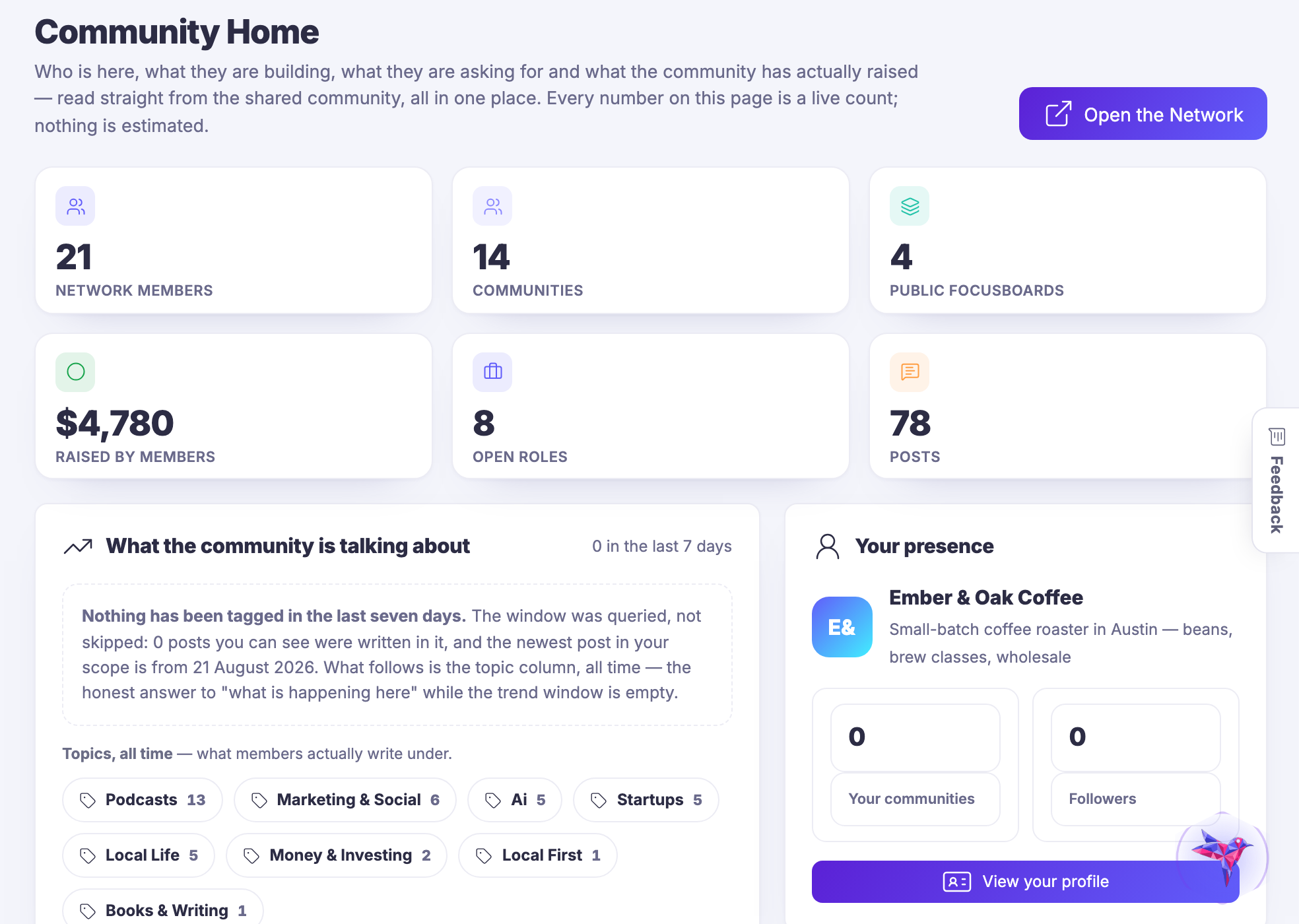
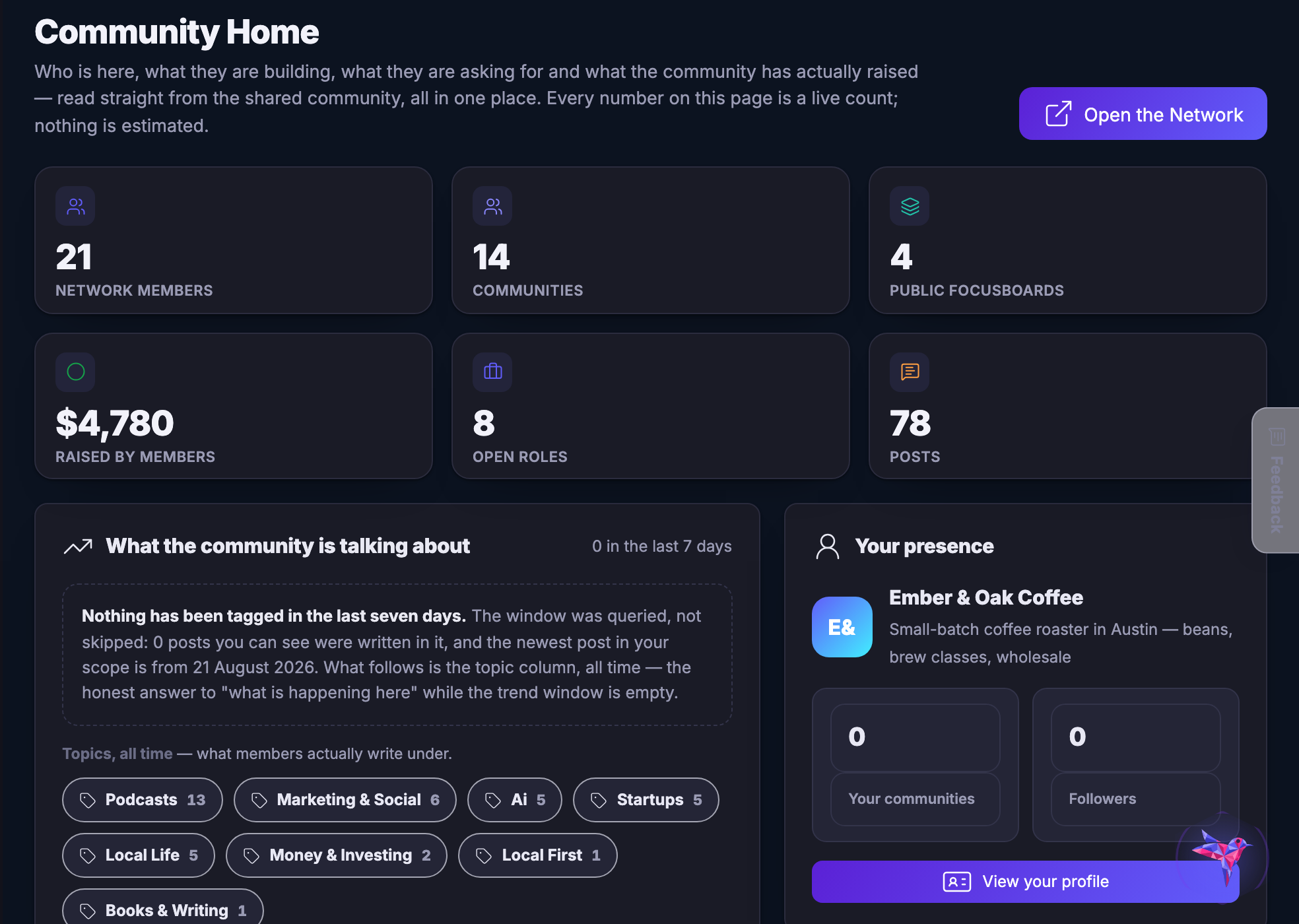
The screens this page is about are further up, each beside the sentence it proves. This is the one that is not: the step out of your own workspace and into the community side, on the same account.

The Network hand-off — One step out of your own workspace and into the community side, without signing in again.
The Network hand–off

One step out of your own workspace and into the community side, without signing in again.

Captured from a demo business on a live account, in a browser kept apart from anyone’s own. What you see is what a new account looks like when it has been set up and not yet filled — which is the honest thing to show.

Open one screen, and already know where you stand.

Join the beta program

Next Up: Tools

Everything you need to attract attention, convert it and keep the work moving.

Maven से पूछें