الرسائل

This is the product's own frame. Your conversations appear here once you have an account.

Get started now
الإشعارات

This is the product's own frame. Alerts about your business appear here once you have an account.

العربية

Same page. Literally.

One board per piece of work — people, files, decisions.

Three people leaning over one set of plans, working it out together
“Wait — which thread was that decision in?”

The work, the people, the decisions. One board.

A Focus Board is where a project actually lives: the tasks, the files, the conversation about them, and the moment you decided — findable six weeks later.

The shift

No more chat-scroll archaeology.

Today the project is scattered across a chat app, a task app, a doc app and four email threads. Finding one decision means excavating all of them — and the person who remembers is on vacation.

A board remembers for you. What was agreed, who took it, what changed and why — attached to the work itself, not lost in a feed that never stops moving.

Because you said see what is actually stuck.

FocusBoards

One board per piece of work — and the cards on it carry the work itself.
A board per missionNot a board per department. One board holds one piece of work, and everything that work needs sits on it — the brief, the people, the artifacts, the timeline.
A card that carries the real workThe file, the thread, the customer, the decision. Attached to the card rather than described by it, so opening a card is opening the work.
What is blocked shows itselfAnyone can raise a hand on a task that has gone quiet, and the board says so on its face. Nobody calls a meeting to find out what has not moved.
Read more about FocusBoards

What is being done, by whom, and what is genuinely stuck.

A board per mission with cards that carry the real thing — the file, the thread, the customer — instead of a title and a hope. Stuck is visible rather than remembered.

The board is not one view of the work, it is all of them. The same cards read as a Kanban, as a table, as a calendar and as a timeline, and the one you open is the one that answers the question you actually have. Nothing is re-entered to change the view.

Thinking has a home on the board too. Every board carries a Design Canvas and a Mind Map, so the sketch of the launch and the tasks that deliver it sit behind the same door — you drag an idea across and it becomes work.

Work worth paying for can be paid for. A task can be opened to your Team, offered as a paid task, or handed to an agent, and what happened to it stays on the card. Six weeks later the decision is still attached to the thing it decided.

What it actually does

  • Cards that carry the real work, not a label
  • A board per mission, not per department
  • What is blocked is visible without a meeting

What that changes for you

  • The status meeting gets shorter or stops
  • Nothing sits untouched without anyone noticing
  • You can hand a board over and walk away

You come away with a plan that other people can see moving.
A look inside FocusBoards

FocusBoards — platform screenshots

Real screens from the product. Open any one full size, or switch the set to light or dark.

إغلاق
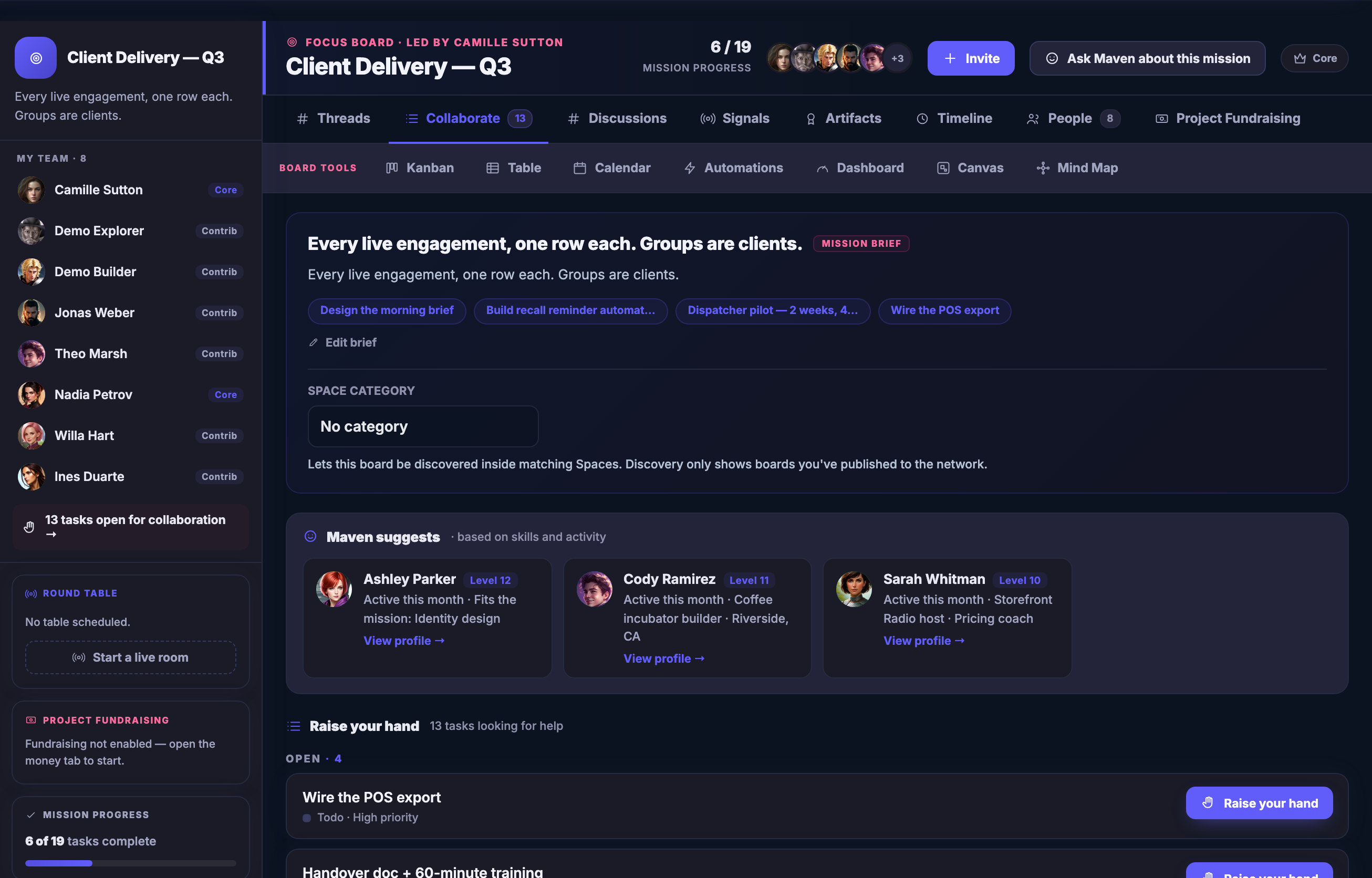
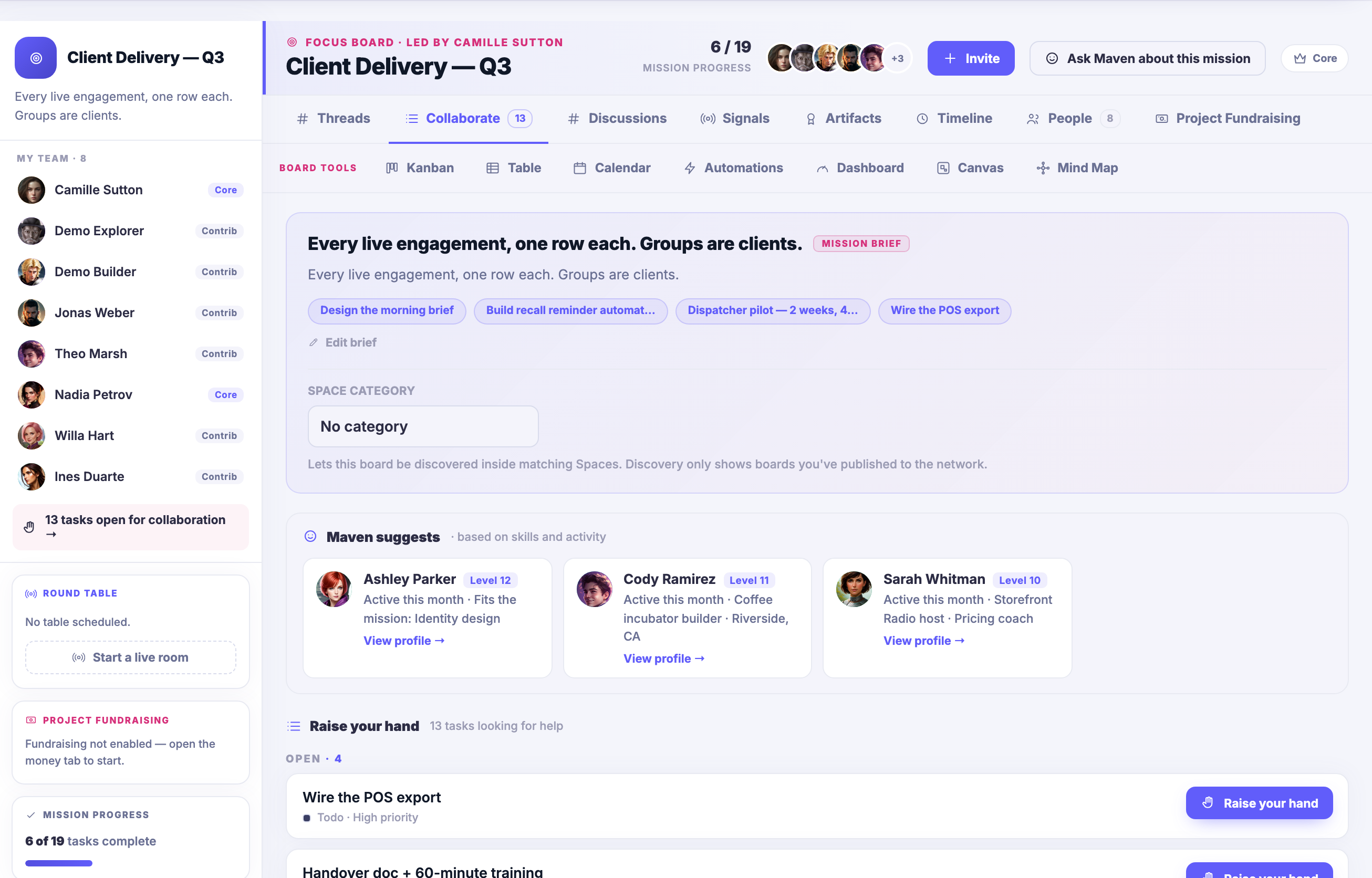
A Focus Board open on the work: the mission brief in plain words at the top, the board tools beside it — Kanban, Table, Calendar, Automations, Dashboard, Design Canvas and Mind Map — your Team down the left, each name badged with the role it holds on this board — Core or Contrib — above a row of tasks open for collaboration; mission progress below that, and beneath it the open tasks looking for help, each one able to be taken up.A Focus Board open on the work: the mission brief in plain words at the top, the board tools beside it — Kanban, Table, Calendar, Automations, Dashboard, Design Canvas and Mind Map — your Team down the left, each name badged with the role it holds on this board — Core or Contrib — above a row of tasks open for collaboration; mission progress below that, and beneath it the open tasks looking for help, each one able to be taken up.
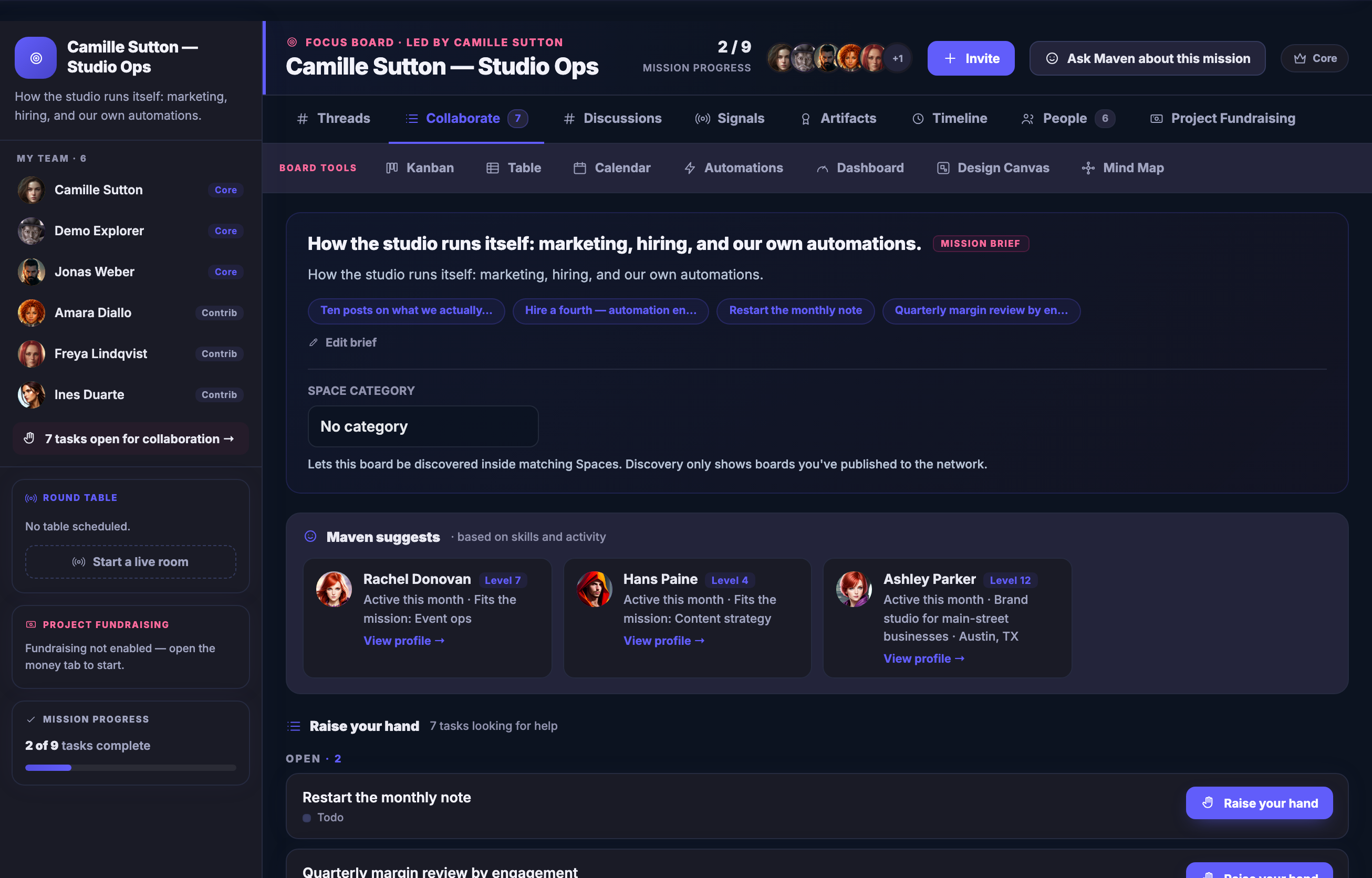
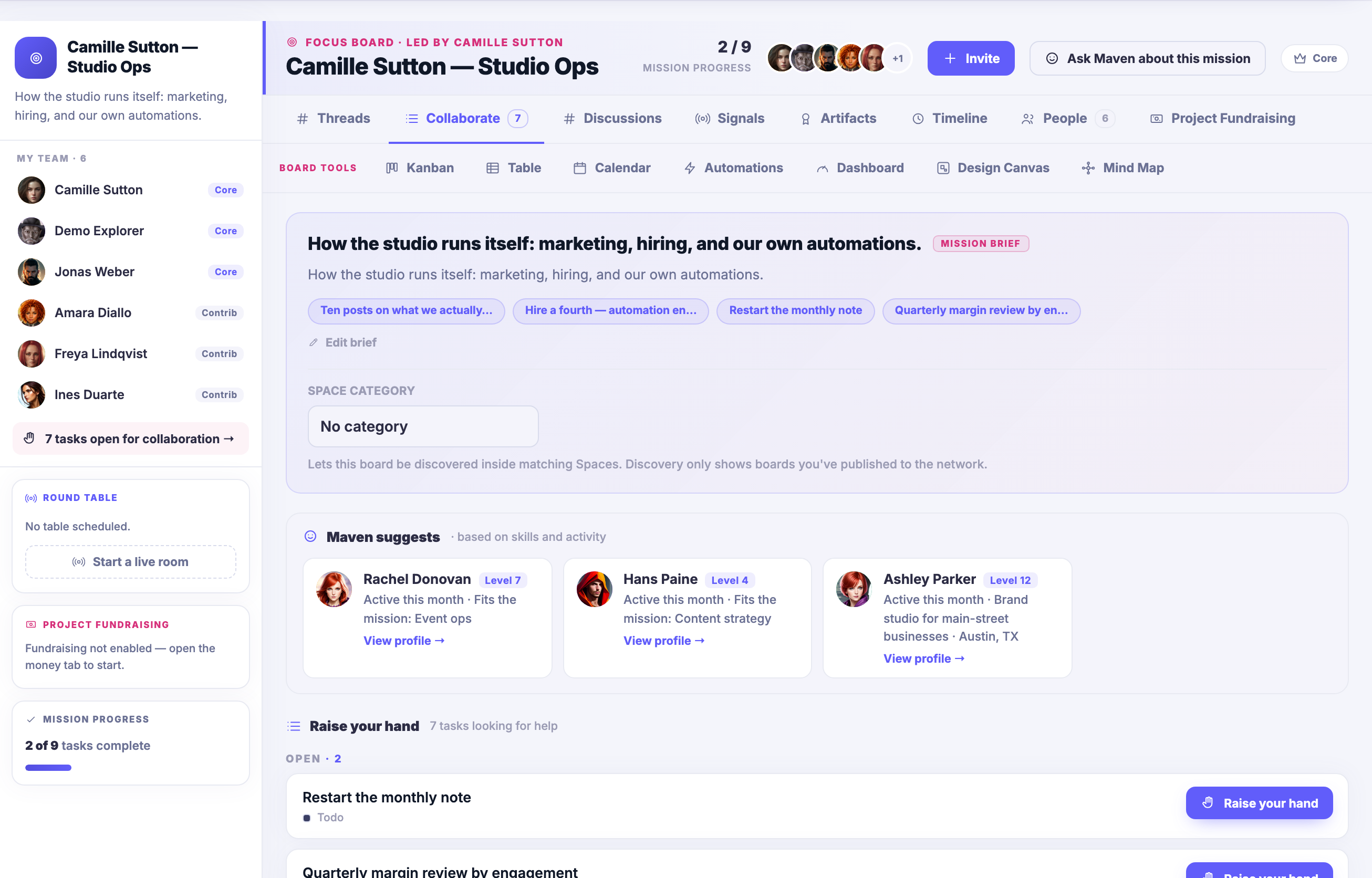
A second Focus Board, carrying a different mission: its own brief, its own Team, its own progress, and its own open tasks — one board per piece of work rather than one board per department.A second Focus Board, carrying a different mission: its own brief, its own Team, its own progress, and its own open tasks — one board per piece of work rather than one board per department.
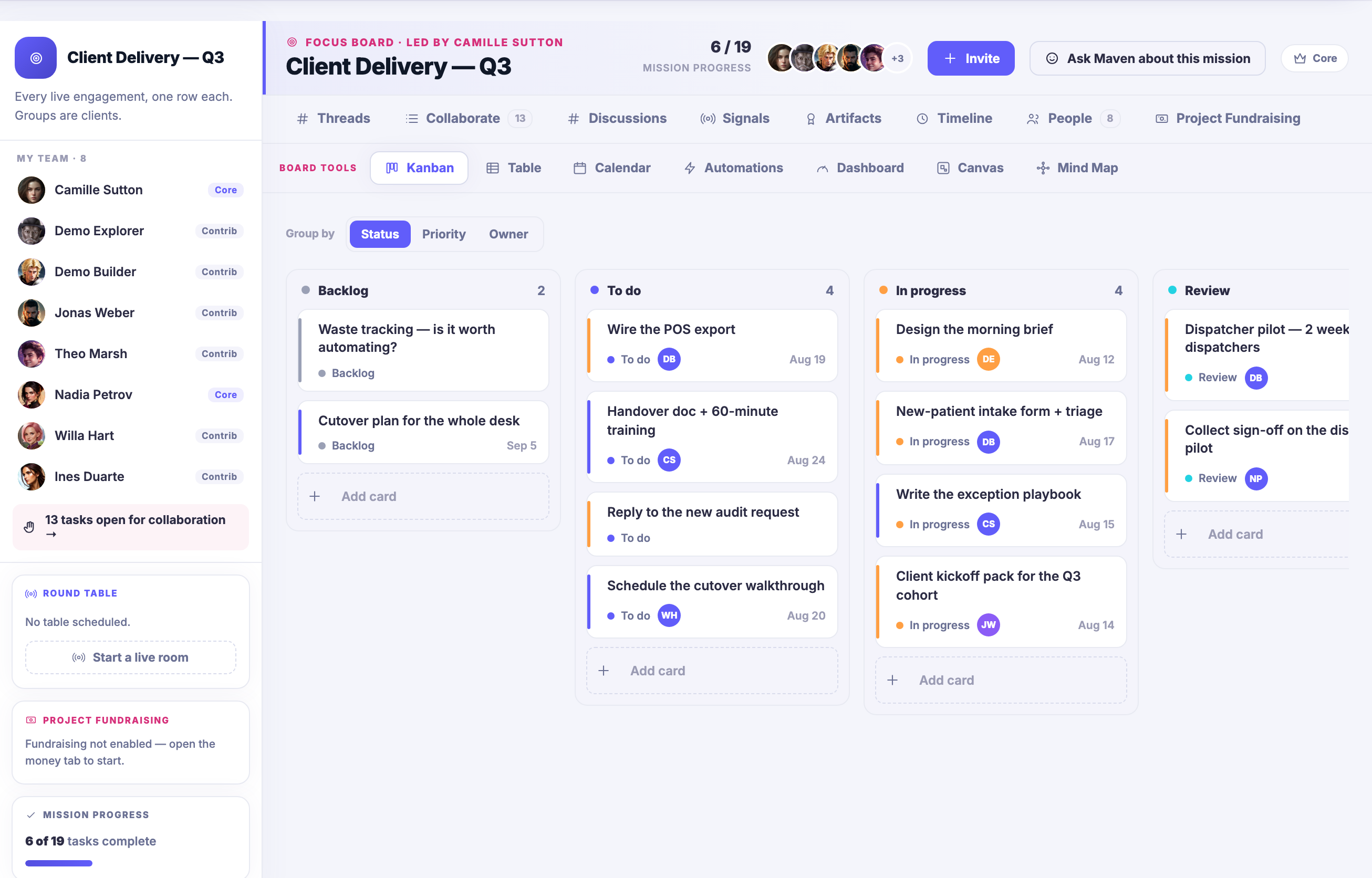
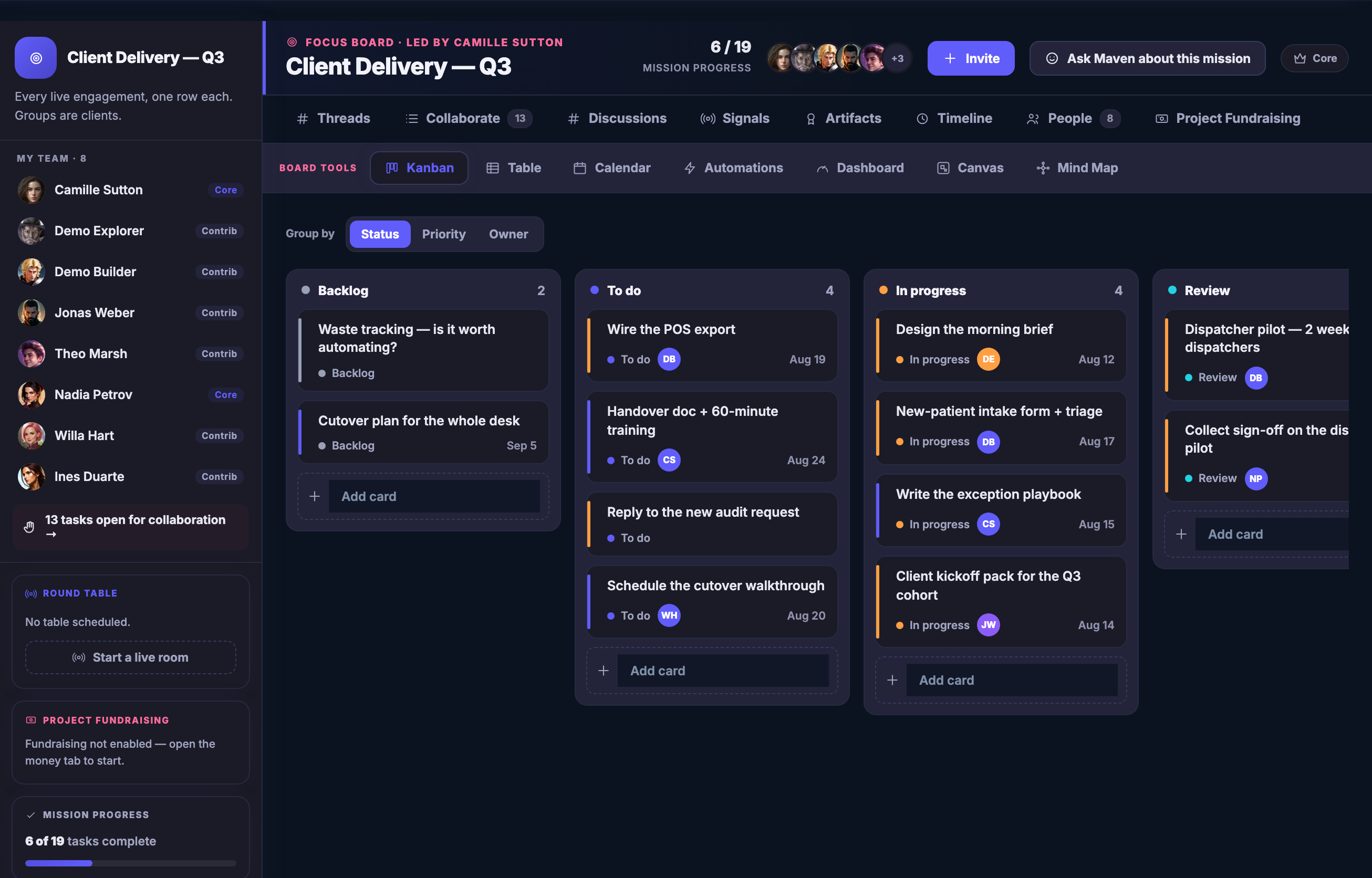
The first board as a Kanban: its tasks in columns by where they have actually got to — backlog, to do, in progress, and a review column running on past the right edge of the frame — each card carrying its status, whose it is and when it is due.The first board as a Kanban: its tasks in columns by where they have actually got to — backlog, to do, in progress, and a review column running on past the right edge of the frame — each card carrying its status, whose it is and when it is due.
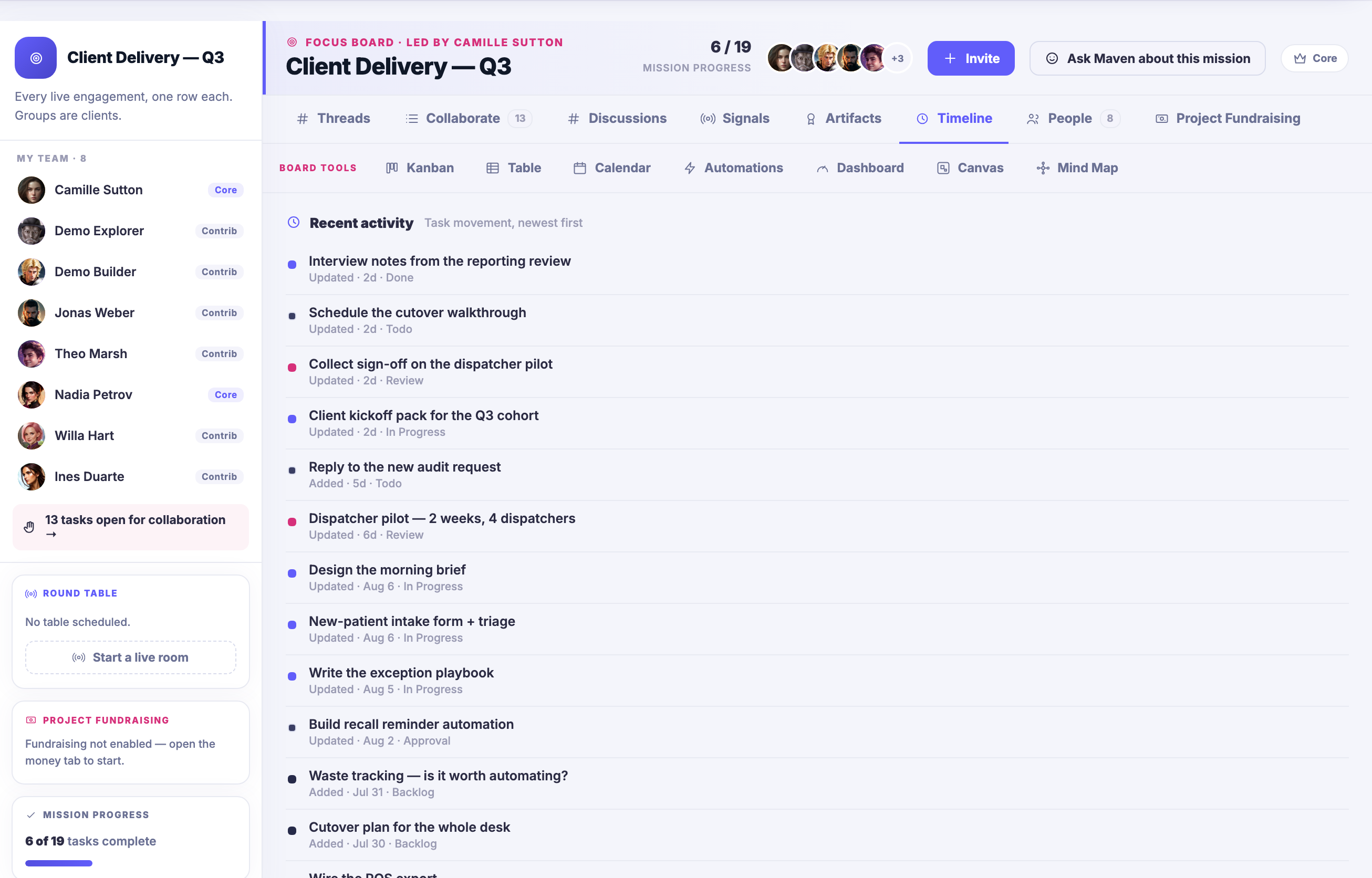
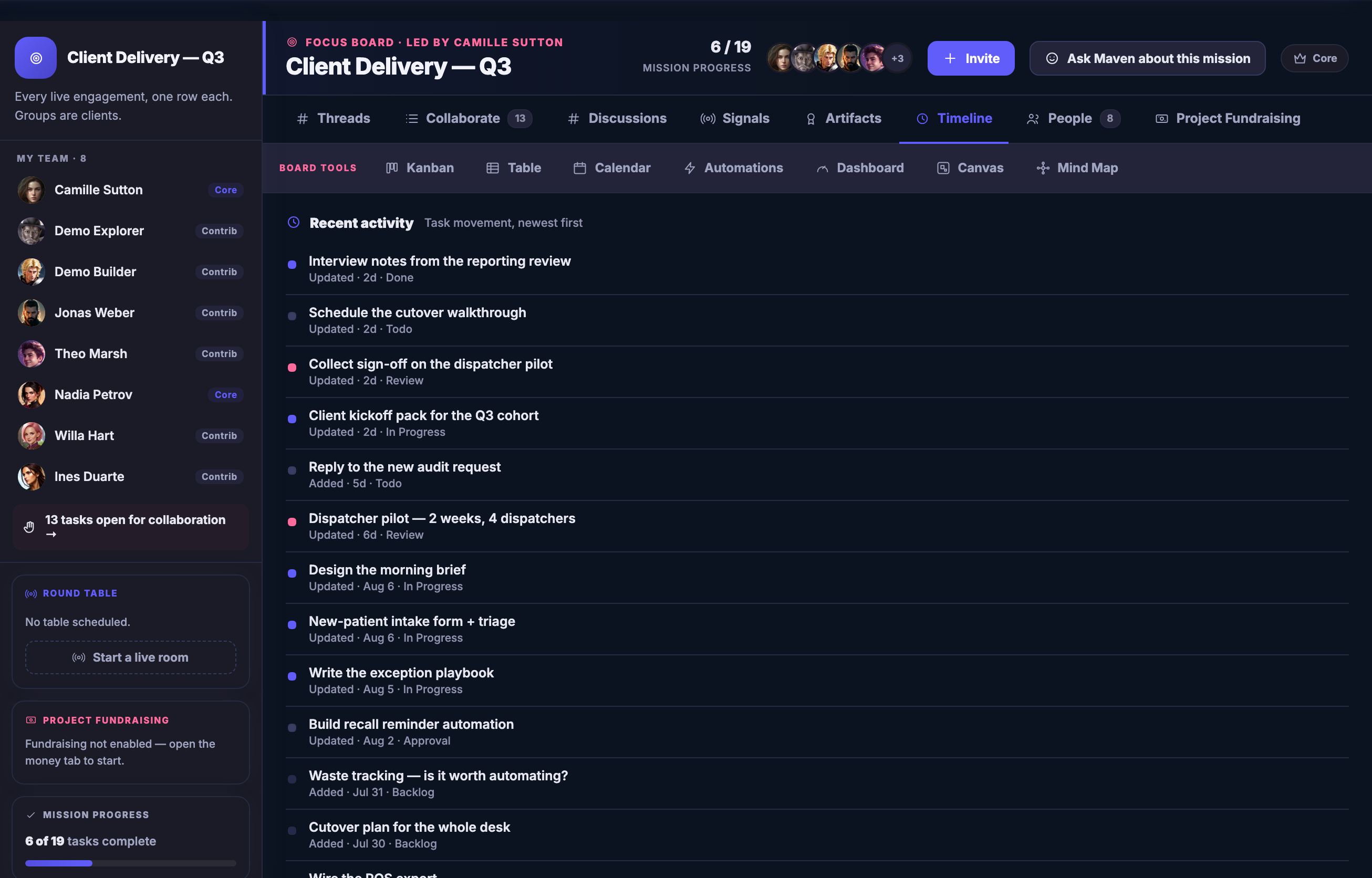
The same board on its Timeline: recent activity newest first, one line per task saying what changed and when, so what has moved and what has not is a list rather than something one person remembers.The same board on its Timeline: recent activity newest first, one line per task saying what changed and when, so what has moved and what has not is a list rather than something one person remembers.
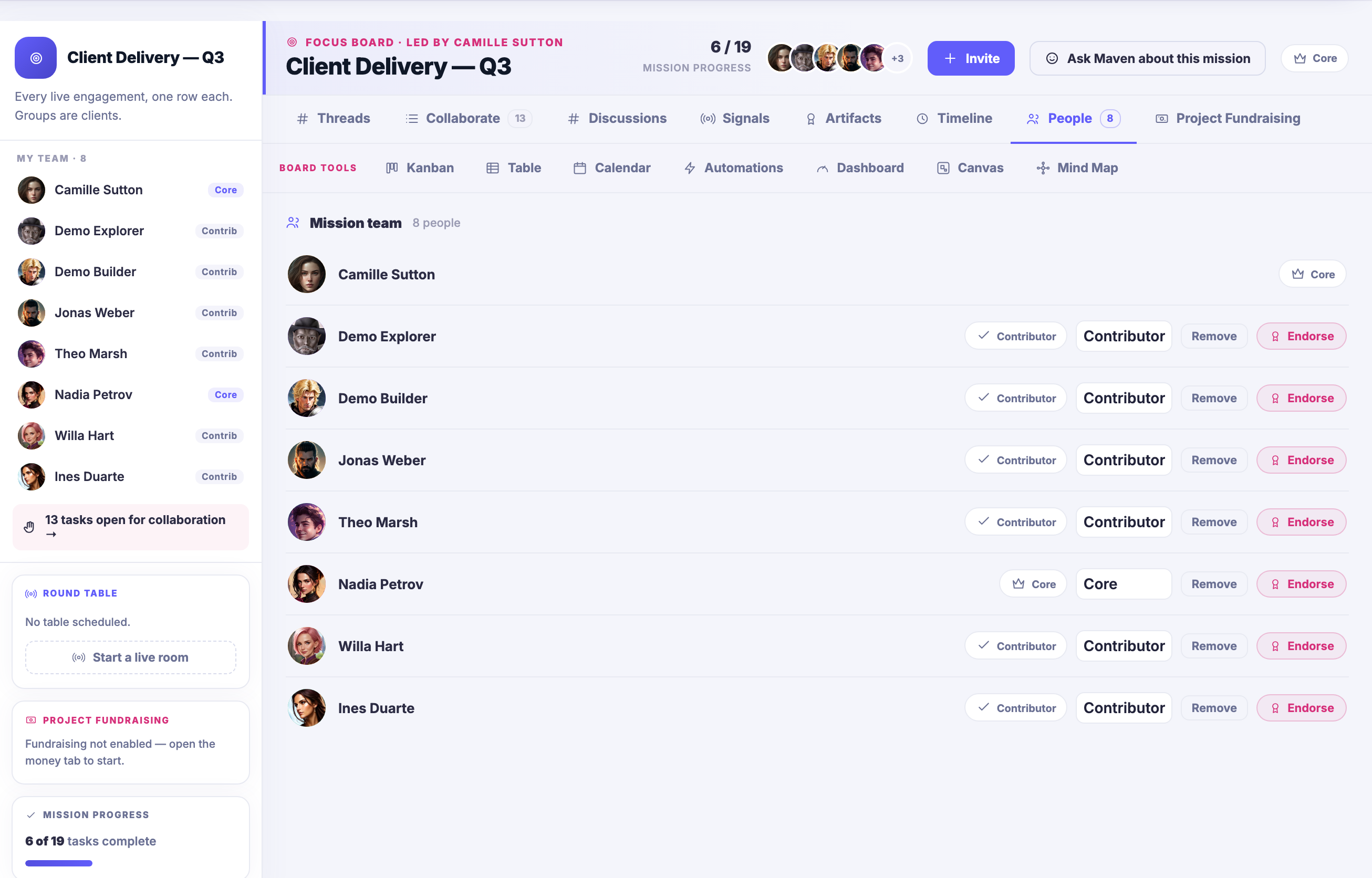
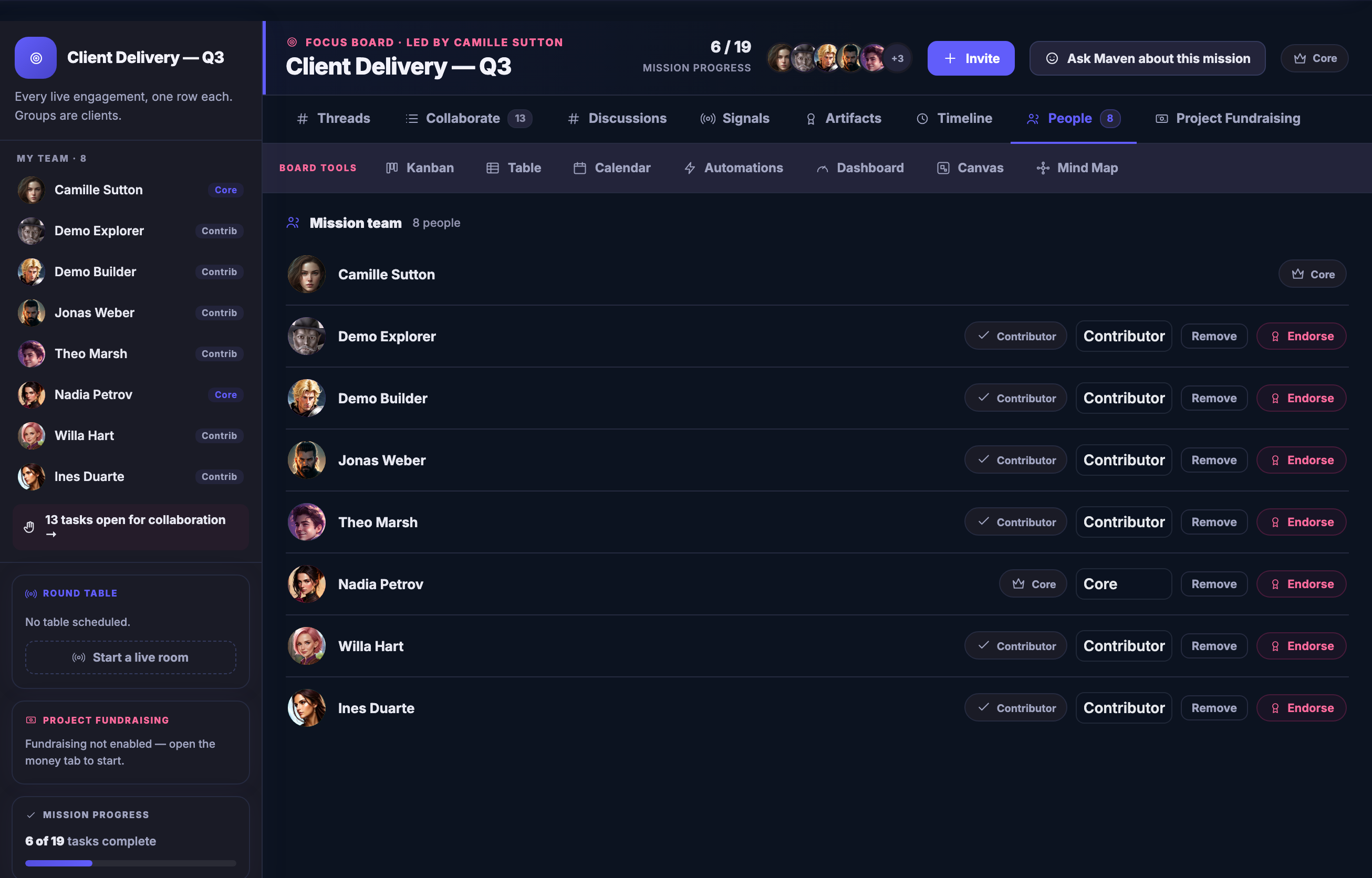
The same board on its People tab: the mission team for this piece of work, each person shown with the role they hold on the board and the controls to endorse them or take them off it.The same board on its People tab: the mission team for this piece of work, each person shown with the role they hold on the board and the controls to endorse them or take them off it.

FocusBoards

إغلاق
A Focus Board open on the work: the mission brief in plain words at the top, the board tools beside it — Kanban, Table, Calendar, Automations, Dashboard, Design Canvas and Mind Map — your Team down the left, each name badged with the role it holds on this board — Core or Contrib — above a row of tasks open for collaboration; mission progress below that, and beneath it the open tasks looking for help, each one able to be taken up.A Focus Board open on the work: the mission brief in plain words at the top, the board tools beside it — Kanban, Table, Calendar, Automations, Dashboard, Design Canvas and Mind Map — your Team down the left, each name badged with the role it holds on this board — Core or Contrib — above a row of tasks open for collaboration; mission progress below that, and beneath it the open tasks looking for help, each one able to be taken up.

FocusBoards

إغلاق
A second Focus Board, carrying a different mission: its own brief, its own Team, its own progress, and its own open tasks — one board per piece of work rather than one board per department.A second Focus Board, carrying a different mission: its own brief, its own Team, its own progress, and its own open tasks — one board per piece of work rather than one board per department.

FocusBoards

إغلاق
The first board as a Kanban: its tasks in columns by where they have actually got to — backlog, to do, in progress, and a review column running on past the right edge of the frame — each card carrying its status, whose it is and when it is due.The first board as a Kanban: its tasks in columns by where they have actually got to — backlog, to do, in progress, and a review column running on past the right edge of the frame — each card carrying its status, whose it is and when it is due.

FocusBoards

إغلاق
The same board on its Timeline: recent activity newest first, one line per task saying what changed and when, so what has moved and what has not is a list rather than something one person remembers.The same board on its Timeline: recent activity newest first, one line per task saying what changed and when, so what has moved and what has not is a list rather than something one person remembers.

FocusBoards

إغلاق
The same board on its People tab: the mission team for this piece of work, each person shown with the role they hold on the board and the controls to endorse them or take them off it.The same board on its People tab: the mission team for this piece of work, each person shown with the role they hold on the board and the controls to endorse them or take them off it.

A look inside FocusBoards

Stills from the product, one after the next.

A Focus Board open on the work: the mission brief in plain words at the top, the board tools beside it — Kanban, Table, Calendar, Automations, Dashboard, Design Canvas and Mind Map — your Team down the left, each name badged with the role it holds on this board — Core or Contrib — above a row of tasks open for collaboration; mission progress below that, and beneath it the open tasks looking for help, each one able to be taken up.A Focus Board open on the work: the mission brief in plain words at the top, the board tools beside it — Kanban, Table, Calendar, Automations, Dashboard, Design Canvas and Mind Map — your Team down the left, each name badged with the role it holds on this board — Core or Contrib — above a row of tasks open for collaboration; mission progress below that, and beneath it the open tasks looking for help, each one able to be taken up.
A second Focus Board, carrying a different mission: its own brief, its own Team, its own progress, and its own open tasks — one board per piece of work rather than one board per department.A second Focus Board, carrying a different mission: its own brief, its own Team, its own progress, and its own open tasks — one board per piece of work rather than one board per department.
The first board as a Kanban: its tasks in columns by where they have actually got to — backlog, to do, in progress, and a review column running on past the right edge of the frame — each card carrying its status, whose it is and when it is due.The first board as a Kanban: its tasks in columns by where they have actually got to — backlog, to do, in progress, and a review column running on past the right edge of the frame — each card carrying its status, whose it is and when it is due.
The same board on its Timeline: recent activity newest first, one line per task saying what changed and when, so what has moved and what has not is a list rather than something one person remembers.The same board on its Timeline: recent activity newest first, one line per task saying what changed and when, so what has moved and what has not is a list rather than something one person remembers.
The same board on its People tab: the mission team for this piece of work, each person shown with the role they hold on the board and the controls to endorse them or take them off it.The same board on its People tab: the mission team for this piece of work, each person shown with the role they hold on the board and the controls to endorse them or take them off it.

See it work

Think on it. Sketch on it. Ship from it.

Sketch it and ship it, in one place.

Every board carries a Design Canvas and a Mind Map — sketch the funnel, map the launch, drag ideas into tasks. The thinking and the doing stop living in different apps.

The deeper win

Money can sit on the work.

Boards on FocalShift can carry real value: put a paid task behind a deliverable, send a teammate credits for saving your launch, and watch client work connect straight to the invoice it earns. Work and worth, finally in the same room.

Give your next project a home with a memory.

Your first board is free — and it never forgets where the decision went.

Get started now

Next Up: Goals

The outcome the work is for, kept beside the work.

اسأل Maven