Сообщения

This is the product's own frame. Your conversations appear here once you have an account.

Get started now
Уведомления

This is the product's own frame. Alerts about your business appear here once you have an account.

Русский
Your keys, your rules

Bring your own keys.

Connect your own AI provider keys on Team — Maven and Studio unmetered by FocalShift credits (provider limits apply), on your infrastructure and your terms.

Why it matters

Your own keys — and the work runs on them.

Unmetered on your keysNo FocalShift credits consumed — your provider bill, our platform, no middle markup. Your provider's own limits still apply.
Stored with careKeys held encrypted, used only for your work.
Swap anytimeChange providers without changing workflows.
Part of one platform — works hand-in-hand withЗнакомьтесь с Maven·Цены

Maven adds this one: every other tool on this deck spends the platform’s Ai on your behalf — this is the one where you decide whose Ai it is, and who sends you the bill for it.

Ключи провайдера

Connect your own Ai provider and the work runs on your account — your key, your provider’s bill, and the platform still standing behind it the moment a key is missing.
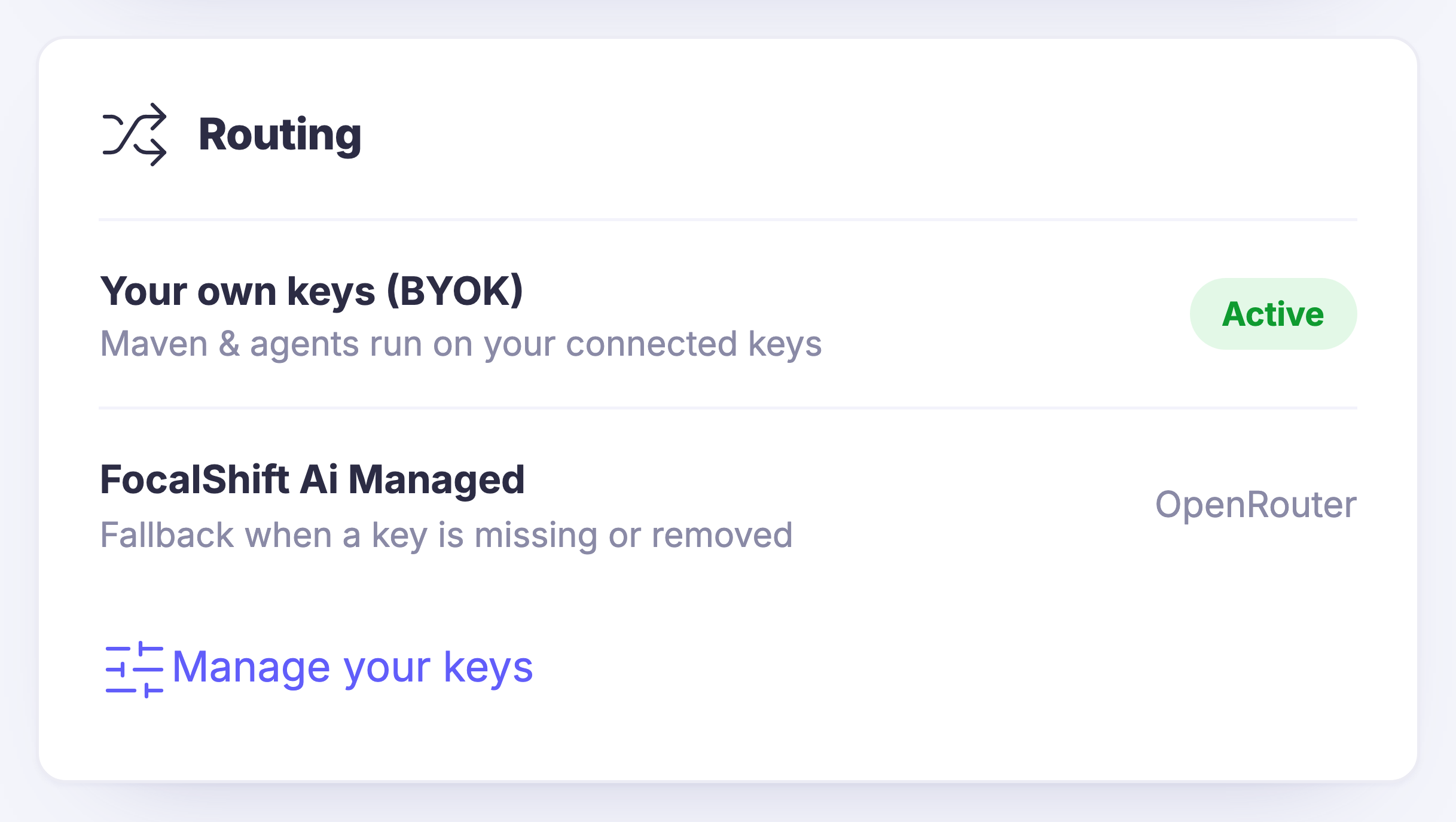
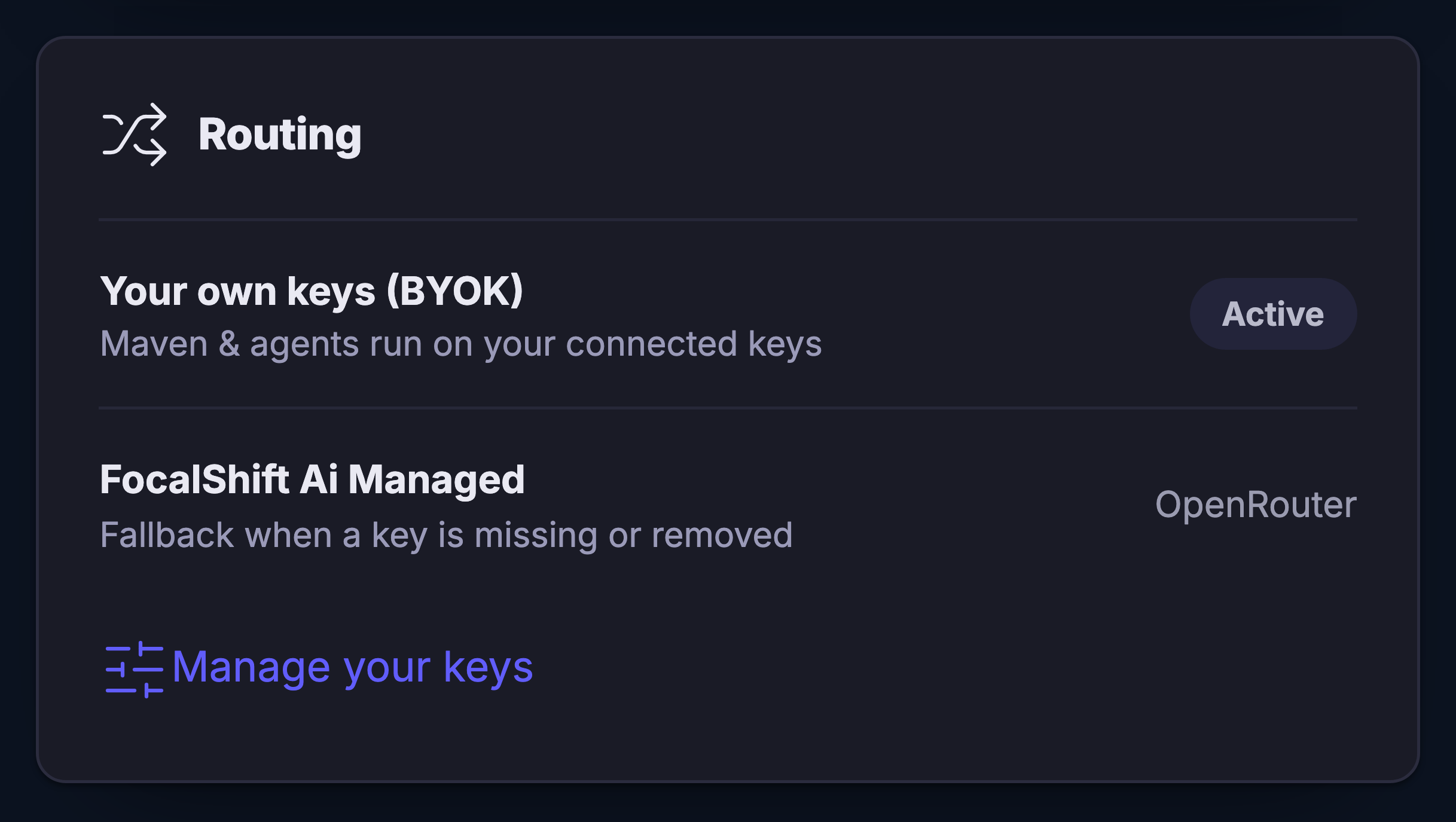
Your own key runs the workOnce a provider key is connected, Maven and your agents route to it. The routing panel says so in plain words and marks that route as the live one, so there is no guessing about which side of the arrangement is actually carrying a request.
A fallback that is named, not assumedIf a key is missing or has been removed, the platform’s own managed route picks the work up. It is written on the same panel as the thing it stands behind, so nothing stops quietly and nothing has to be switched back on by hand.
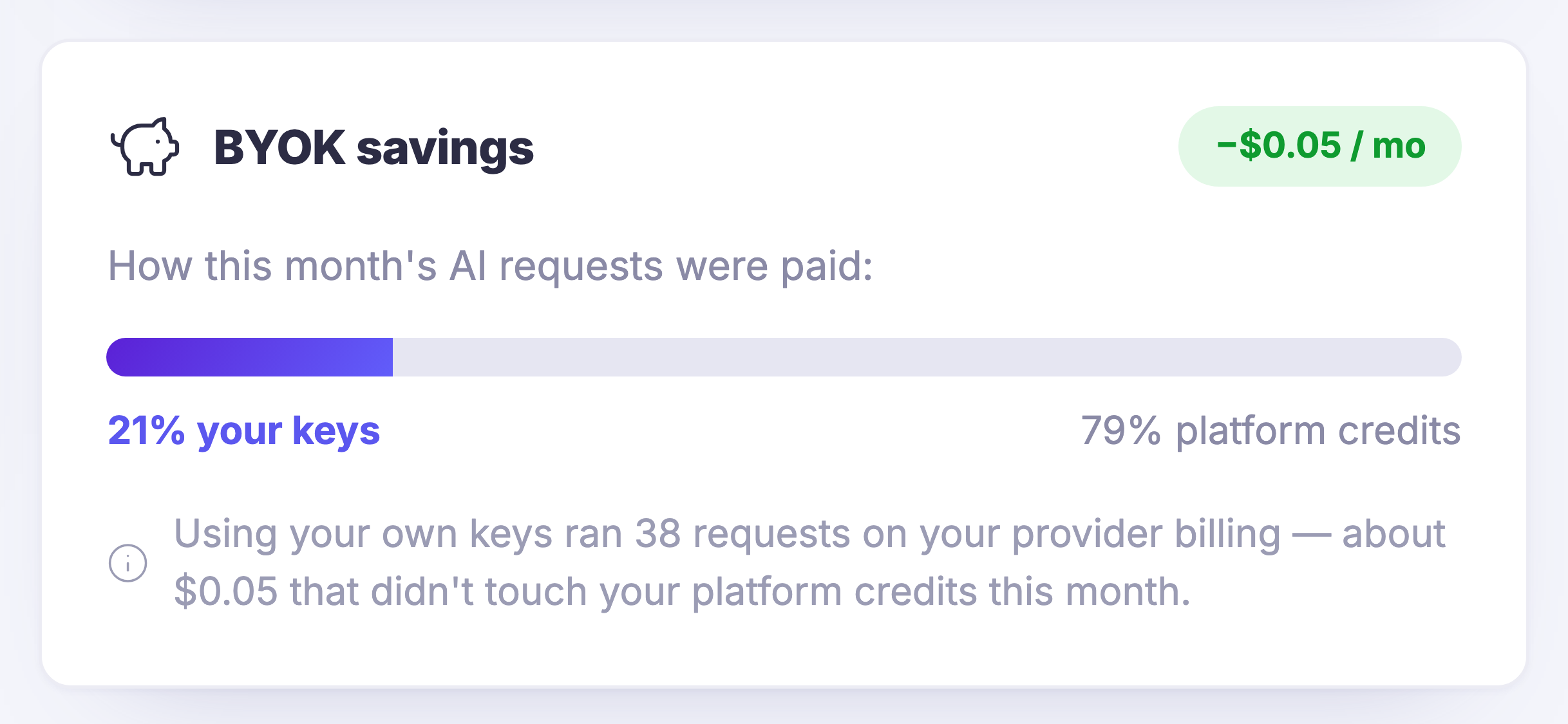
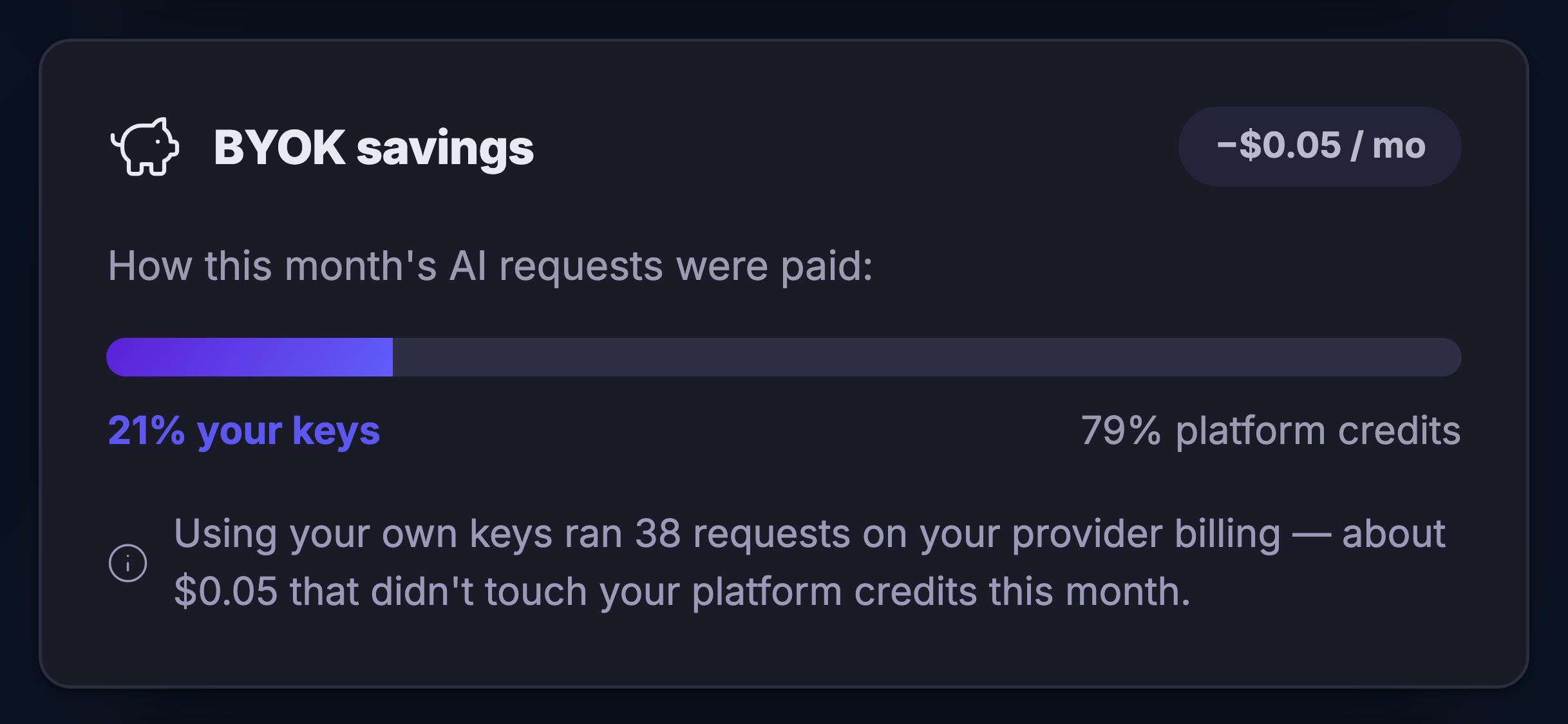
You can see which side paidThe month splits into the requests your own key covered and the ones the platform’s credits covered, with the reason written underneath as a sentence rather than left in a table for you to work out.
Read more about Provider Keys

Whose Ai runs the work, who gets billed for it, and what happens the day the key goes away.

Every Ai action in this platform runs on somebody’s account with an Ai provider. By default that account is ours, and the work is metered as credits in your wallet. Connect a provider key of your own and that changes: the work goes to your account, and your provider bills you for it directly, with nobody in between adding a margin.

The gateway is where that arrangement is stated rather than implied. It lists the providers you can connect, marks which of them you have, and keeps the key itself encrypted and out of sight — it is used per request, for your work, and it is never handed on.

The part that matters most is the routing. One panel names the route your own keys take, marks it live, and names the platform’s own managed route beneath it as the fallback for the moment a key is missing or you remove one. That is the whole answer to the question everyone asks before they hand over a key: what happens if I take it back.

And the month is accounted for on the same screen. The requests your own key covered and the requests the platform’s credits covered are shown as one split, with a sentence underneath saying what your side of it actually came to — so the decision to bring a key, or to stop bringing one, is made against a number you can see.

What it actually does

  • Your own provider account, billed by your provider
  • A named fallback for the day a key goes missing
  • The month split by which side paid for it

What that changes for you

  • The Ai bill stops being a mystery with a middleman in it
  • Handing over a key is reversible, and the screen says so
  • You can prove to yourself whether bringing a key was worth it

You come away with an Ai bill that is yours, and a fallback for the day the key is not there.

A look inside Provider Keys

Provider Keys — platform screenshots

Real screens from the product. Open any one full size, or switch the set to light or dark.

Закрыть
The routing panel of the Ai gateway, on its own card: a heading reading Routing beside a mark of two arrows crossing. Under it two rows. The first is your own keys, named as bringing your own, with a line under it saying Maven and your agents run on your connected keys, and a green pill at the right of the row reading that this is the active route. The second is the platform’s own managed route, named as FocalShift Managed, with a line under it saying it is the fallback for when a key is missing or removed, and, printed at the right of that row, the name of the third-party routing service the platform falls back to. Beneath both, a control into managing your keys, carried on a sliders mark.The routing panel of the Ai gateway, on its own card: a heading reading Routing beside a mark of two arrows crossing. Under it two rows. The first is your own keys, named as bringing your own, with a line under it saying Maven and your agents run on your connected keys, and a green pill at the right of the row reading that this is the active route. The second is the platform’s own managed route, named as FocalShift Managed, with a line under it saying it is the fallback for when a key is missing or removed, and, printed at the right of that row, the name of the third-party routing service the platform falls back to. Beneath both, a control into managing your keys, carried on a sliders mark.
The savings panel of the Ai gateway: a heading naming it as what bringing your own keys saved, beside a piggy-bank mark, with a pill at the right of the heading carrying a small monthly amount as a reduction. Under it the line asking how this month’s Ai requests were paid, and a single bar split in two — a short filled length at the left labelled underneath as the share your own keys carried, and the long remainder labelled at the right as the share the platform’s credits carried. Beneath the bar, an explanatory line, marked with an information glyph, saying that using your own keys ran a number of requests on your provider’s billing, and that money did not touch your platform credits this month.The savings panel of the Ai gateway: a heading naming it as what bringing your own keys saved, beside a piggy-bank mark, with a pill at the right of the heading carrying a small monthly amount as a reduction. Under it the line asking how this month’s Ai requests were paid, and a single bar split in two — a short filled length at the left labelled underneath as the share your own keys carried, and the long remainder labelled at the right as the share the platform’s credits carried. Beneath the bar, an explanatory line, marked with an information glyph, saying that using your own keys ran a number of requests on your provider’s billing, and that money did not touch your platform credits this month.

Ключи провайдера

Закрыть
The routing panel of the Ai gateway, on its own card: a heading reading Routing beside a mark of two arrows crossing. Under it two rows. The first is your own keys, named as bringing your own, with a line under it saying Maven and your agents run on your connected keys, and a green pill at the right of the row reading that this is the active route. The second is the platform’s own managed route, named as FocalShift Managed, with a line under it saying it is the fallback for when a key is missing or removed, and, printed at the right of that row, the name of the third-party routing service the platform falls back to. Beneath both, a control into managing your keys, carried on a sliders mark.The routing panel of the Ai gateway, on its own card: a heading reading Routing beside a mark of two arrows crossing. Under it two rows. The first is your own keys, named as bringing your own, with a line under it saying Maven and your agents run on your connected keys, and a green pill at the right of the row reading that this is the active route. The second is the platform’s own managed route, named as FocalShift Managed, with a line under it saying it is the fallback for when a key is missing or removed, and, printed at the right of that row, the name of the third-party routing service the platform falls back to. Beneath both, a control into managing your keys, carried on a sliders mark.

Ключи провайдера

Закрыть
The savings panel of the Ai gateway: a heading naming it as what bringing your own keys saved, beside a piggy-bank mark, with a pill at the right of the heading carrying a small monthly amount as a reduction. Under it the line asking how this month’s Ai requests were paid, and a single bar split in two — a short filled length at the left labelled underneath as the share your own keys carried, and the long remainder labelled at the right as the share the platform’s credits carried. Beneath the bar, an explanatory line, marked with an information glyph, saying that using your own keys ran a number of requests on your provider’s billing, and that money did not touch your platform credits this month.The savings panel of the Ai gateway: a heading naming it as what bringing your own keys saved, beside a piggy-bank mark, with a pill at the right of the heading carrying a small monthly amount as a reduction. Under it the line asking how this month’s Ai requests were paid, and a single bar split in two — a short filled length at the left labelled underneath as the share your own keys carried, and the long remainder labelled at the right as the share the platform’s credits carried. Beneath the bar, an explanatory line, marked with an information glyph, saying that using your own keys ran a number of requests on your provider’s billing, and that money did not touch your platform credits this month.

A look inside Provider Keys

Stills from the product, one after the next.

The routing panel of the Ai gateway, on its own card: a heading reading Routing beside a mark of two arrows crossing. Under it two rows. The first is your own keys, named as bringing your own, with a line under it saying Maven and your agents run on your connected keys, and a green pill at the right of the row reading that this is the active route. The second is the platform’s own managed route, named as FocalShift Managed, with a line under it saying it is the fallback for when a key is missing or removed, and, printed at the right of that row, the name of the third-party routing service the platform falls back to. Beneath both, a control into managing your keys, carried on a sliders mark.The routing panel of the Ai gateway, on its own card: a heading reading Routing beside a mark of two arrows crossing. Under it two rows. The first is your own keys, named as bringing your own, with a line under it saying Maven and your agents run on your connected keys, and a green pill at the right of the row reading that this is the active route. The second is the platform’s own managed route, named as FocalShift Managed, with a line under it saying it is the fallback for when a key is missing or removed, and, printed at the right of that row, the name of the third-party routing service the platform falls back to. Beneath both, a control into managing your keys, carried on a sliders mark.
The savings panel of the Ai gateway: a heading naming it as what bringing your own keys saved, beside a piggy-bank mark, with a pill at the right of the heading carrying a small monthly amount as a reduction. Under it the line asking how this month’s Ai requests were paid, and a single bar split in two — a short filled length at the left labelled underneath as the share your own keys carried, and the long remainder labelled at the right as the share the platform’s credits carried. Beneath the bar, an explanatory line, marked with an information glyph, saying that using your own keys ran a number of requests on your provider’s billing, and that money did not touch your platform credits this month.The savings panel of the Ai gateway: a heading naming it as what bringing your own keys saved, beside a piggy-bank mark, with a pill at the right of the heading carrying a small monthly amount as a reduction. Under it the line asking how this month’s Ai requests were paid, and a single bar split in two — a short filled length at the left labelled underneath as the share your own keys carried, and the long remainder labelled at the right as the share the platform’s credits carried. Beneath the bar, an explanatory line, marked with an information glyph, saying that using your own keys ran a number of requests on your provider’s billing, and that money did not touch your platform credits this month.

See it in your own business.

Everything on this page comes with the platform — start free and try it on your real work.

Get started now

Next Up: Platform Trust

How the platform handles your data, your money and your customers.

Спросить Maven