Berichten

This is the product's own frame. Your conversations appear here once you have an account.

Get started now
Meldingen

This is the product's own frame. Alerts about your business appear here once you have an account.

Nederlands

The Academy

Courses that build your
business while you take them.

Every Academy course is taught inside FocalShift. Each lesson walks you through the work in your own account — so when the course ends, the thing you were learning to build is already built and running.

Watch a lesson play out live →

Why it is built this way

The lesson and the account are one surface.

A course that lives in someone else’s portal asks you to learn now and apply later, in a different tool, on a different day. That gap is where most courses die half–watched. Here the lesson and the thing you are building are the same screen, so finishing the course and having the work done are the same event.

The lesson and the account as one surface rather than two tabs

Drawn: the lesson and the account as one surface rather than two tabs and a gap between them.

Built while you watch

The lesson tells you what to build and you build it in your own account as it plays. When the video ends the funnel is live, the campaign is scheduled, the page is published.

Only what really exists

The catalogue on this page is read from the Classroom inside the product. Every course listed is one you can start today; nothing is listed because it is planned.

Teaching is a road too

The same place you take courses is the place you publish them, with the instructor side and its earnings in your own account rather than on somebody else’s platform.

Why it sticks

Most courses get watched.
These get used.

Elders

The course lives in another tab, in someone else’s portal. The advice is good, but applying it is left to you — later, with different tools. That gap is where most courses die half-watched.

Hier

The lesson tells you what to build, and you build it in your own account as you watch. When the video ends, the work is done — the funnel is live, the campaign is scheduled, the page is published.

The catalogue

What’s on the shelf right now.

Straight from Classroom, the Academy inside Mission Control: every course here exists today and plays inside your own account.

Grow with Ai Marketing
FocalShift Academy
Turn FocalShift's Ai tools into customers
5 lessons26 minBeginnerGratis
Mission Control Essentials
FocalShift Academy
Find your way around FocalShift in 20 minutes
7 lessons38 minBeginnerGratis
Your First Week in Mission Control
FocalShift Academy
Set up your workspace, learn the layout, and finish your first real piece of work.
6 lessons1 hBeginnerGratis
Build a Focus Board That Ships
FocalShift Academy
Turn a wall of good intentions into work that actually moves.
7 lessons1 h 6 minBeginnerGratis
Working With Your Ai Team
FocalShift Academy
Brief them well, review their work, and get a result you would have signed off yourself.
8 lessons1 h 25 minIntermediateGratis
Email Campaigns: Blank Page to Send
FocalShift Academy
Plan it, write it, build it, test it, send it — and read what happened.
9 lessons1 h 34 minIntermediateGratis
Design Canvas Fundamentals
FocalShift Academy
Build things that look deliberate, on every surface you publish to.
6 lessons57 minBeginnerGratis
Automations That Run While You Sleep
Taught by Camille Sutton
Hand the repetitive half of your week to something that never forgets.
8 lessons1 h 24 minGeavanceerdGratis
Turning Conversations Into Customers
Taught by Camille Sutton
Answer faster, qualify kindly, and never let a good conversation go cold.
7 lessons1 h 5 minIntermediateGratis
How to Promote FocalShift
Taught by Hans Paine
Turn the platform you love into income
9 lessons56 minBeginnerGratis
Live Workshop Demo
Taught by Demo Builder
Learn live with your instructor
1 lesson8 minBeginner50 Maven credits
Launch Your Business with FocalShift
FocalShift Academy
From idea to your first customers — with FocalShift as your command center.
3 lessons35 minBeginnerGratis

12 courses in Classroom right now · read 20 Sep 2026, 06:20 UTC

Maven adds this one: every tool here is worth more once somebody has shown you it being used.

Academie

Courses taught inside the platform, so the thing you were learning to build is built by the time you finish.
The lesson builds the thingEach step tells you what to make and you make it in your own account. The funnel that comes out of it is a real funnel, on your own site, with your own words in it.
A path you can see yourself onCourses, lessons, quizzes and certificates in one line, with where you got to already marked and the lesson you left off on waiting at the top.
Taught by the platform, and by members who teachThe official platform-training courses and the courses members publish sit in one catalogue — and a member who knows something can build a course, set a price and be paid for it.
Read more about Academy

A course you finish holding the thing you were learning to build.

Elsewhere the course lives in another tab, in somebody else’s portal, and applying it is left to you — later, with different tools. That gap is where most courses quietly die half-watched.

Here the lesson tells you what to build and you build it in your own account as you go. When the video ends the work is done: the funnel is live, the campaign is scheduled, the page is published. Every lesson leaves a real piece of a business behind it.

The catalogue holds the platform’s own training courses beside the ones members publish, and every course is built to leave something behind rather than to be finished. Quizzes and certificates exist for the same reason: they mark work that actually happened.

Academy sits beside the Network, so a course finished in public is visible to people who might hire you. Learning is no longer a private cost — it is evidence.

What it actually does

  • Lessons that leave something real in your account
  • A path with your progress on it, so finishing is visible
  • Taught by the platform, and by members who teach

What that changes for you

  • A course is no longer a video you meant to finish
  • You learn the tool and get the work done in one pass
  • Your progress is visible to people who might hire you

You come away with a finished lesson, and the thing it built still running.

A look inside Academy

Academy — platform screenshots

Real screens from the product. Open any one full size, or switch the set to light or dark.

Sluiten
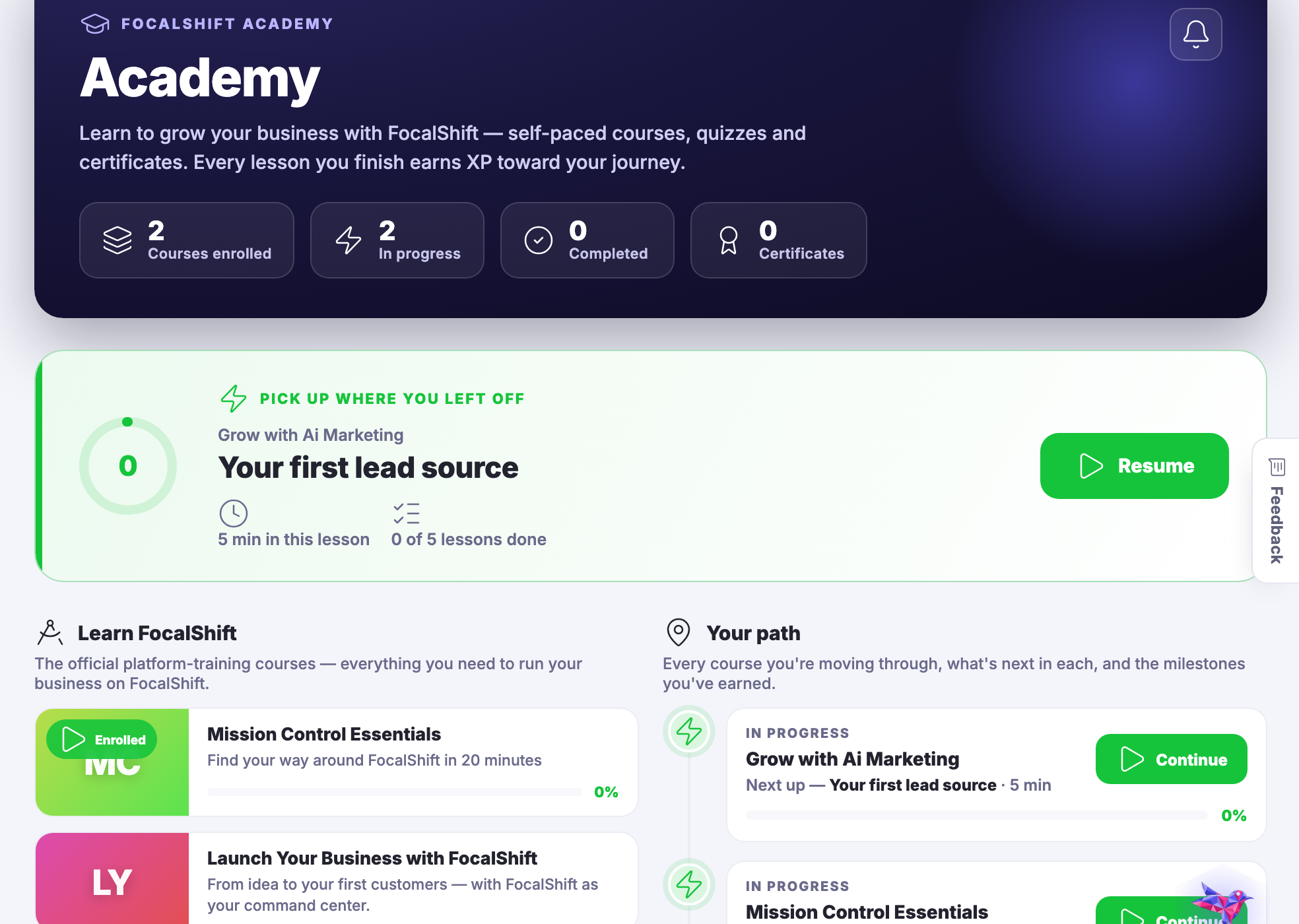
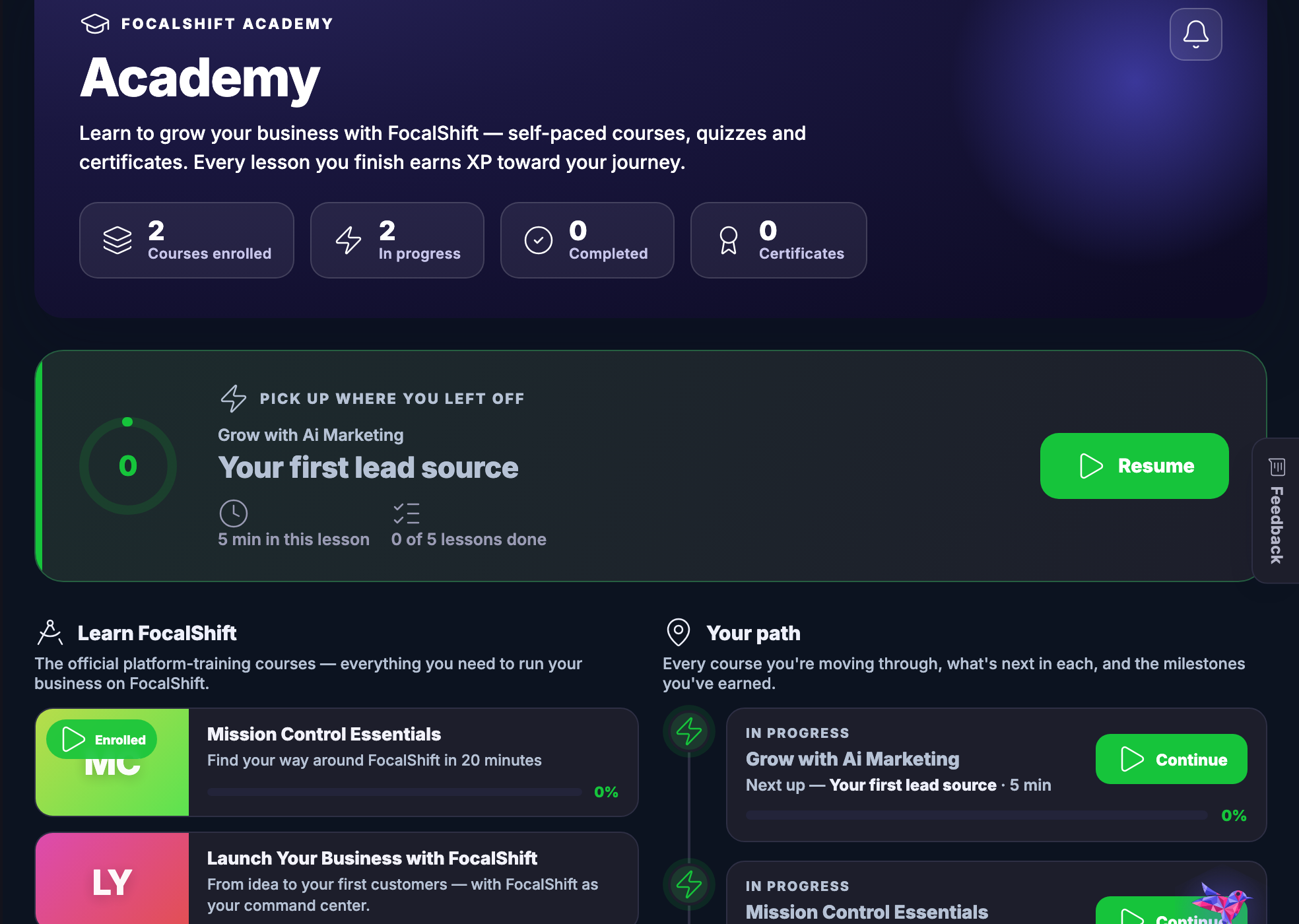
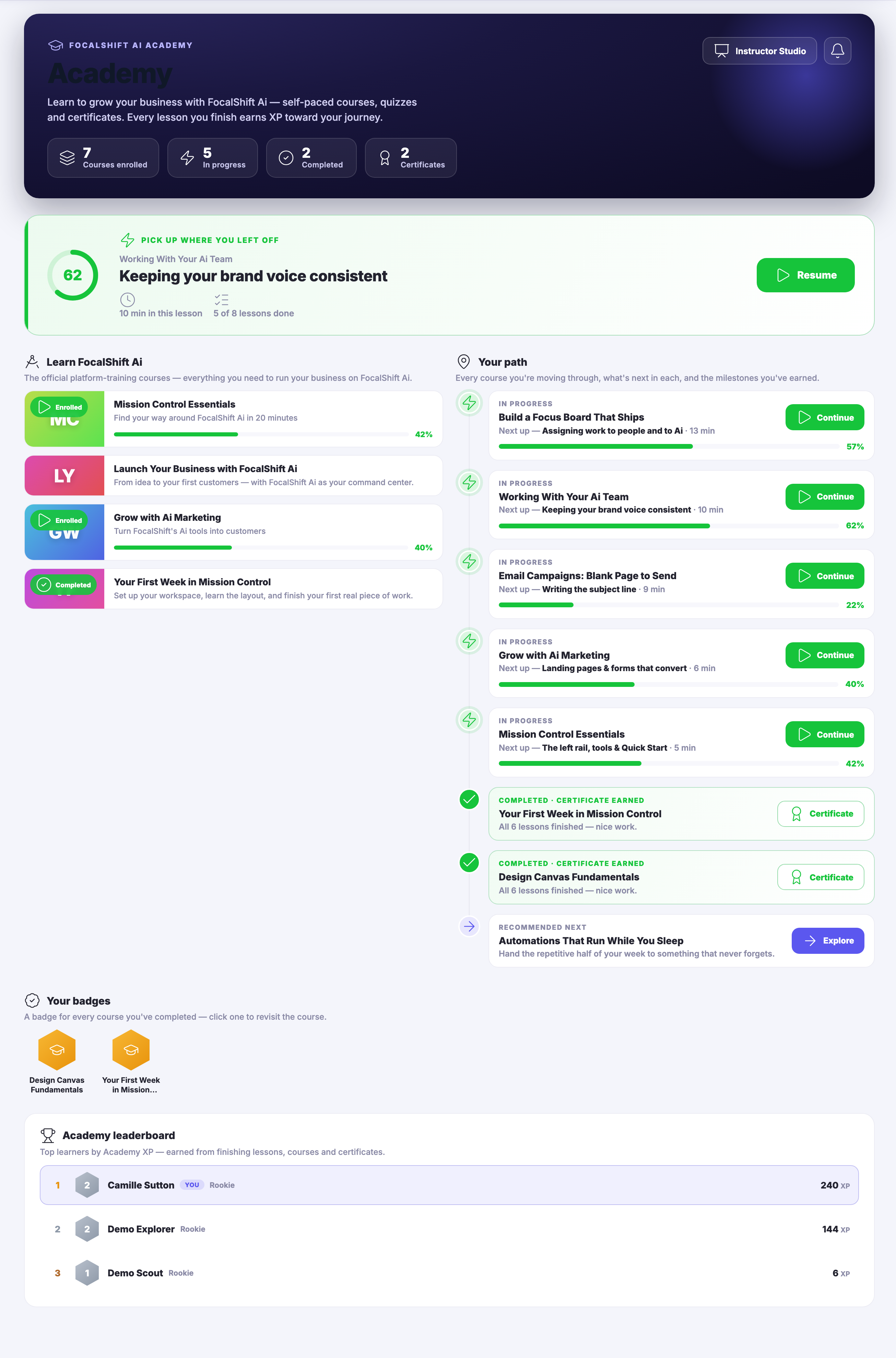
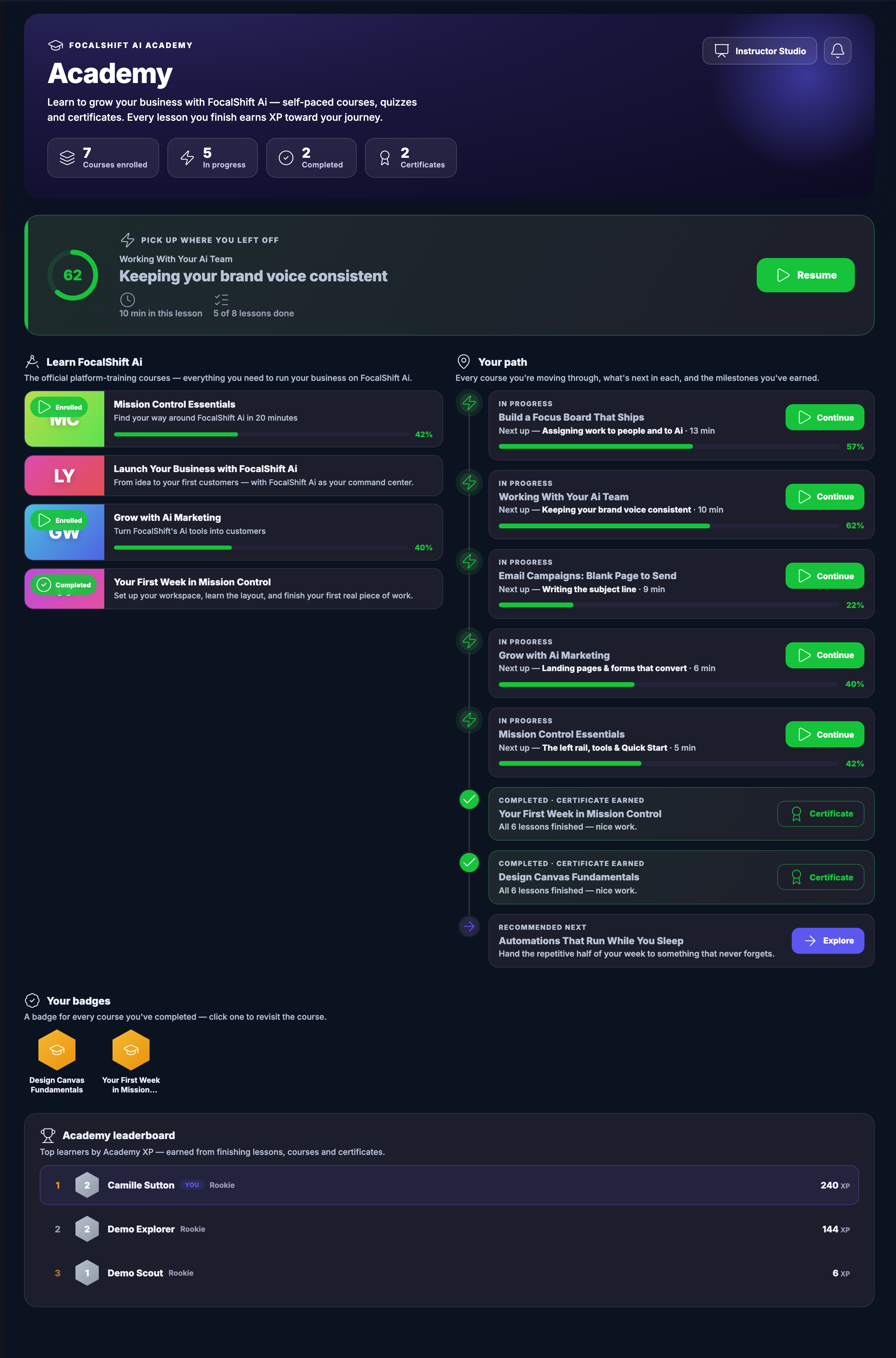
Academy’s Learning Home: a header panel carrying the courses you are enrolled on, the ones in progress, the ones finished and the certificates earned; below it a pick-up-where-you-left-off card naming the lesson you left off on, with its progress ring, how long is left in it and a control to resume; then two columns — the official platform-training courses, most carrying an enrolled or completed marker and, where there is one, a progress bar, and your path, which lists every course you are moving through with the lesson that comes next in each, the courses already completed with the certificate they earned, and one recommended next — and under those, the badges you have collected and the Academy leaderboard.Academy’s Learning Home: a header panel carrying the courses you are enrolled on, the ones in progress, the ones finished and the certificates earned; below it a pick-up-where-you-left-off card naming the lesson you left off on, with its progress ring, how long is left in it and a control to resume; then two columns — the official platform-training courses, most carrying an enrolled or completed marker and, where there is one, a progress bar, and your path, which lists every course you are moving through with the lesson that comes next in each, the courses already completed with the certificate they earned, and one recommended next — and under those, the badges you have collected and the Academy leaderboard.
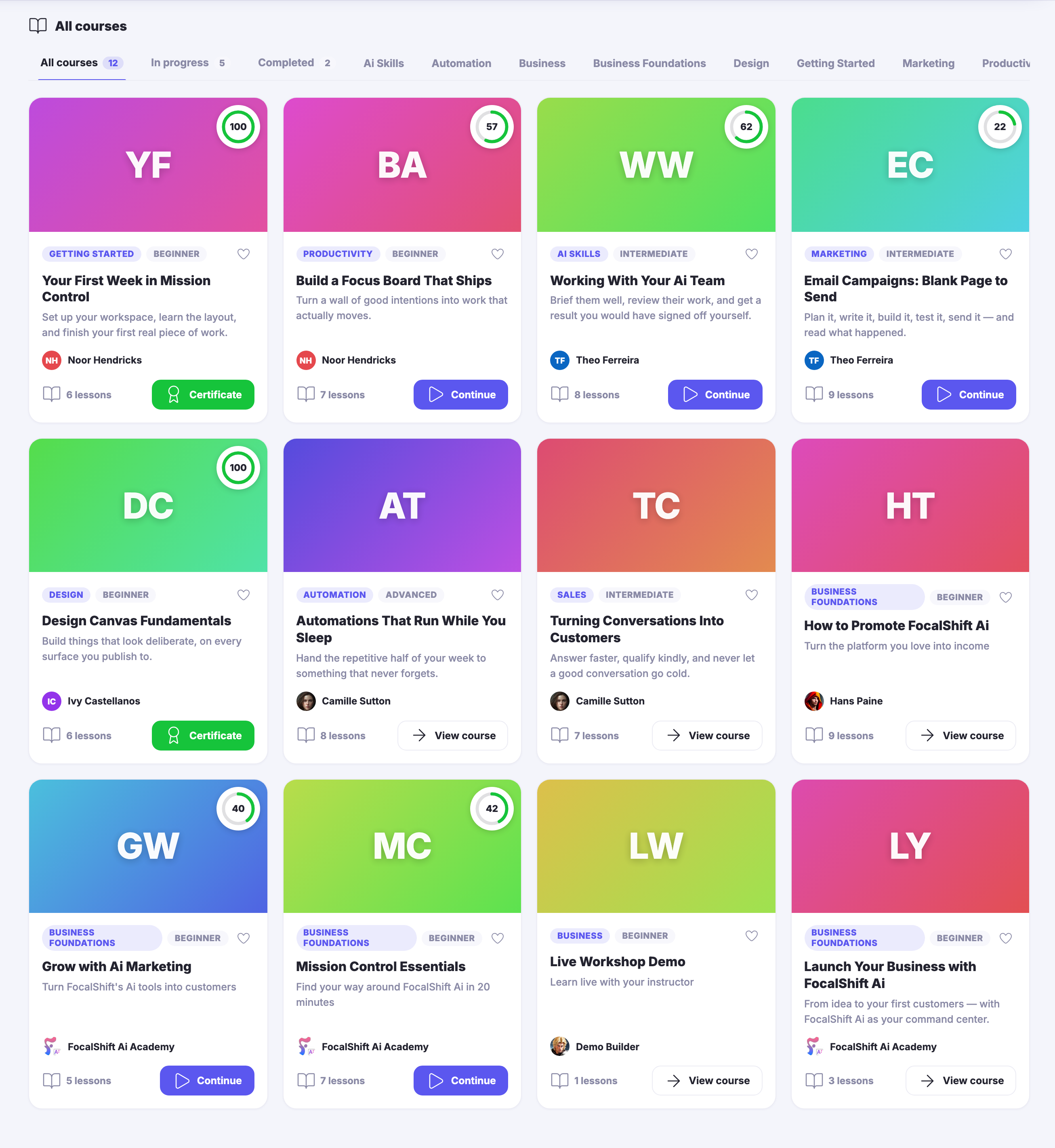
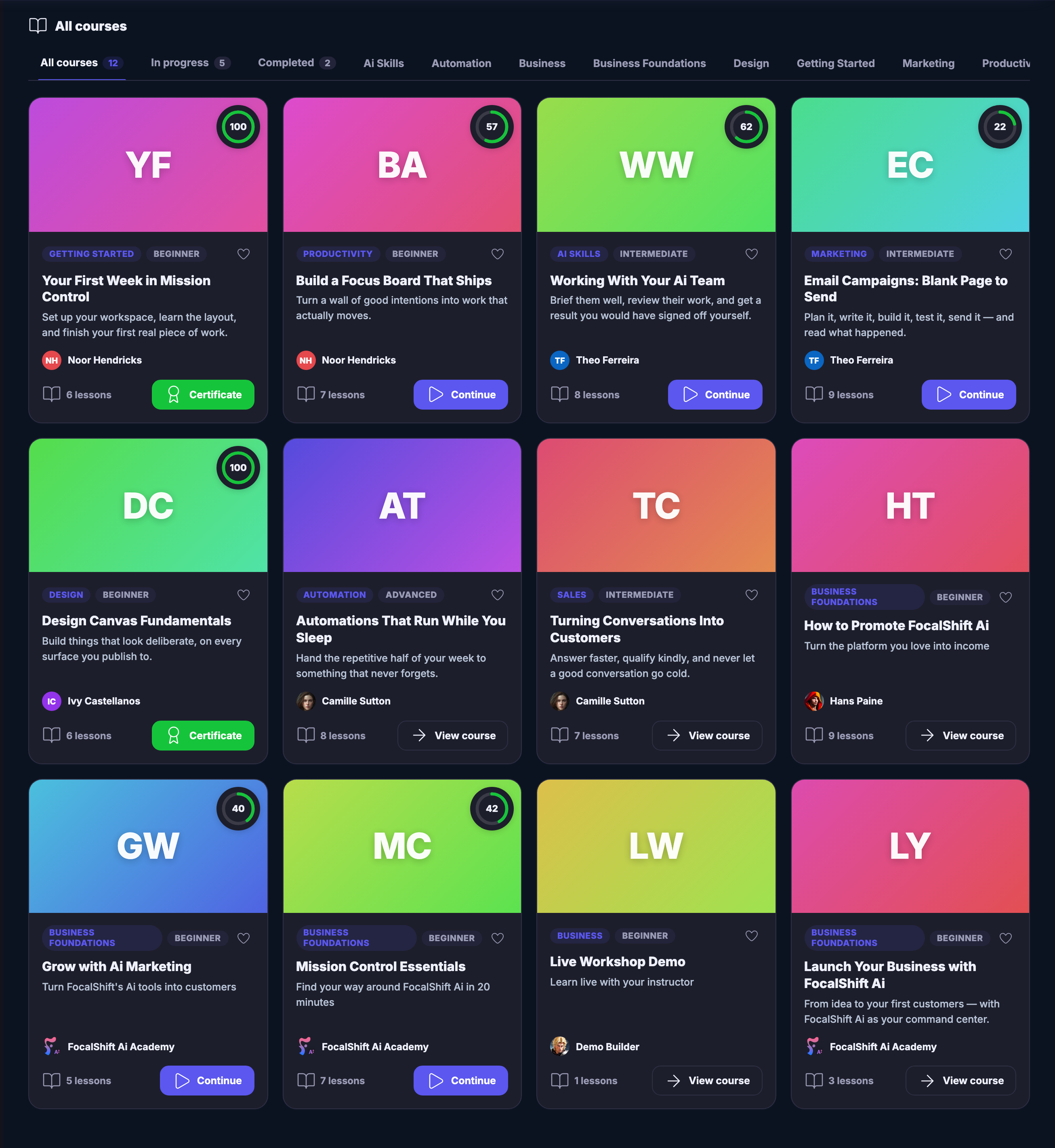
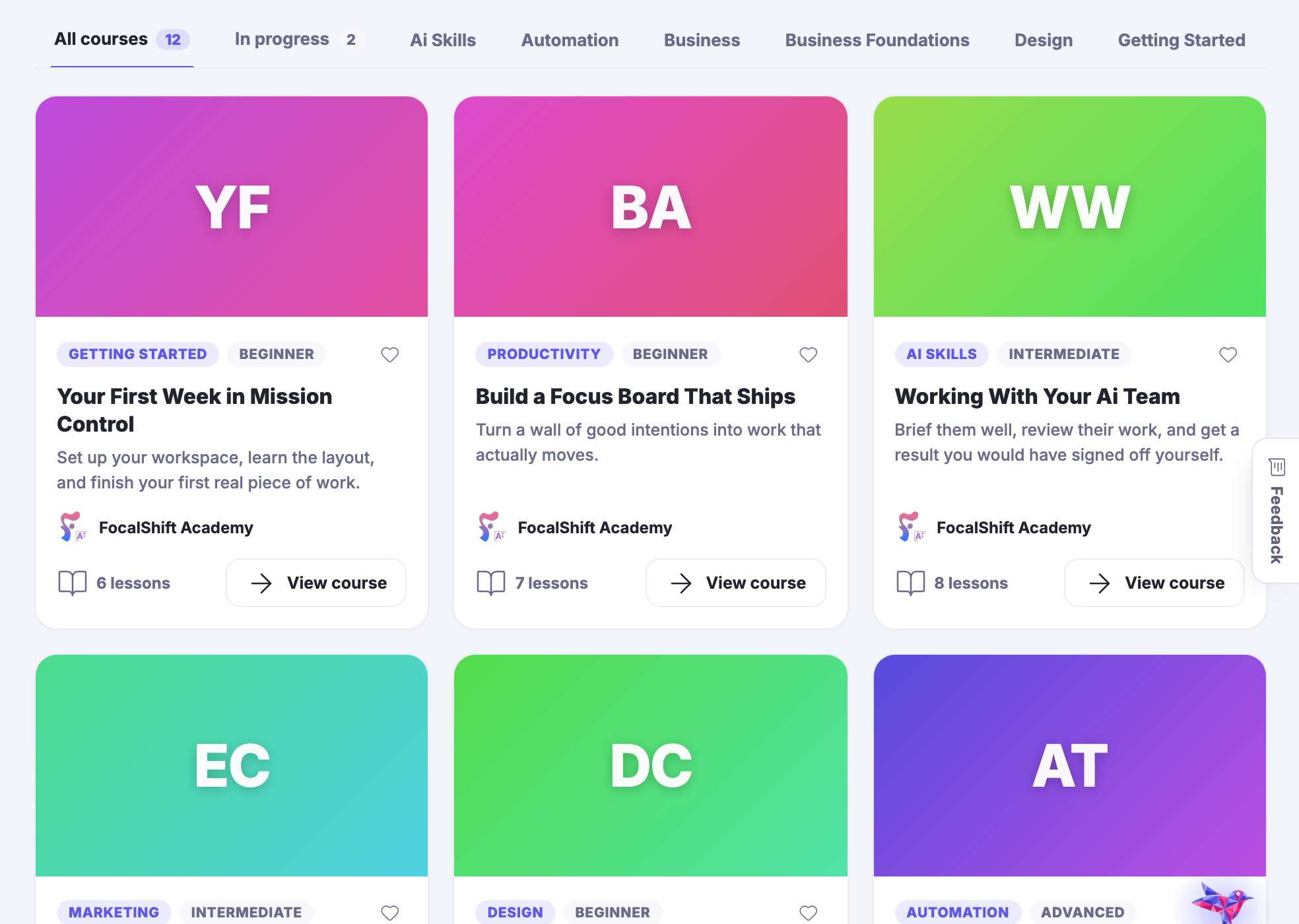
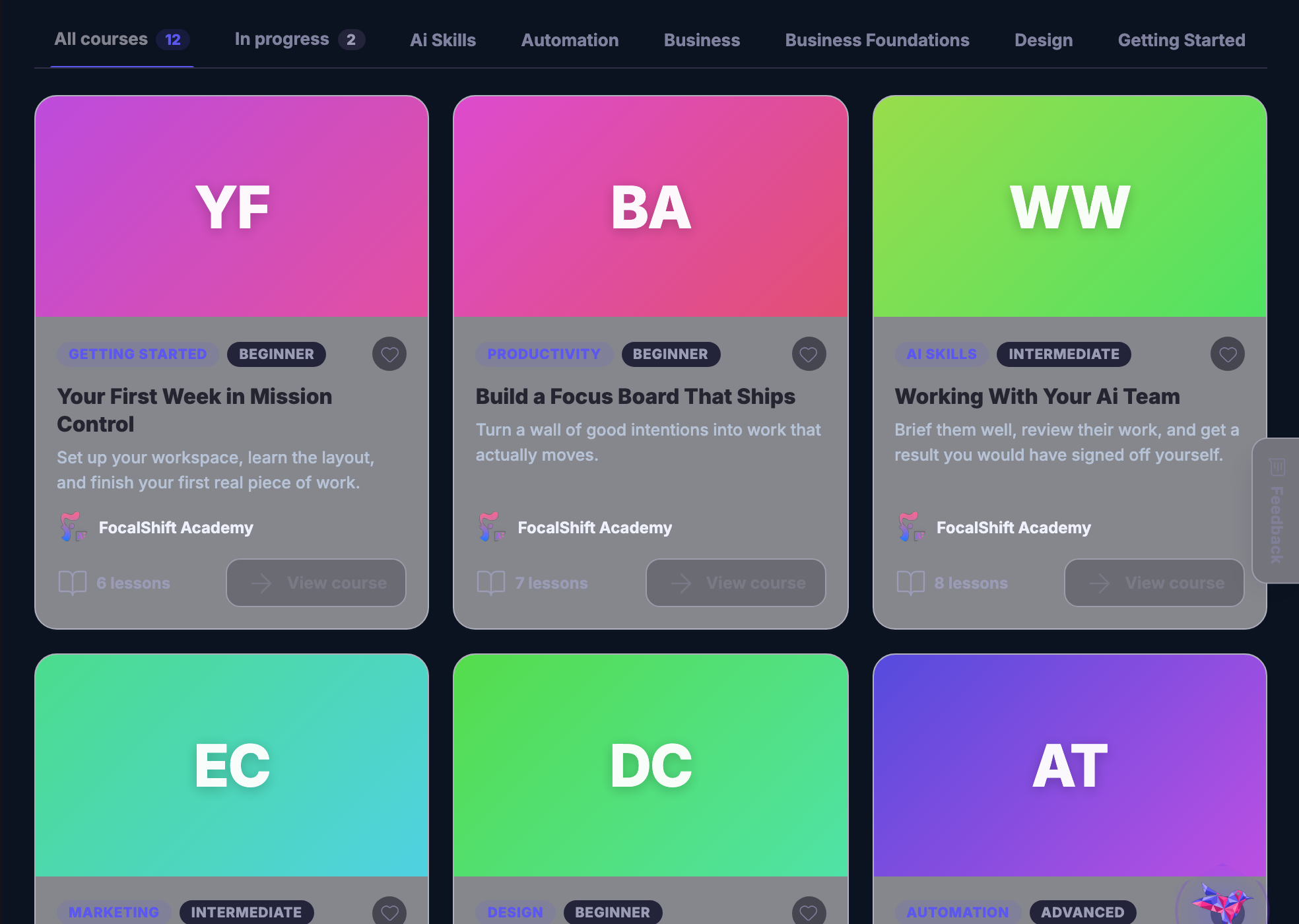
The full catalogue: every course as a card carrying its colour-blocked cover, its subject and level, its title, a line describing what it is for, who teaches it and how many lessons it holds — with a progress ring on the ones already started, and a control that continues a course, opens the certificate of a finished one, or opens one not begun. Above the grid, filters for all courses, the ones in progress, the ones completed, and each subject in turn.The full catalogue: every course as a card carrying its colour-blocked cover, its subject and level, its title, a line describing what it is for, who teaches it and how many lessons it holds — with a progress ring on the ones already started, and a control that continues a course, opens the certificate of a finished one, or opens one not begun. Above the grid, filters for all courses, the ones in progress, the ones completed, and each subject in turn.
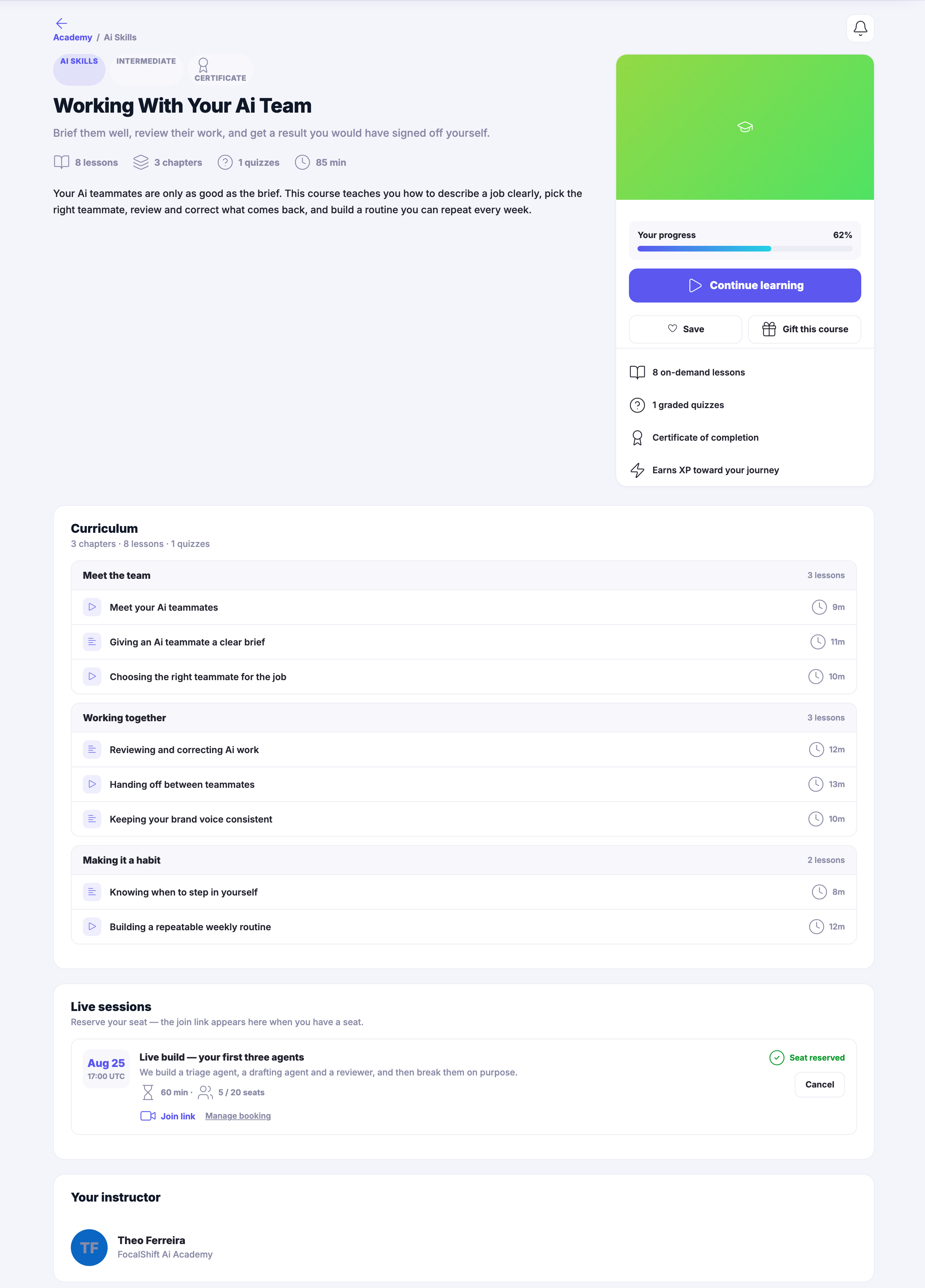
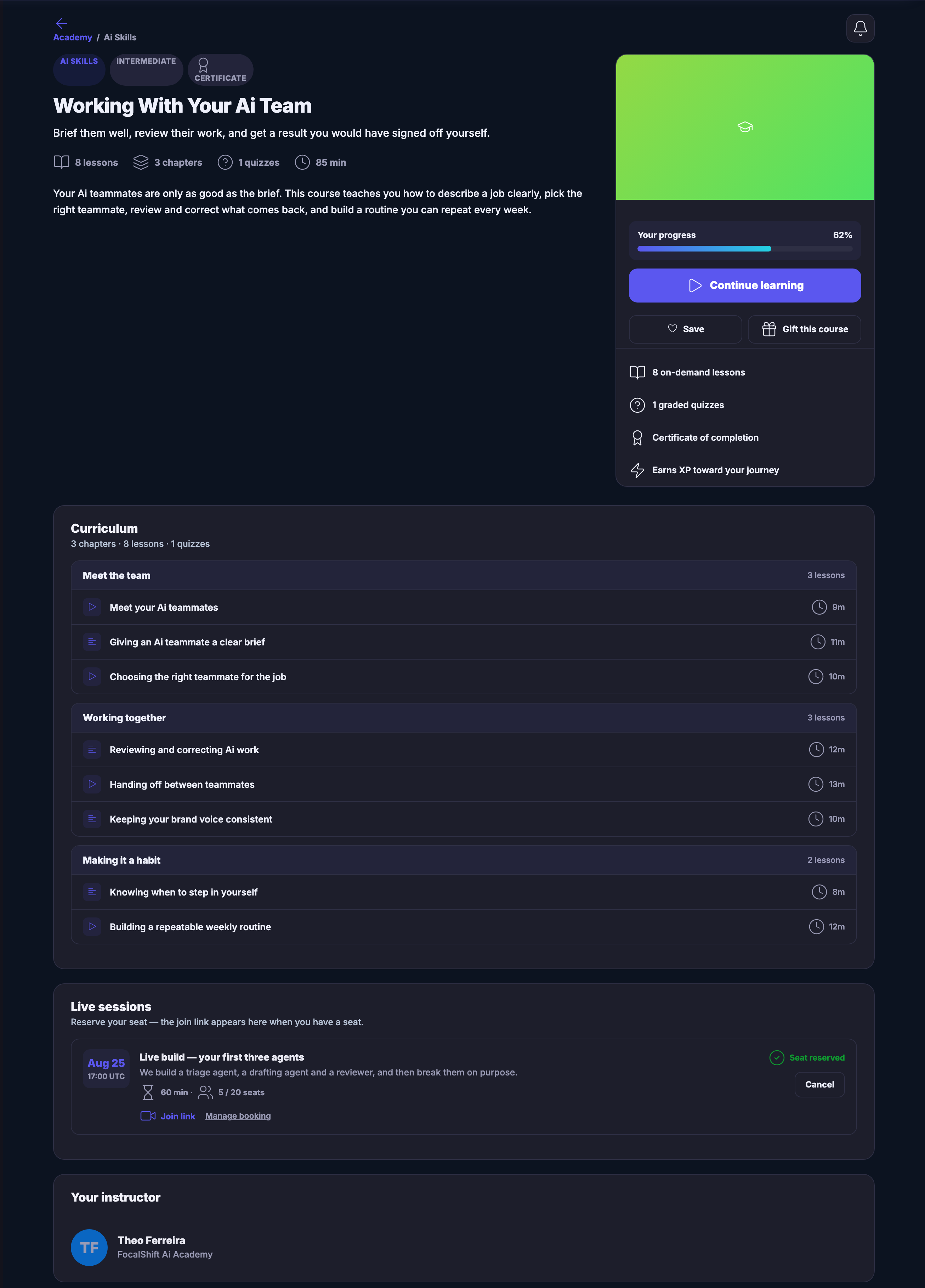
A course opened: its subject and level, whether it carries a certificate, its title and the line describing it, then the lessons, chapters, quizzes and time it takes; a panel down the right holding your progress through it, the control that continues it, and what the course includes; and below, the whole curriculum — every chapter with its lessons named in the order you take them, each marked as something to watch or something to read, each with its length — and last, the instructor who teaches it.A course opened: its subject and level, whether it carries a certificate, its title and the line describing it, then the lessons, chapters, quizzes and time it takes; a panel down the right holding your progress through it, the control that continues it, and what the course includes; and below, the whole curriculum — every chapter with its lessons named in the order you take them, each marked as something to watch or something to read, each with its length — and last, the instructor who teaches it.
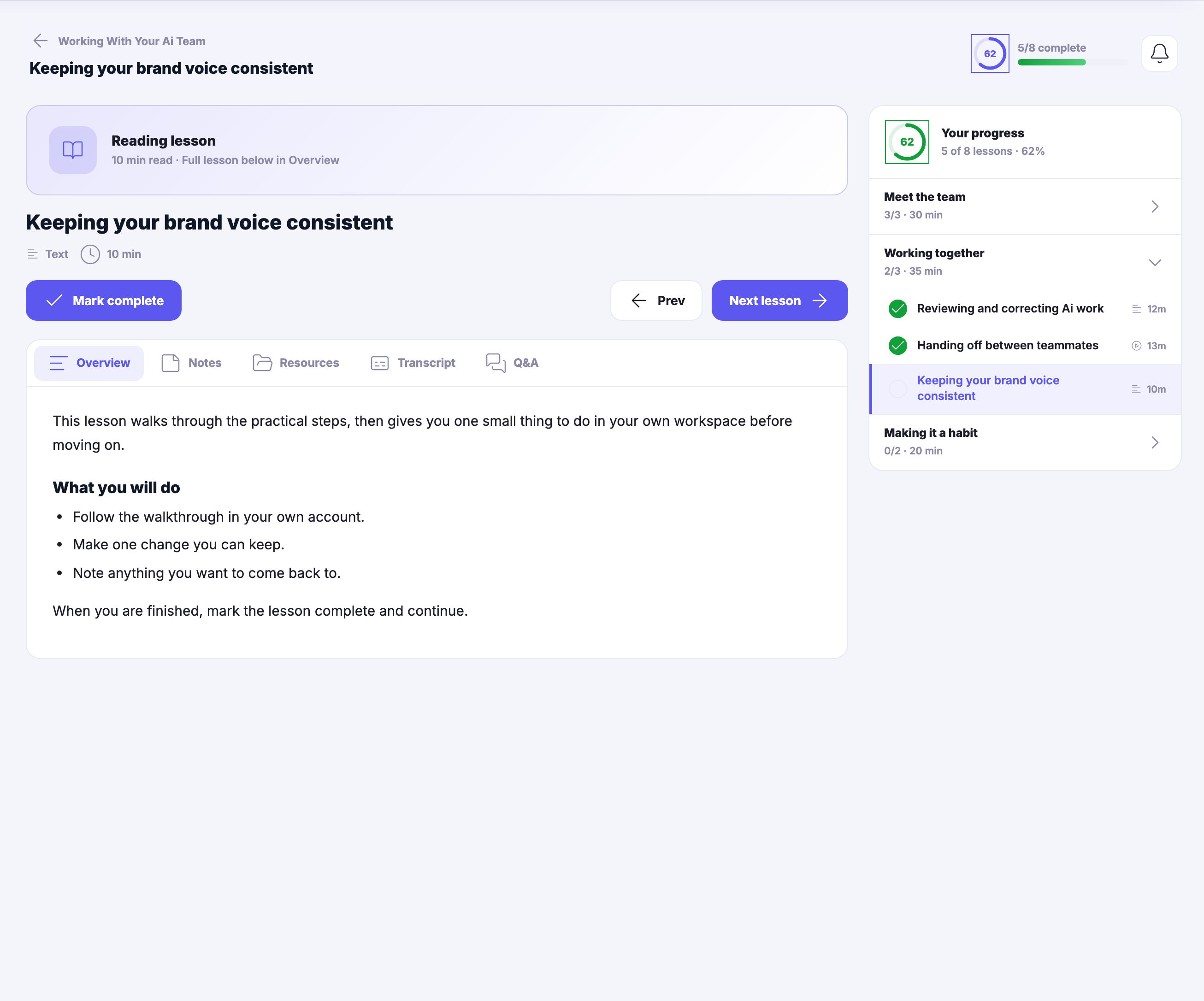
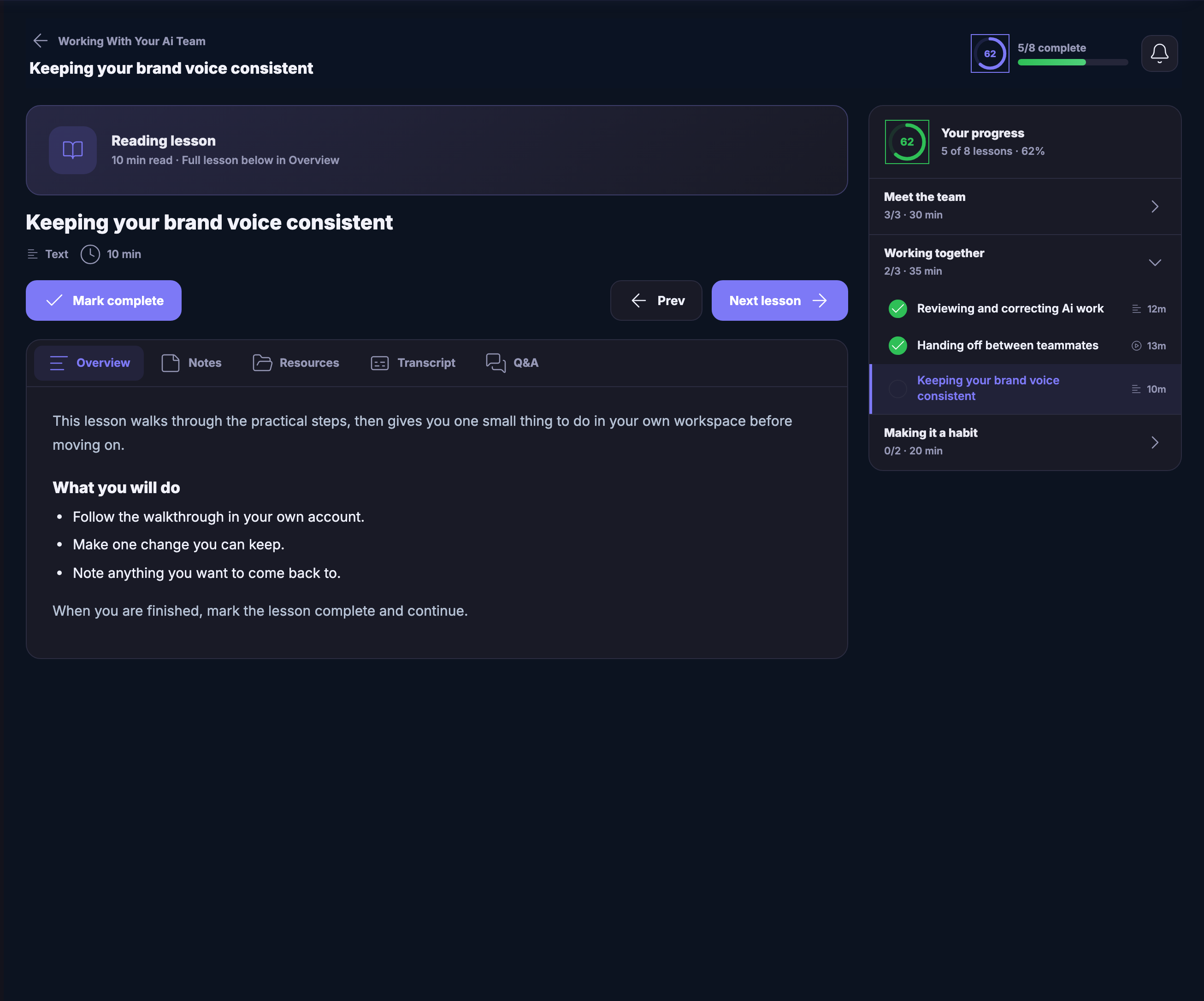
A lesson being worked through: the course it belongs to above the lesson’s own title, the kind of lesson it is and how long it takes, the control that marks it complete beside the ones that step back and forward, and tabs for the overview, your own notes, the resources, the transcript and questions. The overview holds the lesson’s own instructions — follow the walkthrough in your own account, make one change you can keep, note anything to come back to. Down the right the whole course runs as a checklist, the finished lessons ticked, the one you are on highlighted, and each chapter showing how much of it is done.A lesson being worked through: the course it belongs to above the lesson’s own title, the kind of lesson it is and how long it takes, the control that marks it complete beside the ones that step back and forward, and tabs for the overview, your own notes, the resources, the transcript and questions. The overview holds the lesson’s own instructions — follow the walkthrough in your own account, make one change you can keep, note anything to come back to. Down the right the whole course runs as a checklist, the finished lessons ticked, the one you are on highlighted, and each chapter showing how much of it is done.
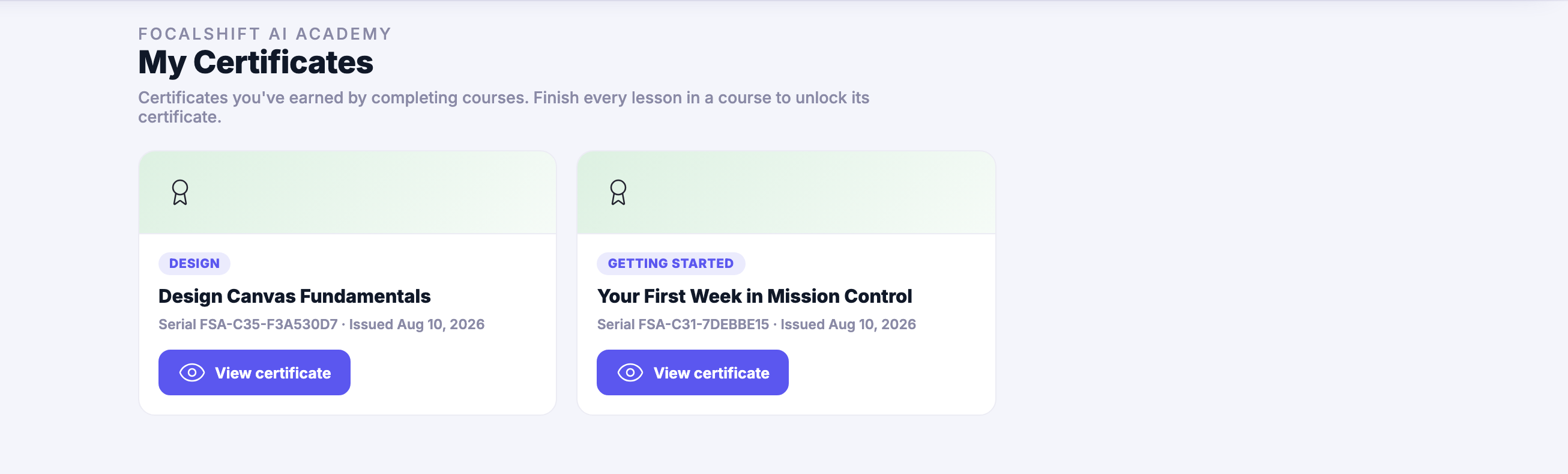
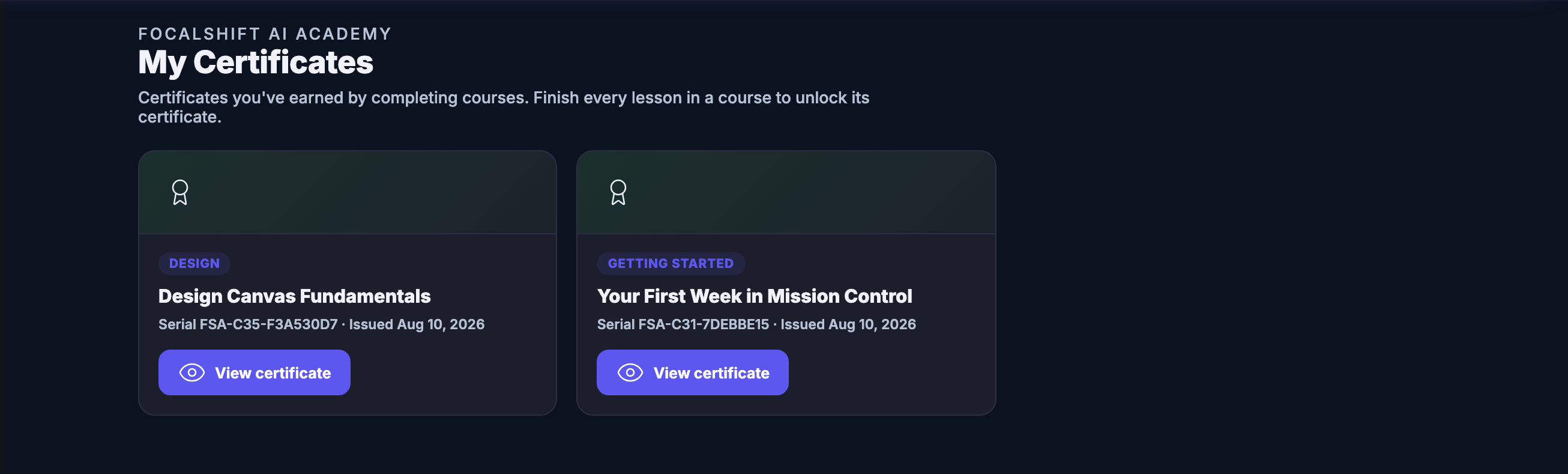
My Certificates as a collection rather than one award: the FocalShift Academy line sits above the heading, and under it a sentence explaining that finishing every lesson in a course is what unlocks its certificate. Below that the certificates earned so far run side by side as cards, each opening with a pale green header carrying a ribbon crest, then the subject it was taken under, the course it came from, the serial it was issued against, the day it was issued, and a control that opens the certificate itself.My Certificates as a collection rather than one award: the FocalShift Academy line sits above the heading, and under it a sentence explaining that finishing every lesson in a course is what unlocks its certificate. Below that the certificates earned so far run side by side as cards, each opening with a pale green header carrying a ribbon crest, then the subject it was taken under, the course it came from, the serial it was issued against, the day it was issued, and a control that opens the certificate itself.
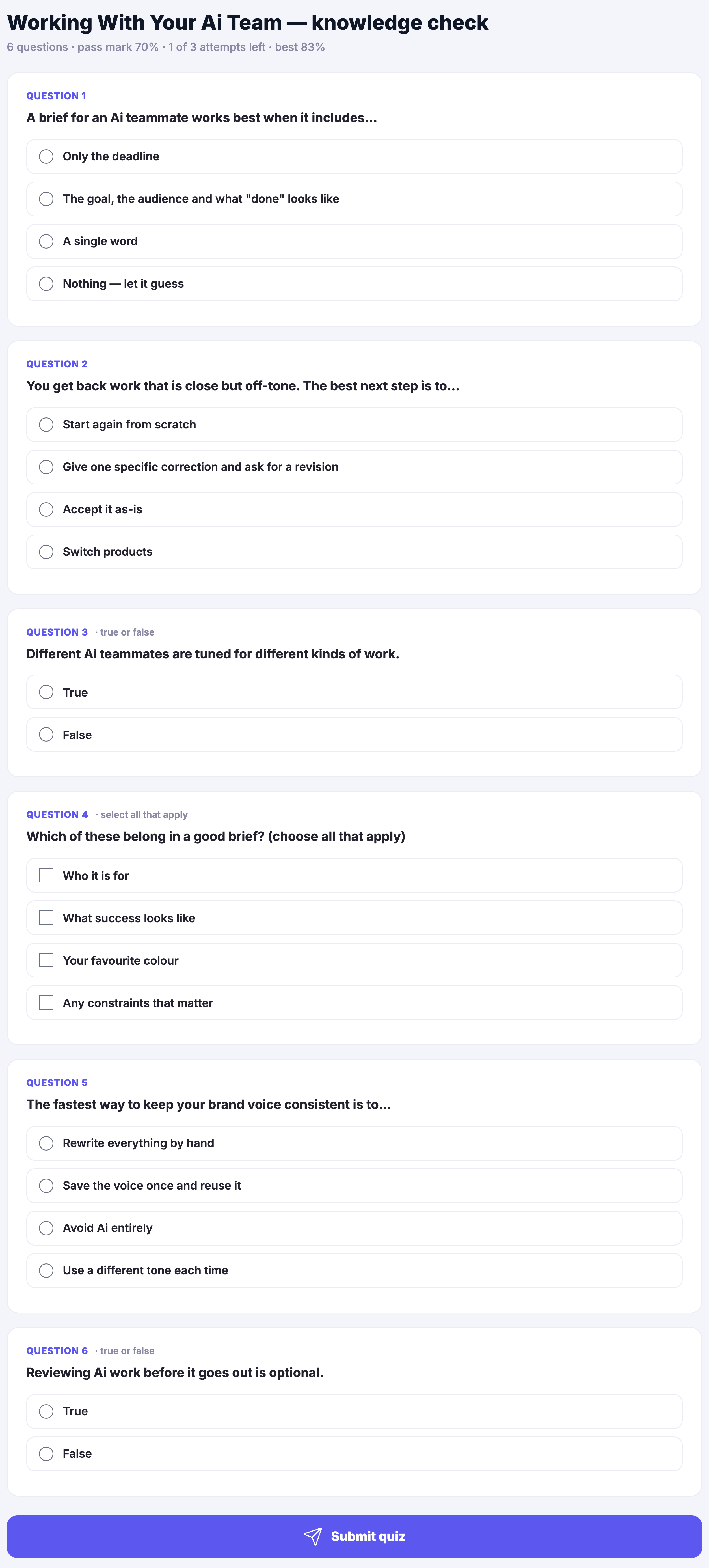
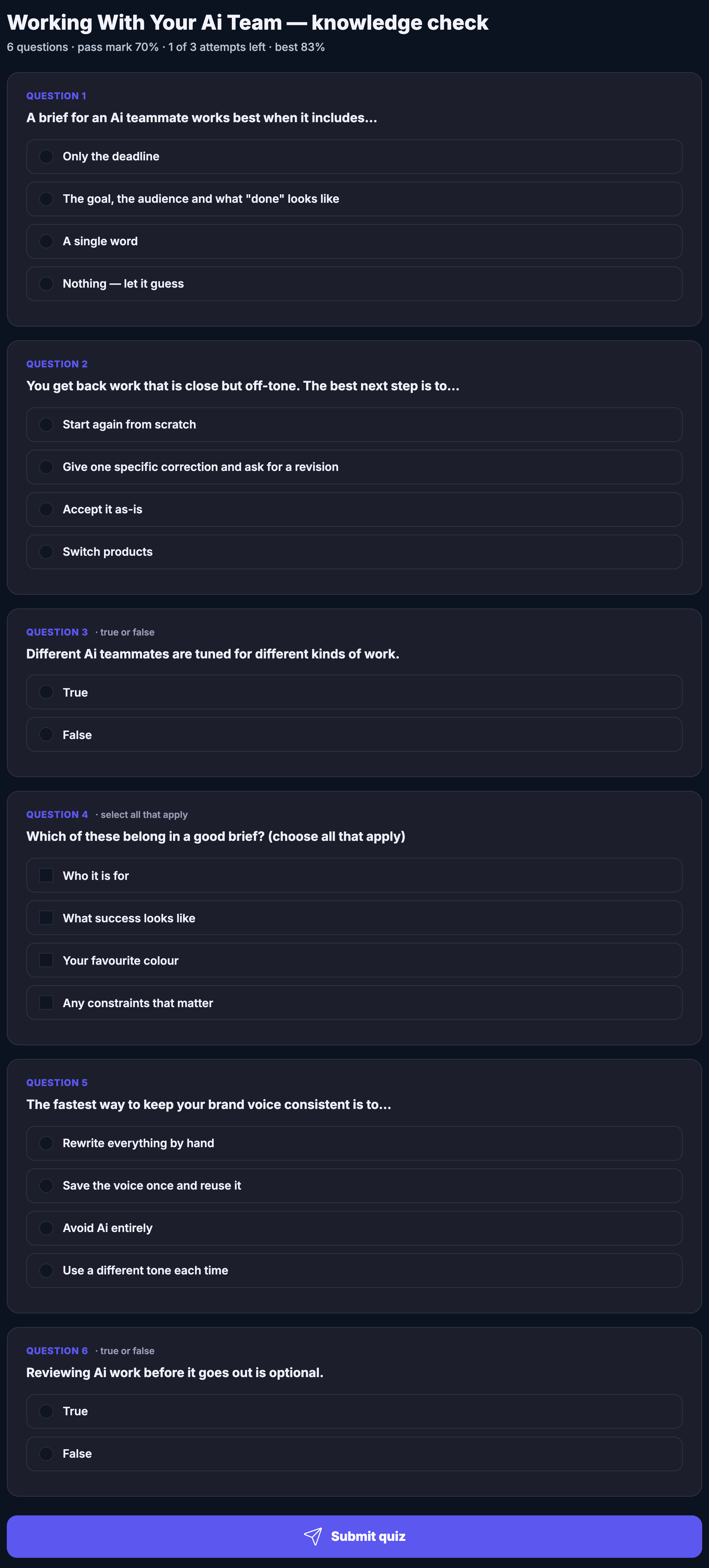
A knowledge check open in the Academy: its title, and under it a line giving how many questions it holds, the pass mark the instructor set, how many attempts are left and the best result so far. Below that every question in turn, each in its own panel and numbered — most of them choose-one, one marked select all that apply, two marked true or false — with every answer written out in full and its own control beside it, and not one of them chosen yet. At the foot, the single control that submits the attempt to be marked.A knowledge check open in the Academy: its title, and under it a line giving how many questions it holds, the pass mark the instructor set, how many attempts are left and the best result so far. Below that every question in turn, each in its own panel and numbered — most of them choose-one, one marked select all that apply, two marked true or false — with every answer written out in full and its own control beside it, and not one of them chosen yet. At the foot, the single control that submits the attempt to be marked.

Academie

Sluiten
Academy’s Learning Home: a header panel carrying the courses you are enrolled on, the ones in progress, the ones finished and the certificates earned; below it a pick-up-where-you-left-off card naming the lesson you left off on, with its progress ring, how long is left in it and a control to resume; then two columns — the official platform-training courses, most carrying an enrolled or completed marker and, where there is one, a progress bar, and your path, which lists every course you are moving through with the lesson that comes next in each, the courses already completed with the certificate they earned, and one recommended next — and under those, the badges you have collected and the Academy leaderboard.Academy’s Learning Home: a header panel carrying the courses you are enrolled on, the ones in progress, the ones finished and the certificates earned; below it a pick-up-where-you-left-off card naming the lesson you left off on, with its progress ring, how long is left in it and a control to resume; then two columns — the official platform-training courses, most carrying an enrolled or completed marker and, where there is one, a progress bar, and your path, which lists every course you are moving through with the lesson that comes next in each, the courses already completed with the certificate they earned, and one recommended next — and under those, the badges you have collected and the Academy leaderboard.

Academie

Sluiten
The full catalogue: every course as a card carrying its colour-blocked cover, its subject and level, its title, a line describing what it is for, who teaches it and how many lessons it holds — with a progress ring on the ones already started, and a control that continues a course, opens the certificate of a finished one, or opens one not begun. Above the grid, filters for all courses, the ones in progress, the ones completed, and each subject in turn.The full catalogue: every course as a card carrying its colour-blocked cover, its subject and level, its title, a line describing what it is for, who teaches it and how many lessons it holds — with a progress ring on the ones already started, and a control that continues a course, opens the certificate of a finished one, or opens one not begun. Above the grid, filters for all courses, the ones in progress, the ones completed, and each subject in turn.

Academie

Sluiten
A course opened: its subject and level, whether it carries a certificate, its title and the line describing it, then the lessons, chapters, quizzes and time it takes; a panel down the right holding your progress through it, the control that continues it, and what the course includes; and below, the whole curriculum — every chapter with its lessons named in the order you take them, each marked as something to watch or something to read, each with its length — and last, the instructor who teaches it.A course opened: its subject and level, whether it carries a certificate, its title and the line describing it, then the lessons, chapters, quizzes and time it takes; a panel down the right holding your progress through it, the control that continues it, and what the course includes; and below, the whole curriculum — every chapter with its lessons named in the order you take them, each marked as something to watch or something to read, each with its length — and last, the instructor who teaches it.

Academie

Sluiten
A lesson being worked through: the course it belongs to above the lesson’s own title, the kind of lesson it is and how long it takes, the control that marks it complete beside the ones that step back and forward, and tabs for the overview, your own notes, the resources, the transcript and questions. The overview holds the lesson’s own instructions — follow the walkthrough in your own account, make one change you can keep, note anything to come back to. Down the right the whole course runs as a checklist, the finished lessons ticked, the one you are on highlighted, and each chapter showing how much of it is done.A lesson being worked through: the course it belongs to above the lesson’s own title, the kind of lesson it is and how long it takes, the control that marks it complete beside the ones that step back and forward, and tabs for the overview, your own notes, the resources, the transcript and questions. The overview holds the lesson’s own instructions — follow the walkthrough in your own account, make one change you can keep, note anything to come back to. Down the right the whole course runs as a checklist, the finished lessons ticked, the one you are on highlighted, and each chapter showing how much of it is done.

Academie

Sluiten
My Certificates as a collection rather than one award: the FocalShift Academy line sits above the heading, and under it a sentence explaining that finishing every lesson in a course is what unlocks its certificate. Below that the certificates earned so far run side by side as cards, each opening with a pale green header carrying a ribbon crest, then the subject it was taken under, the course it came from, the serial it was issued against, the day it was issued, and a control that opens the certificate itself.My Certificates as a collection rather than one award: the FocalShift Academy line sits above the heading, and under it a sentence explaining that finishing every lesson in a course is what unlocks its certificate. Below that the certificates earned so far run side by side as cards, each opening with a pale green header carrying a ribbon crest, then the subject it was taken under, the course it came from, the serial it was issued against, the day it was issued, and a control that opens the certificate itself.

Academie

Sluiten
A knowledge check open in the Academy: its title, and under it a line giving how many questions it holds, the pass mark the instructor set, how many attempts are left and the best result so far. Below that every question in turn, each in its own panel and numbered — most of them choose-one, one marked select all that apply, two marked true or false — with every answer written out in full and its own control beside it, and not one of them chosen yet. At the foot, the single control that submits the attempt to be marked.A knowledge check open in the Academy: its title, and under it a line giving how many questions it holds, the pass mark the instructor set, how many attempts are left and the best result so far. Below that every question in turn, each in its own panel and numbered — most of them choose-one, one marked select all that apply, two marked true or false — with every answer written out in full and its own control beside it, and not one of them chosen yet. At the foot, the single control that submits the attempt to be marked.

A look inside Academy

Stills from the product, one after the next. The full set is in the screenshots.

Academy’s Learning Home: a header panel carrying the courses you are enrolled on, the ones in progress, the ones finished and the certificates earned; below it a pick-up-where-you-left-off card naming the lesson you left off on, with its progress ring, how long is left in it and a control to resume; then two columns — the official platform-training courses, most carrying an enrolled or completed marker and, where there is one, a progress bar, and your path, which lists every course you are moving through with the lesson that comes next in each, the courses already completed with the certificate they earned, and one recommended next — and under those, the badges you have collected and the Academy leaderboard.Academy’s Learning Home: a header panel carrying the courses you are enrolled on, the ones in progress, the ones finished and the certificates earned; below it a pick-up-where-you-left-off card naming the lesson you left off on, with its progress ring, how long is left in it and a control to resume; then two columns — the official platform-training courses, most carrying an enrolled or completed marker and, where there is one, a progress bar, and your path, which lists every course you are moving through with the lesson that comes next in each, the courses already completed with the certificate they earned, and one recommended next — and under those, the badges you have collected and the Academy leaderboard.
The full catalogue: every course as a card carrying its colour-blocked cover, its subject and level, its title, a line describing what it is for, who teaches it and how many lessons it holds — with a progress ring on the ones already started, and a control that continues a course, opens the certificate of a finished one, or opens one not begun. Above the grid, filters for all courses, the ones in progress, the ones completed, and each subject in turn.The full catalogue: every course as a card carrying its colour-blocked cover, its subject and level, its title, a line describing what it is for, who teaches it and how many lessons it holds — with a progress ring on the ones already started, and a control that continues a course, opens the certificate of a finished one, or opens one not begun. Above the grid, filters for all courses, the ones in progress, the ones completed, and each subject in turn.
A course opened: its subject and level, whether it carries a certificate, its title and the line describing it, then the lessons, chapters, quizzes and time it takes; a panel down the right holding your progress through it, the control that continues it, and what the course includes; and below, the whole curriculum — every chapter with its lessons named in the order you take them, each marked as something to watch or something to read, each with its length — and last, the instructor who teaches it.A course opened: its subject and level, whether it carries a certificate, its title and the line describing it, then the lessons, chapters, quizzes and time it takes; a panel down the right holding your progress through it, the control that continues it, and what the course includes; and below, the whole curriculum — every chapter with its lessons named in the order you take them, each marked as something to watch or something to read, each with its length — and last, the instructor who teaches it.
A lesson being worked through: the course it belongs to above the lesson’s own title, the kind of lesson it is and how long it takes, the control that marks it complete beside the ones that step back and forward, and tabs for the overview, your own notes, the resources, the transcript and questions. The overview holds the lesson’s own instructions — follow the walkthrough in your own account, make one change you can keep, note anything to come back to. Down the right the whole course runs as a checklist, the finished lessons ticked, the one you are on highlighted, and each chapter showing how much of it is done.A lesson being worked through: the course it belongs to above the lesson’s own title, the kind of lesson it is and how long it takes, the control that marks it complete beside the ones that step back and forward, and tabs for the overview, your own notes, the resources, the transcript and questions. The overview holds the lesson’s own instructions — follow the walkthrough in your own account, make one change you can keep, note anything to come back to. Down the right the whole course runs as a checklist, the finished lessons ticked, the one you are on highlighted, and each chapter showing how much of it is done.
My Certificates as a collection rather than one award: the FocalShift Academy line sits above the heading, and under it a sentence explaining that finishing every lesson in a course is what unlocks its certificate. Below that the certificates earned so far run side by side as cards, each opening with a pale green header carrying a ribbon crest, then the subject it was taken under, the course it came from, the serial it was issued against, the day it was issued, and a control that opens the certificate itself.My Certificates as a collection rather than one award: the FocalShift Academy line sits above the heading, and under it a sentence explaining that finishing every lesson in a course is what unlocks its certificate. Below that the certificates earned so far run side by side as cards, each opening with a pale green header carrying a ribbon crest, then the subject it was taken under, the course it came from, the serial it was issued against, the day it was issued, and a control that opens the certificate itself.

Cursussen

Built, not just watched.

The shelf above is the course list: business-building courses where every lesson produces something in your own workspace.

Every course ends in working things

A FocalShift course ends with the funnel live, the campaign scheduled or the system running — in your account, not in a notebook.

Taught by operators

Instructors are members who run real businesses here, teaching the thing they actually do.

Included on every plan

The Academy comes with the platform; a course carries its own price only when its teacher sets one.

Learning paths

A route for where you’re going.

A path is a sequence of courses chosen for one goal — a first customer, a first hire, a first month that pays for itself — each one a ladder rather than a pile.

Sequenced on purpose

Each course sets up the next, so what you built in lesson one is what lesson four works on.

Milestones that matter

Progress is measured in business results — the thing running in your account — not in videos watched.

A credential with the work behind it

Finish a path and the certificate on your profile links to what you actually built.

Inside a course

Every lesson leaves something behind.

A look at “Grow with Ai Marketing” — 5 lessons, 2 chapters, about 26 min.

1
Your first lead sourceAttract
Gratis voorbeeld
2
Landing pages & forms that convertAttract
6 min
3
Sequences that follow up for youEngage & Convert
6 min
4
Show up everywhere with Ai StudioEngage & Convert
5 min
5
Book more callsEngage & Convert
4 min
Teach, too

Turn what you know into a course you sell.

Build your own course and sell it to your community. Enrollment, lessons and the money all live in your workspace — so teaching becomes one more line in Money Flow, not another platform to manage.

Learn where it counts

You learn where other people can see it.

Academy sits right beside the FocalShift network. Your progress is visible to a community that can cheer you on — and hire you. Finish a course in public, and your next client may already know your work.

The real screens

This is the Academy, signed in.

Two screens from a real account: the learning home a member opens on, and the courses actually on the shelf. Both are photographs of the product.

Learning home — Where a member lands: what is in progress, what is next, and the lessons waiting to be played.
Learning home

Where a member lands: what is in progress, what is next, and the lessons waiting to be played.

The courses — The shelf itself, read from the Classroom inside the platform rather than from a page somebody kept up to date by hand.
The courses

The shelf itself, read from the Classroom inside the platform rather than from a page somebody kept up to date by hand.

Captured from a demo business on a live account, in a browser kept apart from anyone’s own. A member who has just arrived has taken nothing yet, which is why the progress side reads quiet.

Finish the course. The work is already done.

Join the beta program

Next Up: Retail & products

Run products, inventory and storefronts from the same system.

Vraag Maven